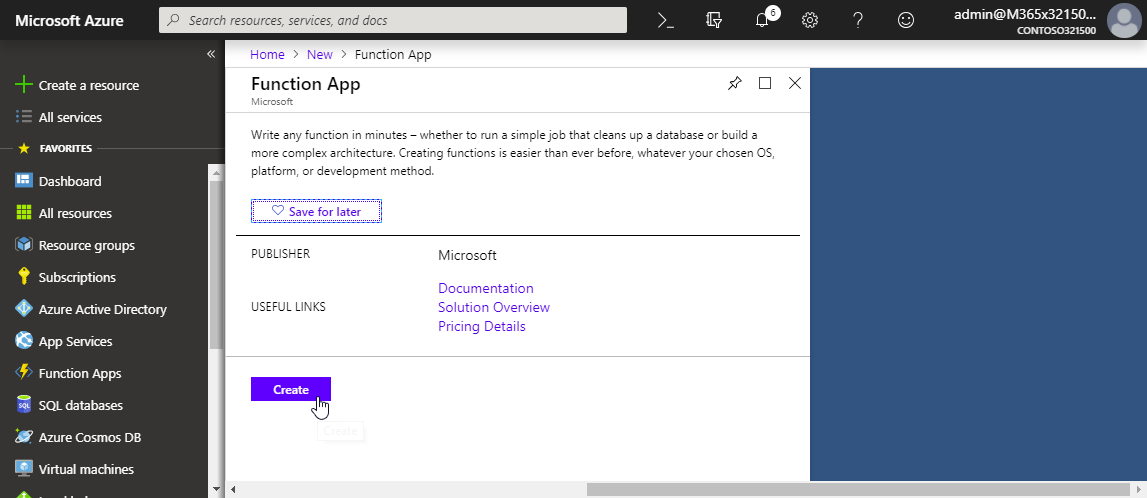
Groups Governance Toolkit Part 3-Develop Azure Functions

Groups Governance Toolkit Part 3-Develop Azure Functions

After the introduction of the Office 365 Groups and Microsoft Teams Governance Toolkit and with the necessary requirements we are now looking into Azure Functions. In our group and team provisioning scenario, we need a little code for provisioning of an Office 365 group and a Microsoft team. Serverless computing with an Azure Function provides the optimal solution for that. Follow these steps to create the function we need for our workflow. ...
January 16, 2019 · 6 min · Martina Grom
Groups Governance Toolkit Part 2-Provisioning requirements

Groups Governance Toolkit Part 2-Provisioning requirements

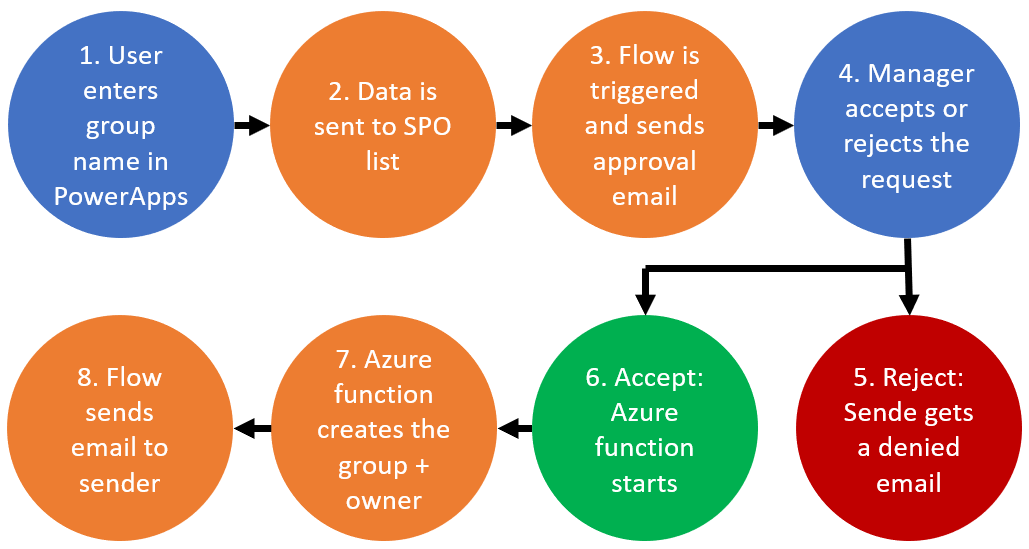
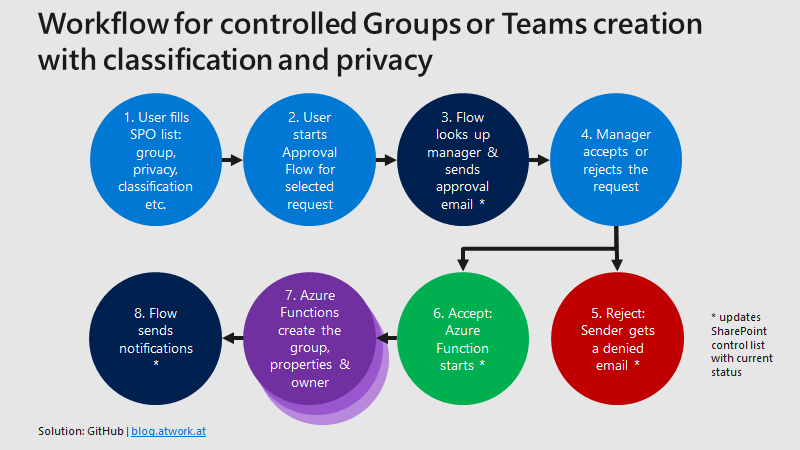
In part 1 of this series we described the scenario for our Office 365 groups governance toolkit. In this part we will setup a workflow for the Office 365 and Microsoft Teams provisioning. Workflows help to follow specific processes for a successful collaboration. Offering self-services for users is a key to reduce workloads on the IT department and to allow users to cover their requirements quickly while the organization’s policies are enforced during the process. A frequently asked request is how to provision a new Microsoft Team in Office 365 in a secure and monitored way. See how this can be implemented here. ...

January 11, 2019 · 5 min · Martina Grom
Groups Governance Toolkit Part 1-Overview

Groups Governance Toolkit Part 1-Overview

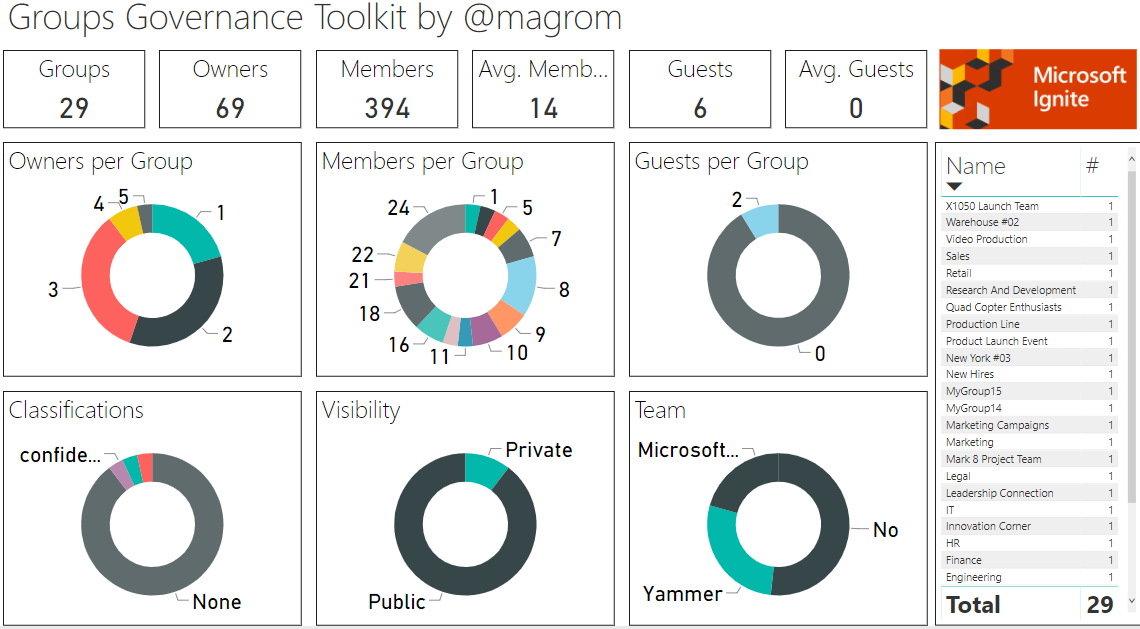
IT-Governance is an important topic, especially in large organizations. In an agile and evergreen world, as it can be found with Microsoft 365 services, Governance becomes an integral part which needs to be monitored and updated on a regular basis. At Microsoft Ignite conference, we showed the “Groups Governance Toolkit” with a bunch of useful tools to regulate and monitor for Office 365 Groups and Microsoft Teams. Everything we showed at Ignite is open source and built with out of the box tools within Microsoft 365 and Azure. ...

January 8, 2019 · 4 min · Martina Grom

Join us at SharePoint Conference 2019!

If you are working with Microsoft SharePoint, 2019 will be a great year! First of all, because SharePoint Server 2019 has been announced, and because SharePoint Conference North America 2019 will take place in May in Fabulous Las Vegas (again). We from atwork will be part of the conference and we are looking forward to it. The event registration is already open and there are reduced price packages available. Additionally, find a discount code here! ...

December 16, 2018 · 1 min · Martina Grom
Download Microsoft BUILD 2018 conference sessions

Download Microsoft BUILD 2018 conference sessions

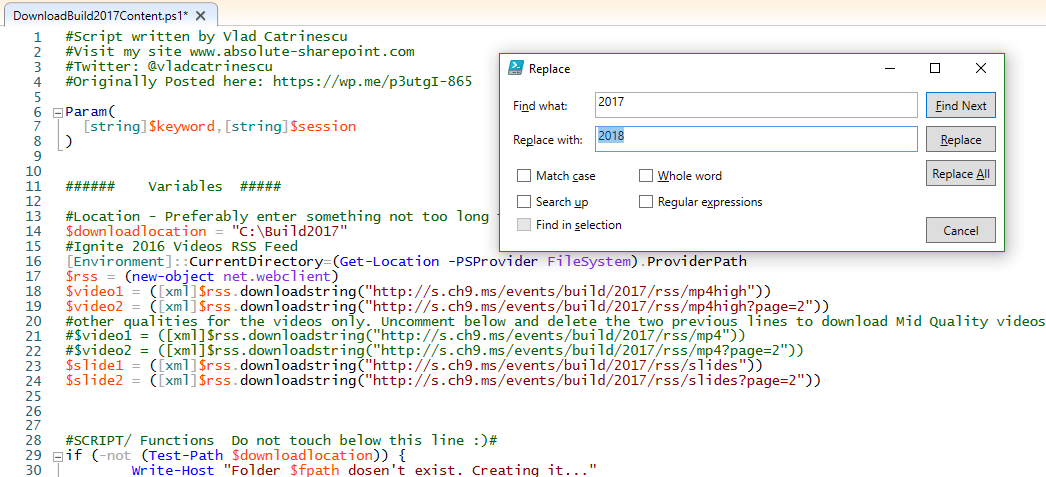
Microsoft BUILD conference 2018 took place two weeks ago in Seattle with over 350 sessions covering Azure, Visual Studios, Microsoft 365, and more. Although you can watch the sessions online at mybuild.microsoft.com/sessions, sometimes it’s helpful to have them downloaded. You can do so with the following PowerShell script. Our colleague Vlad Catrinescu has published a BUILD 2017 sessions downloader at The Ultimate Script to download Microsoft Build 2017 Videos AND slides! or for downloading directly at TechNet Gallery. Thankfully, this script works if you replace “2017” with “2018”… ...

May 22, 2018 · 1 min · Toni Pohl
Cleaning up file storage with 7Zip, PowerShell and OneDrive

Cleaning up file storage with 7Zip, PowerShell and OneDrive

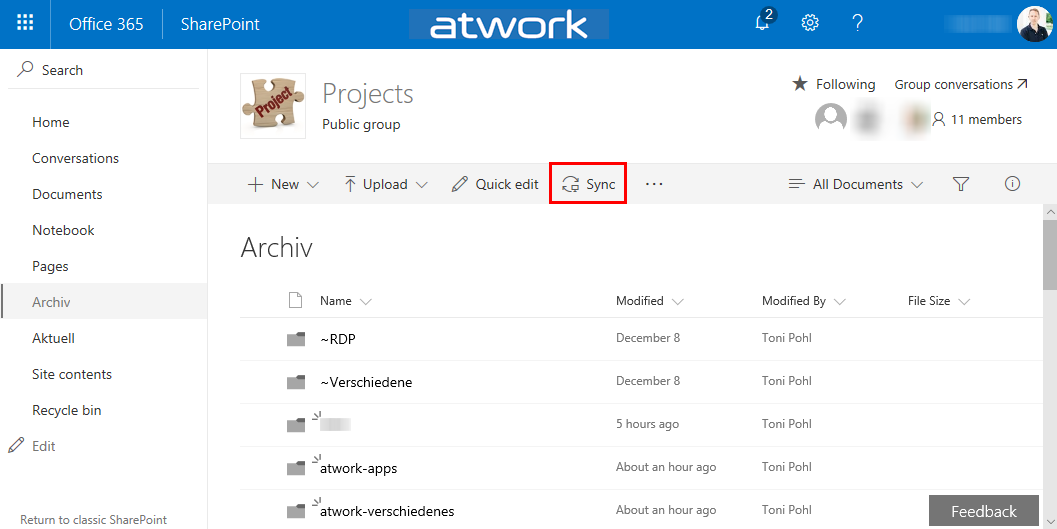
Holidays are a good time for cleaning up. For migrating an old on-premises file storage to the cloud, I used some tools and invested some time. See my scenario and the tools here. The scenario I had a Virtual Machine (I connected to remote via RDS from my holiday location into the company) with an iSCSI storage to a NAS system where old project files were stored. This storage was used over the last years. You can imagine … the mess. To make it short: In that VM, the file storage was connected with a network drive P: (for Projects). With my work account, I have 1TB personal cloud storage. Since this should be an archive for my coworkers as well, I decided to use a SharePoint Online site (SPO). I created an Office 365 group - with a SPO for storing the documents - named “projects” and installed the OneDrive.exe client. Then, I created a new Document Library and synchronized that (empty) list to the local computer. ...

December 26, 2017 · 4 min · Toni Pohl
Provisioning an Office 365 group with an approval flow and Azure functions-part 2

Provisioning an Office 365 group with an approval flow and Azure functions-part 2

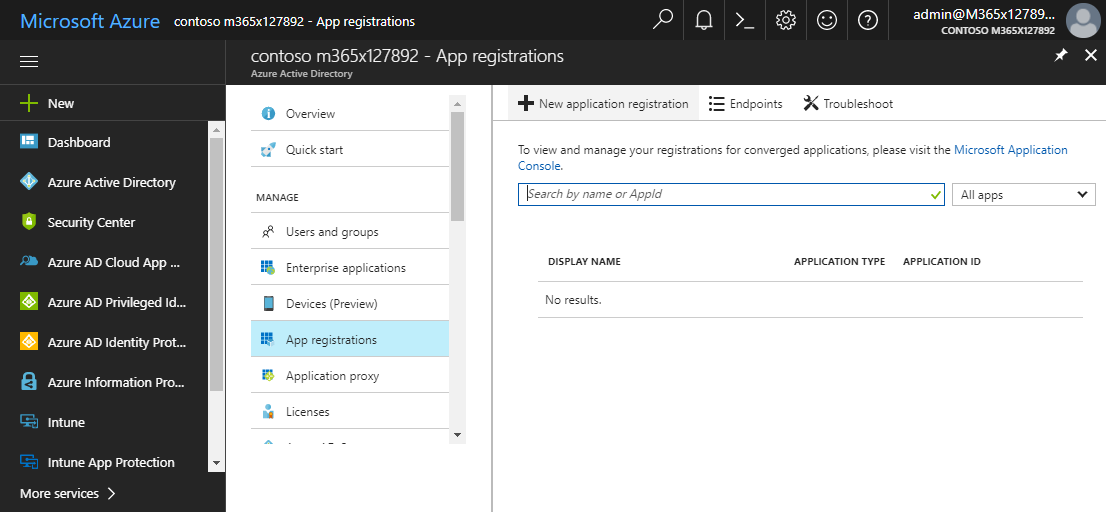
In part one, we saw how the Microsoft Graph API enables programmatic access to Office 365 groups. Now it’s time to let Azure Functions help us with the desired workflow. For the following steps, an Azure subscription and a Global Admin in the target Office 365 tenant is required. The plan We want our provision group function to be able to create a new Office 365 group without any user interaction. So, we need an app with the permission to accomplish the operations in our Office 365 tenant, in the same way as did for the administrator account in part 1. The key is, to create such an application first and to use that access data in our code. The workflow will execute our function, pass the parameters, and the function will do the work. So, these are the necessary steps. ...

October 1, 2017 · 6 min · Martina Grom
Provisioning an Office 365 group with an approval flow and Azure functions-part 1

Provisioning an Office 365 group with an approval flow and Azure functions-part 1

Office 365 groups span over various Office 365 services and provide a great way for collaborating. By default, every user can create an Office 365 group. While self-service is a good thing and many businesses adopted into that direction, some companies still prefer the controlled approach. In real world environments, organizations usually want to restrict the group provisioning so that IT can control the wild growth of groups. This article series shows how to create an Office 365 group with an attached approval process with SharePoint Online, Flow and Azure functions. See how this works here! ...

September 28, 2017 · 8 min · Martina Grom
Delegate365 and the Exchange issue update

Delegate365 and the Exchange issue update

In the last days, some customers of Delegate365 experienced a warning in the Delegate365 portal that informed about the failing communication to Exchange Online. This issue was caused by the Microsoft Exchange Online PowerShell endpoint. We are glad to announce that this issue should be fixed soon. Delegate365 informed users about the reduced functionality with a message “Access denied – please check the credentials of your Office 365 account…” when opening the yellow warning icon in the portal. ...

August 30, 2017 · 3 min · Toni Pohl

Use Azure AD app principal without user context

For an application registered in AAD to be able to run in application context only without a user context the “Company Administrator” role has to be assigned to the application in order to be able to access administrator endpoints for APIs like the Microsoft Graph. No additional permissions have to be assigned to the application after assigning this role. The assignment has to be done using PowerShell and looks like this: (the app registration has to be done beforehand) ...

August 21, 2017 · 1 min · Jörg Schoba