Troubleshoot Delegate365 Insufficient privileges to complete the operation

Troubleshoot Delegate365 Insufficient privileges to complete the operation

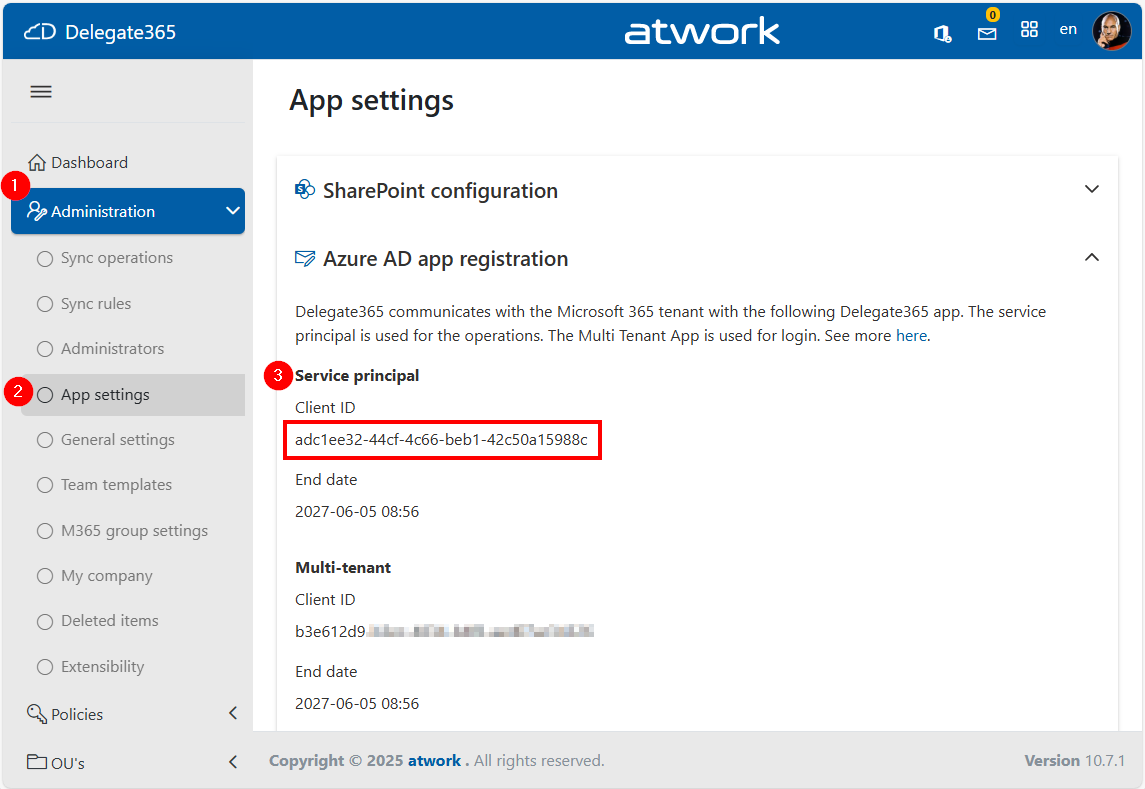
When managing devices through the Delegate365 application that integrates with Microsoft Intune, you might encounter the error “Insufficient privileges to complete the operation”, This issue may occur during specific operations if the Delegate365 setup has been used a longer time ago, or if the Global Administrator role has been removed from the Delegate 365 application by a Microsoft 365 administrator. In such cases, the administrator must reassign the necessary role to the application. The process for doing so is outlined below. ...

July 24, 2025 · 3 min · Toni Pohl
Streamlining Automation Integrating Scripts with Logic Apps

Streamlining Automation Integrating Scripts with Logic Apps

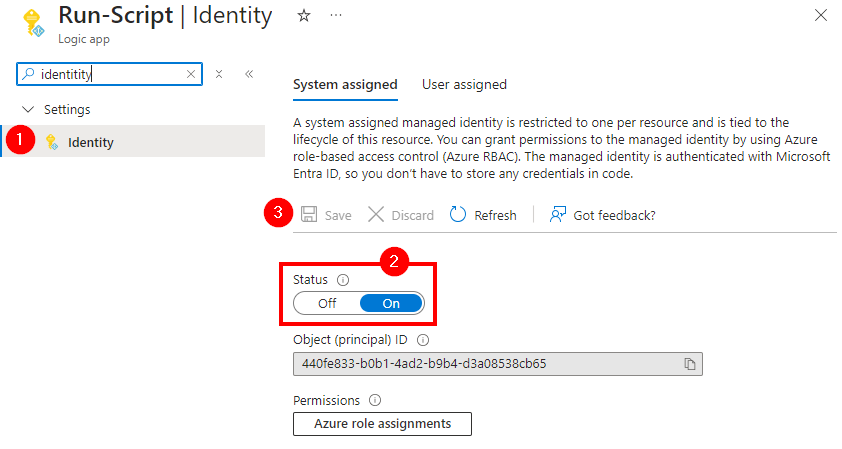
Calling scripts from an Automation Account in a Logic App is particularly useful when the tasks to be performed are too complex to implement directly in a Logic App. It is also useful when scripts need to be reused multiple times without rewriting them in each Logic App. See how to enhance your Logic Apps with Automation Account Scripts. Such an integration allows for centralized management and updating of scripts to ensure consistency and maintainability. Finally, it is useful when advanced functions and modules available in PowerShell or Python are needed. ...

January 7, 2025 · 4 min · Martina Grom
How to Use Power BI REST API as an Admin

How to Use Power BI REST API as an Admin

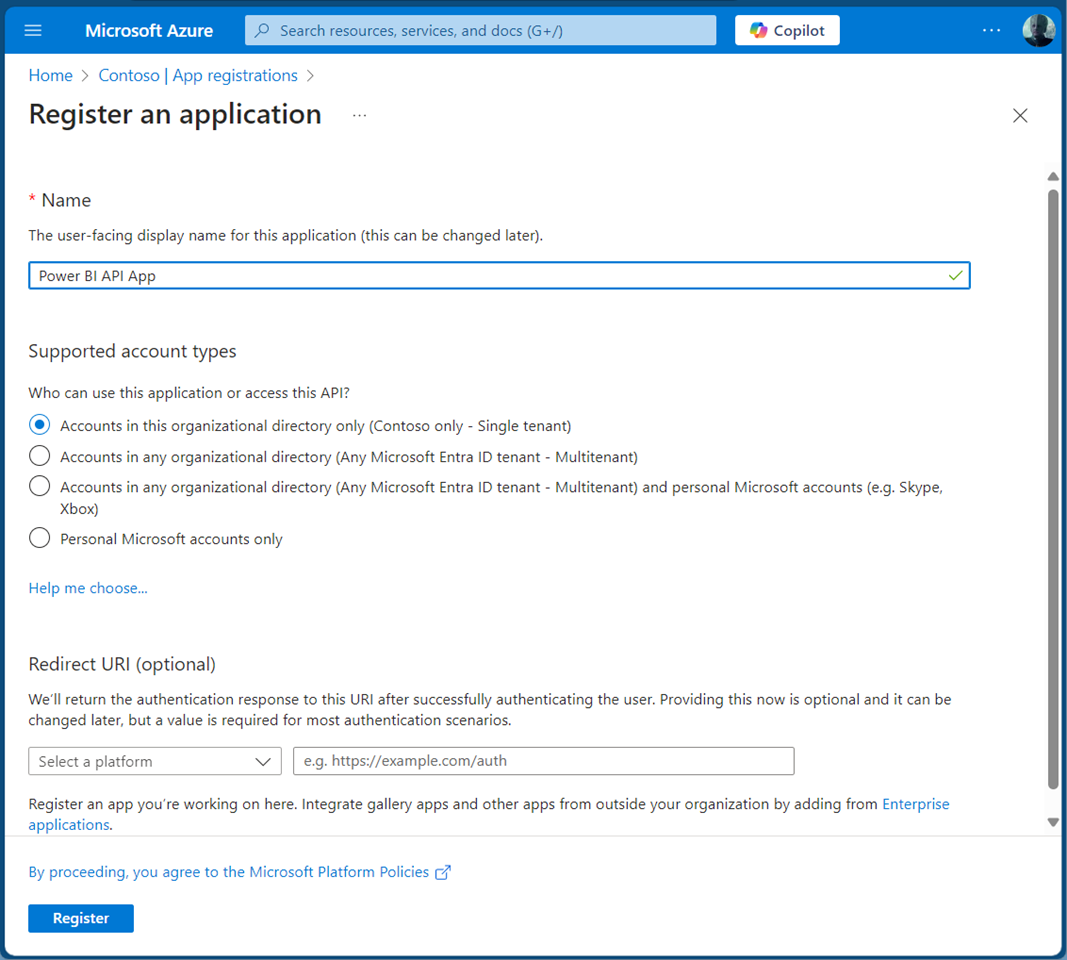
Accessing the Power BI REST API with an application is crucial for efficiently managing and monitoring your Power BI environment. This guide will walk you through using the Power BI REST API with an app as an admin. By leveraging a service principal, your app can seamlessly authenticate and interact with Power BI resources. This allows our app to read Power BI workspaces and usage data automated to streamlines administrative tasks in Power BI. A Service Principal Name (SPN) is an authentication method that enables a Microsoft Entra application to access Microsoft Fabric content and APIs. When you create a Microsoft Entra app, a service principal object is automatically generated. This object, commonly referred to as the Service Principal, allows Microsoft Entra ID to authenticate your app. Once authenticated, the app can access resources within the Microsoft Entra tenant. See more at Service principals can access read-only admin APIs. and Tenant settings index. ...

November 1, 2024 · 5 min · Toni Pohl

Unlocking Secrets The Key Vault Role You Need

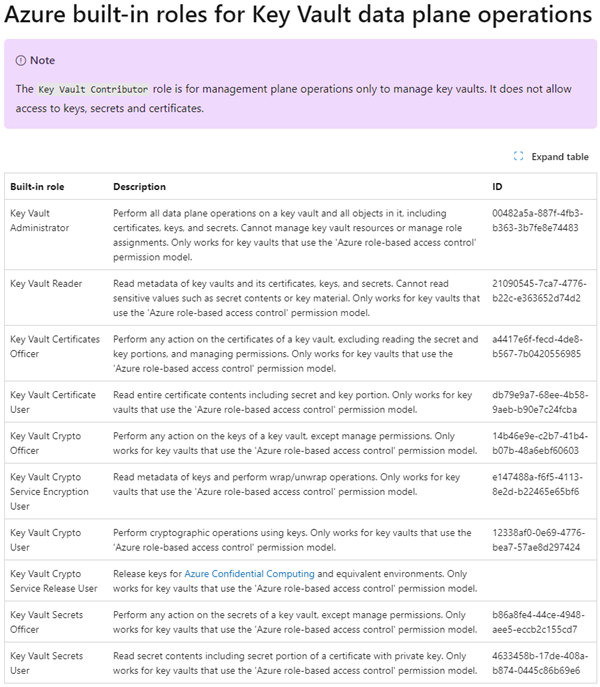
In my use of Azure Key Vault with code and flows with Managed Identities, I moved to role-based access control (RBAC) to manage access to secrets and certificates. However, I encountered a problem when using the “Key Vault Reader” role as it denied me the required access to secret content. This experience highlighted the importance of understanding the specific roles within Azure Key Vault, and I want to share this insight to help others avoid similar pitfalls. ...

August 26, 2024 · 4 min · Martina Grom
Use Delegate365 with Privileged Identity Management PIM

Use Delegate365 with Privileged Identity Management PIM

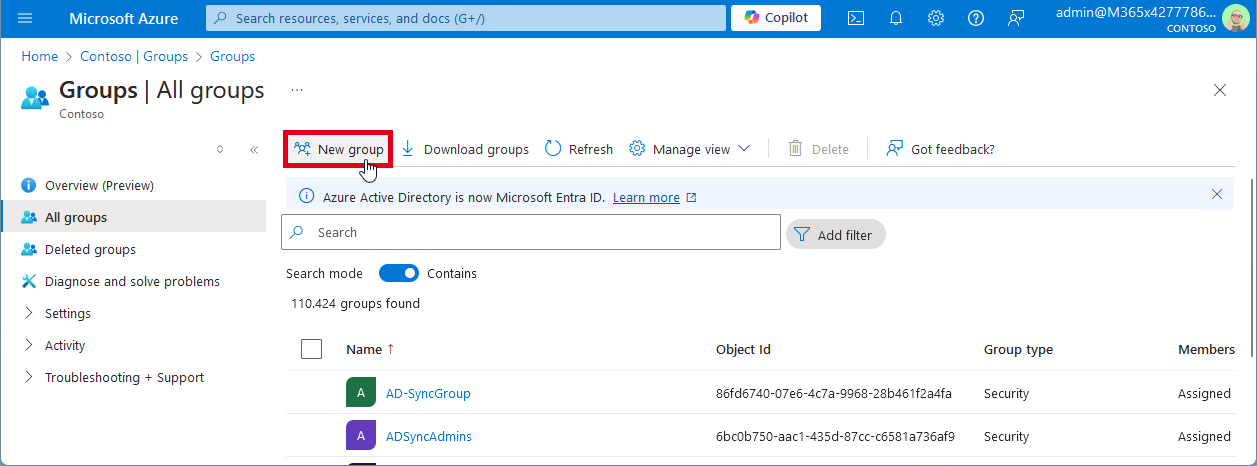
In today’s digital landscape, managing privileged access to applications is crucial for maintaining security and compliance. Microsoft Entra Privileged Identity Management (PIM) offers a robust solution to manage, control, and monitor access within your organization. In this guide, we’ll walk you through the process of configuring Microsoft Entra PIM for your application, Delegate365, ensuring that only authorized users can access it through a security group. Delegate365 is equipped with robust security features and offers seamless integration with Microsoft Entra Privileged Identity Management right out of the box. This integration ensures that administrators can only access Delegate365 using their standard work accounts when the PIM role is activated. Without activating the PIM role, access to Delegate365 is denied. ...

August 19, 2024 · 6 min · Toni Pohl
Grant permissions to the GT365 app

Grant permissions to the GT365 app

Our Governance Toolkit 365 (GT365) provides information and automation solutions for a Microsoft 365 tenant. In order to use the functions, this app must be approved by an administrator. In addition, new solutions are constantly being added. Some of these also require new permissions. You can find out how you as an administrator can grant and renew these permissions here. GT365 requires an app “Governance Toolkit 365” that reads the data from the M365 tenant and collects it for further actions. An administrator must approve this app so that the functions can be used. There are the following functions that administrators can perform: ...

August 7, 2024 · 7 min · Toni Pohl
Retrieve User PIM Role Assignments and History with Microsoft Graph REST API

Retrieve User PIM Role Assignments and History with Microsoft Graph REST API

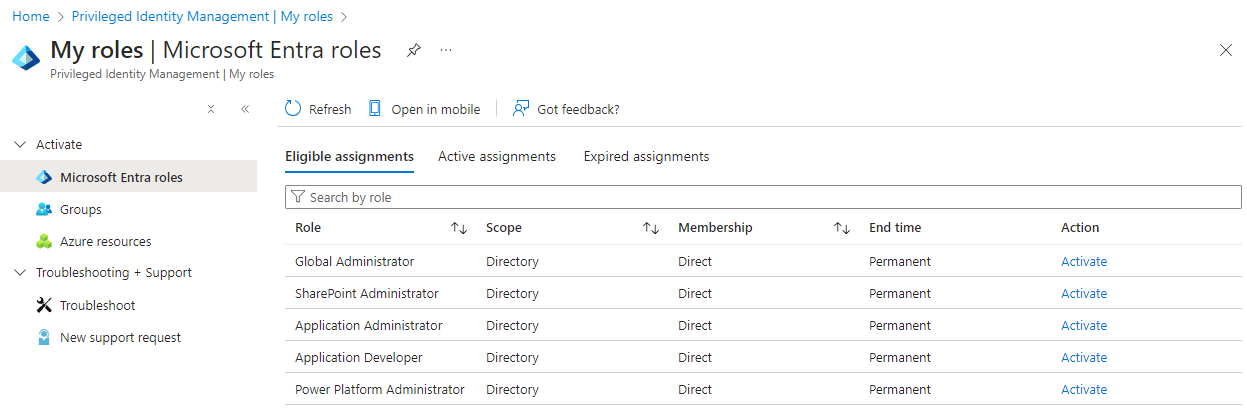
Microsoft Entra Privileged Identity Management (PIM) allows administrators to manage role assignments efficiently, ensuring that users have the necessary permissions only when needed. By following a few simple steps, administrators can make users eligible for specific roles, activate roles as required, and manage both built-in and custom roles. This process enhances security by minimizing the duration and scope of privileged access, making it a crucial tool for maintaining a secure and compliant environment. In this article, we explore how to read a user’s Microsoft Entra roles and history using PIM and the Microsoft Graph REST API. ...

August 3, 2024 · 5 min · Toni Pohl

Impact of the CrowdStrike Windows 10 BSOD

As reported in most media, we would like to inform you about a global outage caused by a erroneous software update from cybersecurity company CrowdStrike today, on July 19th. This Endpoint security solution is used in many organizations, from hospitals to tech companies, education, airports and many other industries. Crowdstrike rolled out an update to its customers that caused Windows 10 computers to crash, see the CrowdStrike Statement on Falcon Content Update for Windows Hosts. The affected computers no longer start correctly, but instead produce a Windows BSOD (Blue Screen Of Death). Such computers are getting stuck at the “Recovery” screen. See how to resolve this if your Windows computer is affected by the CrowdStrike update. ...

July 19, 2024 · 2 min · Martina Grom
Working with Microsoft Entra ID Applications - Part 2

Working with Microsoft Entra ID Applications - Part 2

In Part 2 of this series we look into setting up and managing applications in a Microsoft 365 tenant. In Part 1, I focused on how Azure AD applications can be used to provide secure access control to data and services. I demonstrated how to create an Azure AD application in the home tenant and the importance of integrating with Azure AD for centralized app registration, management, and security measures. In this article, I will dive deeper into the topic and exploring how to use and manage a multitenant app in foreign M365 tenants. So, let’s get started! ...

May 14, 2024 · 11 min · Toni Pohl
Working with Microsoft Entra ID Applications - Part 1

Working with Microsoft Entra ID Applications - Part 1

Microsoft Entra ID (or Azure AD) applications are cloud-based applications that can be integrated with Azure AD for authentication and authorization purposes. Using such applications provides a way to centrally manage and secure access to your cloud-based applications and services using Azure AD identities and credentials. This article is presented in two parts, exploring the practical implementation and functionality of apps across tenant boundaries. It provides an overview of how these apps operate and the details of permissions when used in a real-world setting. ...

May 6, 2024 · 13 min · Toni Pohl