Global Office Developer Bootcamp Vienna 2019

Global Office Developer Bootcamp Vienna 2019

As announced, this Wednesday, on November 27th, 2019, the Global Office Developer Bootcamp took place at the Microsoft office in Vienna, Austria. See some event reflections here. The world wide Global Office Developer Bootcamps 2019 (aka.ms/M365DevBootcamp) are following the success of the Developer Bootcamps 2018 held in 41 countries with over 3,400 attendees and it is now back for its 3rd year. The Bootcamps happen between October 1 to December 15, 2019. The idea is to share the latest and greatest technologies and products (Microsoft Graph, SharePoint Framework, Microsoft Teams, Office Add-ins, Connectors and Actionable Messages, Adaptive Card, Windows, Identity and more) on the Microsoft 365 platform. It was the first time we had the event in Austria. ...
November 28, 2019 · 2 min · Toni Pohl

Join us at the Global Microsoft 365 Developer Bootcamp in Vienna!

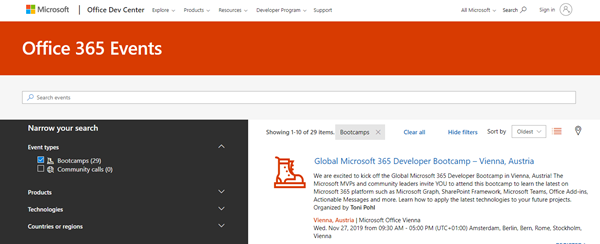
We are excited to kick off the Global Microsoft 365 Developer Bootcamp in Vienna, Austria, on November 27, 2019! The Microsoft MVPs and community leaders invite YOU to attend this cost free developer bootcamp to learn the latest on Microsoft 365 platform such as Microsoft Graph, SharePoint Framework, Microsoft Teams, Bots, Actionable Messages and more. Learn how to apply the latest technologies to your future projects! The Global Microsoft 365 Developer Bootcamp takes place at the Microsoft Office in Vienna: ...

October 5, 2019 · 1 min · Toni Pohl
New Rainbow Themes are available in your Office 365 Tenant

New Rainbow Themes are available in your Office 365 Tenant

All of you who sign in to their Office 365 Home site will see three new Themes available now, considered the Rainbow Themes! One Style is a Unicorn style. So right in Pride month you get LoveIsLove Themes in Office 365 as well! To change the look of your environment, simply click on the gear icon in the upper right corner. If you do not see it, custom themes are disabled by your administrator in your tenant. ...

June 16, 2019 · 1 min · Martina Grom
This was European Collaboration Summit 2019

This was European Collaboration Summit 2019

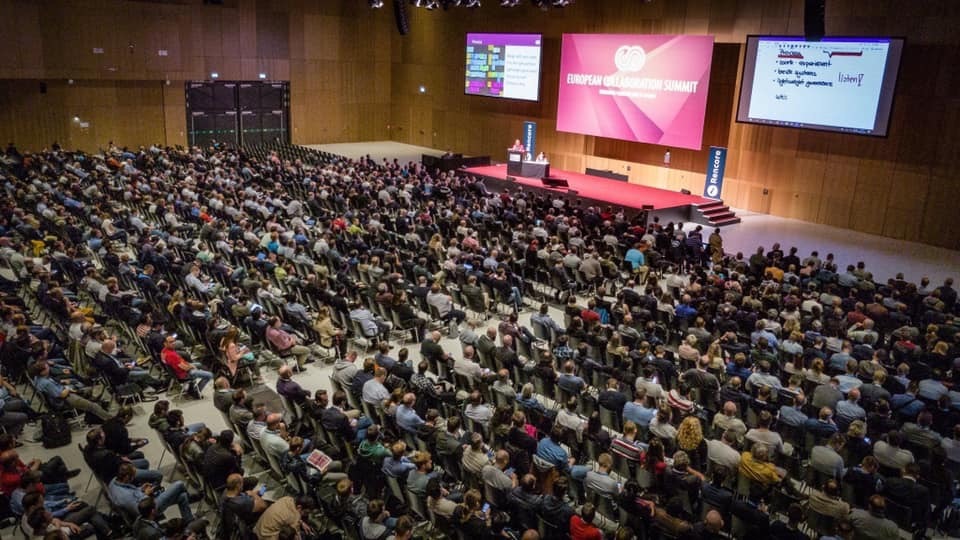
The European Collaboration Summit (ECS), also known as #collabsummit, is the largest community-driven conference in the world with a focus on modern workplace technologies and digital transformation. Experts from around the world informed about topics such as Microsoft 365, Azure, SharePoint, AWS, business apps and more. We were happy to be part of that great event in May 2019 in Wiesbaden, Germany. See some impressions here. ECS took place from Monday, 27 May to Wednesday, 29 May 2019 at the Rhein Main Congress Center (RMCC) in Wiesbaden, Germany. On Monday, the workshops started for more than 800 attendees, followed by two full conference days with more than 2,000 attendees. Wow! See this amazing photo(s and the cool closing video) from Aleksandar Draskovic – thx! ...

June 3, 2019 · 2 min · Toni Pohl

Enjoyed SharePoint Conference 2019

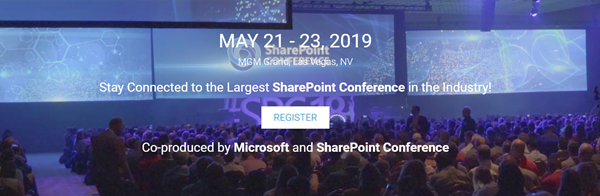
Last week, the SharePoint Conference returned to Las Vegas! #SPC19 took place from May 21 - 23, 2019 at the brand-new MGM Grand conference center, Las Vegas, Nevada. The event informed about the latest news in SharePoint, OneDrive, Yammer, Microsoft 365 and Azure. We from atwork were proud to deliver a full day workshop about Security and Governance in Microsoft 365 and some sessions. See some impressions of SPC19 here! As in the last year, at the first “reborn” SharePoint Conference in Vegas, SPC19 was organized by SharePoint Conference with Microsoft as a Diamond sponsor. Jeff Teper, Corporate Microsoft Vice President Office 365, SharePoint, OneDrive and Stream, and his team delivered the SPC keynote about “The intelligent workplace”. You can watch it on demand at the SharePoint Virtual Summit site at aka.ms/spc/summit. ...

May 31, 2019 · 2 min · Toni Pohl

Groups Governance Toolkit-Working with group policies

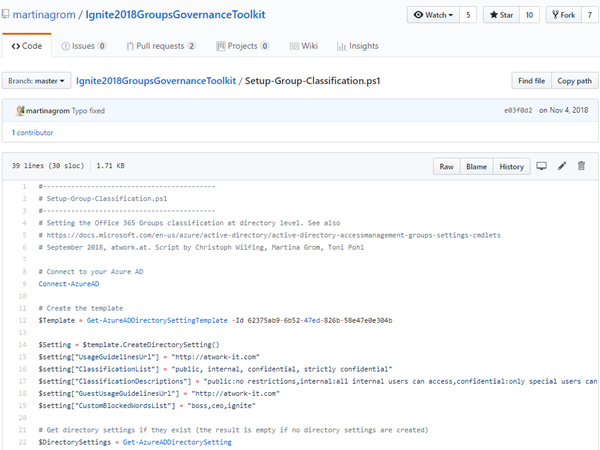
At Microsoft Ignite conference last September, we demoed an approach for a self-built Office 365 Groups Governance Toolkit. Since Microsoft 365 is an evergreen service and continues to evolve, today we have more group settings available and we extend our provisioning function to work with group naming policies as well. See here how this can be accomplished by including new Graph requests. Foreword You can find the previous articles of our governance story at Provisioning an Office 365 group with an approval flow and Azure functions-part 1, part 2, part 3, part 4, part 5 and part 6 and the source code at martinagrom/Ignite2018GroupsGovernanceToolkit. ...

May 2, 2019 · 6 min · Martina Grom
Microsoft 365 Fragen und Antworten bei atworks kostenloser Security Sprechstunde

Microsoft 365 Fragen und Antworten bei atworks kostenloser Security Sprechstunde

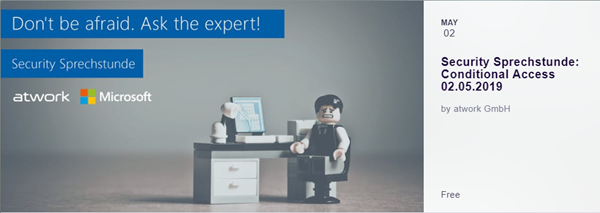
Microsoft und atwork laden zur Remote Teilnahme an unserer Security Sprechstunde ein! Dies ist ein Event, welches mehrmals von Frühling bis Sommer 2019 von Microsoft Österreich und atwork kostenlos angeboten wird. Teilnehmer erfahren die neueste Informationen und Praxistipps rund um Microsoft 365 und können Fragen an die Experten stellen. Hier geht es zu den Terminen! Unter dem Motto “Don´t be afraid. Ask the expert!” informieren unsere Microsoft 365 Expertin Martina Grom (atwork CEO, Microsoft RD und MVP) und Klaus Harrer-Nemecek (Security Technical Specialist Microsoft) in je einer Stunde über unternehmensrelevante Themen. Hier findet ihr die Sprechstunden-Termine und den Anmeldungslink zur Teilnahme: ...

May 1, 2019 · 1 min · Toni Pohl
How to add custom user properties to Delve and SharePoint

How to add custom user properties to Delve and SharePoint

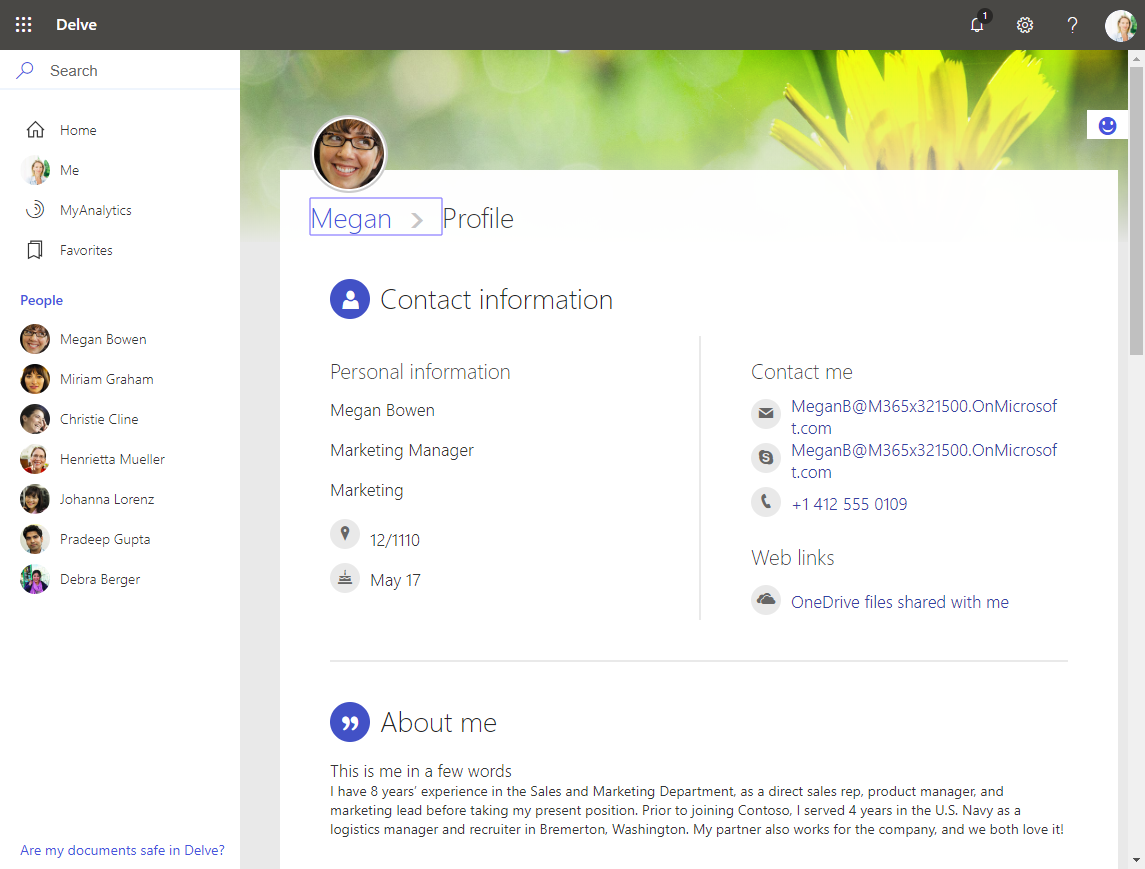
The Delve App allows to discover company and user data across Office 365. Unfortunately, while the app is very helpful, it can not be customized. Well, but we can easily add additional user information, such as personal data, a cost center, additional contact data or hyperlinks, etc. See how this works here. The default Delve experience When opening the Delve app and a user profile, this looks like in a demo tenant here: https://REGION.delve.office.com/?u=USERID&v=profiledetails ...

April 15, 2019 · 3 min · Martina Grom
Tips for PowerApps-Working Offline with PowerApps

Tips for PowerApps-Working Offline with PowerApps

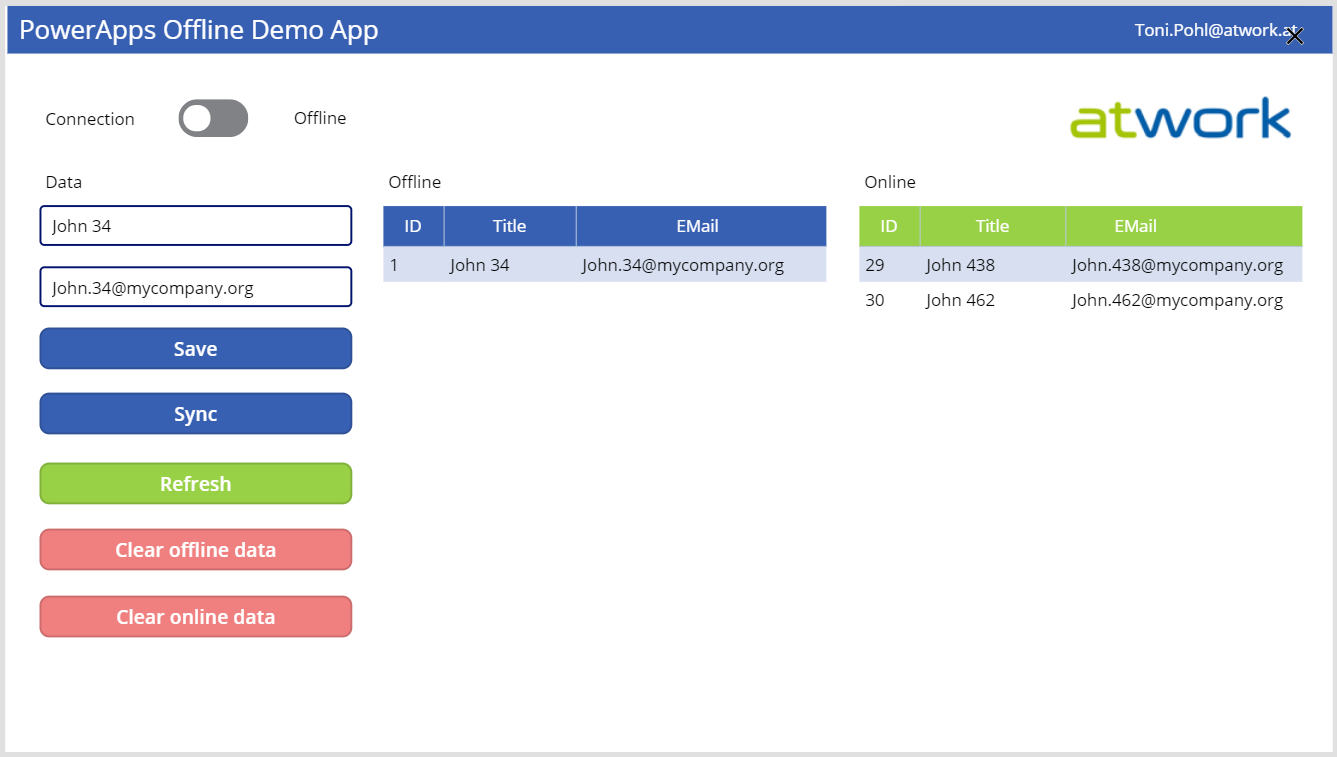
PowerApps provide a good solution for small apps. They run on a device and connect to an online data source. But what happens if no data connection is available, for instance in a building? Well, you can develop a PowerApp that works offline and synchronizes local data to the data source when you’re back online. See how this works here! A basic demo app To show the basic functionality, I developed the following, colorful demo PowerApp. The app consists of one screen in tablet mode including a connection toggle control, two input fields for a name and an email address, two data tables and some buttons. The goal is to read and write data in offline and online mode. ...

March 29, 2019 · 5 min · Toni Pohl
Groups Governance Toolkit Part 6-Groups statistics

Groups Governance Toolkit Part 6-Groups statistics

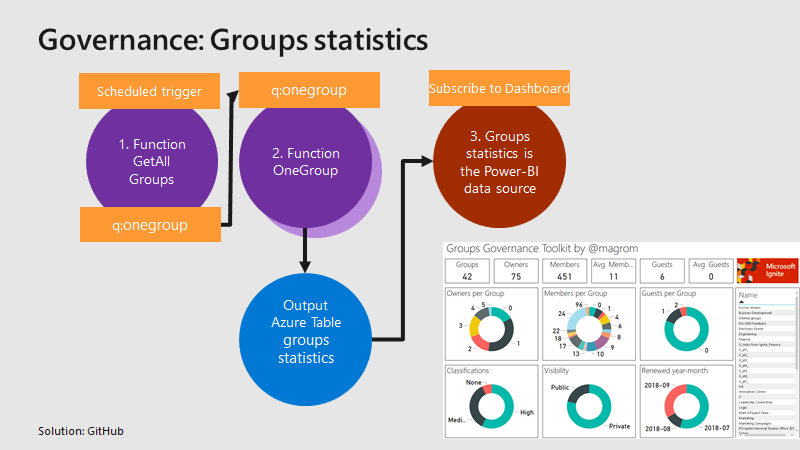
To apply governance in an organization, the responsible persons require data. See here, how we can get group data of an Office 365 tenant for further use, for example for a visualization with Microsoft Power BI and all the benefits of such an attractive and interactive tool. Get all groups and their properties Again, we use the same mechanism as before, for getting orphaned groups and external users. For example, a function runs every day in the night and reads all existing groups in the Office 365 tenant. Every group is written to a queue for further processing, in the same way as the other functions did before. A second function is triggered by that queue and reads all the required group data for one group and writes the data into an Azure table. The following graphics shows that process from a technical standpoint. ...

March 18, 2019 · 3 min · Toni Pohl