Groups Governance Toolkit Part 5-External Guests

Groups Governance Toolkit Part 5-External Guests

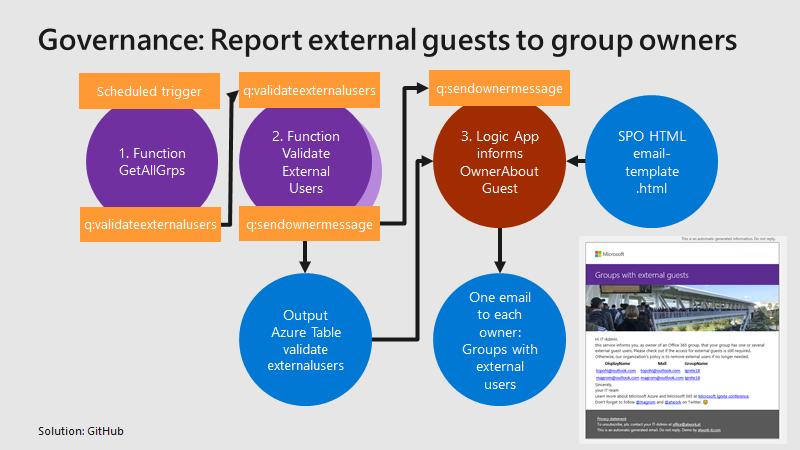
Governance specifies the rules for an organization. The Office 365 collaboration platform allows to invite external users for contributing in groups. In this part, we want to monitor all groups that have external guests and inform the group owners, who has access to a group or a team. See how this works here. Get all groups with external guests We use the same mechanism as before, see the article about Orphaned Groups. A function runs e.g. every day, reads all existing groups in the Office 365 tenant, and writes each group in a queue. A second function is triggered by that queue and reads all the external group members for one group. The following graphics shows that process from a technical standpoint. ...
March 15, 2019 · 4 min · Toni Pohl
How to convert your legacy Yammer Groups into Group connected Yammer Groups

How to convert your legacy Yammer Groups into Group connected Yammer Groups

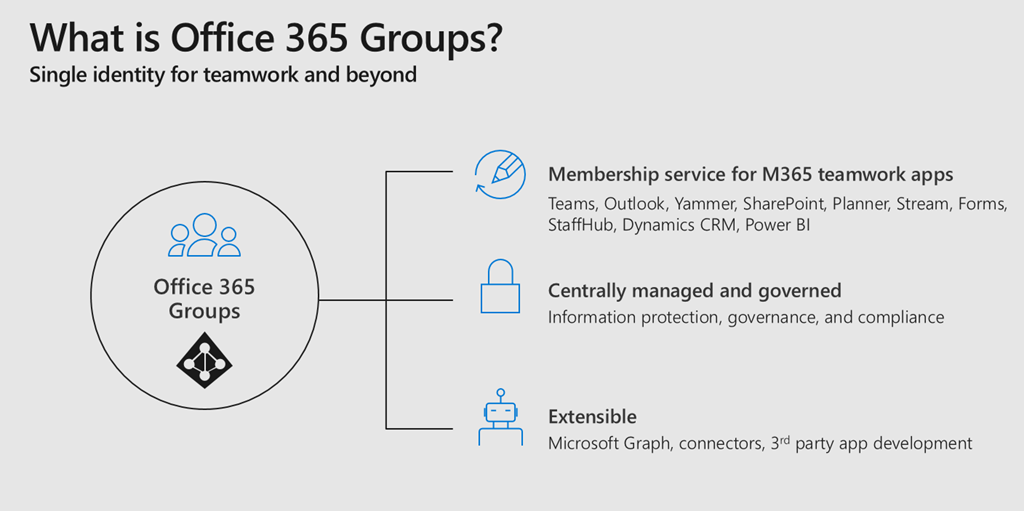
Office 365 Groups bring a lot of advantages to a connected workspace within Office 365. For me they are like the glue between all different Office 365 Services. If you provision an Office 365 Group you get an Outlook Mailbox, a SharePoint TeamSite, Planner and much more. When you create a Microsoft Team, you create an Office 365 Group. So it is really important for anyone who is working in the Microsoft 365 space to understand how Office 365 Groups work and what impact they have. Together with Microsoft Graph and Azure Active Directory those are the fundamentals of Office 365 to understand. ...

March 13, 2019 · 2 min · Martina Grom
Groups Governance Toolkit Part 2-Provisioning requirements

Groups Governance Toolkit Part 2-Provisioning requirements

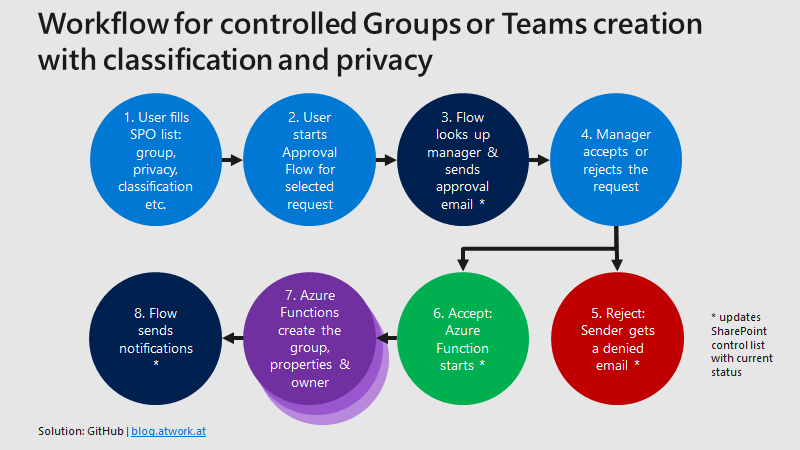
In part 1 of this series we described the scenario for our Office 365 groups governance toolkit. In this part we will setup a workflow for the Office 365 and Microsoft Teams provisioning. Workflows help to follow specific processes for a successful collaboration. Offering self-services for users is a key to reduce workloads on the IT department and to allow users to cover their requirements quickly while the organization’s policies are enforced during the process. A frequently asked request is how to provision a new Microsoft Team in Office 365 in a secure and monitored way. See how this can be implemented here. ...

January 11, 2019 · 5 min · Martina Grom
Groups Governance Toolkit Part 1-Overview

Groups Governance Toolkit Part 1-Overview

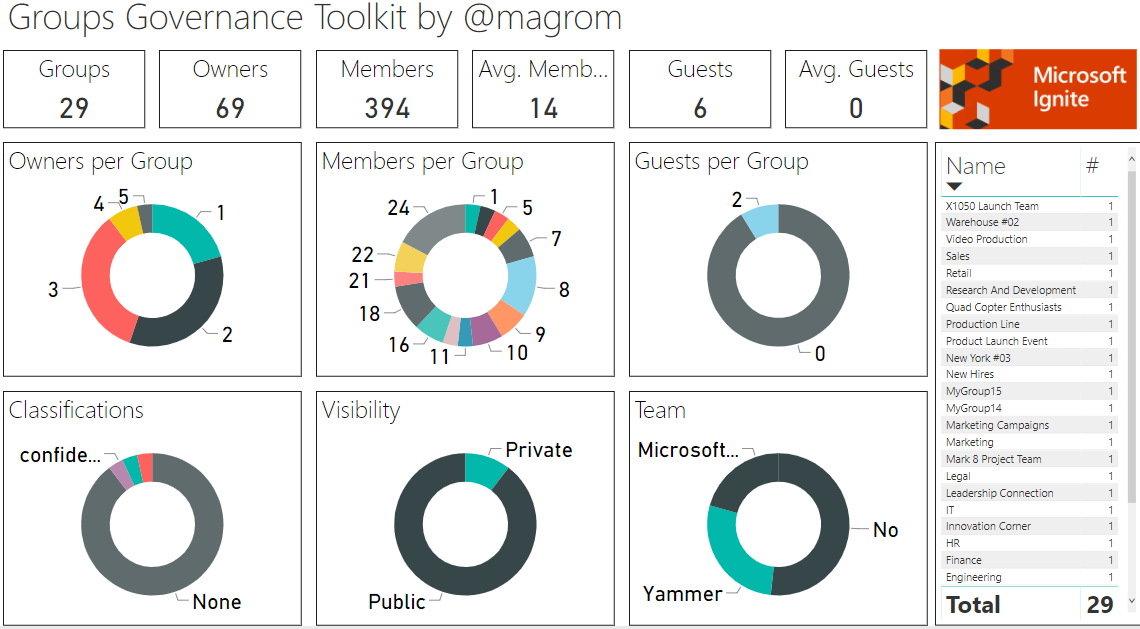
IT-Governance is an important topic, especially in large organizations. In an agile and evergreen world, as it can be found with Microsoft 365 services, Governance becomes an integral part which needs to be monitored and updated on a regular basis. At Microsoft Ignite conference, we showed the “Groups Governance Toolkit” with a bunch of useful tools to regulate and monitor for Office 365 Groups and Microsoft Teams. Everything we showed at Ignite is open source and built with out of the box tools within Microsoft 365 and Azure. ...

January 8, 2019 · 4 min · Martina Grom

Join us at SPC19 North America!

We from atwork will are looking forward to see you at SharePoint Conference North America 2019 that will take place in May 2019 in Fabulous Las Vegas. Check it out now and save $50 off your registration! SharePoint Conference North America 2019 will take place in the MGM Grand in Las Vegas, Nevada from May, 21st to 23rd, 2019. Add #SPC19 to your calendar! See the details at sharepointna.com. “The SharePoint conference returns to Las Vegas: the world’s biggest and most comprehensive event empowering you to achieve more in the modern workplace with Microsoft 365.” ...

December 27, 2018 · 1 min · Toni Pohl

Join us at SharePoint Conference 2019!

If you are working with Microsoft SharePoint, 2019 will be a great year! First of all, because SharePoint Server 2019 has been announced, and because SharePoint Conference North America 2019 will take place in May in Fabulous Las Vegas (again). We from atwork will be part of the conference and we are looking forward to it. The event registration is already open and there are reduced price packages available. Additionally, find a discount code here! ...

December 16, 2018 · 1 min · Martina Grom
Use SharePoint view column formatting for displaying pictures and conditional formatting

Use SharePoint view column formatting for displaying pictures and conditional formatting

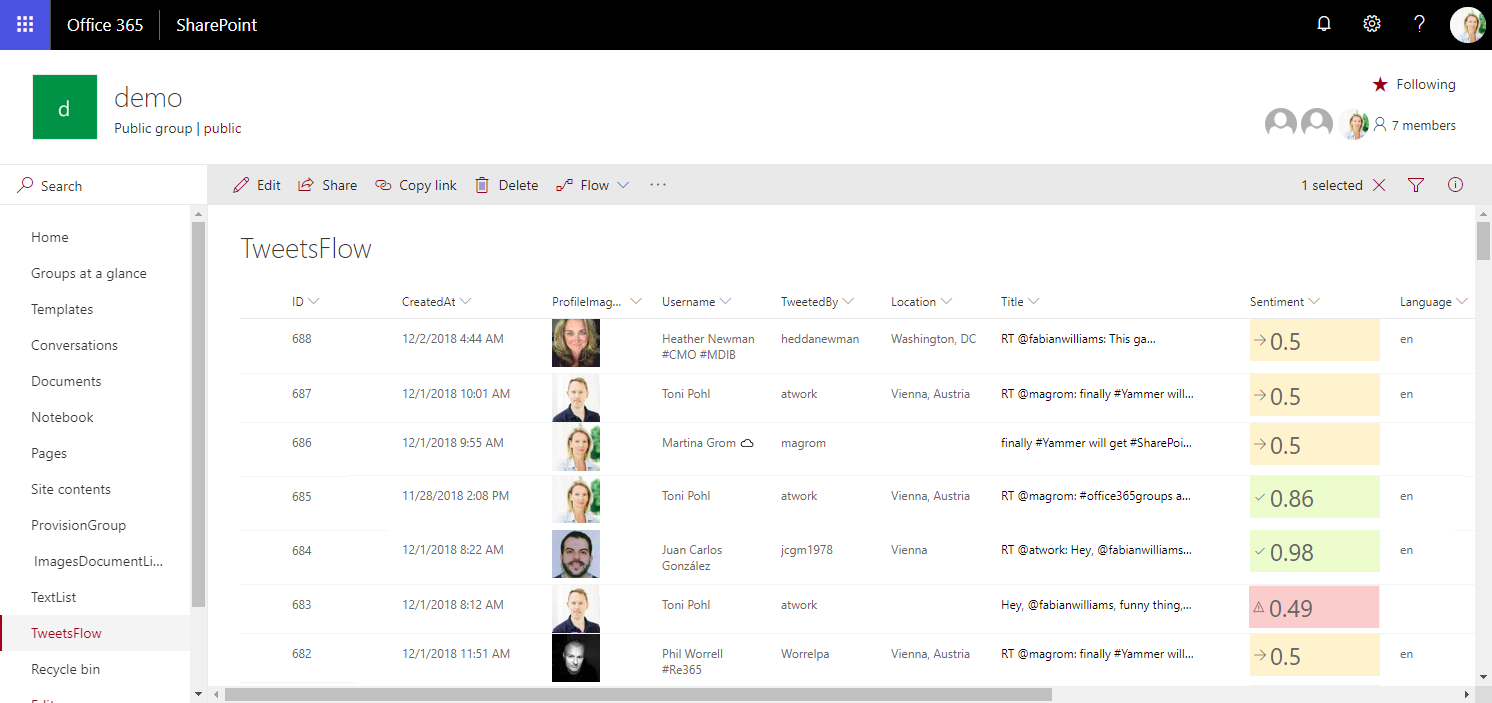
Today I want to share just a quick tip for custom formatting views in SharePoint lists. My goal was to show a picture of a text field that contains an URL and to use conditional formatting with a traffic light system to visualize the sentiment of tweets that are written to a SharePoint Online custom list from a Flow. See the formatting options here. The articles Use column formatting to customize SharePoint and Use view formatting to customize SharePoint basically explain how to work with the JSON object that describes the elements that are displayed, which is a good start. So, the ready formatted list shall look as here. Some fields in that list are rendered with custom formatting, you will spot them easily… ...

December 4, 2018 · 4 min · Toni Pohl

Enjoyed SPS Barcelona 2018

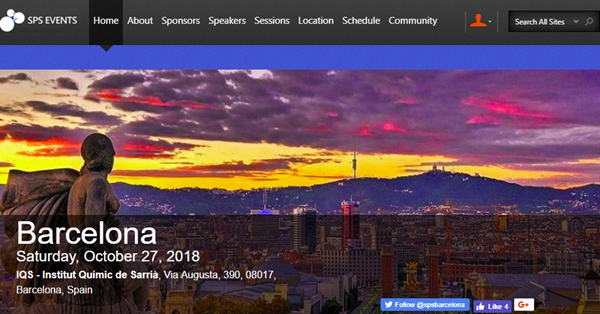
We were happy to be part of the 4th SharePoint Saturday organized by sug.cat in Barcelona last weekend. #SPSBCN took place on the 27th October 2018 at IQS, Institut Químic de Sarrià, on the hills of the beautiful city of Barcelona and offered almost 20 sessions about Microsoft 365 and Azure. We from atwork, Martina Grom and I, had a session about “Real world business scenarios for Office 365 Groups” and we showed our Groups Governance Toolkit which is a combination of Azure Functions with PowerShell, LogicApps and Power-BI to achieve groups governance. See all the event details at www.spsevents.org/city/Barcelona/barcelona2018. ...

October 29, 2018 · 1 min · Toni Pohl
Want to remove the Feedback button from SharePoint Online?

Want to remove the Feedback button from SharePoint Online?

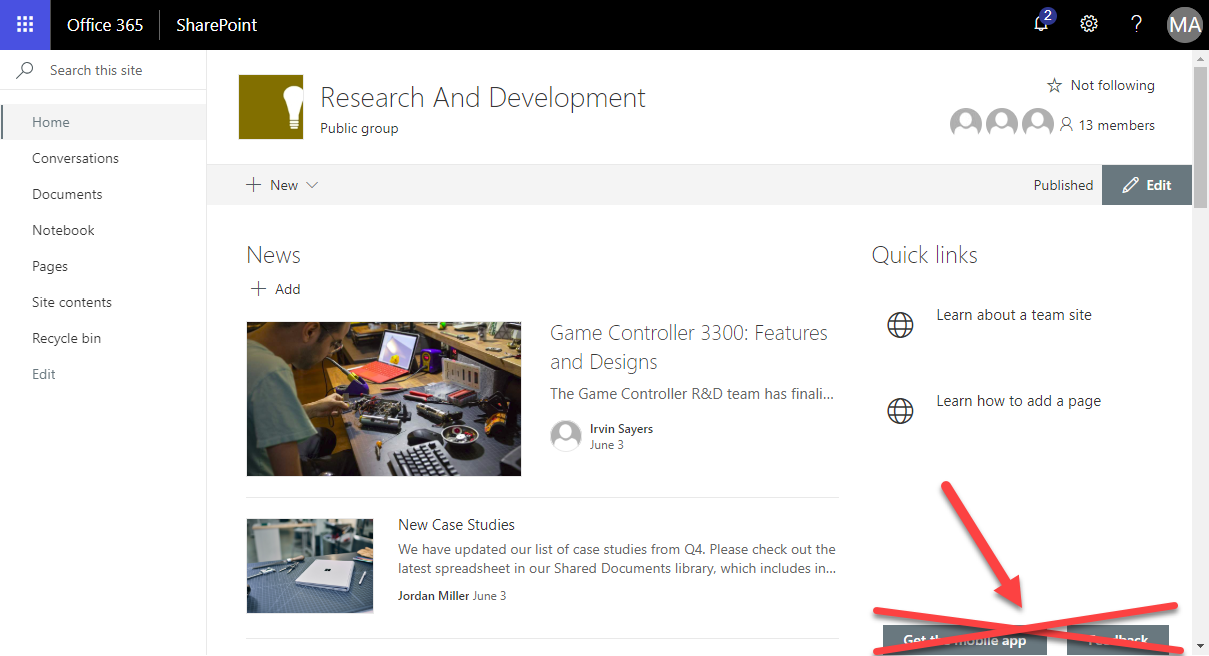
Modern SharePoint Sites come with two Microsoft buttons on the bottom of each SharePoint page: “Get the mobile app” and “Feedback”. Want to remove them from your SharePoint sites? Well, then we have an easy to use solution ready for you. Since the modern communications sites in SharePoint no longer offer any customizations with CSS or Javascript, an app solution is required here. We at atwork have developed such a small app that removes the default Microsoft buttons “Get the mobile app” and “Feedback”. The solution is not free, but we offer to purchase it from us. The package comes with the app and a short description how to deploy it. ...

August 24, 2018 · 1 min · Toni Pohl
Does Delve work without an Office 365 license?

Does Delve work without an Office 365 license?

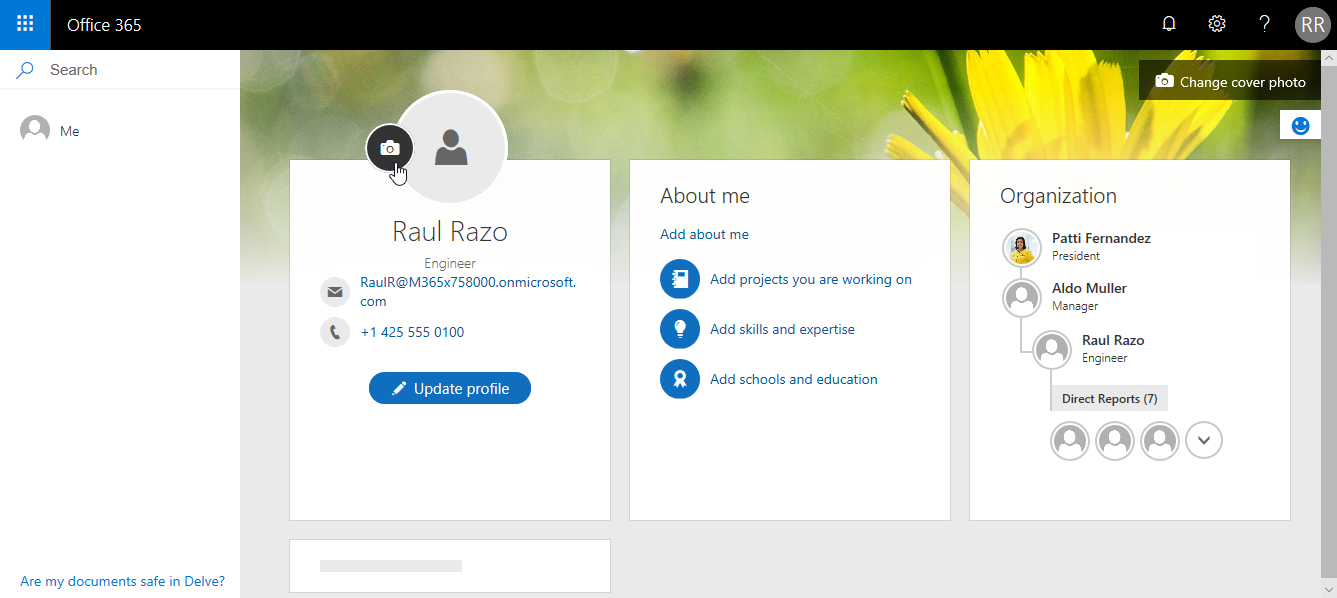
Office 365 is a wide service and offers a lot of functionality if you have the corresponding license acquired. So, one frequently asked question is: What happens in Delve if a user has no Office 365 license assigned? See it here. And the answer is: Delve works for all users in Office 365 (in an AAD). The following user Raul has no Exchange license in Office 365. So, this user has just one license plan set. ...

June 9, 2018 · 2 min · Toni Pohl