See you at Thrive conference in Slovenia!

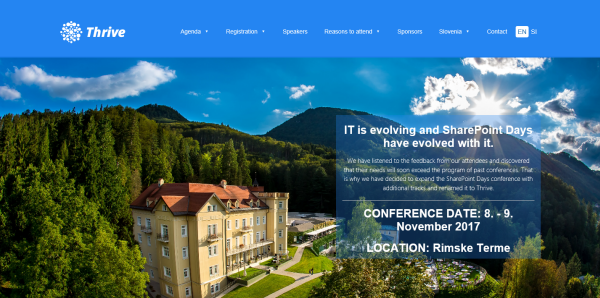
SharePoint Days conference has evolved to Thrive conference! We are looking forward to Thrive conference in beautiful Rimske Terme/Slovenia from 8th to 9th November! Join us and a bunch of experts and MVP fellows at this great event that’s close to Austria and Central Europe! Have a look a the great speakers lineup and the agenda with a lot of tracks and sessions around SharePoint, Office365 and Azure! As in the last year, Martina and I are honored to be part of Thrive conference. ...

October 18, 2017 · 1 min · Toni Pohl
Impressions of Microsoft Ignite 2017

Impressions of Microsoft Ignite 2017

It was a busy week! Ignite is the largest and leading event for IT-Professionals and Decision-Makers in the Microsoft universe. This year, the conference took place in Orlando, Florida, from 25th to 29th September. With approximately 30,000 attendees and about 700 breakout, a lot of theater-sessions a large expo and a lot of networking this event was … big #dataoverflow. See my personal impressions here. Welcome to Florida After the first Ignite conference in Chicago in May 2015 and in Atlanta in September 2016, the event location this year was Orlando. From our company, atwork, five persons attended (see our colleagues Dominik, Andreas and Jens from Germany with the blue atwork T-Shirts below) and Martina Grom was a speaker. Florida did welcome us with hot and humid weather with a lot of sunshine and a bit of scattered rain showers – back in summer time. So, we used the weekend before Ignite for visiting a Disney Park and the Star Wars universe with our MVP pal Loryan. For us, the conference started on Sunday with a pre-day and a lot of technical information. ...

October 7, 2017 · 6 min · Toni Pohl
Provisioning an Office 365 group with an approval flow and Azure functions-part 2

Provisioning an Office 365 group with an approval flow and Azure functions-part 2

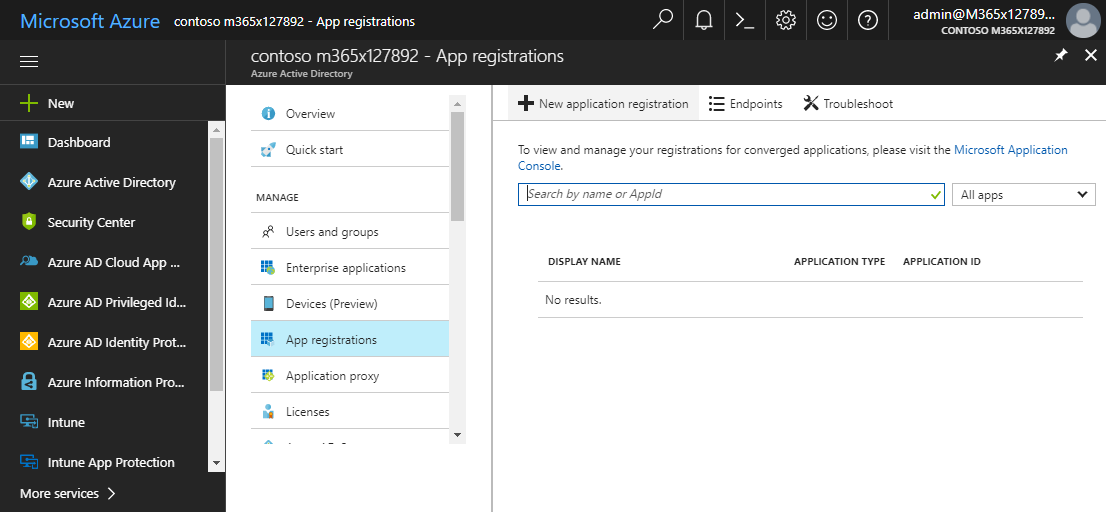
In part one, we saw how the Microsoft Graph API enables programmatic access to Office 365 groups. Now it’s time to let Azure Functions help us with the desired workflow. For the following steps, an Azure subscription and a Global Admin in the target Office 365 tenant is required. The plan We want our provision group function to be able to create a new Office 365 group without any user interaction. So, we need an app with the permission to accomplish the operations in our Office 365 tenant, in the same way as did for the administrator account in part 1. The key is, to create such an application first and to use that access data in our code. The workflow will execute our function, pass the parameters, and the function will do the work. So, these are the necessary steps. ...

October 1, 2017 · 6 min · Martina Grom
Provisioning an Office 365 group with an approval flow and Azure functions-part 1

Provisioning an Office 365 group with an approval flow and Azure functions-part 1

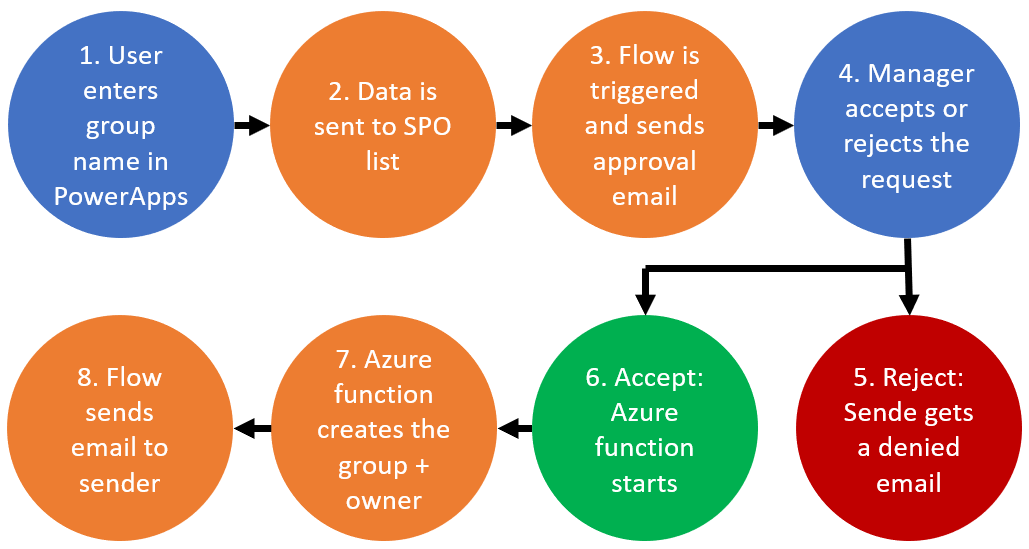
Office 365 groups span over various Office 365 services and provide a great way for collaborating. By default, every user can create an Office 365 group. While self-service is a good thing and many businesses adopted into that direction, some companies still prefer the controlled approach. In real world environments, organizations usually want to restrict the group provisioning so that IT can control the wild growth of groups. This article series shows how to create an Office 365 group with an attached approval process with SharePoint Online, Flow and Azure functions. See how this works here! ...

September 28, 2017 · 8 min · Martina Grom
How to move your OneNote notebook to a better place

How to move your OneNote notebook to a better place

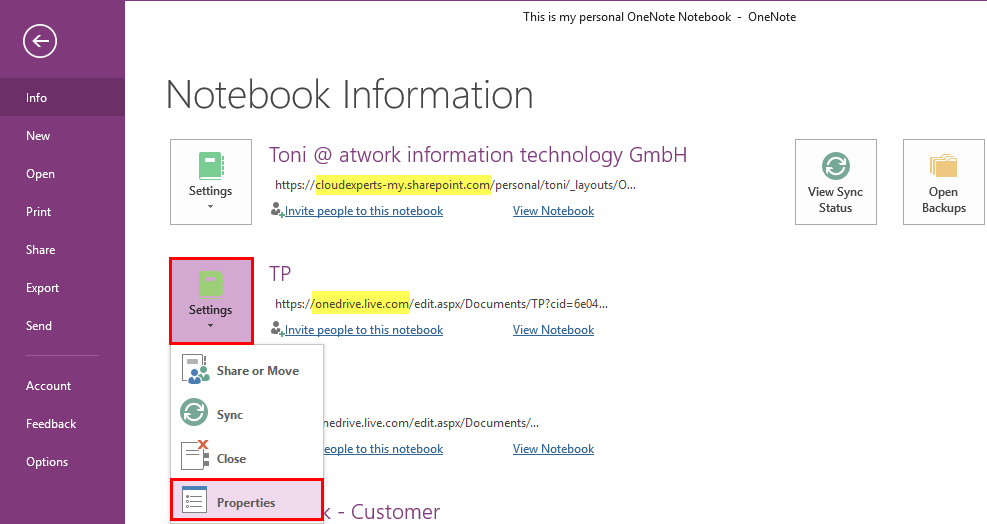
Many users including myself love OneNote. It’s quick and allows to store valuable but unstructured data very well. I wanted to change the storage location of my OneNote notebook from my personal OneDrive to OneDrive For Business. See the How-To here! You get Microsoft OneNote for free at https://www.onenote.com/download. By default OneNote is persisting notebooks in the personal OneDrive cloud storage and syncs changes between the local client (if installed) and the cloud. That’s ok for most scenarios and very convenient. ...

September 17, 2017 · 3 min · Toni Pohl
How user profile synchronization works in Office 365 services

How user profile synchronization works in Office 365 services

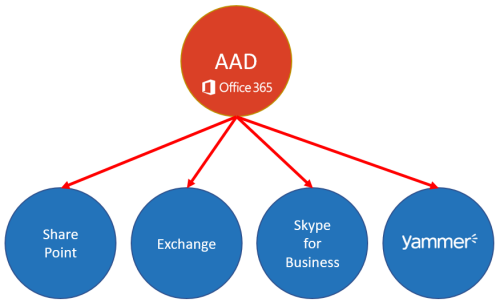
Office 365 users often ask about user profiles in various Office 365 services and where to change what. Since the Office 365 products do have a history, there are different places where user profile data is stored and how specific properties are synchronized. So, we at atwork thought that it makes sense to inform about the current user profile status in Office 365 with this article. AAD Basics The basis of all Office 365 services is the central Azure Active Directory (AAD) that stores all users, groups, licenses and relations of an Office 365 tenant (*.onmicrosoft.com). Entities can be managed in the Office-Portal, with scripts (PowerShell, etc.) or custom code (accessing the Microsoft API’s), or in a hybrid scenario with AAD Connect or ADFS. Once a user is created in AAD, there are a bunch of user properties available, as the User Principal Name (UPN, which is the login name), the person’s name and address data, Office 365 licenses, and more. All Office 365 products require such a user identity for sign-in. Once logged in, users benefit from Single-Sign-On (SSO) experience with one single identity. ...
July 7, 2017 · 6 min · Martina Grom
Adding Send as permissions to an Office 365 Group with PowerShell

Adding Send as permissions to an Office 365 Group with PowerShell

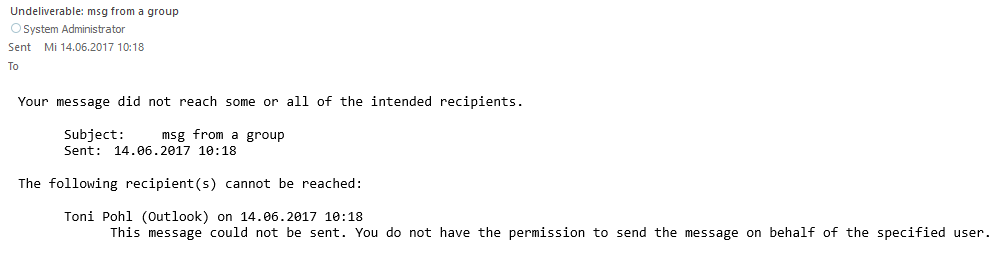
Office 365 Groups provide a bunch of useful features for collaboration. In some cases, users want to send emails from an Office 365 group as sender. Here’s the “HowTo” to accomplish “SendAs” permissions to an Office 365 group for users. By default, users do not have any permissions to send from an Office 365 Group. So, if you try to send an email with such a sender address, you will get a reply similar as here. ...

June 14, 2017 · 2 min · Martina Grom
Many new useful features coming in PowerApps

Many new useful features coming in PowerApps

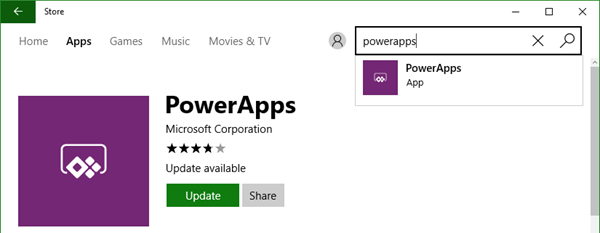
Two days ago, a new version of the PowerApps Studio has arrived with a bunch of useful features. See the details at PowerApps Newest Feature Releases Address Top User Requests! There’s a new Explorer Tree View to access a list of controls of each screen, as shown here in this animated graphics taken from the blog post: See more about control handling here. The new Multi-Column Form Control makes sense for Tablet mode apps… ...

June 2, 2017 · 1 min · Toni Pohl

Impressions of SPSummit

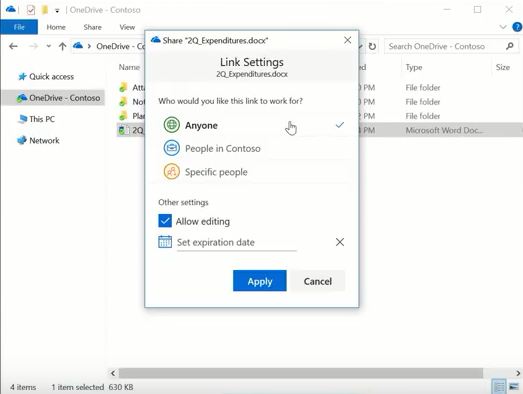
This week, SharePoint Virtual Summit took place on May 16th. There were a bunch of news and announcements and the SharePoint team did a great job delivering the latest improvements on SharePoint. Watch the SharePoint Virtual Summit online. My personal highlights have been: OneDrive Files On-Demand (as announced during BUILD keynote) Update: See this great video by Microsoft Mechanics, lead engineer Eugene Lin! OneDrive for Business updates: simplified sharing and files on demand ...

May 20, 2017 · 1 min · Toni Pohl
Tips for PowerApps-When does a user need a license?

Tips for PowerApps-When does a user need a license?

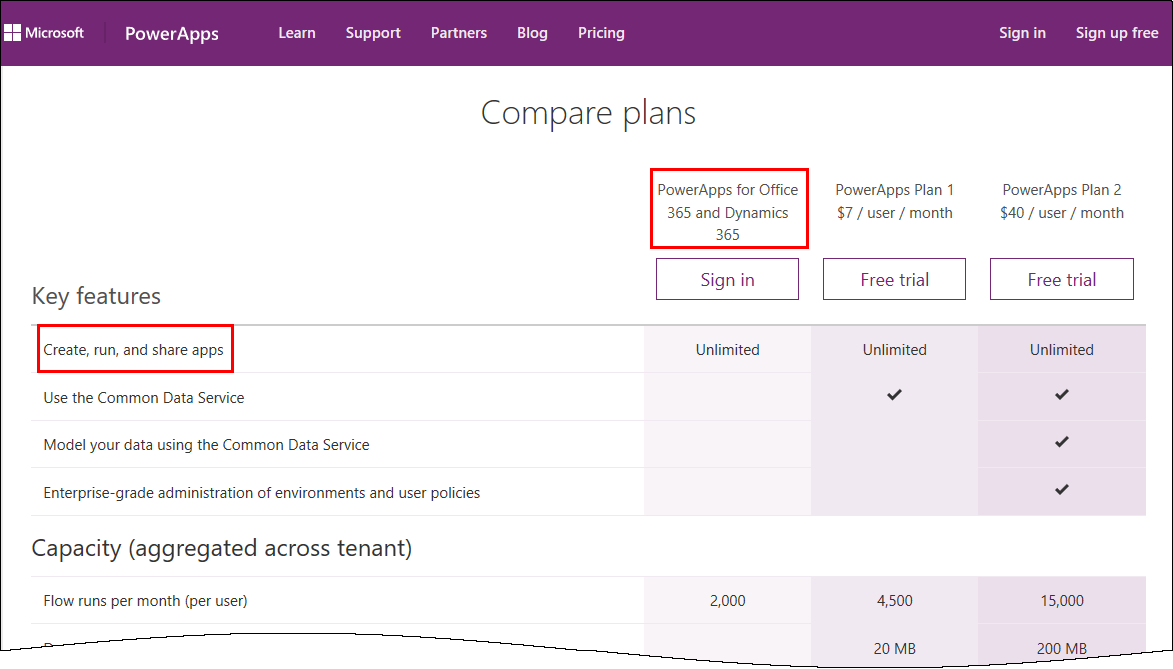
PowerApps is licensed in the Office 365 environment and offers three license plans: PowerApps for Office 365 and Dynamics 365, PowerApps Plan 1 and PowerApps Plan 2. Since it often is not clear, if end users who want to use (and not create) a PowerApps app need a license or how licensing works with data sources, I want to inform about licenses, show some samples and clarify that topic here. ...

January 5, 2017 · 6 min · Toni Pohl