Optimize SQL queries using subqueries for lookups in Azure SQL Databases

Optimize SQL queries using subqueries for lookups in Azure SQL Databases

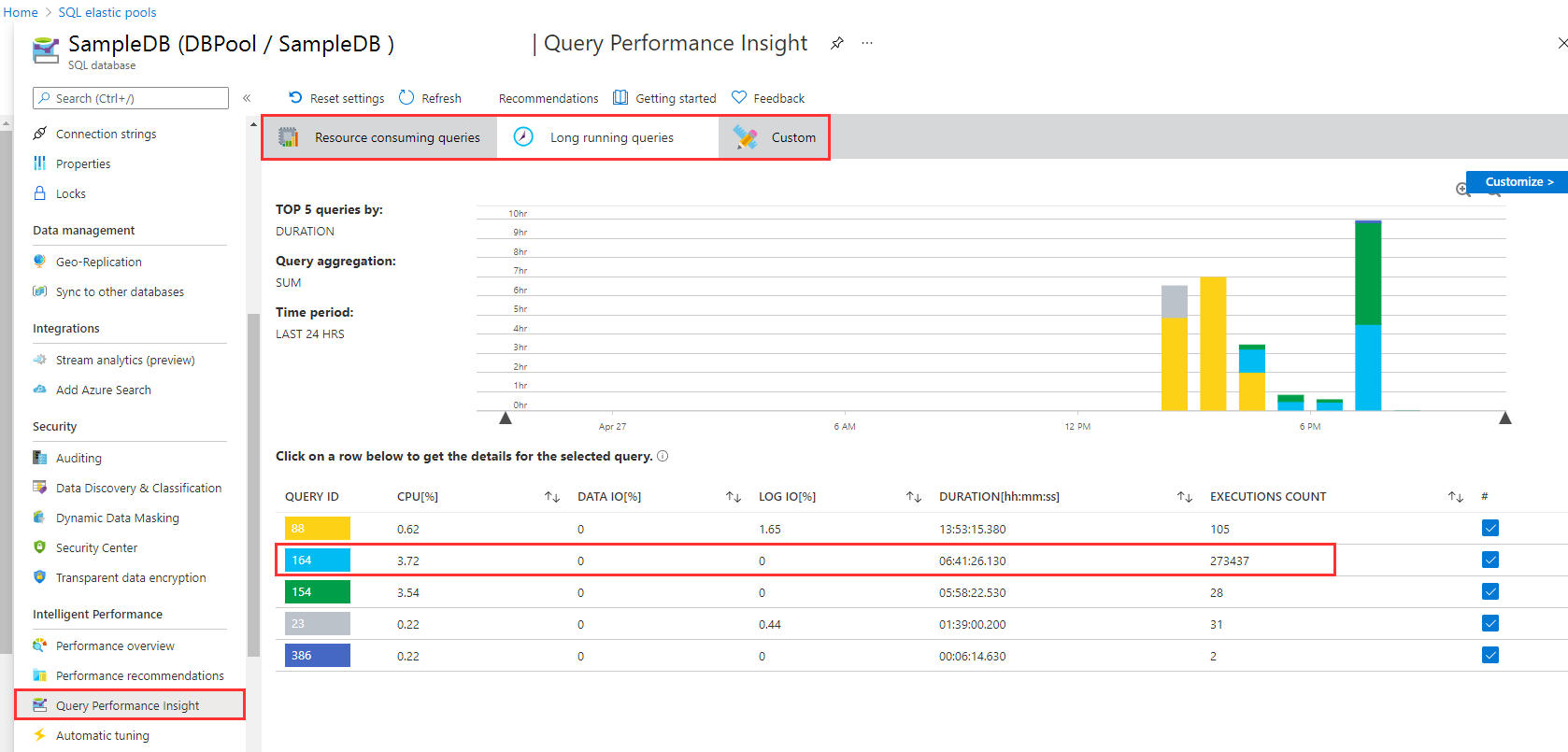
I like to work with Azure SQL Databases and use data from the cloud without any administrative effort. When working with apps, App Insights helps to detect anomalies, and to analyze bottle necks. Although SQL Azure can scale very well, we discovered performance issues in some legacy apps. Read here how we solved that by optimizing TSQL data queries. The scenario There is an older web application here that is connected to an SQL database that is running in an SQL elastic pool. App Insights showed the reason (the SQL queries) for the bad performance. Diving deeper, the elastic pool and the database / Query Performance showed performance issues in detail with certain queries which had very long runtimes. As we see in the following screenshot, there are two long running queries. Query 164 has been executed almost 274,000 times in the past 24 hours, consuming more than 6:40 hours. We started to investigate this issue. ...

April 27, 2021 · 5 min · Toni Pohl
How to copy table data between Azure SQL Databases

How to copy table data between Azure SQL Databases

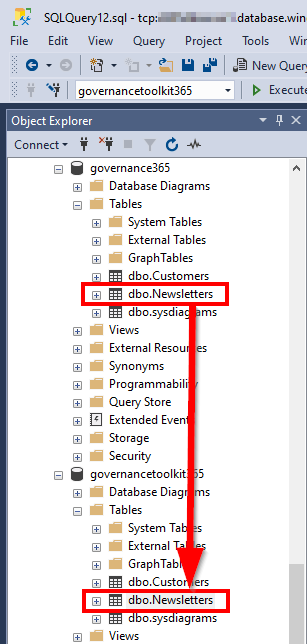
Working with Azure SQL Databases is handy. Just, how can I copy data from one Azure SQL database to another database? See the best practice here. I had such a use case. I needed to copy a table (all rows) from a source database to a destination database with SQL Management Studio. The table did not have much data, but extensive data with varchar(MAX) fields containing HTML and Base64 encoded images. So, a copy in the edit mode via clipboard did not work. ...

September 18, 2019 · 2 min · Toni Pohl
Get data from SQL Server for GDPR and more

Get data from SQL Server for GDPR and more

Getting ready for GDPR? Well, often data is stored in relational databases as in SQL Server – in the cloud or on premises. If you need to report what relevant data is stored in such a SQL database, the following scripts can help. Often, a data processing document is needed between the data controller (often the customer) and the data processor (the IT department or a vendor). So, how to get data for a review? Here we go with a little bit of TSQL and SQL Server Management Studio (SSMS) or SQL Operations Studio. Connect to the corresponding database and try the following commands. ...

April 20, 2018 · 2 min · Toni Pohl
Looking for Microsoft SQL Server Configuration Manager?

Looking for Microsoft SQL Server Configuration Manager?

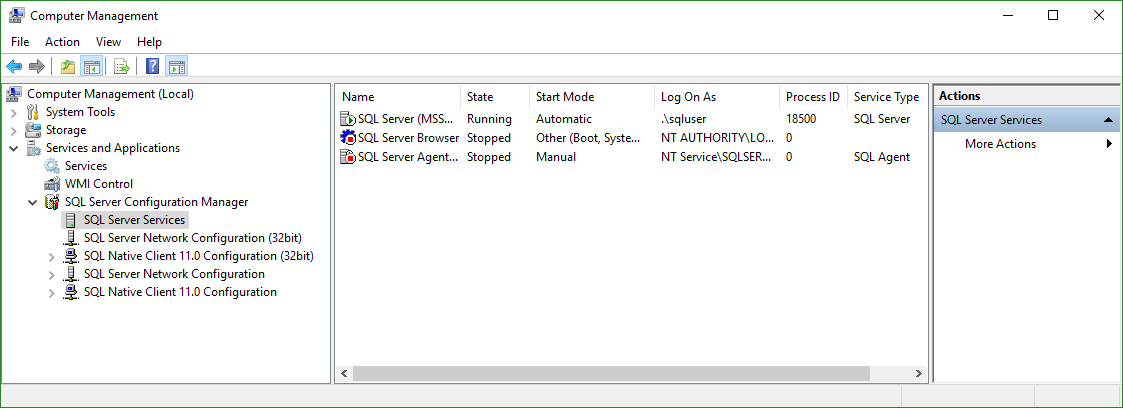
In former versions of Microsoft SQL Server, the SQL Server Configuration Manager was an extra app for configuring the SQL Server services. Since this is gone since some versions, we often get the question where to find the configuration tool nowadays with the modern versions of SQL Server… Well, the answer is simple: For SQL Server version equals SQL Server 2016 (13.x) or higher, open the Computer Management (Ctrl + X and click “Computer Management” or run* %SystemRoot%\system32\compmgmt.msc /s *). In here, you find the “SQL Server Configuration Manager” where you can configure your local services with the snap-in(s). ...

April 19, 2018 · 1 min · Toni Pohl
Get the size of a SQL Azure database quickly

Get the size of a SQL Azure database quickly

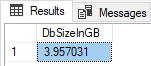
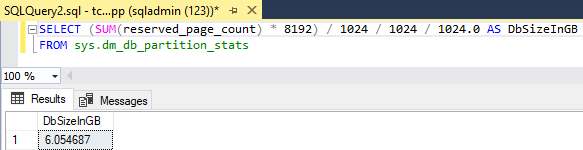
To get the size of a database, there are multiple ways. TSQL is one of the fastest methods. Here’s how. You often see querying the sys.dm_db_partition_stats DMV, and looking at the reserved_page_count column. Here’s my slightly adapted query: First open a new query in the database you want to check, then execute the following statement to get the size in Gigabytes. SELECT (SUM(reserved_page_count) - 8192) / 1024 / 1024 / 1024.0 AS DbSizeInGB FROM sys.dm_db_partition_stats ...

April 6, 2018 · 1 min · Toni Pohl
How to restrict access and to connect to a single SQL Azure database only

How to restrict access and to connect to a single SQL Azure database only

As of today, many organizations use various Microsoft Azure services. SQL Azure databases are popular among them. Often, IT Administrators want to allow departments or vendors full access to just one specific SQL Azure database and to restrict their access to other resources. See here how this works. Use SQL Management Studio or SQL Operations Studio When working with SQL databases, installing the SQL Management Studio (SSMS) is very helpful. You can get the latest version from Download SQL Server Management Studio (SSMS) for free. Alternatively, you can use the new lightweight and cost free SQL Operations Studio. ...

January 27, 2018 · 4 min · Toni Pohl
Get tables and rows of a SQL Azure database quickly

Get tables and rows of a SQL Azure database quickly

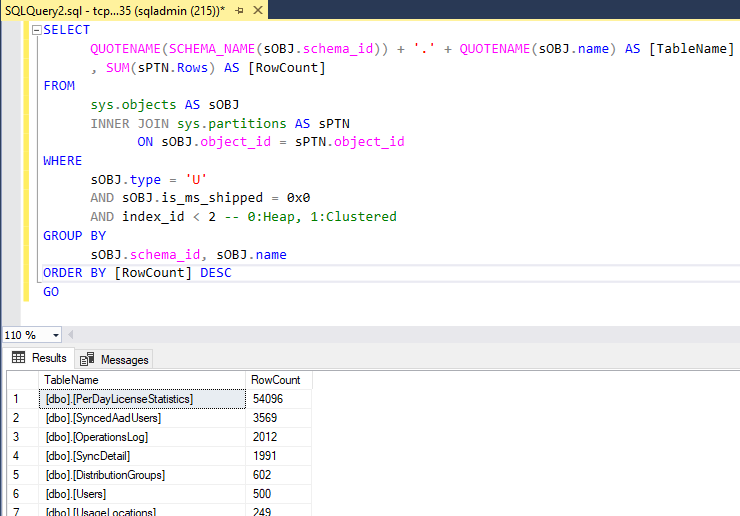
…by using a query as here: Use SQL Server Management Studio (SSMS) or the new and cost free SQL Operations Studio to run one of the following TSQLs in the desired database: -- SQL Azure - Get statistics (rows) of all tables quickly (options summarized) -- method 1: use sys.tables -- [https://blogs.msdn.microsoft.com/arunrakwal/2012/04/09/sql-azure-list-of-tables-with-record-count/](https://blogs.msdn.microsoft.com/arunrakwal/2012/04/09/sql-azure-list-of-tables-with-record-count/) select t.name ,s.row_count from sys.tables t join sys.dm_db_partition_stats s ON t.object_id = s.object_id and t.type_desc = 'USER_TABLE' and t.name not like '%dss%' and s.index_id = 1 -- method 2: sys.partitions Catalog View -- [https://www.mssqltips.com/sqlservertip/2537/sql-server-row-count-for-all-tables-in-a-database/](https://www.mssqltips.com/sqlservertip/2537/sql-server-row-count-for-all-tables-in-a-database/) SELECT QUOTENAME(SCHEMA_NAME(sOBJ.schema_id)) + '.' + QUOTENAME(sOBJ.name) AS [TableName] , SUM(sPTN.Rows) AS [RowCount] FROM sys.objects AS sOBJ INNER JOIN sys.partitions AS sPTN ON sOBJ.object_id = sPTN.object_id WHERE sOBJ.type = 'U' AND sOBJ.is_ms_shipped = 0x0 AND index_id < 2 -- 0:Heap, 1:Clustered GROUP BY sOBJ.schema_id, sOBJ.name ORDER BY [RowCount] DESC GO -- method 3: sys.dm_db_partition_stats Dynamic Management View (DMV) -- [https://www.mssqltips.com/sqlservertip/2537/sql-server-row-count-for-all-tables-in-a-database/](https://www.mssqltips.com/sqlservertip/2537/sql-server-row-count-for-all-tables-in-a-database/) SELECT QUOTENAME(SCHEMA_NAME(sOBJ.schema_id)) + '.' + QUOTENAME(sOBJ.name) AS [TableName] , SUM(sdmvPTNS.row_count) AS [RowCount] FROM sys.objects AS sOBJ INNER JOIN sys.dm_db_partition_stats AS sdmvPTNS ON sOBJ.object_id = sdmvPTNS.object_id WHERE sOBJ.type = 'U' AND sOBJ.is_ms_shipped = 0x0 AND sdmvPTNS.index_id < 2 GROUP BY sOBJ.schema_id, sOBJ.name ORDER BY [RowCount] DESC GO As a result, you get a list of all tables with the number of stored rows, similar as here: ...
December 21, 2017 · 2 min · Toni Pohl
Import and export data to an Azure SQL Database

Import and export data to an Azure SQL Database

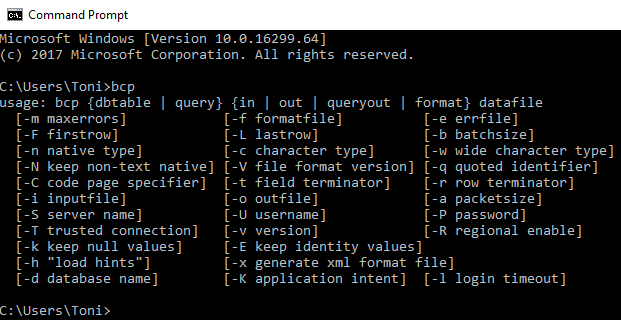
BCP, the bulk copy program utility is still around - and it’s helpful! It’s a long time, since I used this tool, but nowadays it got promoted for one of my daily jobs. See a short description how to use the Microsoft Command Line Utilities with Azure SQL Database for connecting and importing and exporting data quickly. Recently, I had the request to import local data to a SQL Azure database and BCP did the job. Since the tool is handy and very fast, it’s also good for running in a script (but you need to find a solution for storing the credentials…). So, here’s an overview how to use BCP and SQLCMD as quickly as possible. ...

December 7, 2017 · 4 min · Toni Pohl
Optimize your Azure SQL Database performance with Automatic Tuning

Optimize your Azure SQL Database performance with Automatic Tuning

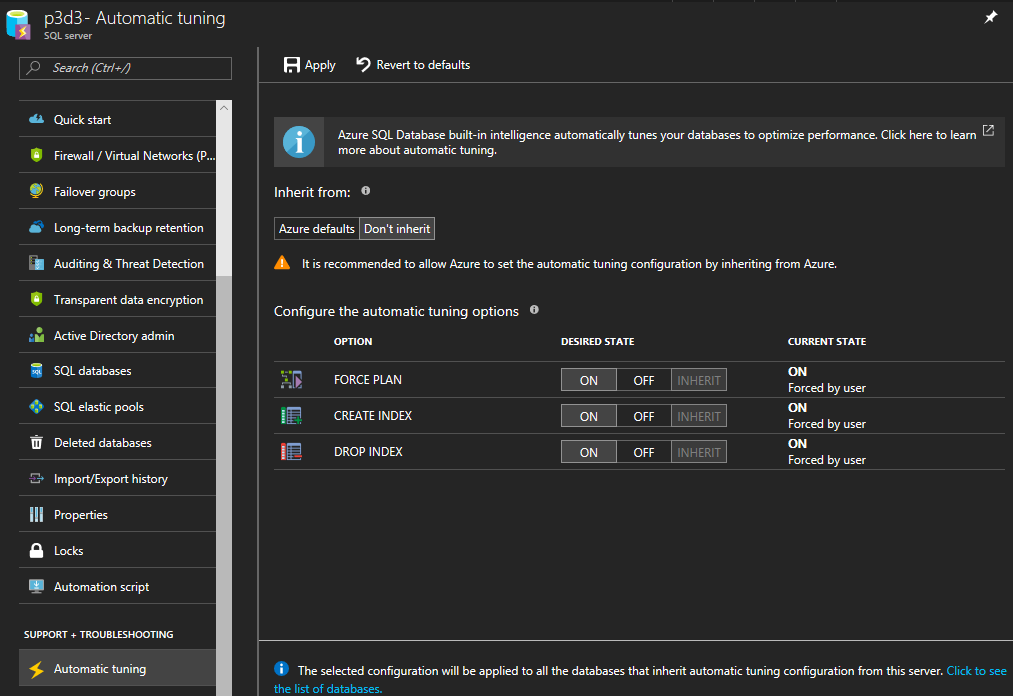
When moving SQL databases to Azure, let Azure do some work for you. As the name suggests, the Azure SQL Database Automatic Tuning feature provides automatic performance optimization for databases. Activate it, it’s simple. Once the data is available in Azure SQL Database, there is no more server maintenance necessary. Azure SQL Database is a relational database-as-a service that runs in the Microsoft Cloud. With the service there comes a bunch of benefits. One of them is the Automatic Tuning Mode. This enables stable workloads through continuous performance tuning utilizing Artificial Intelligence and applying corrective actions for databases in use. See more at Automatic tuning in Azure SQL Database ...

December 6, 2017 · 2 min · Toni Pohl
Add your local IP address to a SQL Azure Firewall easily

Add your local IP address to a SQL Azure Firewall easily

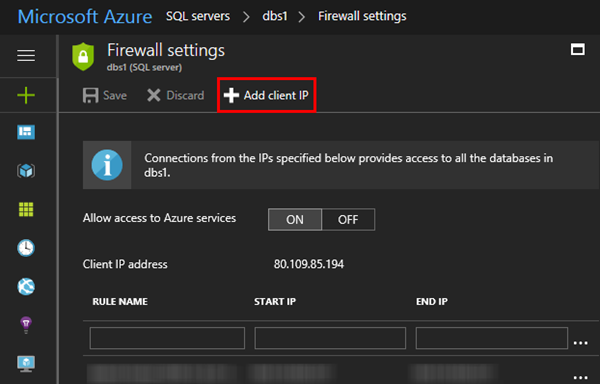
When working with SQL Azure you are aware that a connection is just established, if the client’s IP address is configured in the firewall of the SQL Azure database server. You needed to open the Azure Portal-SQL servers service and add your IP address manually. Well, the good story is, now the SQL Server 2016 Management Studio does this for you! At my home, the ISP renews IP addresses constantly. So, it’s always an effort to add my current IP address manually in the Azure Portal to be able to connect. Well, this can be done with Azure PowerShell as well, but I never automated that. ...

May 6, 2017 · 1 min · Toni Pohl