Bye bye, Skype for Business Online

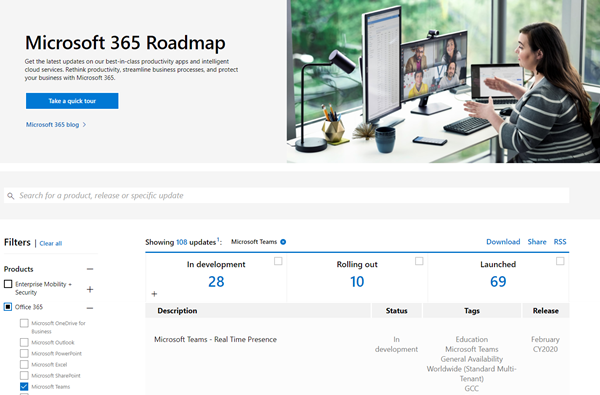
Last summer, the Microsoft Teams team announced that Microsoft Teams will be the primary client for Intelligent Communications in Office 365, replacing Skype for Business Online over time. Well, time is running and Skype for Business Online will be completely discontinued in July 2021. See more here. Here´s a summary of the most relevant information about the SFB retirement, upgrade options and the successor, Microsoft Teams: Skype for Business Online will retire on July 31, 2021. After that time, the service will no longer be accessible. ...

January 17, 2020 · 1 min · Martina Grom
Global Office Developer Bootcamp Vienna 2019

Global Office Developer Bootcamp Vienna 2019

As announced, this Wednesday, on November 27th, 2019, the Global Office Developer Bootcamp took place at the Microsoft office in Vienna, Austria. See some event reflections here. The world wide Global Office Developer Bootcamps 2019 (aka.ms/M365DevBootcamp) are following the success of the Developer Bootcamps 2018 held in 41 countries with over 3,400 attendees and it is now back for its 3rd year. The Bootcamps happen between October 1 to December 15, 2019. The idea is to share the latest and greatest technologies and products (Microsoft Graph, SharePoint Framework, Microsoft Teams, Office Add-ins, Connectors and Actionable Messages, Adaptive Card, Windows, Identity and more) on the Microsoft 365 platform. It was the first time we had the event in Austria. ...

November 28, 2019 · 2 min · Toni Pohl

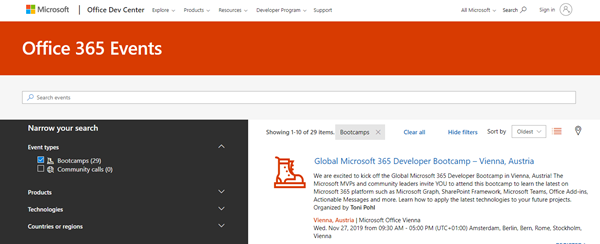
Join us at the Global Microsoft 365 Developer Bootcamp in Vienna!

We are excited to kick off the Global Microsoft 365 Developer Bootcamp in Vienna, Austria, on November 27, 2019! The Microsoft MVPs and community leaders invite YOU to attend this cost free developer bootcamp to learn the latest on Microsoft 365 platform such as Microsoft Graph, SharePoint Framework, Microsoft Teams, Bots, Actionable Messages and more. Learn how to apply the latest technologies to your future projects! The Global Microsoft 365 Developer Bootcamp takes place at the Microsoft Office in Vienna: ...

October 5, 2019 · 1 min · Toni Pohl
Having fun with IoT Flic buttons and Microsoft Flow

Having fun with IoT Flic buttons and Microsoft Flow

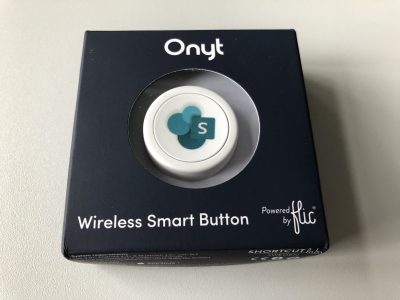
I just got a cute Flic button to play around with. It takes only some minutes to connect that IoT button to a connector and execute customs tasks. Well, as first step, I simply created a message in a Microsoft Teams channel. See the step-by-step instructions here. My colleague Christoph has started to play with the Flic button and another IoT button, so I was interested as well. Another article with that IoT button will follow shortly. ...

March 27, 2019 · 3 min · Toni Pohl
How to convert your legacy Yammer Groups into Group connected Yammer Groups

How to convert your legacy Yammer Groups into Group connected Yammer Groups

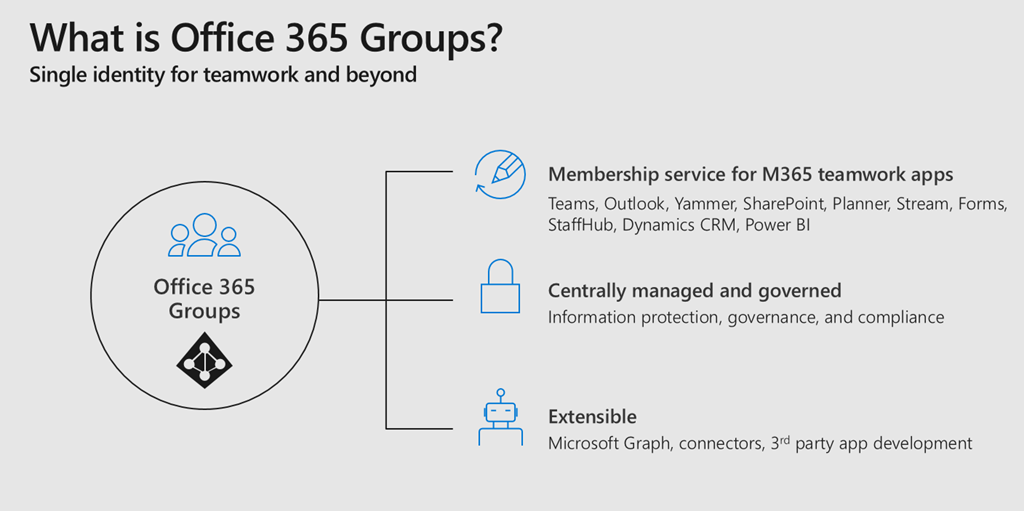
Office 365 Groups bring a lot of advantages to a connected workspace within Office 365. For me they are like the glue between all different Office 365 Services. If you provision an Office 365 Group you get an Outlook Mailbox, a SharePoint TeamSite, Planner and much more. When you create a Microsoft Team, you create an Office 365 Group. So it is really important for anyone who is working in the Microsoft 365 space to understand how Office 365 Groups work and what impact they have. Together with Microsoft Graph and Azure Active Directory those are the fundamentals of Office 365 to understand. ...

March 13, 2019 · 2 min · Martina Grom
Groups Governance Toolkit Part 4-Ownerless Groups

Groups Governance Toolkit Part 4-Ownerless Groups

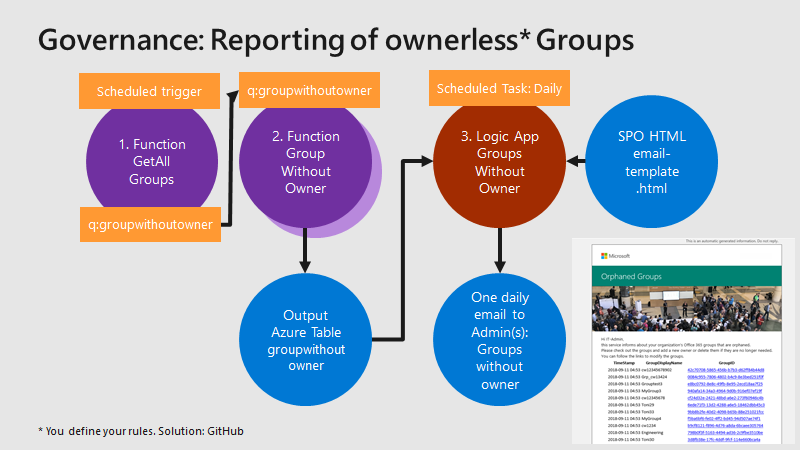
In this multi-part series we show you how to handle the Office 365 Groups and Microsoft Teams governance toolkit. The next article cover the governance part of our Groups Governance Toolkit.Imagine your company policy requires at least 2 owners per Office 365 Group or per Microsoft Team. In this part, we want to monitor all groups that are ownerless (orphaned), or do not comply with our organization’s policies. The IT department shall get the information of all groups and teams where there are no owners or not enough owners and the possibility to fix that. Read below how this can be accomplished. ...

February 13, 2019 · 5 min · Martina Grom
Groups Governance Toolkit Part 3-Develop Azure Functions

Groups Governance Toolkit Part 3-Develop Azure Functions

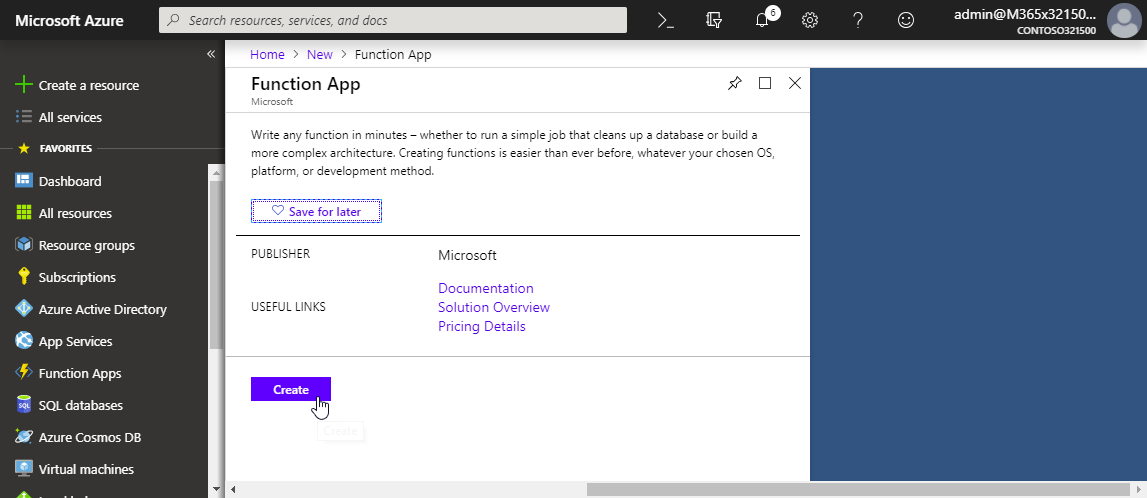
After the introduction of the Office 365 Groups and Microsoft Teams Governance Toolkit and with the necessary requirements we are now looking into Azure Functions. In our group and team provisioning scenario, we need a little code for provisioning of an Office 365 group and a Microsoft team. Serverless computing with an Azure Function provides the optimal solution for that. Follow these steps to create the function we need for our workflow. ...

January 16, 2019 · 6 min · Martina Grom
Groups Governance Toolkit Part 2-Provisioning requirements

Groups Governance Toolkit Part 2-Provisioning requirements

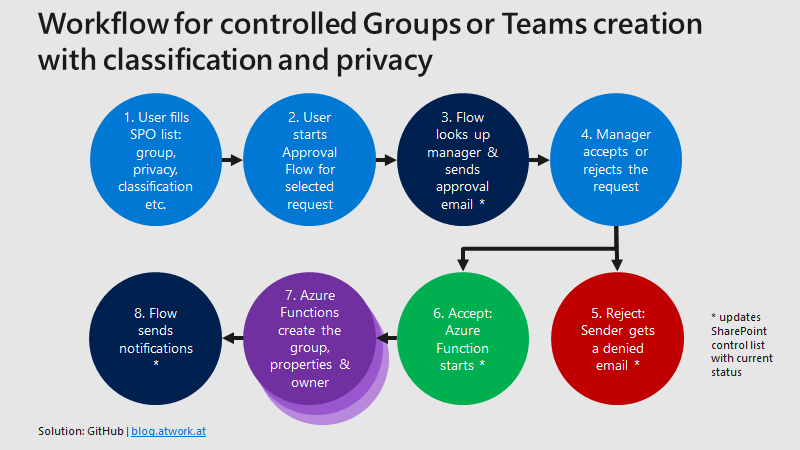
In part 1 of this series we described the scenario for our Office 365 groups governance toolkit. In this part we will setup a workflow for the Office 365 and Microsoft Teams provisioning. Workflows help to follow specific processes for a successful collaboration. Offering self-services for users is a key to reduce workloads on the IT department and to allow users to cover their requirements quickly while the organization’s policies are enforced during the process. A frequently asked request is how to provision a new Microsoft Team in Office 365 in a secure and monitored way. See how this can be implemented here. ...

January 11, 2019 · 5 min · Martina Grom
Groups Governance Toolkit Part 1-Overview

Groups Governance Toolkit Part 1-Overview

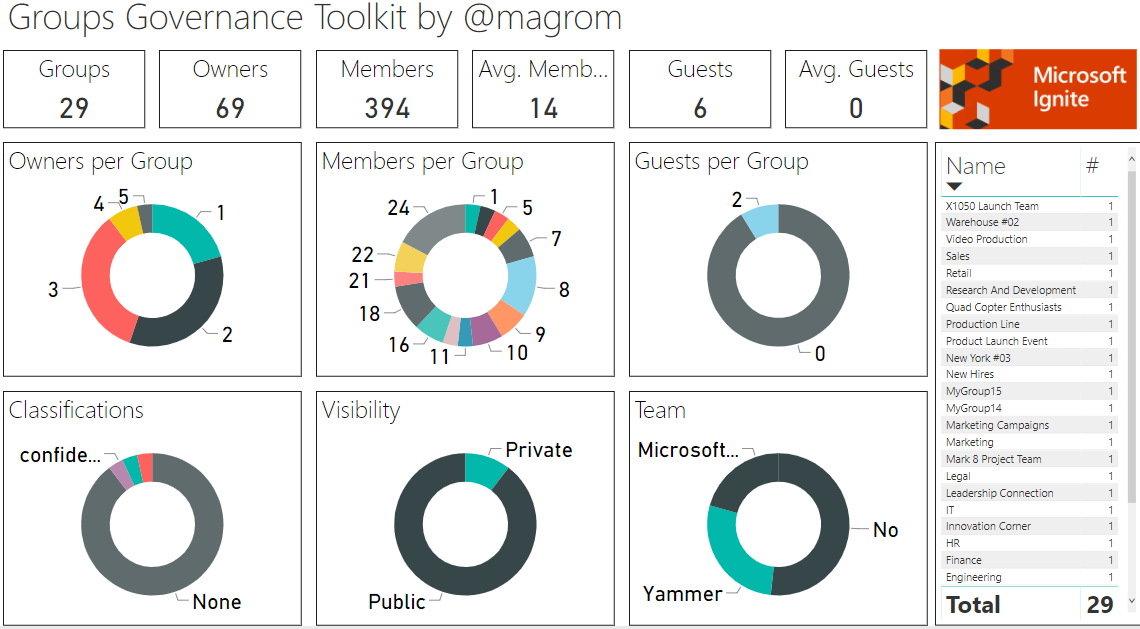
IT-Governance is an important topic, especially in large organizations. In an agile and evergreen world, as it can be found with Microsoft 365 services, Governance becomes an integral part which needs to be monitored and updated on a regular basis. At Microsoft Ignite conference, we showed the “Groups Governance Toolkit” with a bunch of useful tools to regulate and monitor for Office 365 Groups and Microsoft Teams. Everything we showed at Ignite is open source and built with out of the box tools within Microsoft 365 and Azure. ...

January 8, 2019 · 4 min · Martina Grom
Using Office 365 Home for up to 6 persons

Using Office 365 Home for up to 6 persons

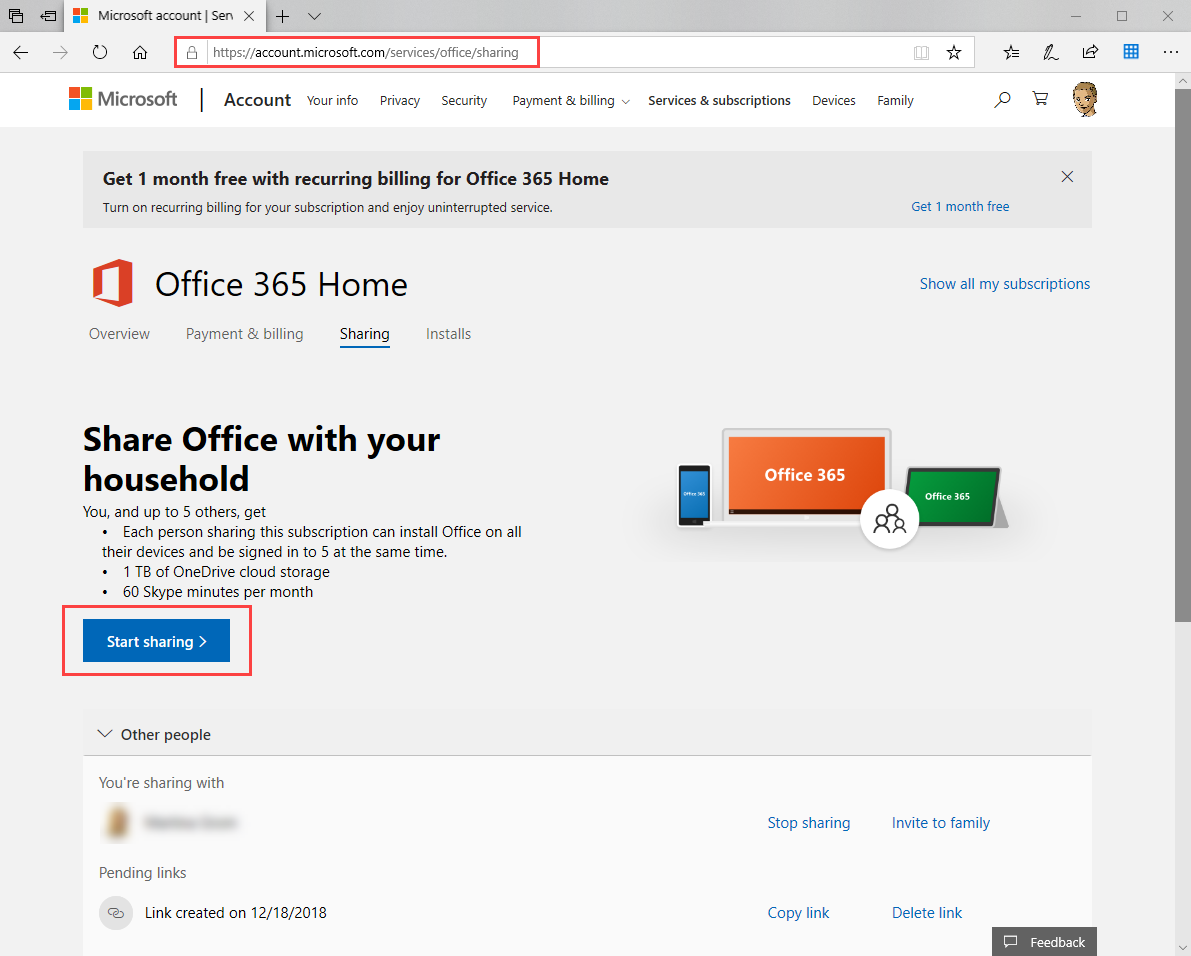
Office 365 Home is a really cool offer for up to 6 users within your family. You get the Premium versions of Word, Excel, PowerPoint, Outlook, Publisher, 1 TB OneDrive cloud storage each for each person, the subscription includes 60 minutes of free Skype calls every month to phones in over 60 countries and more, as described here. Here’s how to invite your family members. We described the process at “How to use Office 365 Home for sharing or How to get 5 times 1 TB OneDrive storage and 5 times 60 Skype minutes per month” some years ago (and also in German). Anyway, since I keep forgetting how to invite family members to my (renewed) Office 365 Home subscription, here’s the documentation for that… ...

December 22, 2018 · 2 min · Toni Pohl