Check out this aka.msAzure hyperlinks collection

Check out this aka.msAzure hyperlinks collection

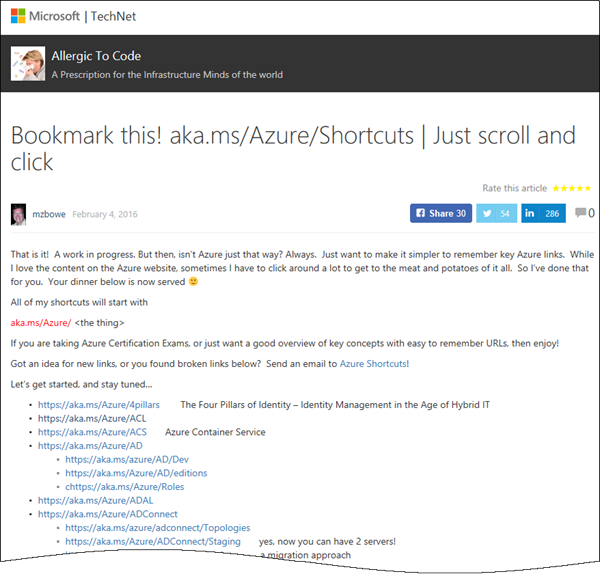
Sometimes, everybody needs a little helper. Find this helpful list of aka.ms/Azure shortcuts by mzbowe at Bookmark this! aka.ms/Azure/Shortcuts | Just scroll and click “Just want to make it simpler to remember key Azure links. All of my shortcuts will start with aka.ms/Azure/[the thing] …”. as for example https://aka.ms/Azure/VM, https://aka.ms/Azure/GraphAPI and a ton of more shortcuts. Nice list for Azure!

May 3, 2017 · 1 min · Toni Pohl

Martina Grom re-awarded as Microsoft Regional Director

We are very happy and proud that our CEO, Martina Grom, has been re-awarded as Microsoft Regional Director (RD) this April! The Microsoft Regional Director Program consists of 150 of the world’s top technology visionaries chosen specifically for their proven cross-platform expertise. RD’s must be nominated by Microsoft and this is a very exclusive program. Find out more about that exceptional business and community leaders at the Microsoft RD website rd.microsoft.com. ...

May 1, 2017 · 1 min · Toni Pohl

atwork sucht Senior Consultant Office 365 Identity, Exchange, Skype wm - Dienstort Deutschland

Als Experte in allen Bereichen rund um Microsoft-Technologien und Cloud-Themen ist unser Mandant ein gesuchter Berater bei seinen Kunden. Sie werden Teil eines eigenständigen und verantwortungsbewussten Teams, in dem ein hohes Qualifizierungsniveau, immer auf aktuellstem Stand, höchste Priorität hat. Als Senior Consultant oder Senior System Engineer sind Sie für die weltweiten Kunden unseres Mandanten der kompetente Ansprechpartner rund um die Einführung und Optimierung innovativer Lösungen mit Schwerpunkt in Microsoft-Produkten wie Office 365 oder Azure. Ihre Aufgaben umfassen: o Planung und Umsetzung komplexer IT-Lösungen basierend auf neuesten Microsoft Technologien im Enterprise Umfeld o Analyse und Optimierung bestehender Systeme o Design sowie Entwicklung von Betriebs- und Migrationskonzepten o Betreuung technischer Projekte im Themengebiet ...

April 26, 2017 · 2 min · Toni Pohl

Global Azure Bootcamp 2017 Austria

Yesterday, on the 22nd April 2017, the fifth Microsoft Global Azure Bootcamp happened worldwide where user groups and communities organized events to learn about Azure and Cloud Computing. In Austria, the #GAB happened in Linz. We had a great day with Azure and the community! See details at the website of global.azurebootcamp.net. The official twitter hashtag was #GlobalAzure (but many, as I, used #GAB2017, but that’s life ). As in the years before, Rainer Stropek (MVP, RD) with Karin and their team of Coding Club Linz organized the event in Austria, Linz in Wissensturm, see Global Azure Bootcamp 2017 in Austria. ...

April 23, 2017 · 2 min · Toni Pohl

Worldwide internet user map

Recently Microsoft published an article about “Giving CISOs assurance in the cloud” with nice visualized “internet user maps”. By 2015, the internet user map looks as here: Source: Microsoft Secure Blog That’s an interesting map showing the most heavy internet users in the dark green boxes. Summarized, these are North America, Northern Europe, South Korea and Japan. The dark green regions will include the south in the next years… So, if you are internet addicted (as we are…), you can choose your travel destinations by that map.

April 17, 2017 · 1 min · Toni Pohl
Tips for PowerApps-issues and status

Tips for PowerApps-issues and status

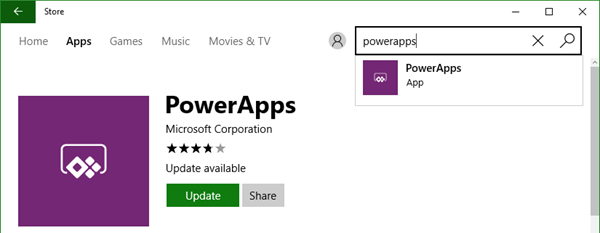
Recently I got an error in my PowerApp when trying to get an Office 365 User Profile, although this was working before: “The service returned an error: Office365Users!MyProfile: {“status”:402,“message”:Insufficient privileges to complete the operation.”,“source”:“127.0.0.1”}". See here how to deal with such scenarios. Well, first I tried to check my Office 365 User connection, removed the data source and added it again. But this didn’t change anything, the app still reported the same error. ...

April 16, 2017 · 2 min · Toni Pohl

atwork bei den Microsoft Osterhelden 2017

Mit dem Motto “Wir digitalisieren Österreich #DigitaleHelden” startet Microsoft eine Digitalisierungs-Kampagne mit Gewinnspiel. Wir von atwork freuen uns, mit dabei zu sein und informieren über die neuesten Microsoft Cloud Technologien und zeigen eine PowerApp für den täglichen Gebrauch im Unternehmen. Schauen Sie rein und machen Sie mit! Hier gehts zum atwork Kurzvideo: microsoft.at/osterhelden/atwork. Das atwork Team stellt die Vorteile der Microsoft Cloud vor, beantwortet Fragen zur Sicherheit und erklärt welche Möglichkeiten es zur Automatisierung gibt. Mit einer Fahrtenbuch Applikation zeigen wir Ihnen, wie Microsoft PowerApps Alltagsprozesse erleichtert. Als kleines Ostergeschenk gibt es bis zum 10. Juni 2017 die Möglichkeit eine kostenfreie Beratung für eine Migration in die Microsoft Cloud zu gewinnen. Video ansehen und mitmachen! ...

April 11, 2017 · 1 min · Toni Pohl
Delegate365 changelog version 6.2-license and further improvements

Delegate365 changelog version 6.2-license and further improvements

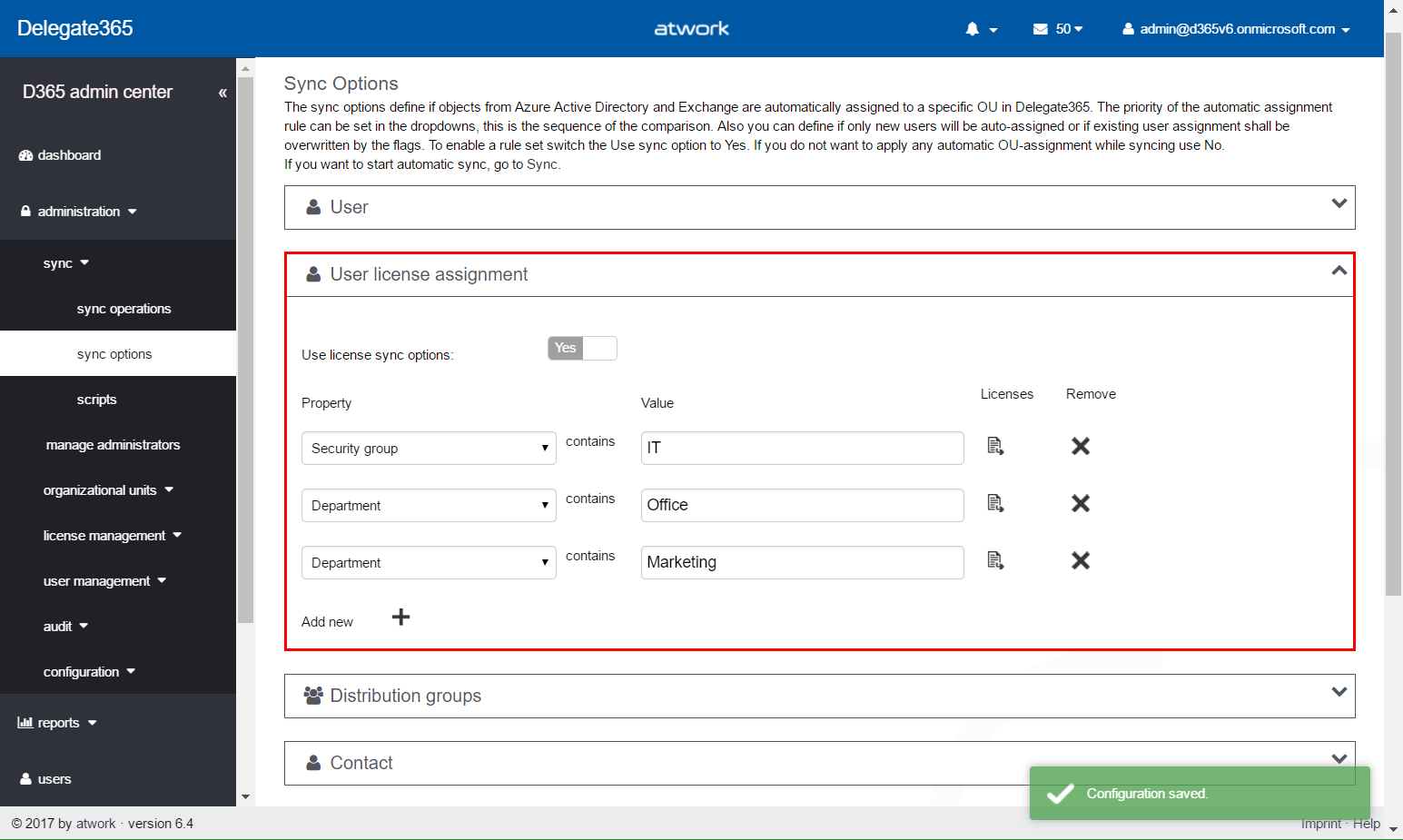
Delegate365 version 6.2 comes with some updates and improvements. See the new features described here. License counting update: Delegate365 is licensed per user that shall be managed. There comes just one peculiarity with that: shared mailboxes and resources are delivered from the Office 365 interface as users. This causes that D365 counts such users (but only) if they are assigned to an OU as well although they do not need to have an Office 365 license. So, this can lead to uncertainty, why licensing in D365 can be different from Office 365. Again, this is only the case if the user objects are assigned to an OU in D365. For more information about that topic pls. see Delegate365 license information (Q&A 4 to 6). With the new feature this behavior can be compensated and is obsolete. The following graphics shows such a scenario where a shared mailbox “support” is assigned to an OU in D365 (and counts as a D365 user license). We wanted to simplify that licensing in D365 to make it equal to Office 365 licensing in that specific case. With this D365 update, there come two new switches “Ignore shared mailbox users” and “Ignore resource users” in the administration / sync / sync options user region. By default, these two switches are set to “No”. This means, existing users for shared mailboxes and resources stay in the users list, as it was before. If set to “Yes”, this means that shared mailboxes and resources are ignored as “user” in D365. Such user objects that were existing in the users list will be removed from the users list. (No worries, nothing bad happens, they just no longer show up – and are not counted for D365 user licenses.) After the next SyncOp (of course, with “Use user sync options” switch to “Yes”), these user objects will no longer shown in the users list. The shared mailbox “support” is gone from the users list. Of course, the object is still manageable in the more / shared mailboxes list and can be managed there. The same goes for the resources. Our recommendation: Set both new switches to “Yes”. Usually there is no need to manage a shared mailbox or a resource in the same way as a user. With “Ignore shared mailbox users” and “Ignore resource users” activated, this saves D365 licenses. ...

April 7, 2017 · 4 min · Toni Pohl

All you need to know about Visual Studio Code-Tips and Tricks

Visual Studio Code (VSC) provides developers with a fast and powerful code editor.VSC is available as cross-platform development tool, supporting OS X, Linux, and Windows and is a cost free part of the Visual Studio family. Get the Visual Studio Code Tips & Tricks Vol. 1 document to get 26 pages of tips and tricks for this great code editor. Download Visual Studio Code Tips & Tricks Vol. 1 The PDF document was authored by Tobias Kahlert and Kay Giza of Microsoft Germany. Since this is volume 1, we hope for volume 2 in future as well. ...

March 31, 2017 · 1 min · Toni Pohl
Azure Active Directory Join step-by-step in Windows 10

Azure Active Directory Join step-by-step in Windows 10

Your computer is still bound to your company’s local domain? How old school. Well, here’s a step-by-step guide how to join Azure Active Directory (AAD Join) with Windows 10. You must be administrator on your local computer, Your existing use profile (C:\Users[account name]) will continue to exist, but anyway, it’s a good idea to backup your local data if needed. Usually such “local” data should be synchronized to the cloud anyway, so it’s easy to restore (for example with OneDrive). ...

March 26, 2017 · 2 min · Toni Pohl