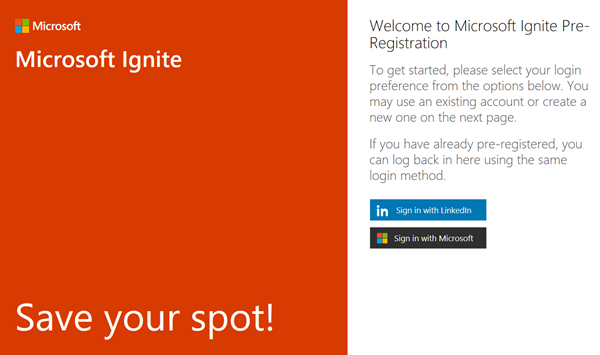
Preregister for Microsoft Ignite conference 2017
Preregister for Microsoft Ignite conference 2017! Microsoft Ignite 2017 will take place from September 25th to 29th 2017 in Orlando, Florida, and is Microsoft’s largest yearly event. CU there?

Preregister for Microsoft Ignite conference 2017! Microsoft Ignite 2017 will take place from September 25th to 29th 2017 in Orlando, Florida, and is Microsoft’s largest yearly event. CU there?
Wir freuen uns, am 22. Februar 2017 Teil der Microsoft Veranstaltung “Arbeitswelt im Wandel - für kleine und mittelständische Unternehmen” zu sein! Erfahren Sie an diesem Business-Tag, wie die voranschreitende Digitalisierung das Arbeiten in kleinen und mittelständischen Unternehmen erheblich verändern wird und wie Sie als Kleinunternehmer oder mittelständischer Entscheidungsträger auf die neuen Anforderungen reagieren können. Das kostenfreie Event findet am Mittwoch, den 22. Februar, von 9:00 bis 13:00 Uhr bei Microsoft in München statt. ...
Wir freuen uns, am 21. Februar 2017 Teil der Microsoft Veranstaltung “Arbeitswelt im Wandel für mittelständische und große Unternehmen” zu sein! Die digitale Transformation beeinflusst die tägliche Arbeit im Unternehmen immer stärker. Die Veranstaltung informiert über den Wandel und die Herausforderungen am modernen Arbeitsplatz und wie Sie als Entscheidungsträger mit modernen Plattformen auf die neuen Anforderungen wie Datensicherheit, Compliance und gesteigerte Produktivität reagieren können. Das kostenfreie Event findet am Dienstag, den 21. Februar, von 9:00 bis 12:00 Uhr bei Microsoft in München statt. ...

Last week Martina and I participated in Microsoft Cloud Summit Paris. This was the biggest event ever put on by Microsoft communities in France with about 800 technology enthusiasts. We had CVP Julia White and GM for Database Systems Rohan Kumar as keynote speakers and had two great event days there, right in the center besides the Eiffel tower. And Cloud Summit Paris has been featured by the Microsoft MVP Award Program Blog! ...
Recently, the Microsoft MVP Award Program Blog published my three-part series about “Working With Office 365 Groups And Connectors”. Read the articles online in the MVP blog here: Part 1 - Working with Office 365 Groups and Connectors Part 2 - Working with Office 365 Groups and Connectors Part 3 - Working with Office 365 Groups and Connectors Also, thanks to Richard Hay for posting the summary at windowsitpro.com: Learn more about Office 365 Groups and Connectors. ...
Since today, the Azure portal offers to send invoices directly to an email address instead of downloading your invoice every month. See the announcement at Now available: Azure invoices emailed direct to your inbox. The new menu “Send my invoice” is available in the “Billing” section. Click the “Opt In” button and configure the email address you want to use for getting the monthly invoices. ...

Before developing, it’s useful to create a mockup for an application. PowerPoint can help! As prerequisites, you need to have PowerPoint and Visual Studio 2013 or later installed. If this is the case, you find additional shapes in the Storyboarding / Storyboard Shapes menu. This opens a task pane with elements sorted by category (Common, Windows Apps, Desktop, Phone, etc) you need to draw an app. See more information at Storyboard your ideas using PowerPoint. ...

We are delighted to be part of Microsoft Cloud Summit 2017 in Paris from January 23th to 25th 2017 at the New Cap Event Center! Microsoft Cloud Summit 2017 Paris is a conference organized by AGILE.NET - aOS - AZUG FR - CMD – GUSS and offers: 1 day pre-conference workshops (Jan. 23th) 2 days of conference (Jan 24th-25th) space for about 900 attendees (the conference is sold out) 7 tracks and 72 sessions, see the agenda ...

PowerApps allow to access a web or photo camera of a device. When using the camera, sometimes I got a message “To access the camera, check your device settings”. Irritating. See my workaround here. So, when I got this message in the camera control … I got mad, because I didn’t find out where to allow that access on my computer (especially because it worked before). I checked device settings, the camera control settings, PowerApps settings, googled… ...

With Delegate365 version 6 there comes a slightly restructured menu. See the differences here. The existing left menu got a little bit disordered, so we reorganized it with groups to make it easier for admins to find related features. Enlarge the following graphics to see all menus and their new position. The left side (gray) shows the menu of D365 version 5, the right side (green) shows the new menu D365 version 6. ...