Delegate365 changelog 9.7-SharePoint Sharing

Delegate365 changelog 9.7-SharePoint Sharing

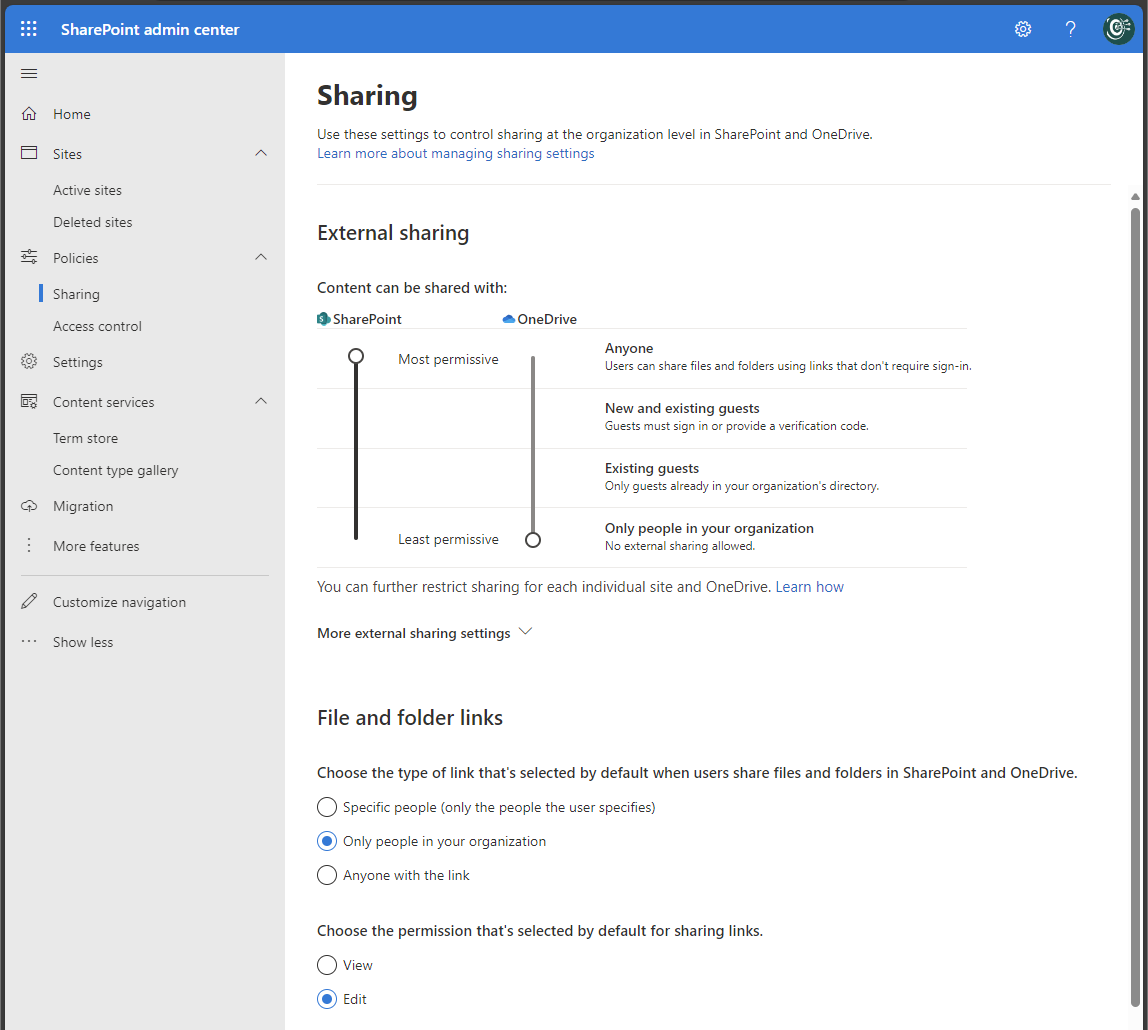
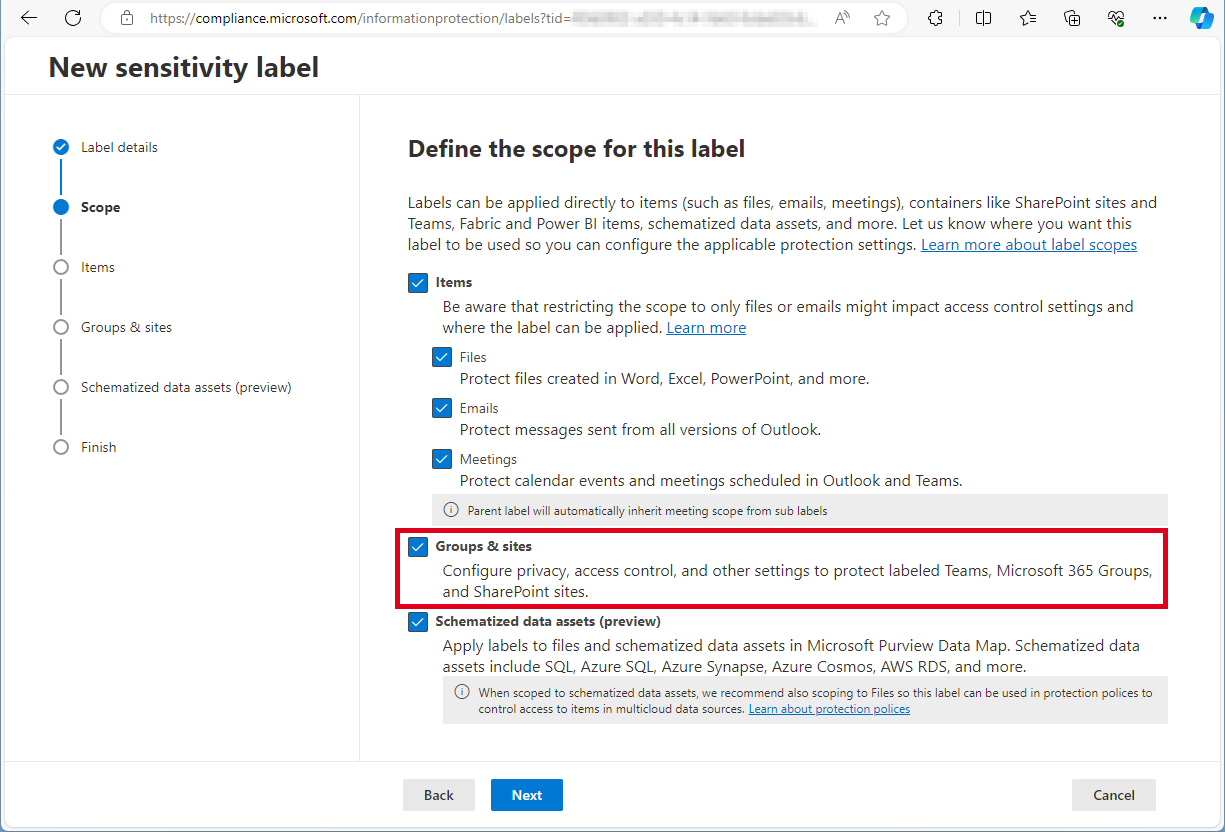
In December and January some features and fixes have been added to Delegate v9.7. In this update, administrators can allow or block sharing settings of SharePoint sites to comply with company policies. Global Sharing settings: In the SharePoint Admin Center, Global Administrators can control the sharing settings for their Microsoft 365 tenant (see more at Manage sharing settings for SharePoint and OneDrive in Microsoft 365). These settings apply to the entire organization in SharePoint and OneDrive. The screenshot below shows a typical setting for organizations that allow external and anonymous sharing to certain SharePoint sites, but want to restrict sharing from the OneDrive personal space. ...

February 14, 2024 · 4 min · Toni Pohl
Merry Christmas 2023 and Happy Holidays!

Merry Christmas 2023 and Happy Holidays!

Merry Christmas to all our friends, partners, and customers! As we approach the end of 2023, we would like to take a moment to express our gratitude for your continued support and trust in our projects. We are proud to have you as our partners and customers, and we look forward to continuing our journey together in the coming year. This year has been a remarkable one for us, with several successful projects that have helped us grow and learn. We are grateful for the opportunity to work with many of you and contribute to your success. We hope that our projects have made your life easier and more efficient. ...

December 24, 2023 · 3 min · Toni Pohl
Delegate365 changelog 9.7-Improvements

Delegate365 changelog 9.7-Improvements

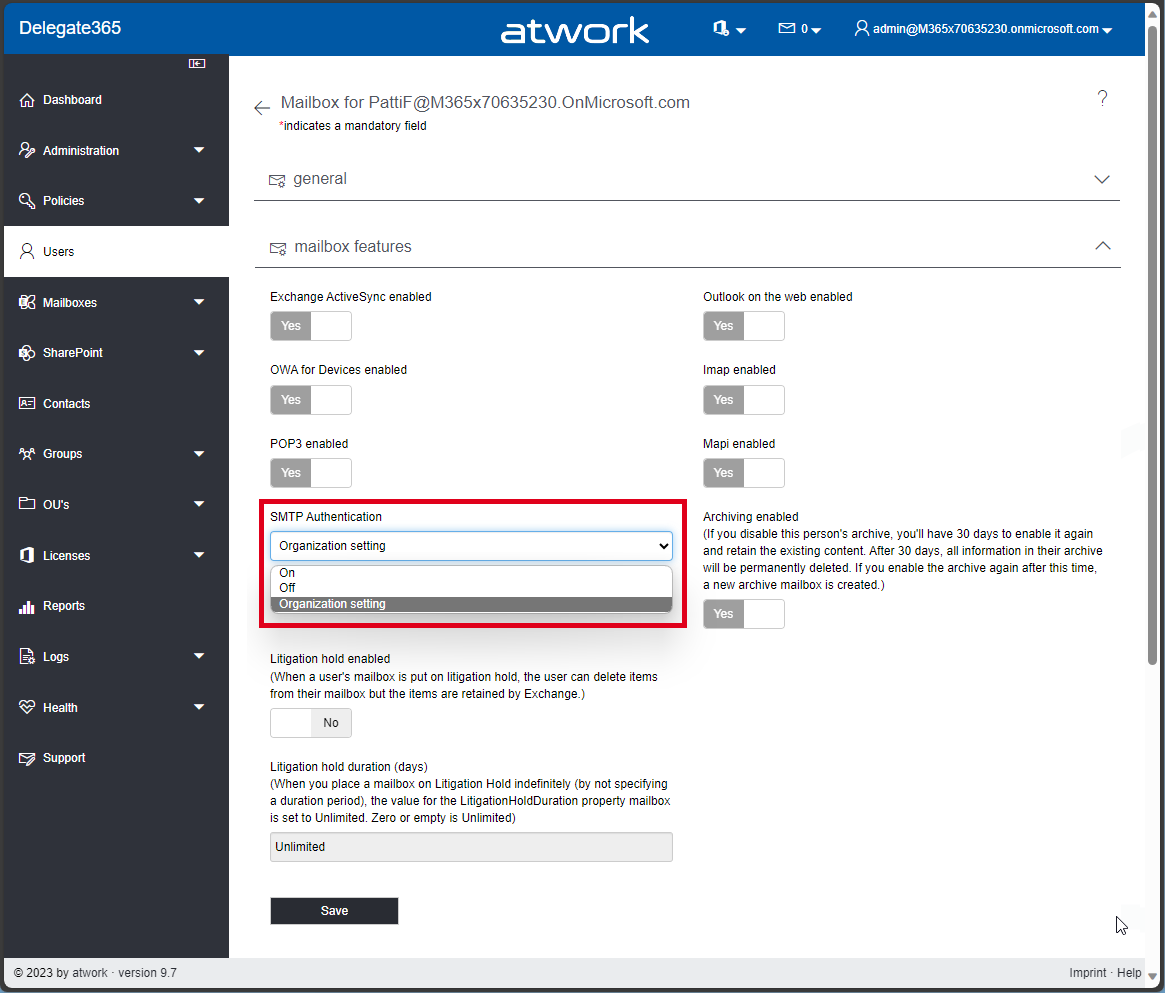
The current version of Delegate365 v9.7 comes with some improvements. See the details here. SMTP Authentication in Users / Mailbox settings: A new switch SMTP Authentication has been added to the Mailbox settings of a User. This allows, see Enable or disable authenticated client SMTP submission (SMTP AUTH) in Exchange Online. Usually, Microsoft recommends to disable SMTP AUTH in your Exchange Online organization and to enable it only for the accounts (mailboxes) that still require it. If security defaults is enabled in your organization, SMTP AUTH is already disabled in Exchange Online. However, admins can modify this setting in the Mailbox features section. The SMTP Authentication dropdown allows to set the setting to* On, Off, *and Organization settings. which means that the settings for the user are inherited from the organization´s transportation rules settings. This setting corresponds to the setting in the Microsoft 365 Admin Center, under Users / Active Users / Select a user / Manage Email Apps / Authenticated SMTP switch or with PowerShell. In PowerShell, this setting is set with Set-TransportConfig and Set-CASMailbox with an attribute named SmtpClientAuthenticationDisabled, where the organization settings are equal to $null, On means $false, and Off means $true. This is simplified in Delegate365 to be more understandable. ...

December 11, 2023 · 3 min · Toni Pohl
atwork wins the Microsoft Austria Partner Innovation Award 2023

atwork wins the Microsoft Austria Partner Innovation Award 2023

Congratulations to the atwork team behind the Sign Language Project (SLRproject.ai) for winning the Microsoft Austria Partner Innovation Award 2023! The project aims to develop a machine learning model that can automatically translate Sign Language into text and transmit this text into various communication programs, such as Microsoft Teams. It is an innovative development and research project for sign language recognition with Azure Artificial Intelligence Services (Azure AI). The SLR project is a remarkable example of how technology can have a positive impact on society using modern AI technology. We congratulate the project initiator Peter Hödl, who started this project around two years ago and continues to work hard together with the team to create an integrable solution. ...

November 28, 2023 · 2 min · Toni Pohl
Azure Logic Apps Toolbox 9-More useful Tips

Azure Logic Apps Toolbox 9-More useful Tips

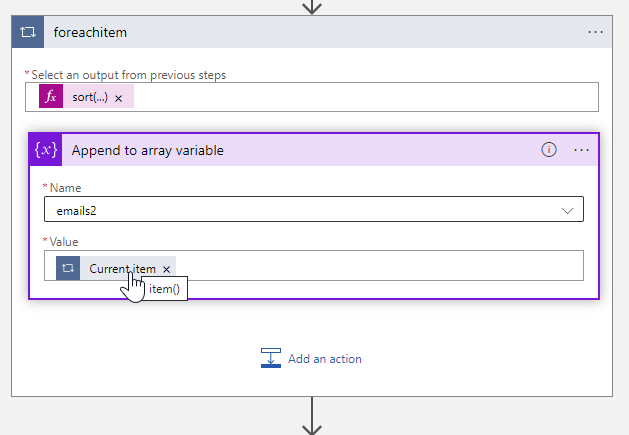
By working with Azure Logic Apps, data can be processed very quickly and conveniently. Sometimes small details are a challenge, like function names or correct syntax. This is especially true if you don’t work with logic apps all the time. In addition to our existing tips here in the blog, we have some other useful functions from various scenarios that will make your work with Logic Apps easier. If you are interested, we have already collected a number of tips in our blog in category Logic Apps. So, here are some more general tips for your flows. ...

October 5, 2023 · 4 min · Toni Pohl
Get the expiration date of application secrets and certificates in Entra

Get the expiration date of application secrets and certificates in Entra

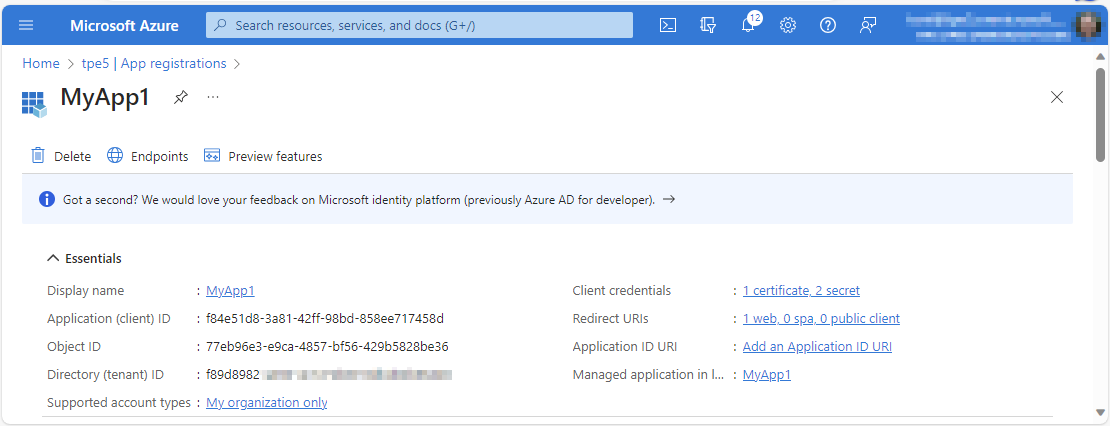
Part of the job of Microsoft 365 administrators is to ensure that their users can access and work with all services. This also includes ensuring that applications work. Microsoft Entra manages applications and the associated settings in a central location. It is relevant to know when application certificates and secrets expire in order to renew them in a timely manner. This article shows how you can query which applications need to be updated. ...

October 4, 2023 · 3 min · Toni Pohl
Generate the Manage team URL from code

Generate the Manage team URL from code

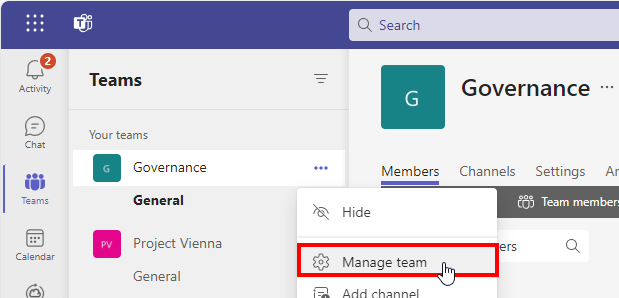
Sometimes it makes sense to provide users with a link to manage a Microsoft Team in applications or in generated emails. Only the Teams client can do this. Or? The teams client offers the Manage team option The teams client allows open the options menu, and to click on the Manage team menu. ...

September 22, 2023 · 2 min · Toni Pohl
Power Pages architecture and governance

Power Pages architecture and governance

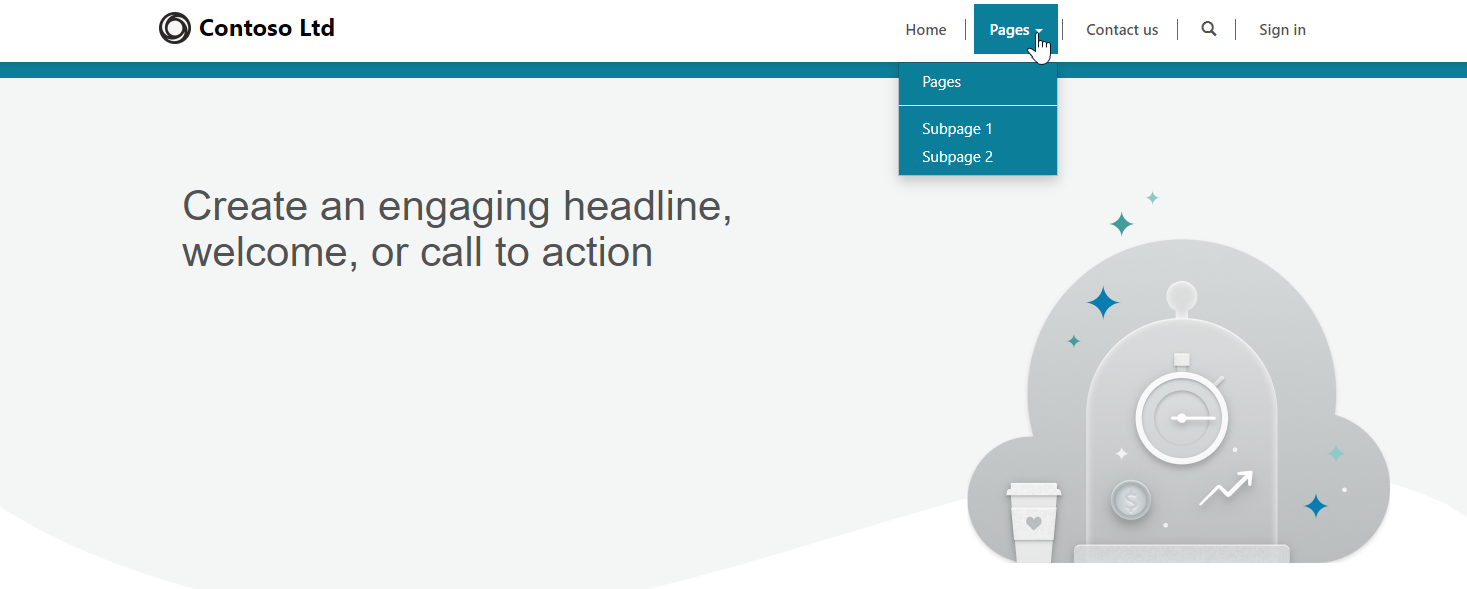
Power Pages is a enterprise-grade software-as-a-service platform from Microsoft that provides a low-code solution for building, managing, and hosting dynamic enterprise websites. It enables citizen developers and professional developers within organizations to quickly and securely build custom external-facing web applications. These applications are tailored for use by the organization’s consumers, partners, community users, and internal users. Learn more about Power Pages here. Power Pages architecture The rapid shift towards digital technologies has led to a significant increase in remote work, heightened customer expectations for online applications and services, and increased use of advanced technologies across the board. Behind all of these advances is the driving force of cloud computing, which is enabling and enabling these transformative changes. Today, some IT solutions no longer require software development. Power Pages tries to address this and is part of Microsoft’s Power Platform. It is built on Microsoft Azure and leverages the same security stack as Azure, which integrates with Microsoft 365 compliance tools. This screenshot shows a quick sample of a generated Power Pages site. The site can be enriched with forms and workflows. ...

September 11, 2023 · 5 min · Toni Pohl
Replacement of MSOnline and Azure AD Powershell modules

Replacement of MSOnline and Azure AD Powershell modules

I know some habits are hard to break. We still see some IT administrators using the outdated tools. We recommend admins using older Azure AD, Azure AD Preview or MS Online modules to use MS Graph modules instead. Renew your tools! Powershell modules retirements The discontinuation means that Microsoft is not making any investments in the outdated Powershell modules and does not make any SLA commitments beyond security-related fixes. See the details of the retirement plans here: ...

August 17, 2023 · 2 min · Toni Pohl
How to get all SharePoint Online sites with their owner with Graph

How to get all SharePoint Online sites with their owner with Graph

Microsoft Graph is the key to access data in Microsoft 365. When working with SharePoint, we have some access with Graph, but there is still a lot missing. In my case I needed a list of all SharePoint sites with their owners for governance reasons. Here I show how you can get this data today with the Graph API. Tools to communicate with the Graph API and the docs To use Microsoft Graph, we can use any conceivable methods that can call the Graph API. The Graph API is well documented on https://learn.microsoft.com/en-us/graph/api/overview. Try it out at Graph Explorer. ...

July 24, 2023 · 5 min · Toni Pohl