Say hello to the new Delegate365 website!

Say hello to the new Delegate365 website!

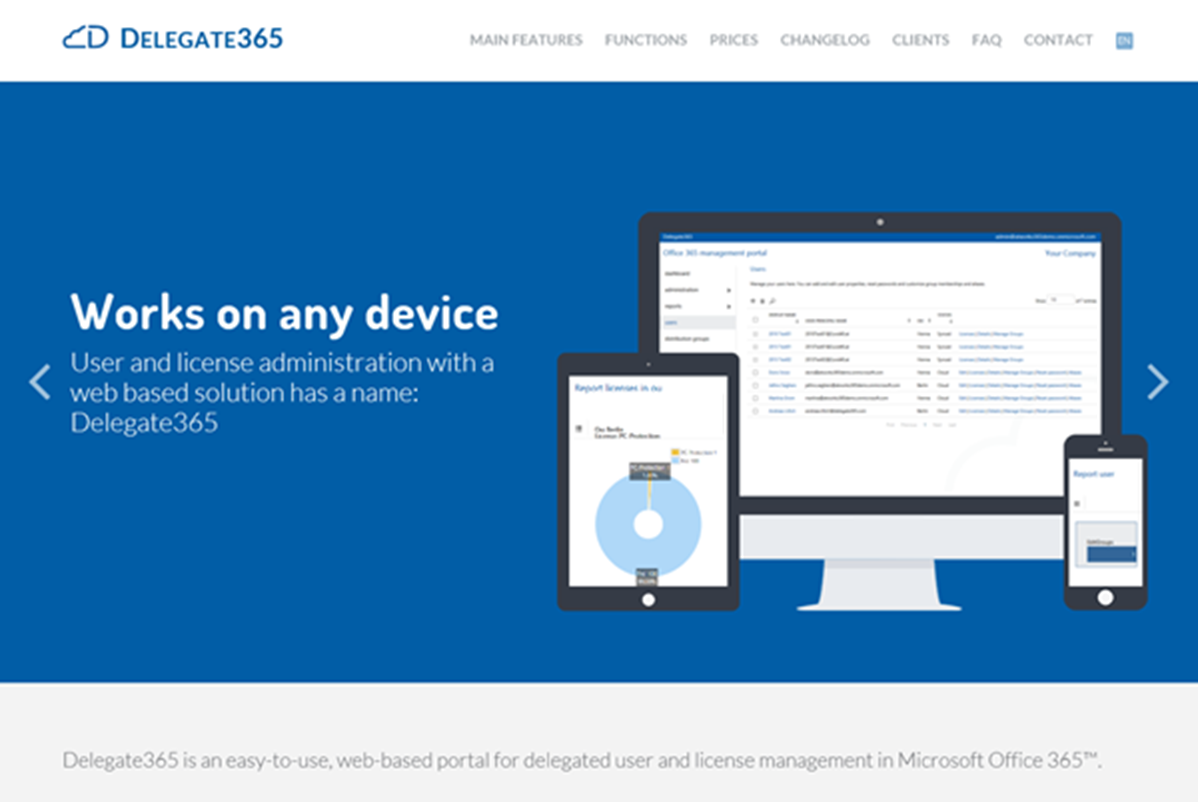
We´re happy to publish our new Delegate365.com website today! Since Delegate365 is a very attractive tool for managing users and licenses in Microsoft Office 365 it also deserves a top modern and fancy product website. So, here it is! Have a look and check it out! The redesign starts with our new logo for Delegate365, from the left it´s the cloud symbol going into a capitalized D followed by the product name. ...
May 22, 2014 · 1 min · Toni Pohl
Bye bye SharePoint AutoHosted Apps

Bye bye SharePoint AutoHosted Apps

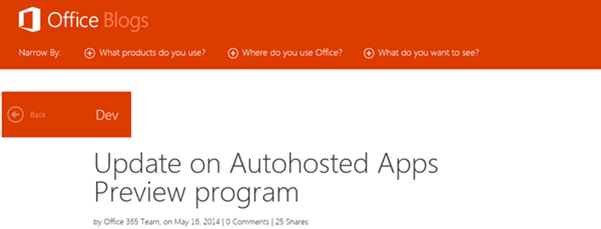
Achtung, SharePoint Developer: Das Office Team hat bekanntgegeben, dass AutoHosted Apps in naher Zukunft nicht mehr möglich sind, siehe Update on Autohosted Apps Preview program. Die “Office 365 Autohosted Apps experience” ist ein Service aus der Preview von SharePoint 2013, welches nun mit 30. Juni 2014 eingestellt wird. Danach sind keine AutoHosted Apps mehr möglich. Anstelle der AutoHosted Apps treten die Provider-Hosted Apps. Apps, die derzeit im AutoHosted Service laufen sind davon nicht betroffen und laufen weiter. Wenn sich für diese existierenden Apps etwas ändern sollte, wird das Office Team dies ebenso in seinem Blog blogs.office.com veröffentlichen. ...

May 21, 2014 · 2 min · Toni Pohl
Delete Azure Active Directories

Delete Azure Active Directories

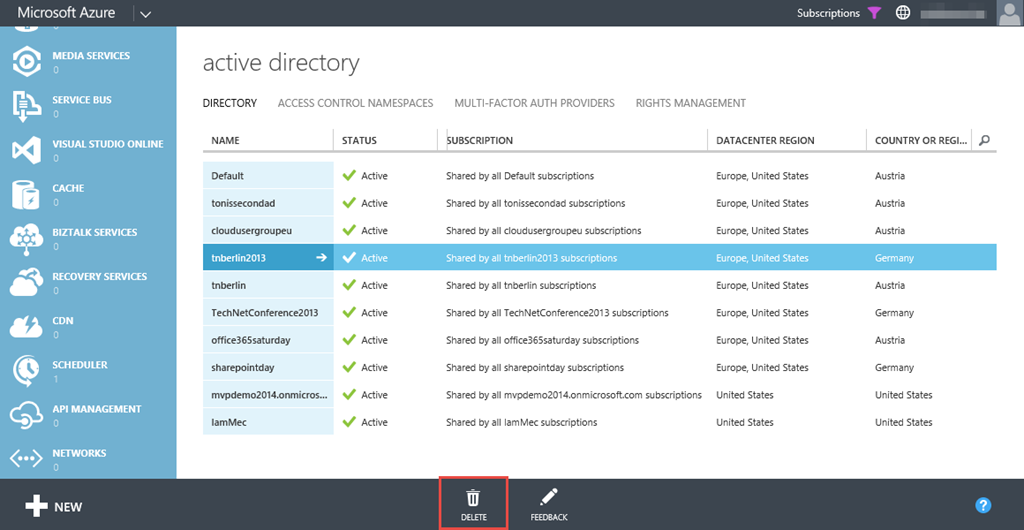
Have you seen it? Now it´s possible to *delete *Azure Active Directories from the Azure Portal! Just discovered this (long expected) feature shortly. Just an important information about deleting… When selecting an AD (mark the corresponding line right of the name…) and clicking the “Delete”-button… you maybe get a message like: *The following issue(s) prevent deletion of this directory: - Directory has one or more Multi-Factor Authentication providers. You are signed in as a user for whom ‘*.onmicrosoft.com’ is the home directory Directory is a “Partner” directory. Directory has never had an Azure subscription. Directory has one or more subscriptions to Microsoft Online Services. Directory has one or more applications. Directory has one or more applications. Delete all users except yourself ...

May 15, 2014 · 2 min · Toni Pohl
Free Telerik tools license for Microsoft developers

Free Telerik tools license for Microsoft developers

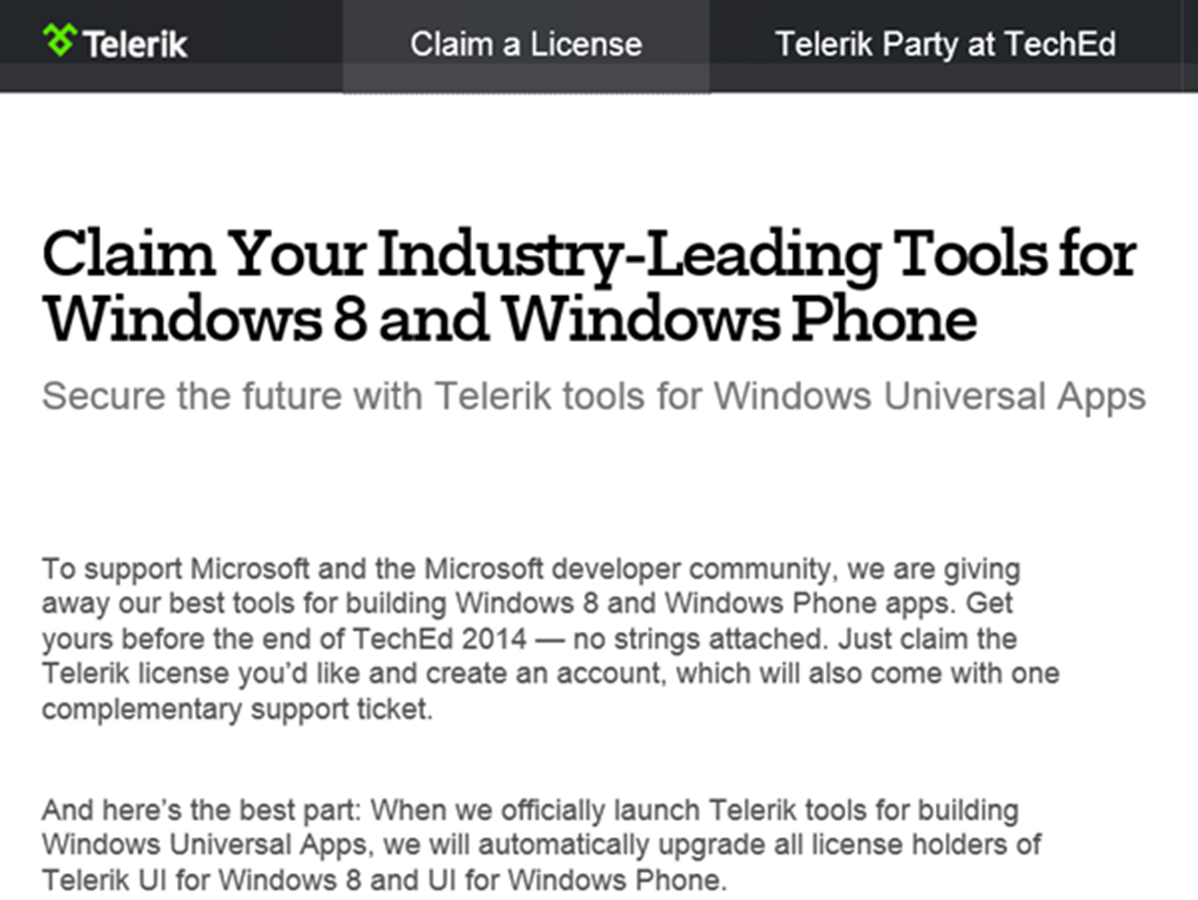
Right now Microsoft TechEd 2014 is happening in Houston, Texas. Tools-Maker Telerik is also celebrating this event and gives away their best tools for creating Windows Universal Apps for Windows 8 and Windows Phone. Interested Developers open https://www.telerik.com/account/teched.aspx, register (or use your existing telerik account) and claim a license for the Telerik tools. The campaign runs till end of TechEd 2014 (till May 15th), so be quick! When Telerik launches the tools officially, all license holders will be upgraded automatically. ...

May 13, 2014 · 1 min · Toni Pohl
ESPC14 Twitter Recap

ESPC14 Twitter Recap

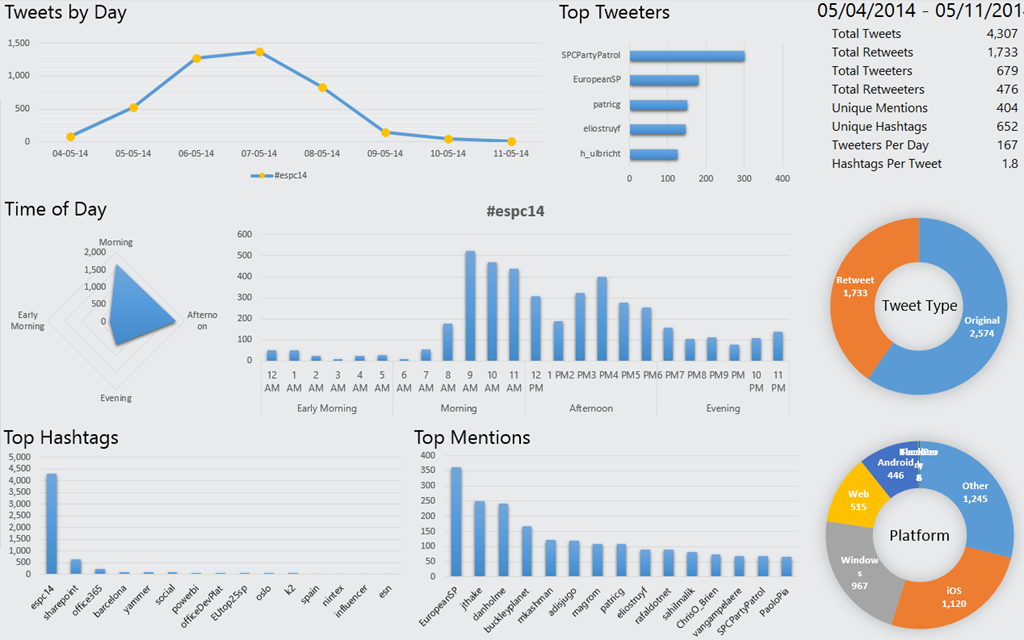
Last week European SharePoint Conference 2014 took place in Barcelona. Time to recap mentions of the SharePoint event on Twitter (hashtag #ESPC14). Here are the results by 11th May, 21:30 made with Twitter Analytics for Excel (which @magrom also showed in her session PowerBI and SharePoint Online). In this week there were more than 4.300 tweets sent, about 40% (1.700) of them were retweets. The top tweet-days were Wednesday followed by Tuesday and Thursday with average 1.200 tweets daily in these three days. (Click on the graphics to increase them.) ...

May 11, 2014 · 1 min · Toni Pohl
European SharePoint Conference 2014 in Barcleona

European SharePoint Conference 2014 in Barcleona

European SharePoint Conference took place in Barcleona this year. After last year in February in Copenhagen now it´s time for sunny Catalonia in May for Sun, Sea, Sand and SharePoint! Many attendees used this opportunitiy for combining business with some holidays in these attractive location (see some tips here: 1, 2, 3, 4, 5, 6, 7, … after the top x lists there are so many things to see and to enjoy…). As last year, Martina (@magrom) had two sessions. ...

May 8, 2014 · 1 min · Toni Pohl
Automation von Azure-Teil 5

Automation von Azure-Teil 5

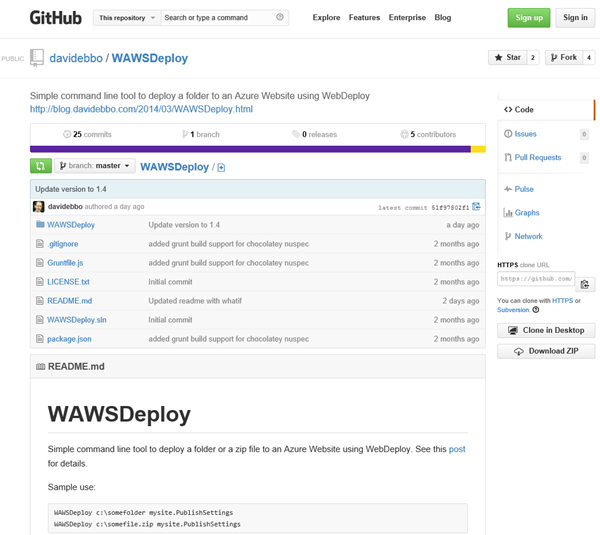
Weiter geht es mit WebDeploy und einem sehr hilfreichen Open Source Tool zum Deploying von Websites nach Microsoft Azure: WAWSDeploy von David Ebbo, der selbst Dev Lead im Team von Windows Azure Web Sites ist. David hat ein kleines Tool geschrieben um Web Deploy (aka msdeploy) stark zu vereinfachen. Simple Azure Web Sites deployment David formuliert den Grund für sein WAWSDeploy-Tool so: “However, in some cases, I just need to deploy a bunch of files from my local machine with minimal fuss, and using git is overkill.” - und er hat völlig Recht. Nur zum Deploying von Websites ist Git Overkill – wenn dann n Versionen von der Website im Azure Git-Repository herumkugeln. Danke an Christoph Wille für den Tipp zum Tool! ...

May 6, 2014 · 2 min · Toni Pohl
Snapshots from SPSBE

Snapshots from SPSBE

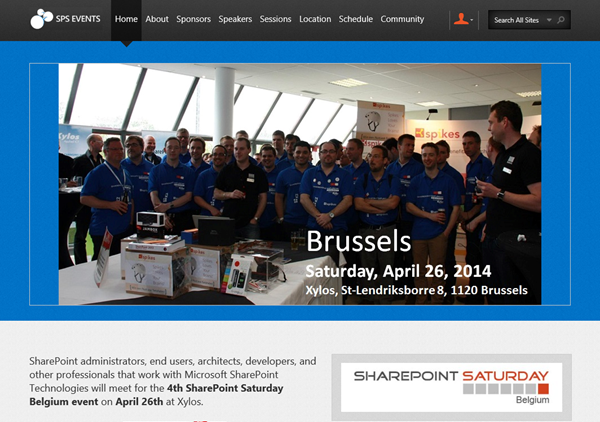
Last weekend SharePoint Saturday Belgium #SPSBE took place in a suburb of Brussels, see https://www.spsevents.org/city/Brussels/Brussels2014/home. It was the 4th SPS in Belgium and the SharePoint community met for exchanging knowledge … and having a fun and a great event. We from atwork (@magrom and @atwork) were happy to be part of SPSBE and had a great weekend in Brussels (which was in fact our first time in Belgium which was awesome). About 250 participants followed the invitation to the community event which occured in St-Lendriksborre at the location of Xylos, one of the main sponsors for SPSBE. ...

April 30, 2014 · 2 min · Toni Pohl
Automation von Azure-Teil 4

Automation von Azure-Teil 4

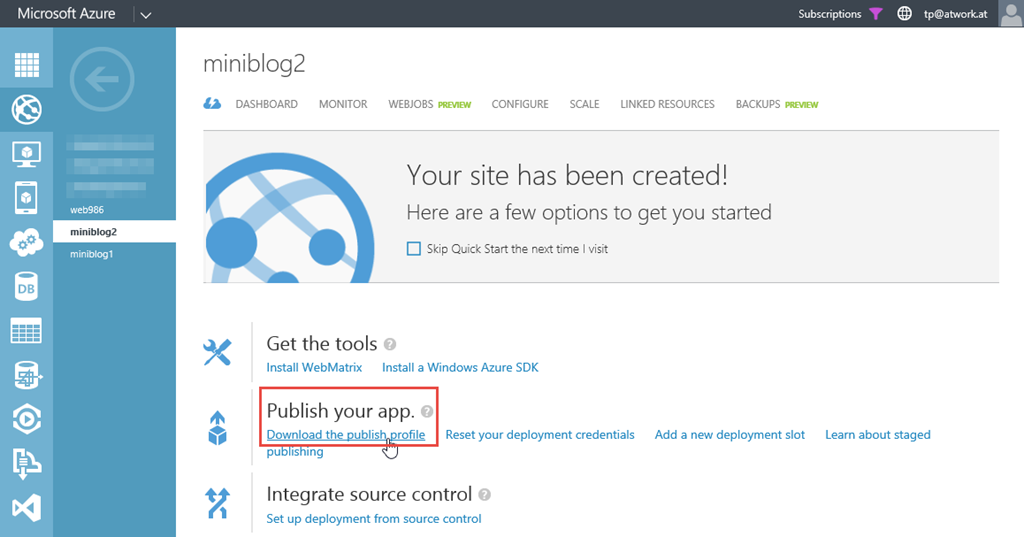
Neben den neuen und umfangreichen Möglichkeiten Microsoft Azure zu automatisieren (Teil 1, 2, 3) bleiben natürlich auch ganz erprobte und einfache Mittel, Websites zu deployen: mit den guten, alten File Transfer Protocol. Dieser Weg ist vielfach bekannt und kann mit wenig Aufwand (da FTP ja in Windows eingebaut ist) verwendet werden, um verschiedene lokale Deployments zu verwenden. Per FTP Client Dazu wird zunächst von der existierenden Website das Publish Profile downgeloadet. Das heruntergeladene File (bei mir miniblog2.azurewebsites.net.PublishSettings) beinhaltet die relevanten Daten für die Web- und FTP-Verbindung – hier gelb markiert. ...

April 28, 2014 · 3 min · Toni Pohl
Automation von Azure-Teil 3

Automation von Azure-Teil 3

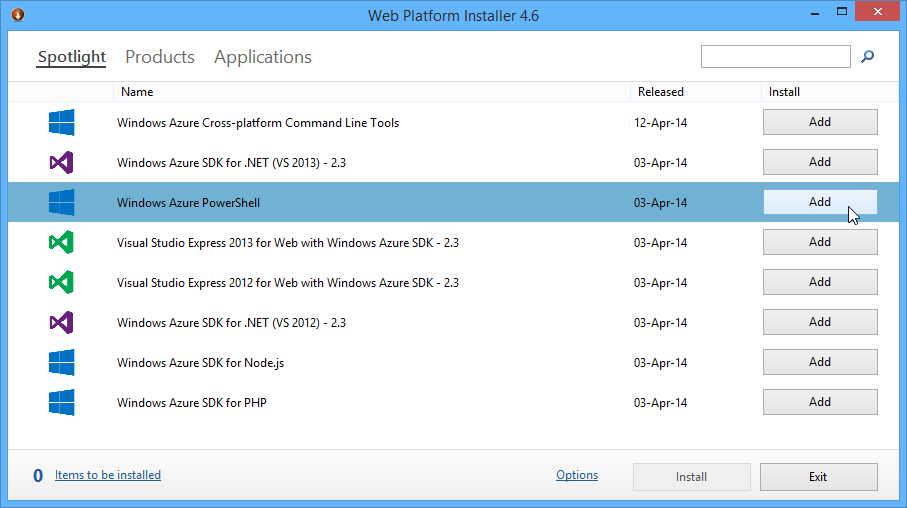
Neben der Automation mit der Azure Management Library und eigenem Code (Teil 1 und 2) kann diese auch mit Windows PowerShell erfolgen. Die PowerShell Cmdlets bauen auf der Azure Management Library (WAML) auf. Hier zeige ich wie Automatisierung mit PS funktioniert. Die Voraussetzungen für Azure PowerShell Mit dem Web Platform Installer wird zuerst die WIndows Azure PowerShell installiert. Dieser erfordert aktuell das Azure SDK 2.3, welches automatisch mit installiert wird. Kurz zur Erinnerung: Damit auch nicht signierte PS-Scripts ausgeführt werden können, ist es erforderlich die Azure PowerShell einmalig als Administrator aufzurufen und ...

April 27, 2014 · 3 min · Toni Pohl