Delegate365 Audit Logging: Unlock Powerful Insights with Custom KQL Queries

Delegate365 Audit Logging Gets Smarter with Custom KQL Queries

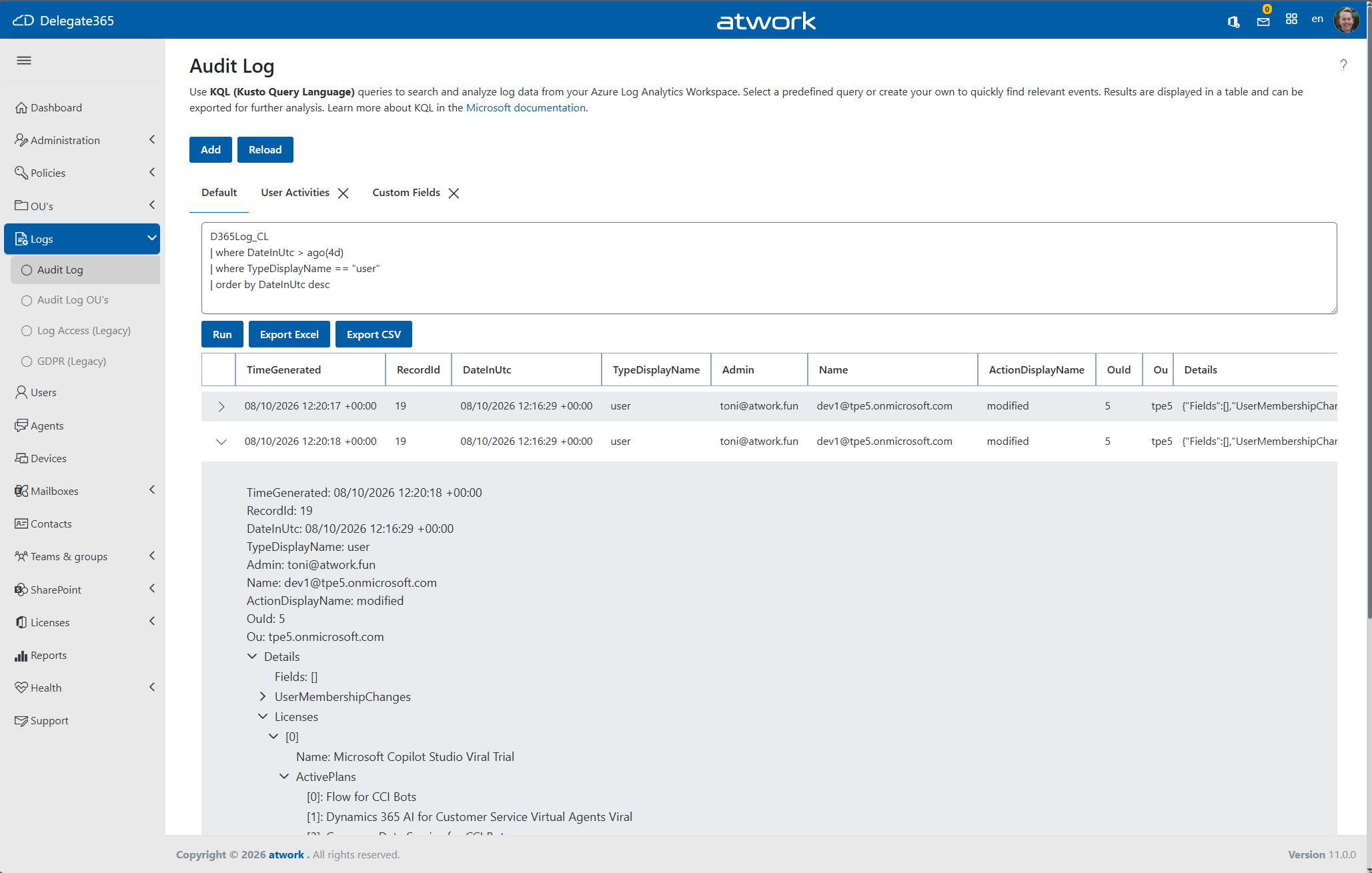
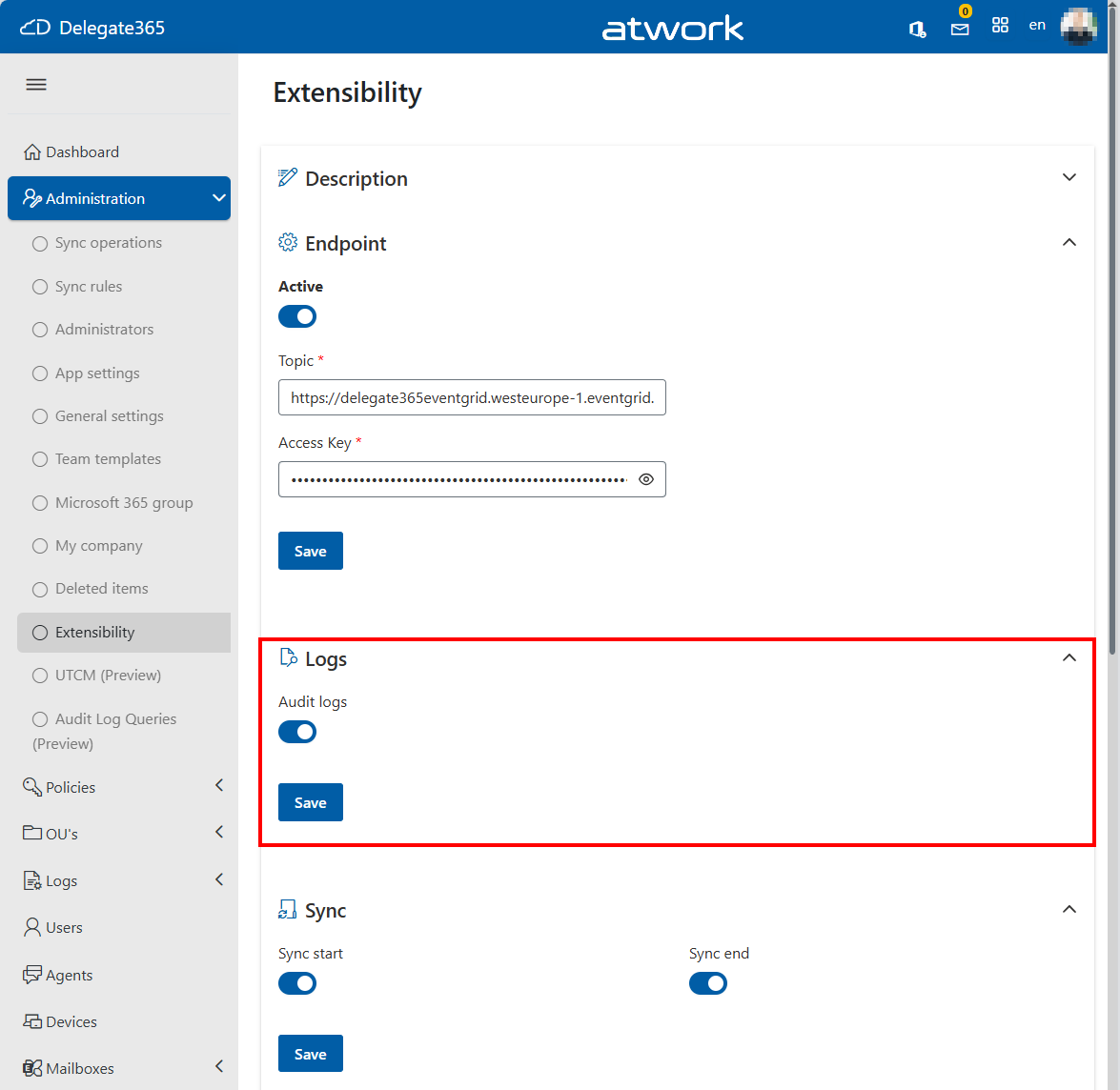
Understanding what changes are happening in your Microsoft 365 environment is essential for governance, compliance, and troubleshooting. With the new Audit Log experience in Delegate365, administrators now can analyze their audit data stored in Azure Log Analytics using the power of Kusto Query Language (KQL). Audit Log Retention and Storage As described in our recent articles (see below) about the new Audit Logging and Event Grid integration, Delegate365 can now write audit events directly to Azure Log Analytics. This provides a scalable, searchable, and highly flexible auditing solution for all Delegate365 activities. ...

August 3, 2026 · 5 min · Toni Pohl
Everything you need to know about Microsoft 365, in one place.

Cloud Hub Retirement Announcement: Move to Cloud Hub Pro

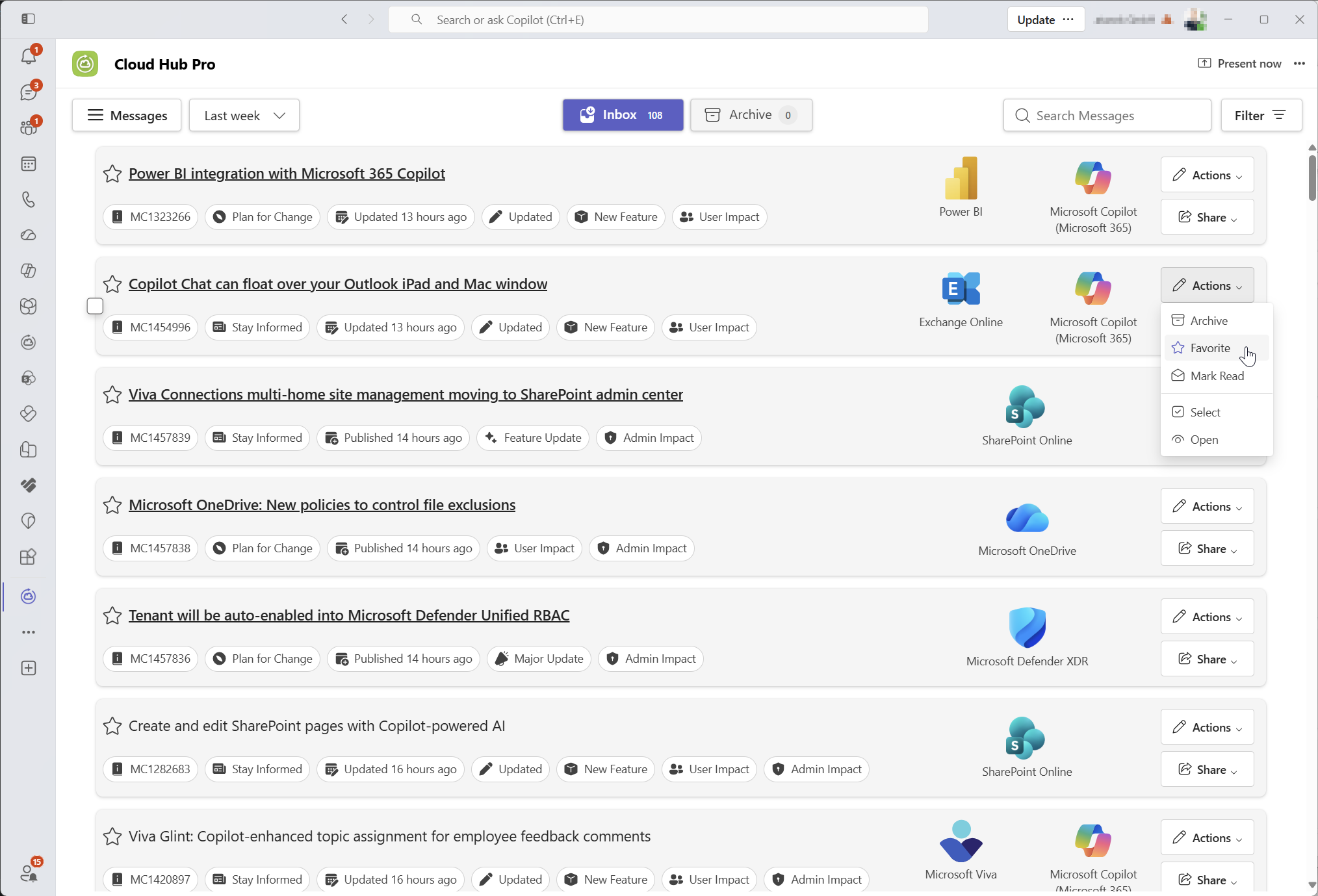
For many years, our Teams App Cloud Hub has helped Microsoft 365 professionals stay informed about important service changes, product updates, Message Center announcements, Microsoft blogs, and other relevant cloud news directly in Microsoft Teams. We are grateful for the trust our customers have placed in Cloud Hub and are proud that many organizations have used the app to stay up to date with the rapidly changing Microsoft 365 ecosystem. ...

August 1, 2026 · 4 min · Toni Pohl
Remove UTCM-App

UTCM App in Microsoft 365: Why You Can't Remove It and How to Remove It with Microsoft Graph

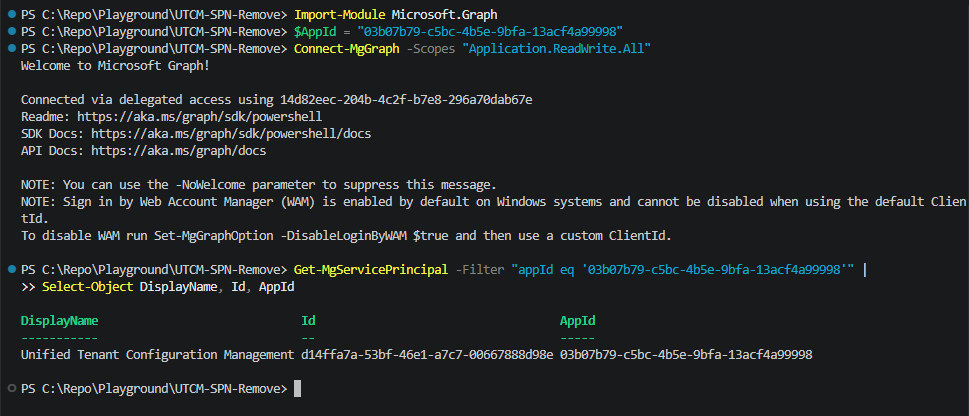
The Microsoft Graph UTCM (Unified Tenant Configuration Management) APIs allow administrators to save Microsoft 365 tenant settings, create baselines, and compare configurations over time. This helps identify configuration changes and maintain governance across the tenant. See more details at Use the Tenant Configuration Management APIs in Microsoft Graph. To use UTCM, a Microsoft-managed service principal must be added to the tenant. Microsoft uses this application to access configuration data from your Microsoft 365 tenant. ...

July 20, 2026 · 3 min · Toni Pohl
Passkeys by default

Microsoft Makes Passkeys the Future of Secure Authentication

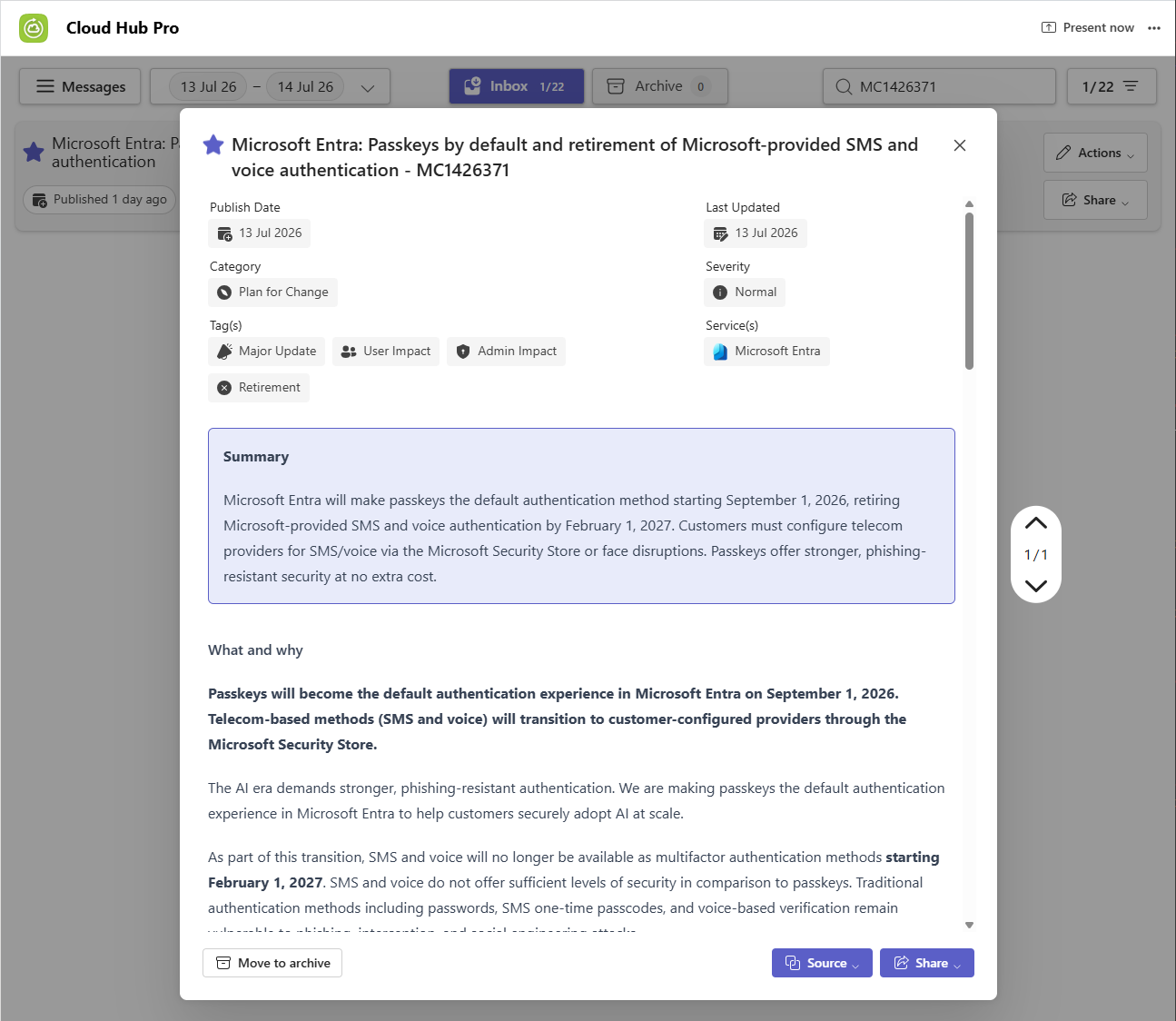
Security is more important than ever, and user accounts must be protected properly against modern threats such as phishing, credential theft, and social engineering. To strengthen identity protection, Microsoft is making passkeys the default authentication method in Microsoft Entra starting September 1, 2026. As part of this transition, Microsoft will retire its built-in SMS and voice-based multifactor authentication services on February 1, 2027. See the Microsoft article for more information: Passkeys by default and retirement of Microsoft-provided SMS and voice authentication ...

July 14, 2026 · 1 min · Martina Grom
Send Delegate365 Audit and Operations Events to Azure Event Grid

Send Delegate365 Audit Log to Azure Event Grid

Organizations increasingly need to connect Microsoft 365 administration activities with downstream systems, monitoring platforms, automation workflows, and business processes. Azure Event Grid provides a scalable event-routing service that enables real-time delivery of events to a wide range of Azure services and custom applications. With Delegate365 Event Grid integration, you can automatically send audit logs and operational events from Delegate365 to Azure Event Grid. From there, events can be routed to Azure Storage Queues, Azure Functions, Logic Apps, Service Bus, third-party SIEM systems, monitoring platforms, or custom applications. ...

July 13, 2026 · 4 min · Toni Pohl
Delegate365 v11 Update

Delegate365 v11 Update

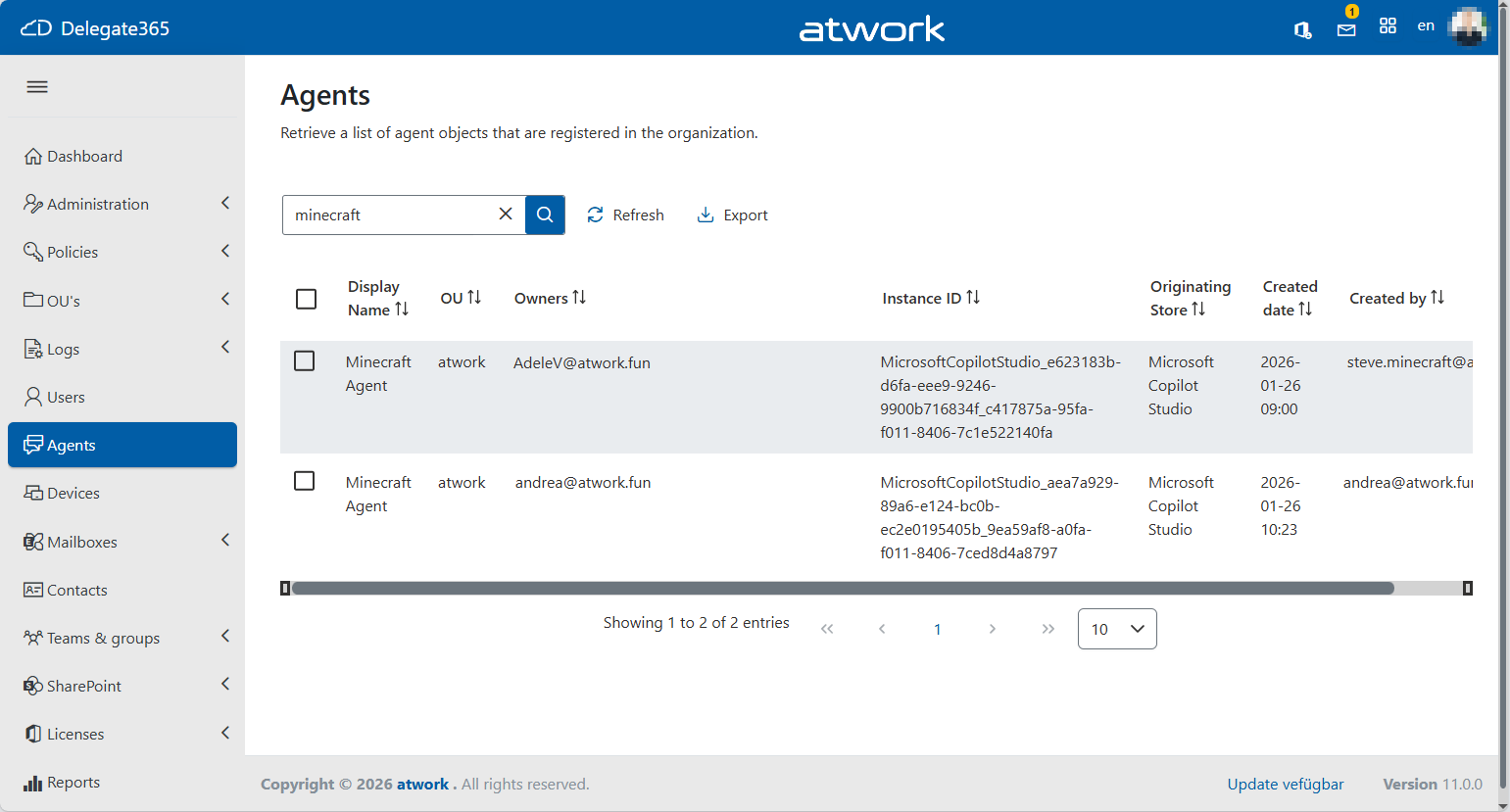
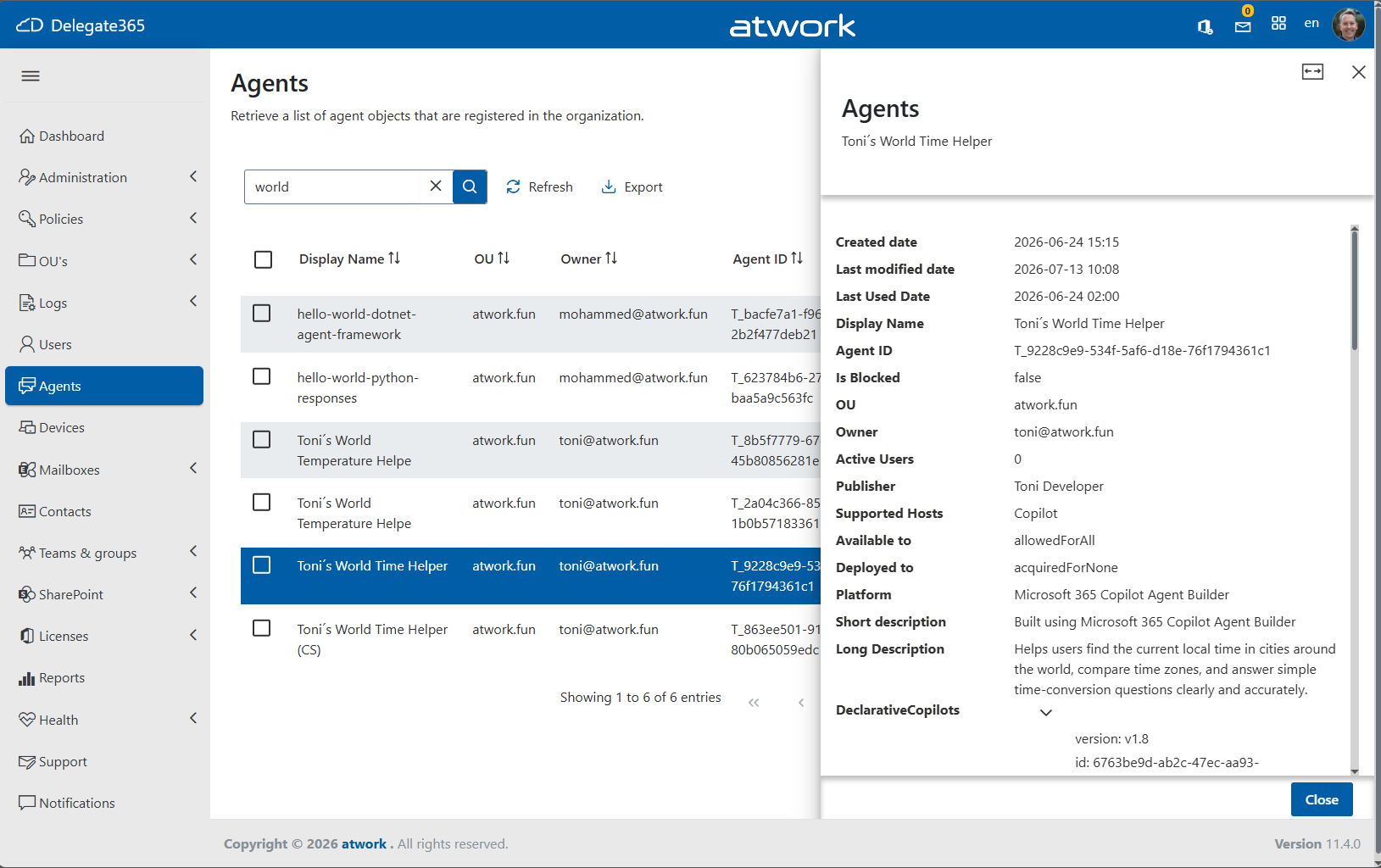
Delegate365 v11 brings a range of new capabilities designed to improve governance, simplify administration, and provide greater visibility into modern Microsoft 365 environments. This release introduces a new audit logging architecture, enhanced licensing capabilities, support for custom attributes, and the first preview of AI agent governance features. In addition, users will benefit from usability improvements, and numerous stability and performance enhancements throughout the platform. Delegate365 v11 – What’s New Important: Audit Logging changes: The new audit logging system replaces the previous logging to Azure Storage Account tables. Delegate365 now leverages Azure Log Analytics for audit and diagnostic logging and can integrate with Azure Event Grid when required. Please see the article Delegate365 Audit Logging Update for details and using the new Delegate365 Audit Logging KQL queries. ...

July 3, 2026 · 5 min · Toni Pohl
Delegate365 Expands Support for Custom Attributes

Delegate365 Expands Support for Custom Attributes

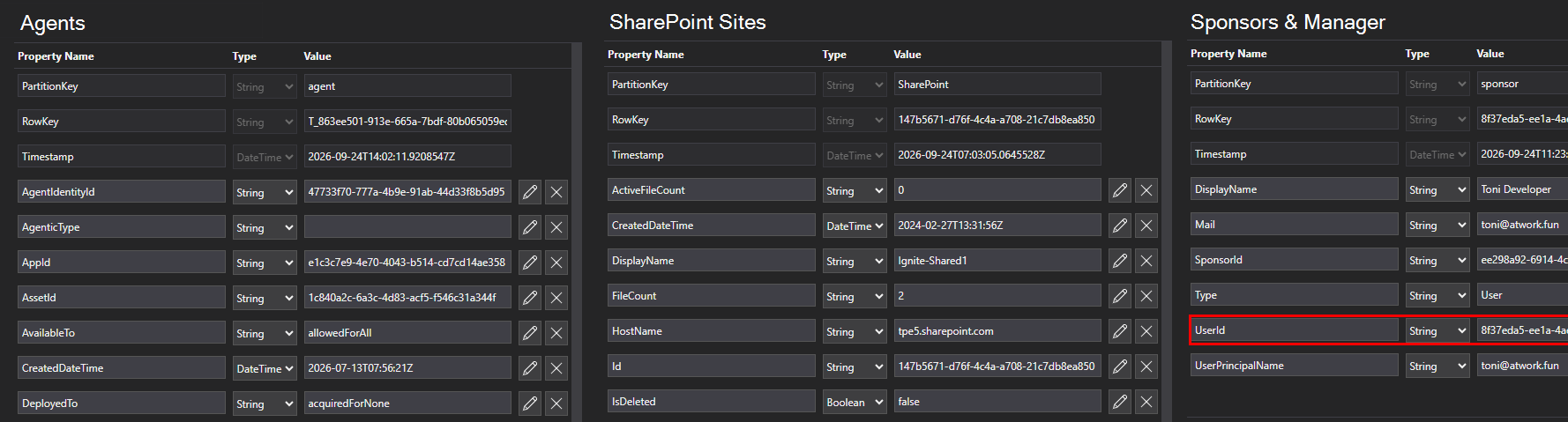
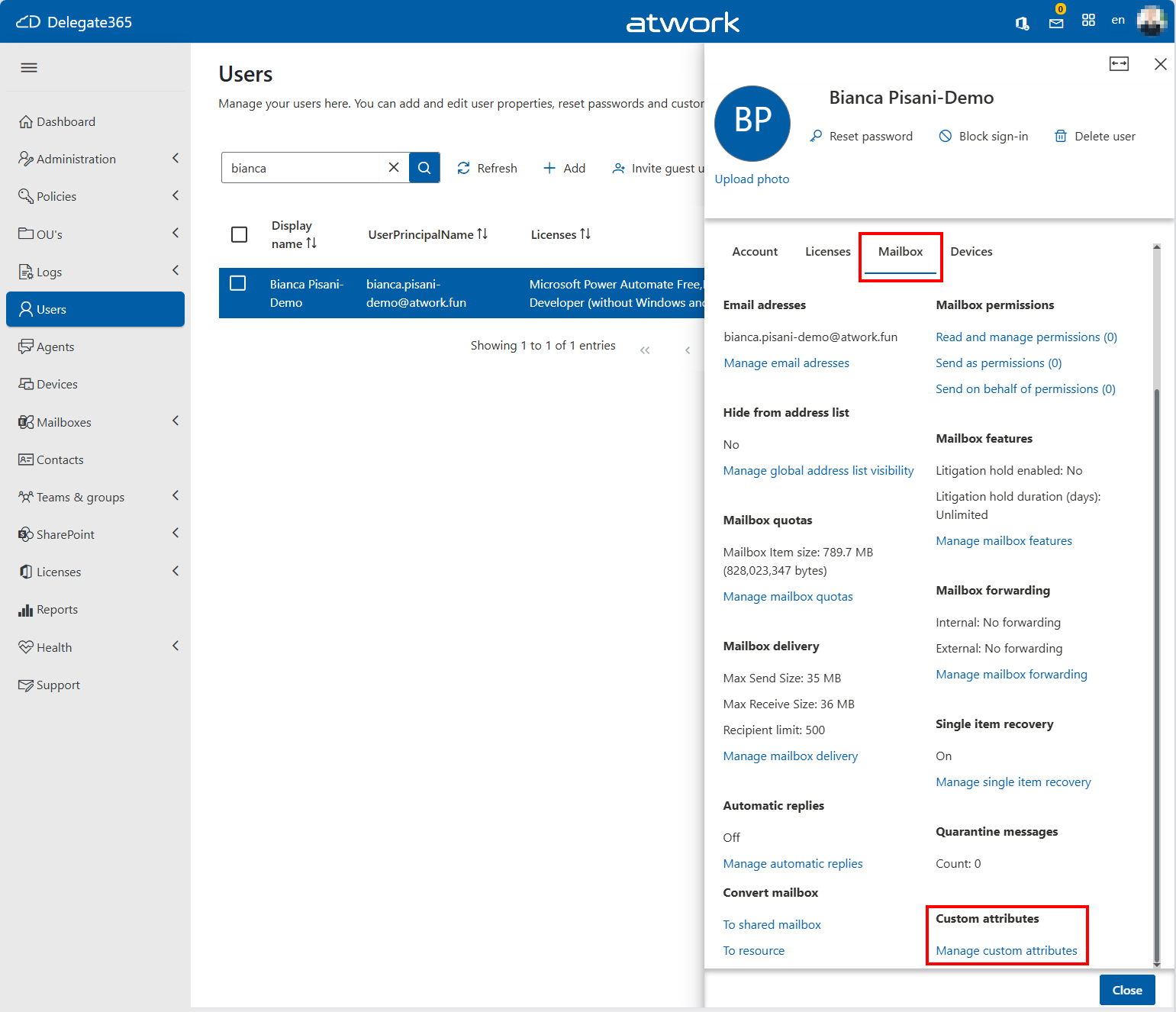
Delegate365 v11 now supports managing Exchange Custom Attributes 1–15 directly from the Delegate365 portal. Custom Attributes are can be used to store additional business information such as department codes, cost centers, locations, application identifiers, or classification values. They can also be leveraged for reporting, dynamic group memberships, automation, and policy management. Scope of Custom Attributes With Delegate365 v11, administrators can now view and edit Custom Attributes 1–15 for: Users Shared Mailboxes Resource Mailboxes Mail Contacts Microsoft 365 Groups Microsoft Teams Easy Custom Attribute Management Custom Attributes are available directly within the object management experience. As shown below, administrators can access the feature Custom attributes from the mailbox or object details panel and edit all 15 Exchange Custom Attributes in a dedicated dialog. ...

July 2, 2026 · 2 min · Toni Pohl
Add an Administrator in Delegate365

Add an Administrator in Delegate365

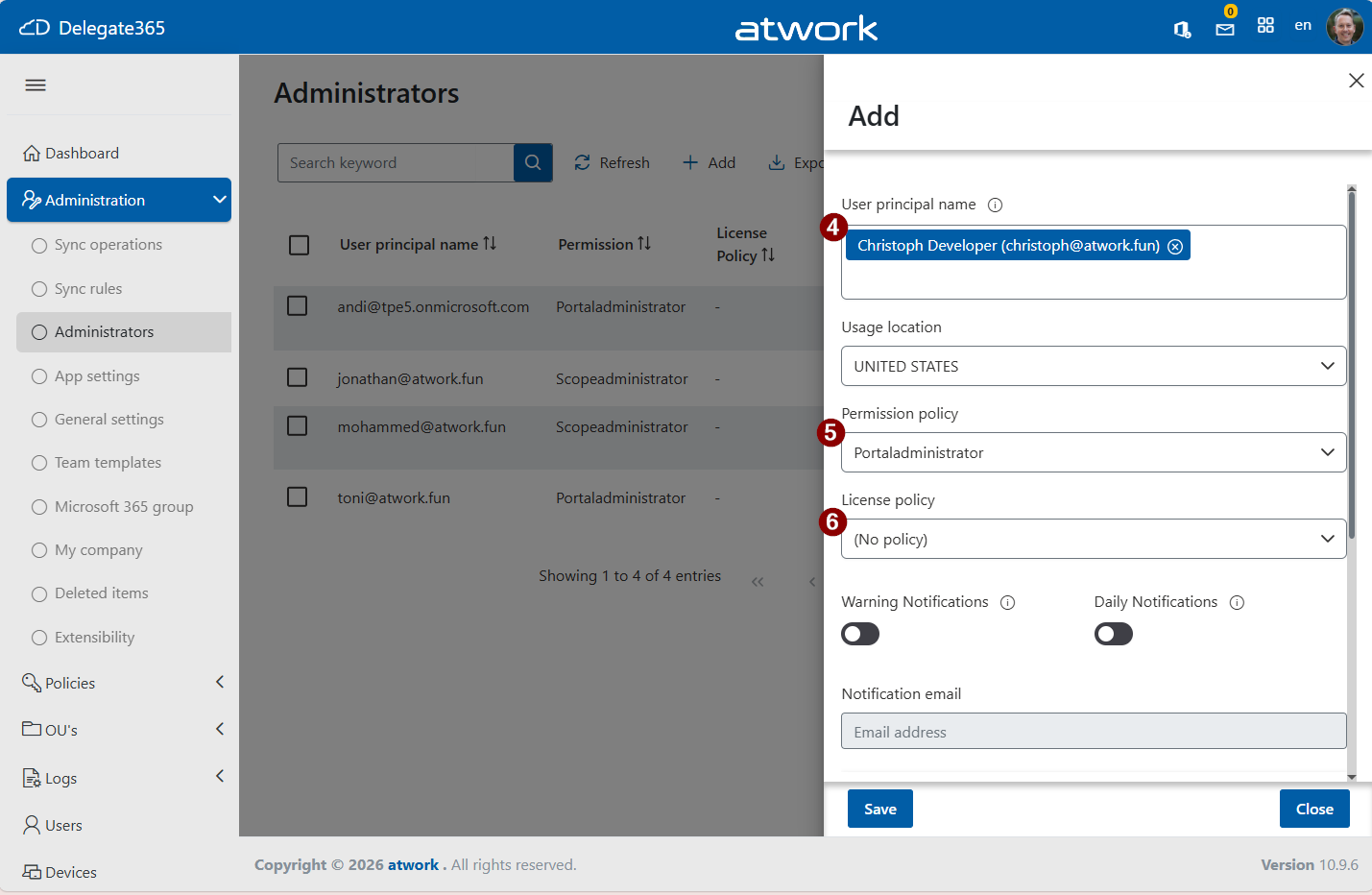
Managing administrators in Delegate365 is straightforward and gives you full control over permissions, scope, and responsibilities. This short guide walks through the process step by step. 1. Open Delegate365 Sign in to your Delegate365 portal - usually the web address is https://[yourcompany].delegate365.com. If you have just completed the setup, use the account that was used during the setup process. This account is automatically assigned as the first administrator with the Portal Administrator role. ...

June 19, 2026 · 3 min · Toni Pohl
Smarter Licensing in Delegate365: Full Control with Group-Based Assignments

Smarter Licensing in Delegate365: Full Control with Group-Based Assignments

Microsoft 365 users can receive the same license through both group membership and direct assignment. For example, a user like Alex might have an E5 license assigned individually as well as through one or more groups. Delegate365 fully supports this licensing model and provides comprehensive management capabilities for license assignments. Multiple license assignments Delegate365 fully respects this updated model and ensures a clean and understandable experience: Licenses are displayed only once, even if assigned multiple times. ...

May 29, 2026 · 3 min · Toni Pohl
VSCode-with-YOLO-Mode

Make Your Life Easier in VS Code with YOLO Mode

YOLO stands for “You Only Live Once.” In Visual Studio Code, YOLO mode is a powerful productivity feature that transforms Copilot from a simple assistant into a more autonomous coding agent. Learn how to enable YOLO mode in Visual Studio Code. Without YOLO mode, developers must explicitly review and confirm every action the agent proposes, such as running terminal commands or invoking tools. While this ensures full control, it can interrupt the workflow and slow down development. ...

April 3, 2026 · 2 min · Toni Pohl