Secure a web on Azure with an Azure Active Directory Multi-Tenant App

Secure a web on Azure with an Azure Active Directory Multi-Tenant App

Azure offers a great platform for multiple types of apps and services, Web Apps are one of the PaaS service, we are using much. In some scenarios, it makes sense to host a static website on Azure, but to restrict access just for authenticated users. Well, AAD can help you with that by demanding a successful login with an Office 365 account. See how this works here. My sample static website My sample works with an Azure DevOps task that automatically generates a HTML website from a source control repository, processes the web with Jekyll in a container and saves the generated HTML artifacts to an Azure website. So, I picked a Jekyll Theme and started a documentation with Markdown files in Visual Studio Code. Then, I push the changes to my Azure DevOps repository and the build process generates the web in Azure. (That’s material for another article sometime.) Anyway, in the end there exists a static HTML website in an Azure web app that can be accessed with the https://[website].azurewebsites.net/ address. ...

March 1, 2019 · 3 min · Toni Pohl
Working with the new Azure PowerShell Az module

Working with the new Azure PowerShell Az module

PowerShell is both a command-line shell and scripting language and perfect for automating administrative tasks. When working with Microsoft Azure, Microsoft recommends to use the new Azure PowerShell Az module. See how to uninstall the outdated Azure PowerShell AzureRM , how to install the new Az module for PowerShell 5.x and 6.x and how to connect and to get a inventory of your resources and a little bit of Cloud Shell here. ...

February 26, 2019 · 4 min · Toni Pohl
Detect sentiment with Text Analytics

Detect sentiment with Text Analytics

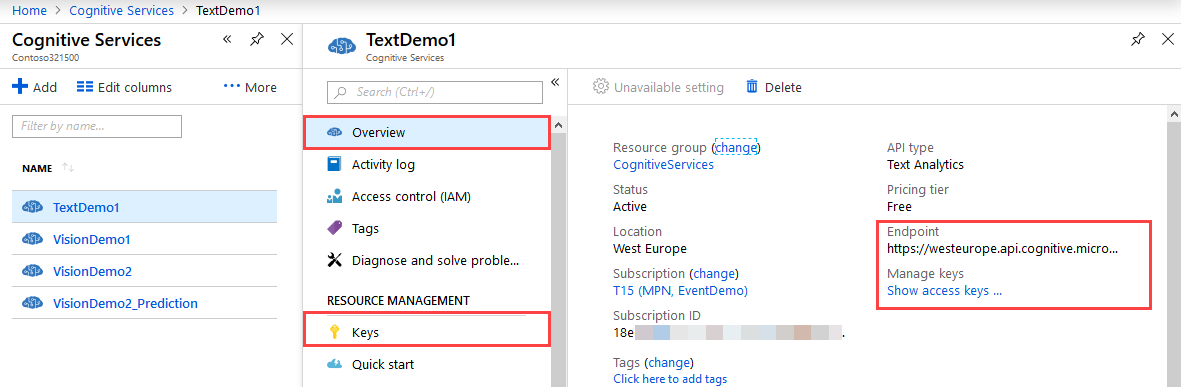
Azure Cognitive Services offer a bunch of services. One is the Sentiment Analysis API that allows to analyze unstructured text for tasks such as sentiment analysis based on Microsoft machine learning algorithms. See the first steps how to use that here. The test works in the same way with Postman as in the previous article.The goal here is to analyze some text to get a positive or negative result of the meaning. ...

February 25, 2019 · 2 min · Toni Pohl
First steps with the Microsoft Vision API

First steps with the Microsoft Vision API

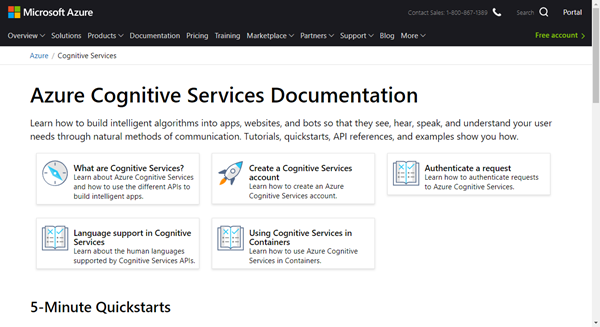
Cloud services help to automate simple and complex processes. For analyzing a picture, the Microsoft Cognitive Services offer a bunch of services like the Vision API, (Custom) Computer Vision, Face API, Video Indexer an more. Follow this first sample with Postman to start with the Vision API. Azure Cognitive Services can be integrated easily in custom processes and apps. A good starting point is Cognitive Services APIs web page on Azure. ...

February 25, 2019 · 3 min · Toni Pohl
Troubleshooting Delegate365-Login

Troubleshooting Delegate365-Login

Sometimes support cases are opened because users cannot login to Delegate365 with their Office 365 account. In most cases, the browser cache automatically signs-in a user with wrong credentials. Please follow these simple steps to see how to achieve a successful login to the Delegate365 portal in such scenarios. 1. Use a browser in Private mode The most common stumbling block is that web browser log in users automatically. Also, often users are working with multiple accounts. Thus, there is a high probability that an incorrect sign-in will occur when opening the Delegate365 portal. ...

February 21, 2019 · 4 min · Toni Pohl
Groups Governance Toolkit Part 4-Ownerless Groups

Groups Governance Toolkit Part 4-Ownerless Groups

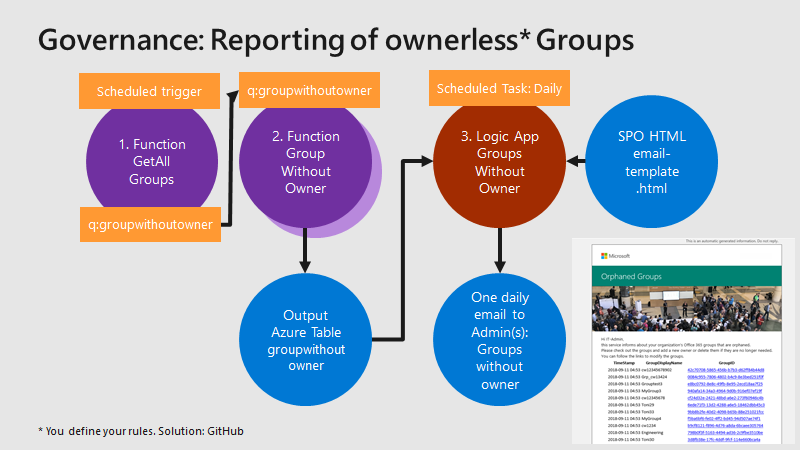
In this multi-part series we show you how to handle the Office 365 Groups and Microsoft Teams governance toolkit. The next article cover the governance part of our Groups Governance Toolkit.Imagine your company policy requires at least 2 owners per Office 365 Group or per Microsoft Team. In this part, we want to monitor all groups that are ownerless (orphaned), or do not comply with our organization’s policies. The IT department shall get the information of all groups and teams where there are no owners or not enough owners and the possibility to fix that. Read below how this can be accomplished. ...

February 13, 2019 · 5 min · Martina Grom
Troubleshooting Delegate365

Troubleshooting Delegate365

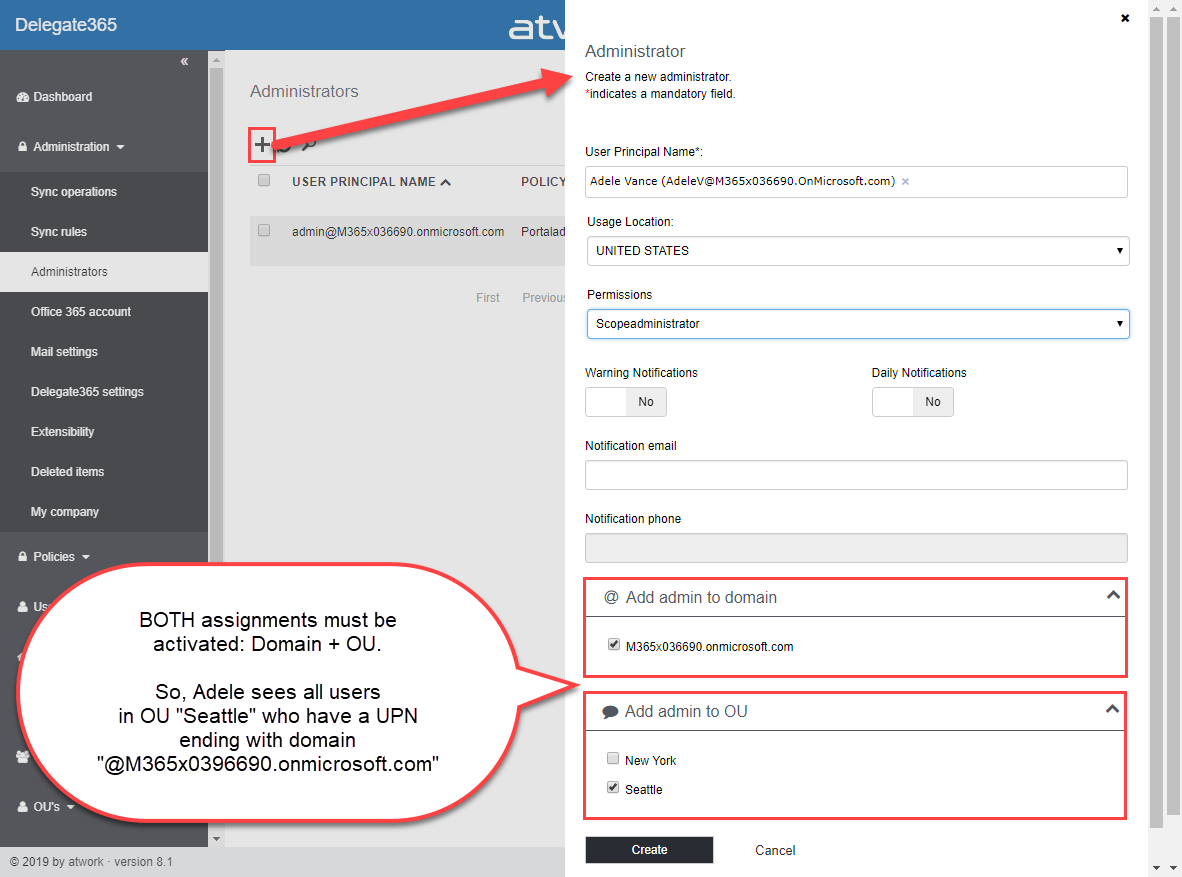
Delegate365 is a user-friendly tool to enable delegated management of users, licenses, and groups. This means that only objects assigned to a scope administrator are displayed in Delegate365. So, sometimes, we get questions as “I can’t see my users/shared mailbox or similar”. Here’s why and how to solve such issues. Why does Delegate365 not show users? Well, that’s the idea of the tool. Delegate365 shows only objects to which I am entitled to see and to manage. ...

February 13, 2019 · 7 min · Toni Pohl
Groups Governance Toolkit Part 3-Develop Azure Functions

Groups Governance Toolkit Part 3-Develop Azure Functions

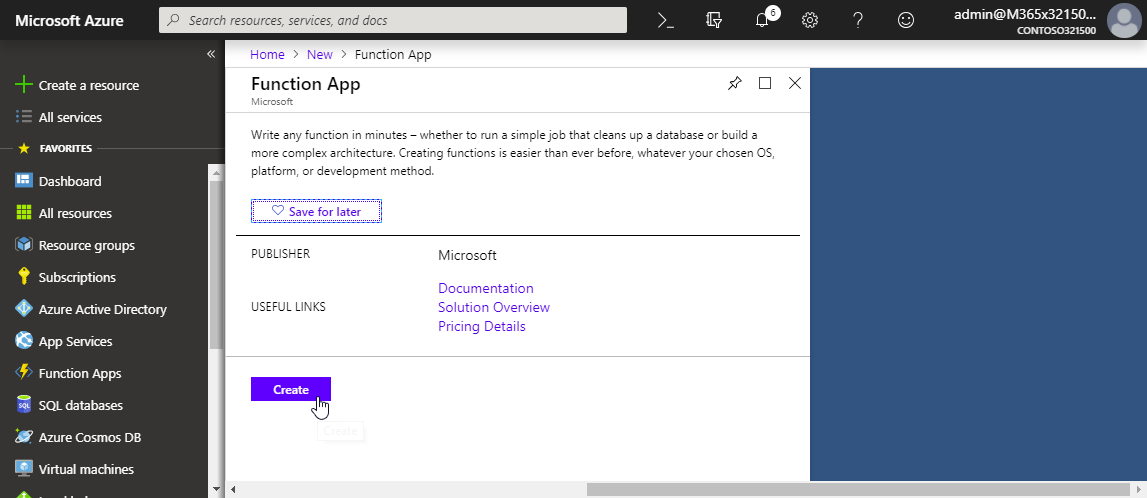
After the introduction of the Office 365 Groups and Microsoft Teams Governance Toolkit and with the necessary requirements we are now looking into Azure Functions. In our group and team provisioning scenario, we need a little code for provisioning of an Office 365 group and a Microsoft team. Serverless computing with an Azure Function provides the optimal solution for that. Follow these steps to create the function we need for our workflow. ...

January 16, 2019 · 6 min · Martina Grom
Groups Governance Toolkit Part 2-Provisioning requirements

Groups Governance Toolkit Part 2-Provisioning requirements

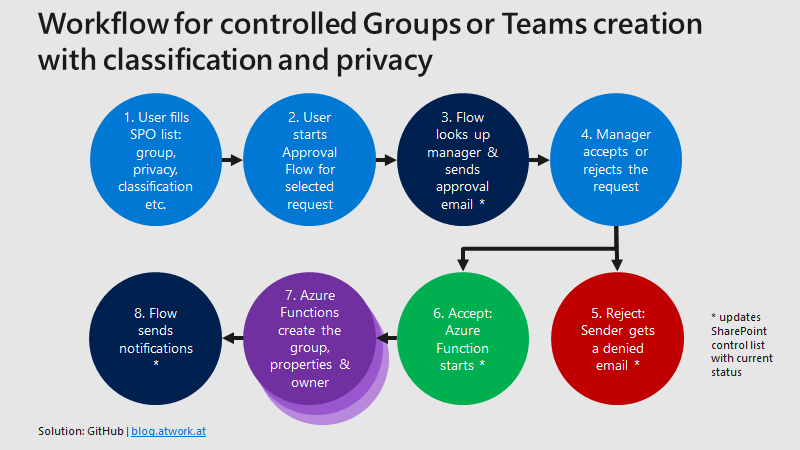
In part 1 of this series we described the scenario for our Office 365 groups governance toolkit. In this part we will setup a workflow for the Office 365 and Microsoft Teams provisioning. Workflows help to follow specific processes for a successful collaboration. Offering self-services for users is a key to reduce workloads on the IT department and to allow users to cover their requirements quickly while the organization’s policies are enforced during the process. A frequently asked request is how to provision a new Microsoft Team in Office 365 in a secure and monitored way. See how this can be implemented here. ...

January 11, 2019 · 5 min · Martina Grom
Delegate365-Working with Audit Logs and Power-BI

Delegate365-Working with Audit Logs and Power-BI

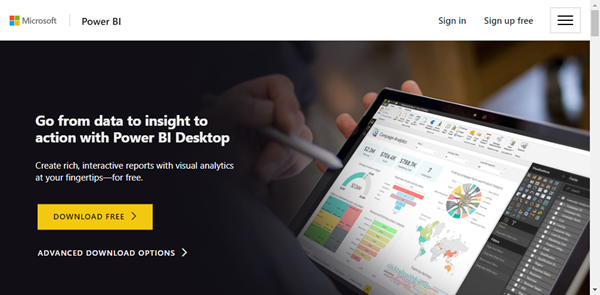
Delegate365 protocols operations in it’s audit logs. This log space can be accessed from entitled users and it’s simple to create a custom Power BI dashboard for your Delegate365 data. See how this works here step-by-step. Tip: The article Delegate365-Working with Audit Logs covers the methods for accessing the data and working with the audit logs as well. This article informs how to connect to your Delegate365 with Microsoft Power BI step-by-step and how create your custom dashboard. You need to have a Power BI license, see details at Power BI Pricing. ...

January 8, 2019 · 4 min · Toni Pohl