Use SharePoint view column formatting for displaying pictures and conditional formatting

Use SharePoint view column formatting for displaying pictures and conditional formatting

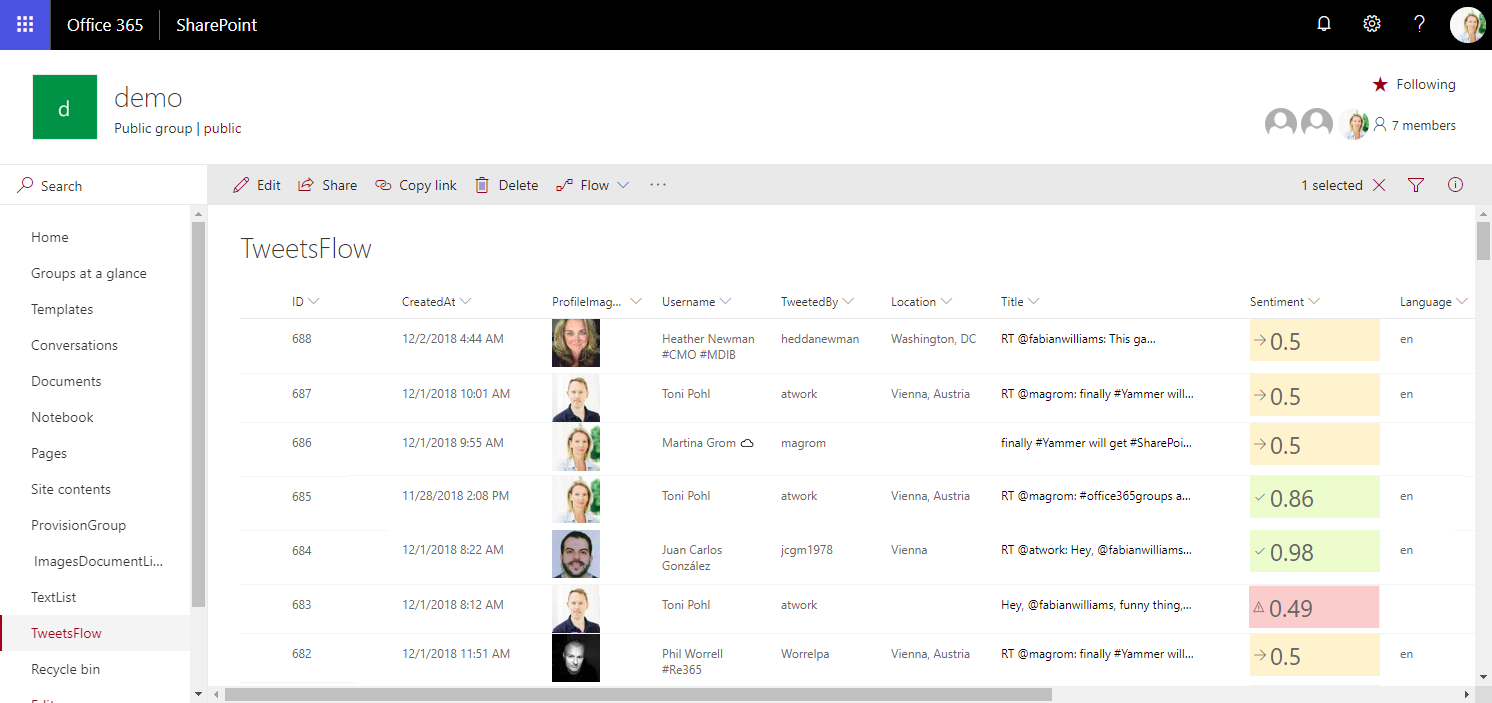
Today I want to share just a quick tip for custom formatting views in SharePoint lists. My goal was to show a picture of a text field that contains an URL and to use conditional formatting with a traffic light system to visualize the sentiment of tweets that are written to a SharePoint Online custom list from a Flow. See the formatting options here. The articles Use column formatting to customize SharePoint and Use view formatting to customize SharePoint basically explain how to work with the JSON object that describes the elements that are displayed, which is a good start. So, the ready formatted list shall look as here. Some fields in that list are rendered with custom formatting, you will spot them easily… ...

December 4, 2018 · 4 min · Toni Pohl

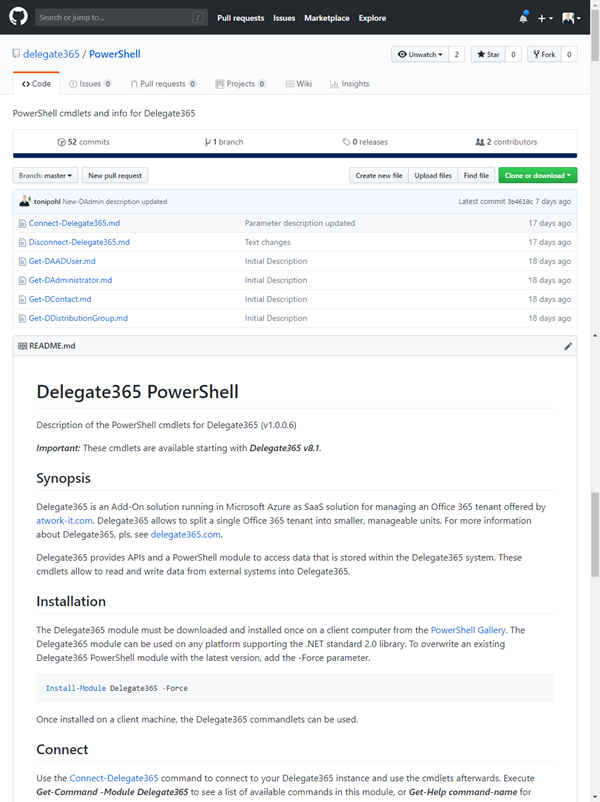
Delegate365 PowerShell

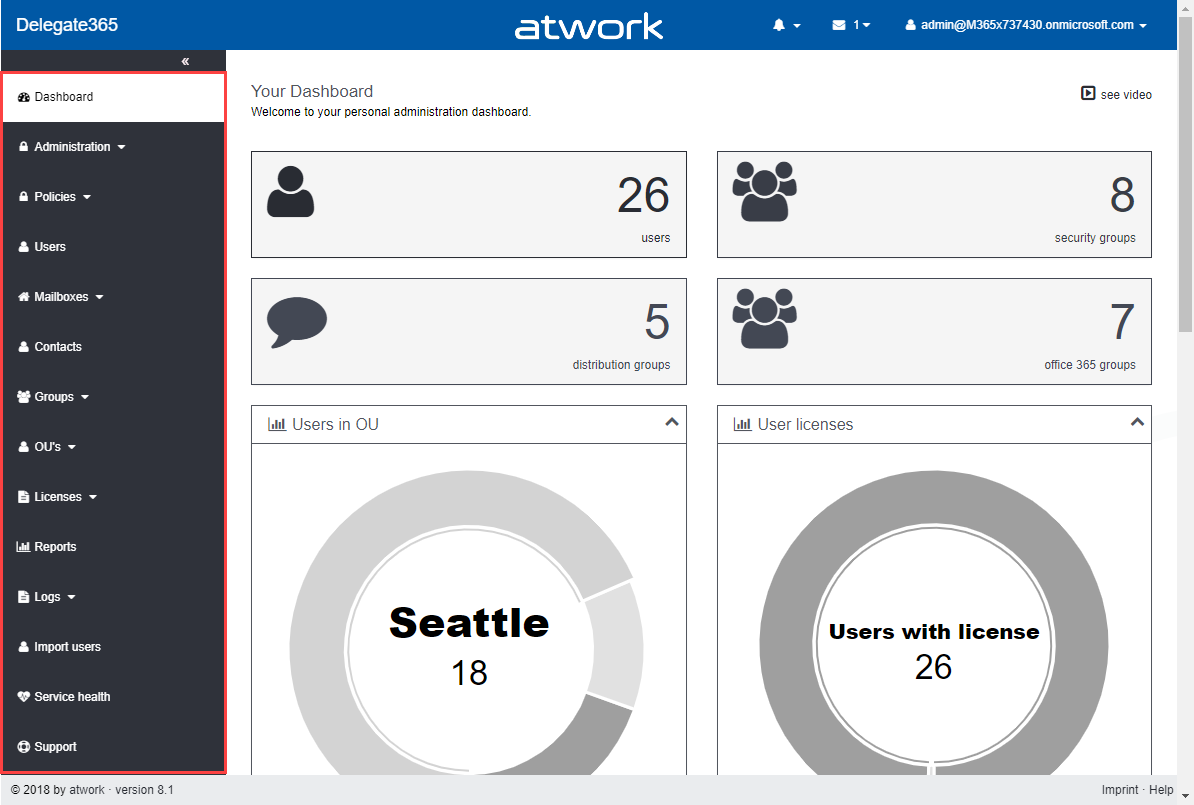
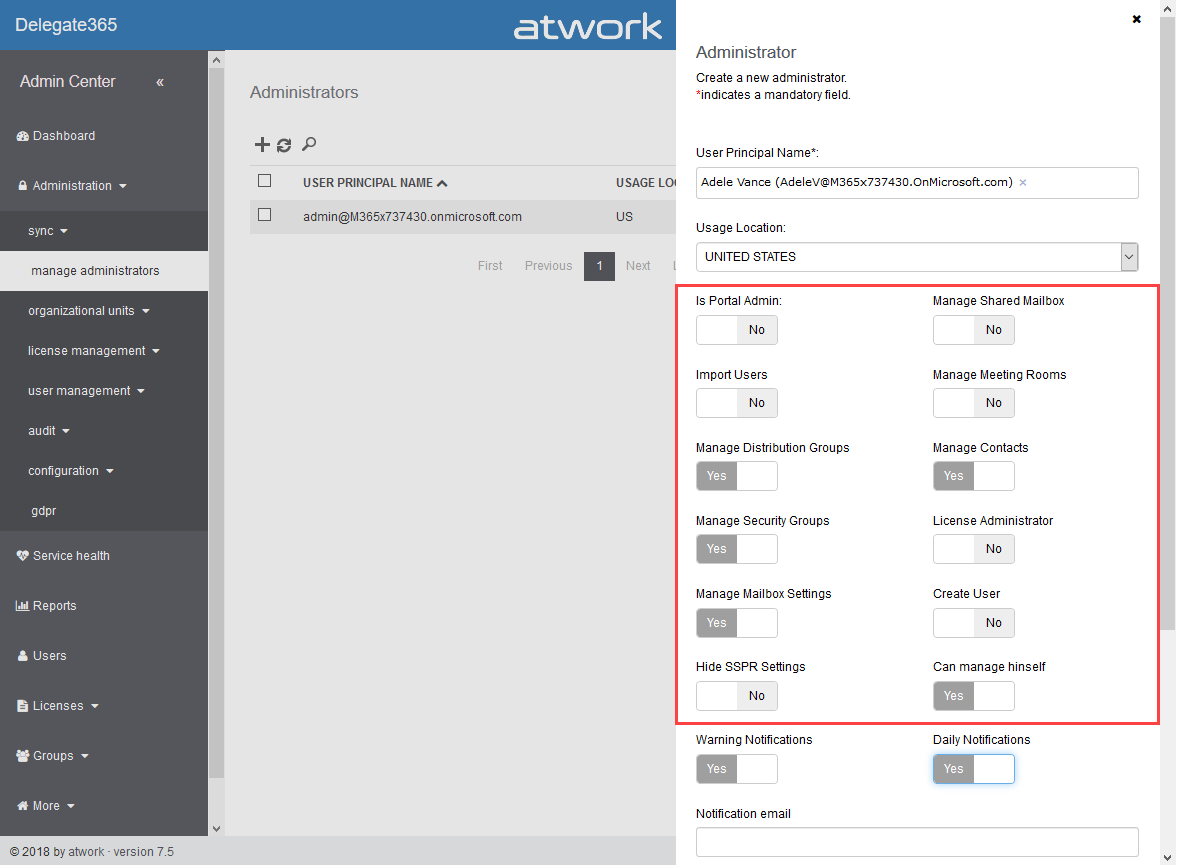
As announced in Delegate365 changelog version 8.1-Many new features, this version brings PowerShell support for administrators. All Delegate365 admins can use the PowerShell module if the access is granted by Portal Admins. See the How-To here. Note that for using the Delegate365 PowerShell module, Delegate365 version 8.1 (or higher) is required. The version number can be found in the status line at the end of the page in the Delegate365 portal, see the screenshot below. ...

November 7, 2018 · 5 min · Toni Pohl

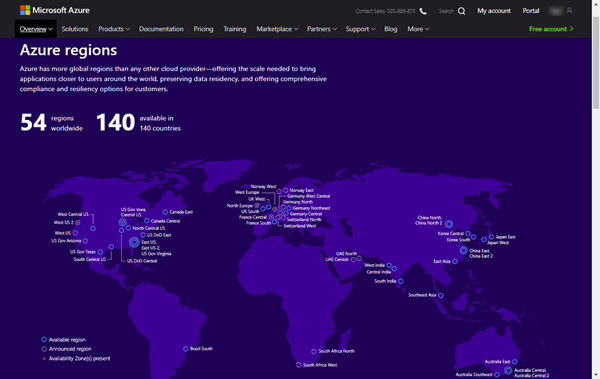
Delegate365 regions

Delegate365 runs completely in Microsoft Azure, in a region of the customer’s choice. So, for US-based companies, Delegate365 is hosted within the United States of America, for EU-based customers, Delegate365 is hosted within the European Union, etc. Since we sometimes get questions about the location of the Delegate365 solution, we want to inform about the hosting options here. Delegate365 as a service Delegate365 is developed and operated by atwork and runs as Software-as-a-Service (SaaS). Customers can test and use Delegate365 instantly without any installation out-of-the-box and updates to the Delegate365 tenant are done automatically. Delegate365 runs completely in Microsoft Azure without customers having to maintain the solution in any way. The customer’s data never leave the desired region, except the customer exports his data intentionally. The hosting costs are included in the Delegate365 price. Thus, Delegate365 is delivered as a carefree package to be used instantly. ...

November 1, 2018 · 4 min · Toni Pohl
Delegate365 changelog version 8.1-Many new features

Delegate365 changelog version 8.1-Many new features

These days, the next major Delegate365 version 8.1 is released. In that new version, there are a lot of new and improved features available for all Delegate365 customers. The menu has been restructured, permission policies allow to define granular rights and license policies simplify the set of licenses for Scope Admins. Furthermore, there are a bunch of useful improvements and the Delegate365 PowerShell module is available. See the details here. Run a setup: Admins need to run the Delegate365 setup after the upgrade process, see the How-To at (Re)run the setup. ...

October 22, 2018 · 4 min · Toni Pohl
Delegate365 changelog version 8.1-New License Policies

Delegate365 changelog version 8.1-New License Policies

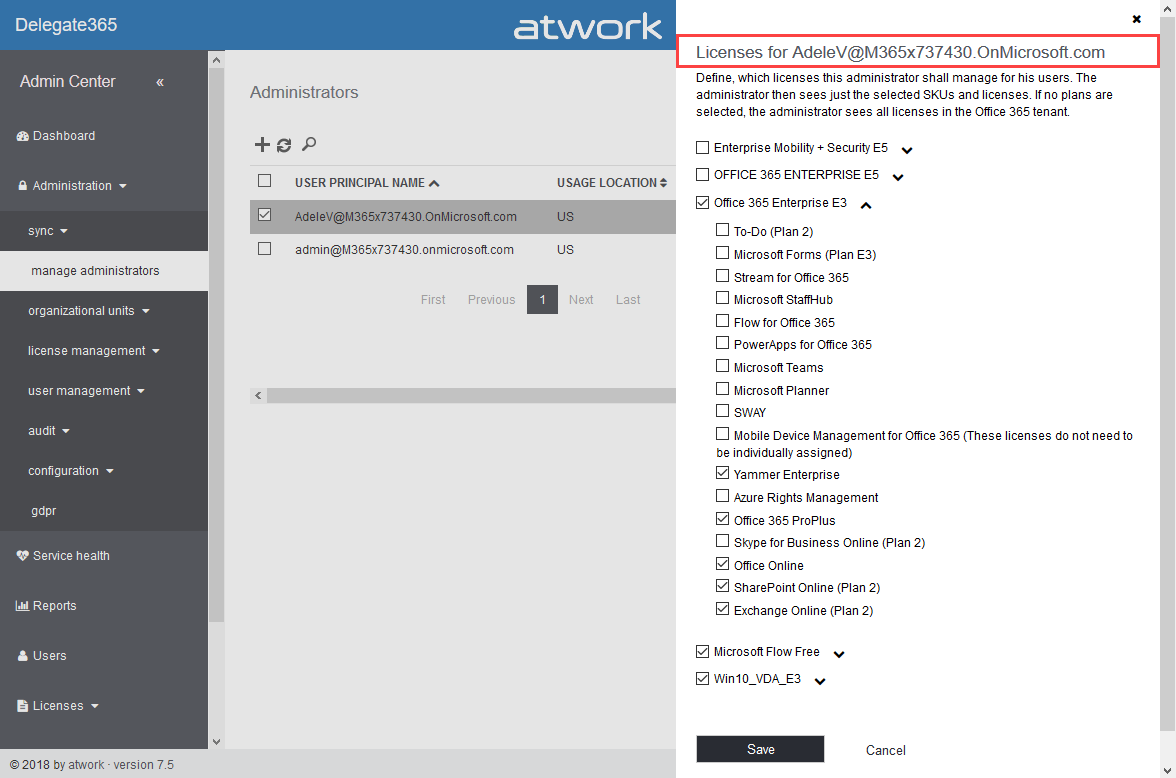
With Delegate365 version 8.1 and the new permission policies, there come the new license policies as well. In previous versions of Delegate365, Admins could restrict the Office 365 licenses and plans for each Scope Admin. Now, the license set is replaced by a license policy that can be assigned to multiple administrators. See here, how this works. Note: The license policies work analogously to the permission policies: Define once, use for multiple admins. To make it short and comprehensible, see the old and the new Delegate365 license policies at a glance here. ...

October 10, 2018 · 4 min · Toni Pohl
Delegate365 changelog version 8.1-New permission policies

Delegate365 changelog version 8.1-New permission policies

When we started with Delegate365 five years ago, basic permissions were sufficient to control what features can be used by Scope Admins. Since Delegate365 evolved with more functionality and we received requests from our customers, it was time to renew the permission control to a more granular level. So, the existing permissions have been replaced with permission policies. With Delegate365 version 8.1, each Administrator gets a permission policy assigned that controls on a very granular level, what modules and features can be managed. The new menu structuring is part of that functionality. See how the permission policies work and how existing permissions are converted here. ...

October 9, 2018 · 6 min · Toni Pohl
Delegate365 changelog version 8.1-Menu restructuring

Delegate365 changelog version 8.1-Menu restructuring

With Delegate365 version 8.1 there comes a new menu structure. The new menu groups the functions more logically and allows granular control with new permission policies. The new policies are are described in a separate article. See the menu differences before and after in this overview. Now, each topic is a group to make it easier for admins to find related features. There are only two instead of three menu levels. Enlarge the following graphics to see all menus and their new position. The left side (gray) shows the full menu of Delegate365 version 7.x and 8.0, the right side (green) shows the new menu Delegate365 version 8.1. ...

October 8, 2018 · 1 min · Toni Pohl
Working with the Azure Logic Apps Tools for Visual Studio

Working with the Azure Logic Apps Tools for Visual Studio

I like Azure LogicApps, they are really useful and easy to “develop” (see the latest features here). To use Visual Studio as designer environment, you can integrate the Azure Logic Apps Tools for Visual Studio easily. See how to work with that extension here. The fastest way is to install the Azure Logic Apps Tools in the menu Tools / Extensions and Updates… Search for “logic app” and install this extension. ...

August 19, 2018 · 2 min · Toni Pohl
Delegate365 changelog version 8.0-Group OUs

Delegate365 changelog version 8.0-Group OUs

With Delegate365 version 8.0, besides many other features, a brand new feature has been added to Delegate365: Group OU’s. In short, a Group OU can be used by Scope Admins for using members of another OU they do not manage themselves. See how this works here. In Delegate365, Scope Admins can manage all objects of their assigned OU’s. But, they could not assign other users they don’t manage to any group. This is where Group OU’s come in. To illustrate this new feature, let’s have a look at this sample. ...

July 25, 2018 · 4 min · Toni Pohl
Delegate365 changelog version 8.0-A new major release

Delegate365 changelog version 8.0-A new major release

Delegate365 version 8.0 is a major release with a bunch of new features and updates. This Delegate365 version brings support for a new partner login, improvements in the setup process after updates, integration of Azure Event Grid, new user profile features, new Group OU’s, a new check email address module, some bugfixes, new security features and some more features. See the details here. The last update of Delegate365 version 7.5 took place in April. We have been busy developing and testing Delegate365 since then. Now is the time to launch the new Delegate365 version 8 and the new features. Let’s start with the new setup. ...

July 24, 2018 · 9 min · Toni Pohl