Cleaning up file storage with 7Zip, PowerShell and OneDrive

Cleaning up file storage with 7Zip, PowerShell and OneDrive

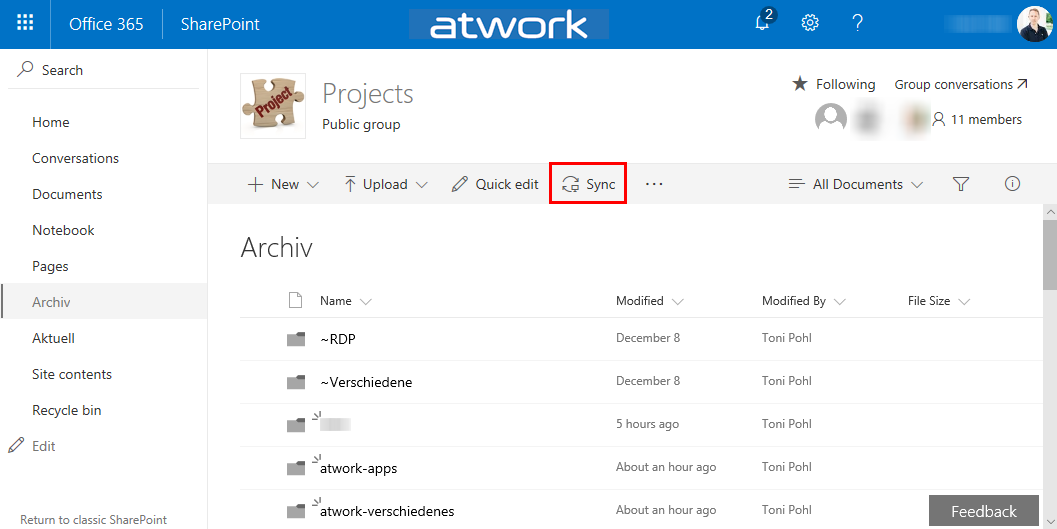
Holidays are a good time for cleaning up. For migrating an old on-premises file storage to the cloud, I used some tools and invested some time. See my scenario and the tools here. The scenario I had a Virtual Machine (I connected to remote via RDS from my holiday location into the company) with an iSCSI storage to a NAS system where old project files were stored. This storage was used over the last years. You can imagine … the mess. To make it short: In that VM, the file storage was connected with a network drive P: (for Projects). With my work account, I have 1TB personal cloud storage. Since this should be an archive for my coworkers as well, I decided to use a SharePoint Online site (SPO). I created an Office 365 group - with a SPO for storing the documents - named “projects” and installed the OneDrive.exe client. Then, I created a new Document Library and synchronized that (empty) list to the local computer. ...

December 26, 2017 · 4 min · Toni Pohl
Delegate365 changelog version 7.1-Fixes, User Interface improvements, Sync Lock, MFA and more

Delegate365 changelog version 7.1-Fixes, User Interface improvements, Sync Lock, MFA and more

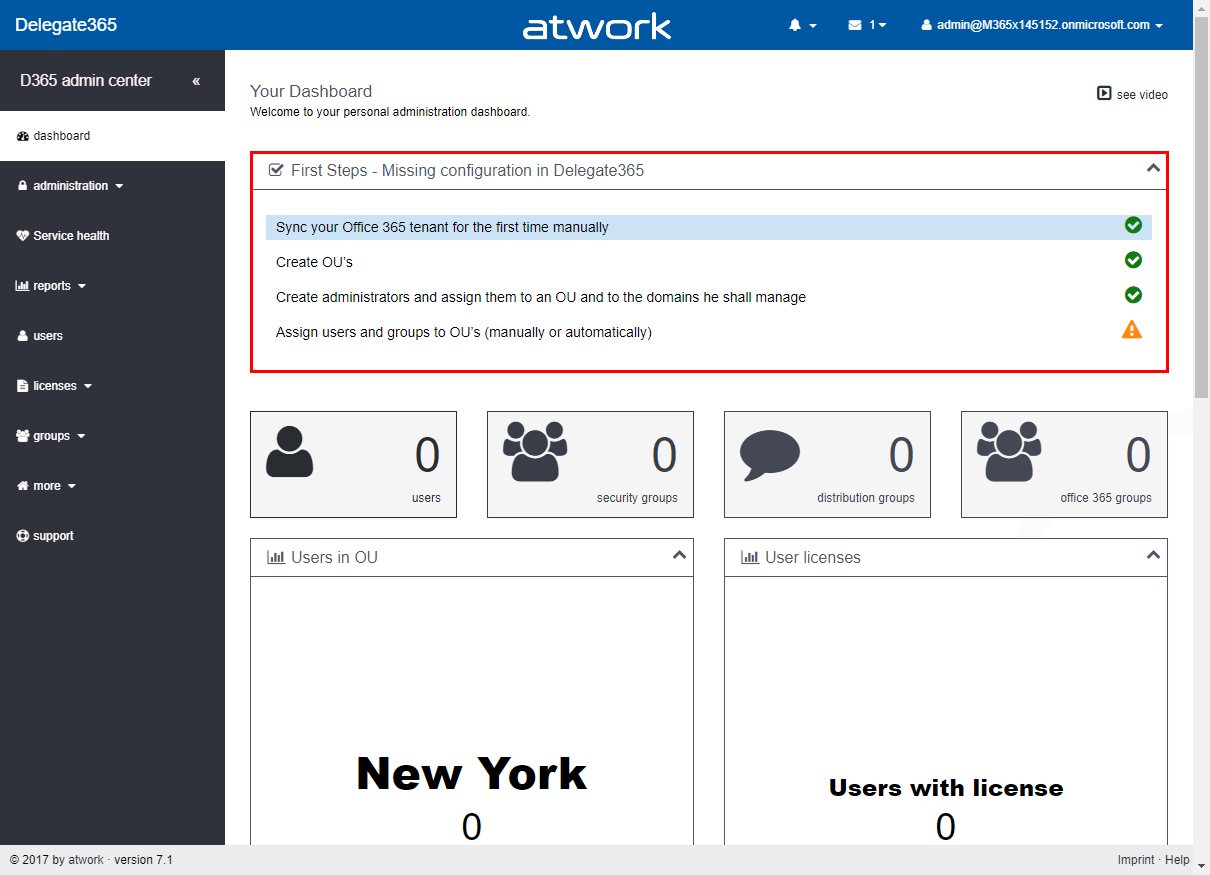
Right after Delegate365 version 7, we are releasing version 7.1 with some relevant updates. This version brings some fixes, an improved SyncOp, Sync Locking, First Start-support, a new Multi Factor Authentication automation feature, a streamlines sync rules experience, more videos and some updates. See the benefits and the details here. Dashboard-First Steps: To inform Admins if the basic Delegate365 configuration is missing, the dashboard now shows a First Steps box if necessary. This essentially helps new Delegate365 admins to show the required steps to configure Delegate365. Tasks that are already accomplished are marked with a green OK icon, open tasks are shown with an orange warning icon. So, this feature basically checks if they SyncOp has been executed to update the Delegate365 cache at least once, if at least one OU is existing, if at least one administrator has been assigned to one OU and one domain and if there are users assigned to any OU (so that there are users visible in Delegate365). The admin can click on the task to open the corresponding page to configure the desired properties. The following screenshot shows an example with three accomplished tasks and one open task. Once all requirements are satisfied, the First Steps box will no longer be visible (or show up again, if any requirement is missing). There is no manual method for switching the First Steps box on or off, it appears automatically to support the admin. Independently, Delegate365 checks if the connections to Azure Active Directory and Office 365 are valid as well. We think, this new feature makes sense in existing Delegate365 tenants and particularly in new ones. ...

December 4, 2017 · 7 min · Toni Pohl
Get sample data quickly with Bing Search

Get sample data quickly with Bing Search

For testing purposes, having sample data is very helpful. Recently, I stumbled about a useful tool to get sample images for a custom topic quickly. See how to get test images here. So, imagine you need sample images for testing the Microsoft Custom Vision API. How to get sample pictures? Well, there’s a great source for that by Dmitri Soshnikov. at Custom Vision API demo on GitHub. Download the imdownload.exe tools and run this command line executable with a syntax as here: ...

November 20, 2017 · 1 min · Toni Pohl

Visual Studio Extension for SharePoint Framework

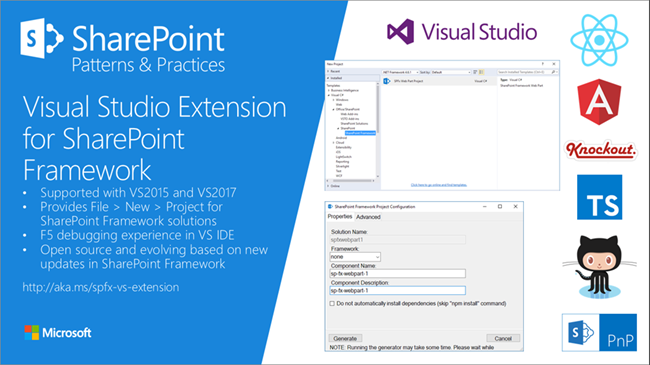
Developers who are not familiar with the new tooling for creating SPFx apps now get support by the new Visual Studio Extension for SharePoint Framework, available in the Visual Studio marketplace. Check it out at https://marketplace.visualstudio.com/items?itemName=SharePointPnP.SPFxProjectTemplate The description describes the functionality as “The Visual Studio Extension for SharePoint Framework wraps the command-line UI of the Microsoft Yeoman Generator (yo @microsoft/sharepoint) into a familiar Windows Forms experience, executes the generator project scaffolding behind the scenes and creates a Visual Studio project that includes all the necessary files for a complete web part project. Also included is a web part item template for adding new web parts to an existing Framework project. Developers can launch the Workbench local sandbox environment to test their web parts by pressing F5 or by binding to the Gulp Serve event in the Task Runner Explorer.” ...

November 4, 2017 · 1 min · Toni Pohl
Delegate365Cleanup unused apps

Delegate365Cleanup unused apps

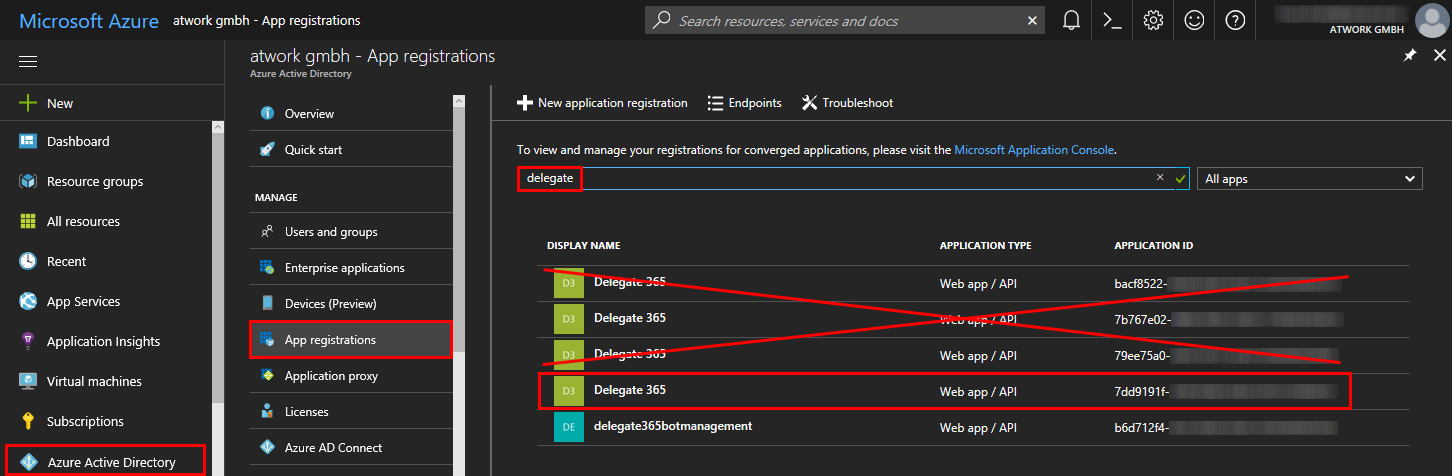
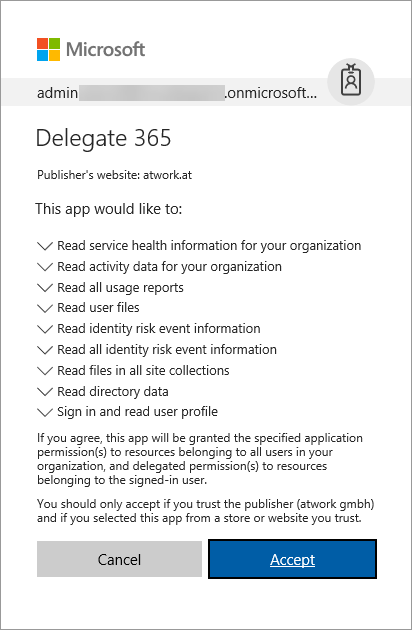
Delegate365 is registered as an app in the customer’s Azure Active Directory. When a Delegate365 setup is executed, it may be necessary that a new app is registered and is used from then on. So, what happens with old apps? See how to cleanup unused Delegate365 apps here. Technically, the app needs permissions to sign-in the user and to read data from the tenant. If new app permissions are necessary through an update (as this was the case with version 6.5 and the new service health feature), the Delegate365 setup must be re-run. When a new app is created, the Administrator then has to confirm the app consent for his users as described here. ...

November 1, 2017 · 2 min · Toni Pohl

Azure Functions for Visual Studio Code

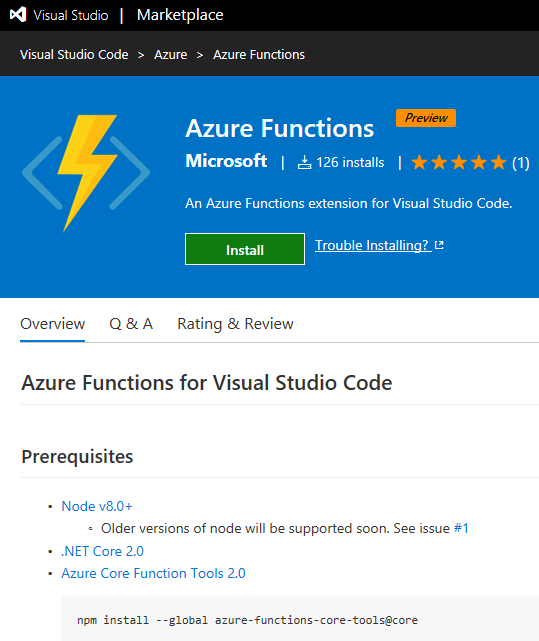
Working with Visual Studio Code? Then check out the Azure Functions extension for Visual Studio Code at the Visual Studio Marketplace! Find the extension and description at Azure Functions for Visual Studio Code. The Azure Functions for Visual Studio Code extension allows to create new projects and functions from a template, to debug function apps locally, to view and to deploy Azure functions, to start, stop and restart functions and has Intellisense support for the json-project files. ...

October 22, 2017 · 1 min · Toni Pohl
Delegate365 changelog version 7.0-Office 365 Groups, Alias addresses, Logging and more

Delegate365 changelog version 7.0-Office 365 Groups, Alias addresses, Logging and more

We have been busy during summer time and we have been developing and testing our new Delegate365 version 7. We added new features like the support for Office 365 Groups and further useful extensions and made a technical refresh behind the scenes. So, the latest version of Delegate365 is available now and ready for updates. See the details described here. Delegate v7 is the successor of version 6.6. Besides new features, this is a major update since this version takes advantage of using new Microsoft APIs. So, here’s the news: ...

October 11, 2017 · 6 min · Toni Pohl
Provisioning an Office 365 group with an approval flow and Azure functions-part 2

Provisioning an Office 365 group with an approval flow and Azure functions-part 2

In part one, we saw how the Microsoft Graph API enables programmatic access to Office 365 groups. Now it’s time to let Azure Functions help us with the desired workflow. For the following steps, an Azure subscription and a Global Admin in the target Office 365 tenant is required. The plan We want our provision group function to be able to create a new Office 365 group without any user interaction. So, we need an app with the permission to accomplish the operations in our Office 365 tenant, in the same way as did for the administrator account in part 1. The key is, to create such an application first and to use that access data in our code. The workflow will execute our function, pass the parameters, and the function will do the work. So, these are the necessary steps. ...

October 1, 2017 · 6 min · Martina Grom
Provisioning an Office 365 group with an approval flow and Azure functions-part 1

Provisioning an Office 365 group with an approval flow and Azure functions-part 1

Office 365 groups span over various Office 365 services and provide a great way for collaborating. By default, every user can create an Office 365 group. While self-service is a good thing and many businesses adopted into that direction, some companies still prefer the controlled approach. In real world environments, organizations usually want to restrict the group provisioning so that IT can control the wild growth of groups. This article series shows how to create an Office 365 group with an attached approval process with SharePoint Online, Flow and Azure functions. See how this works here! ...

September 28, 2017 · 8 min · Martina Grom
Delegate365 changelog version 6.6-Mailbox features and logging

Delegate365 changelog version 6.6-Mailbox features and logging

During summer time the next Delegate365 version was born that brings more mailbox and distribution group features, more sync rule options and some minor changes in logging and some fixes. See the details here. Delegate365 version 6.6 brings some improvements on the basis of version 6.5. New sync rules: The menu administration / sync / “sync options” has been renamed to “sync rules” in Version 6.5. Now, the “user license assignments” have been extended with additional options as in the screenshot below. A sync rule can now be switched on or off with the “Active” switch to simplify testing (“On” is the default setting for existing rules). The new “order” allows to reorder the rules. “Action” now allows not only to add Office 365 licenses, but also to remove the selected licenses, which was a often requested feature. “Apply to” allows to execute the rule against “all users”, “sign-in allowed” or “sign-in blocked” users. The new options deliver a much more granular control of license settings. The active sync rules are considered at each sync operation in Delegate365. Don’t forget to save any changes at the page bottom “Save” button! Remember, the more rules are enabled, the longer the sync operation will run, in large Office 365 tenants this might take hours, since every object must be checked and the operations will be executed. ...

September 12, 2017 · 4 min · Toni Pohl