Adding Send as permissions to an Office 365 Group with PowerShell

Adding Send as permissions to an Office 365 Group with PowerShell

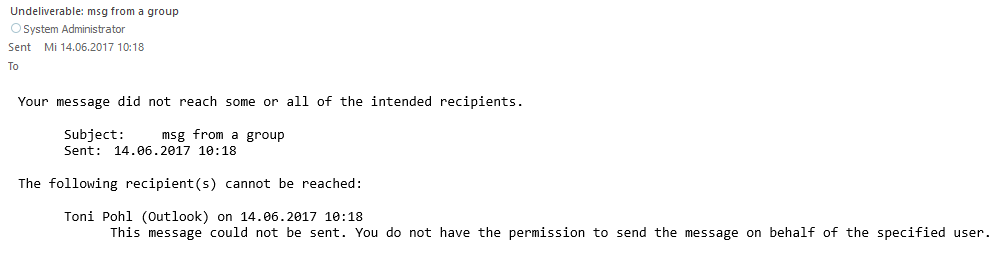
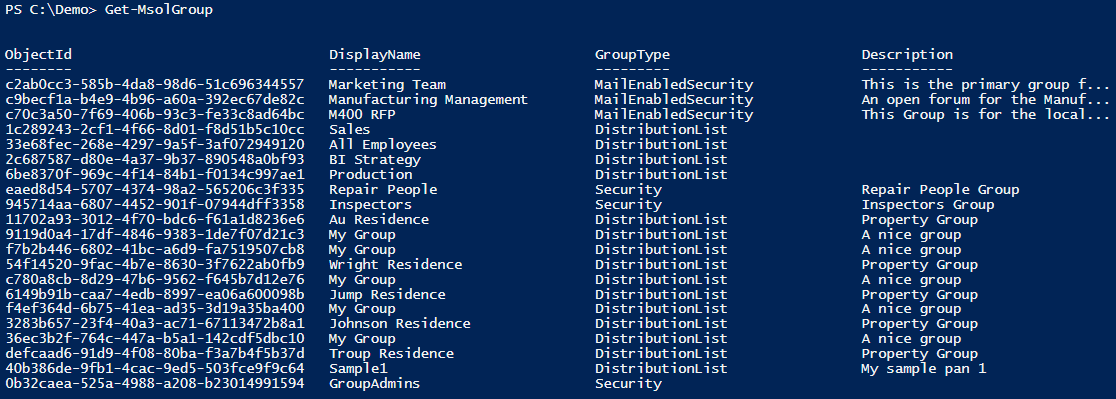
Office 365 Groups provide a bunch of useful features for collaboration. In some cases, users want to send emails from an Office 365 group as sender. Here’s the “HowTo” to accomplish “SendAs” permissions to an Office 365 group for users. By default, users do not have any permissions to send from an Office 365 Group. So, if you try to send an email with such a sender address, you will get a reply similar as here. ...

June 14, 2017 · 2 min · Martina Grom
Delegate365 changelog version 6.4-automate additional licenses assignments

Delegate365 changelog version 6.4-automate additional licenses assignments

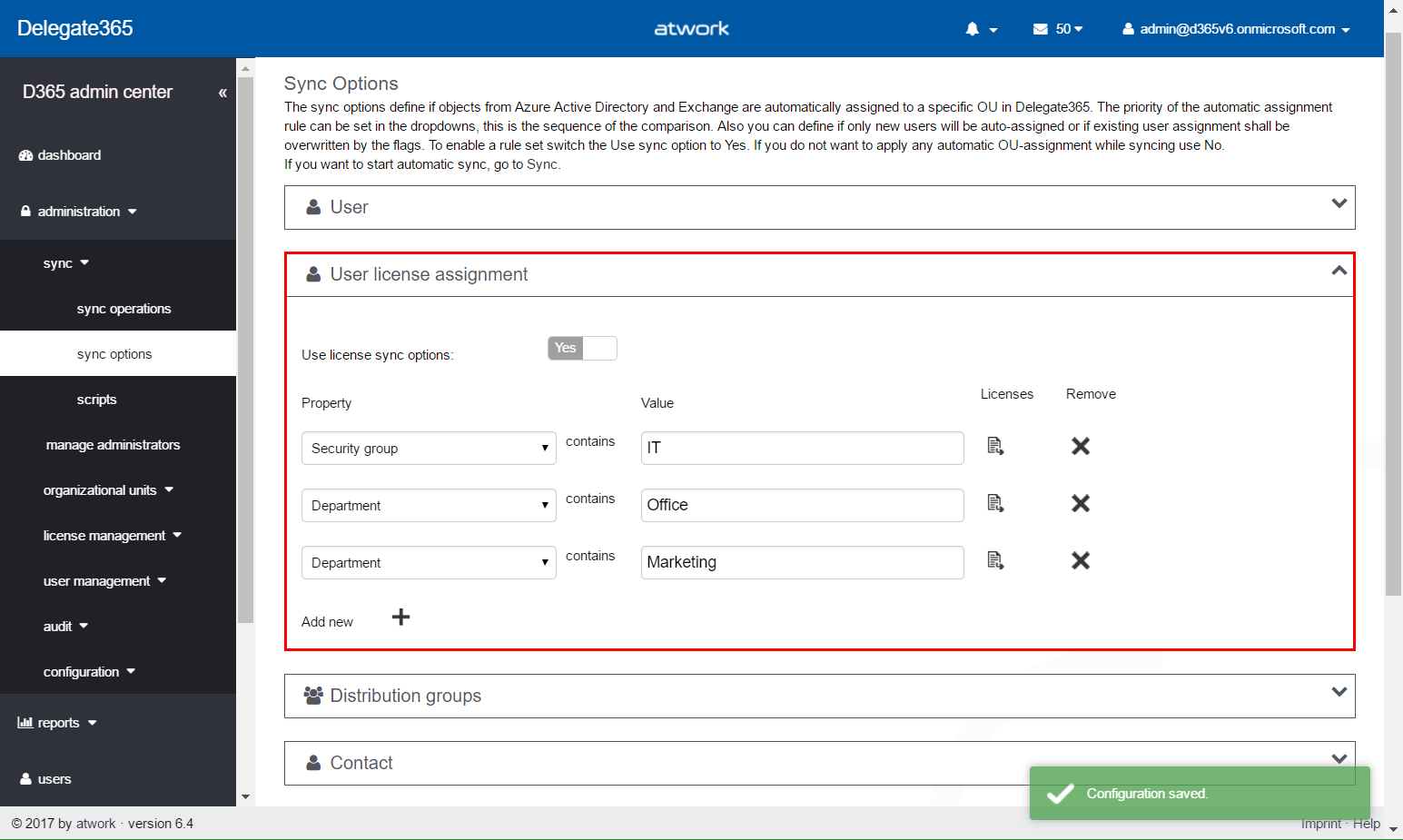
In Delegate365 version 6.2 update we added an important feature to save Delegate365 licenses. With this Delegate365 version, there comes a new, powerful feature for more Office 365 automation. The new version number is 6.4. No worries, you have not missed version 6.3, since this was an internal version for adding the new user license assignment feature, testing and fixes. Delegate365 version 6.4 will be rolled out in the next two weeks. So, what does this update do? ...

May 8, 2017 · 5 min · Toni Pohl
Check out this aka.msAzure hyperlinks collection

Check out this aka.msAzure hyperlinks collection

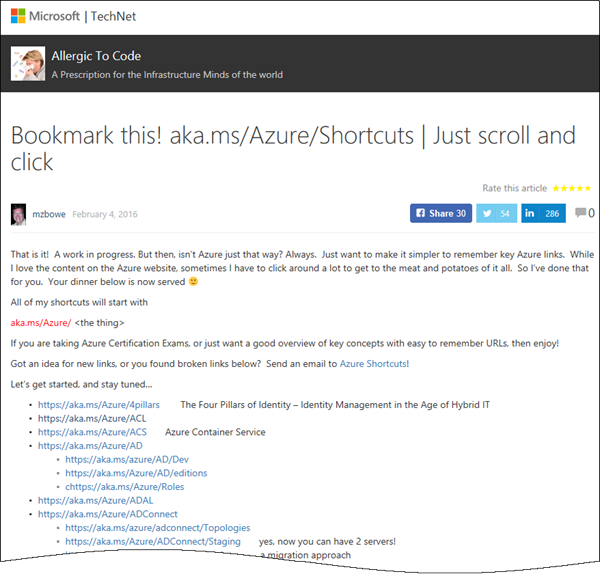
Sometimes, everybody needs a little helper. Find this helpful list of aka.ms/Azure shortcuts by mzbowe at Bookmark this! aka.ms/Azure/Shortcuts | Just scroll and click “Just want to make it simpler to remember key Azure links. All of my shortcuts will start with aka.ms/Azure/[the thing] …”. as for example https://aka.ms/Azure/VM, https://aka.ms/Azure/GraphAPI and a ton of more shortcuts. Nice list for Azure!

May 3, 2017 · 1 min · Toni Pohl
Delegate365 changelog version 6.2-license and further improvements

Delegate365 changelog version 6.2-license and further improvements

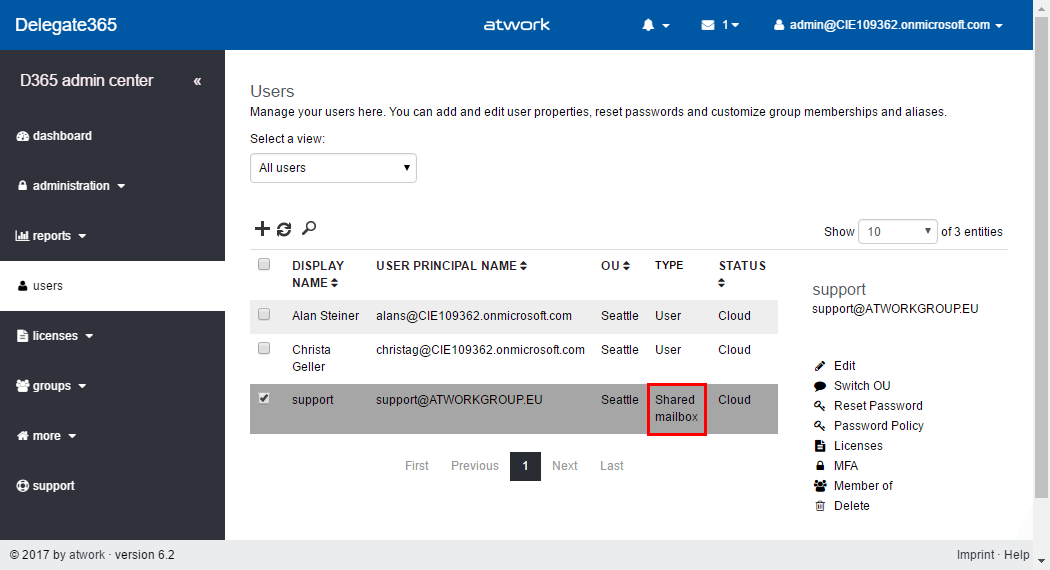
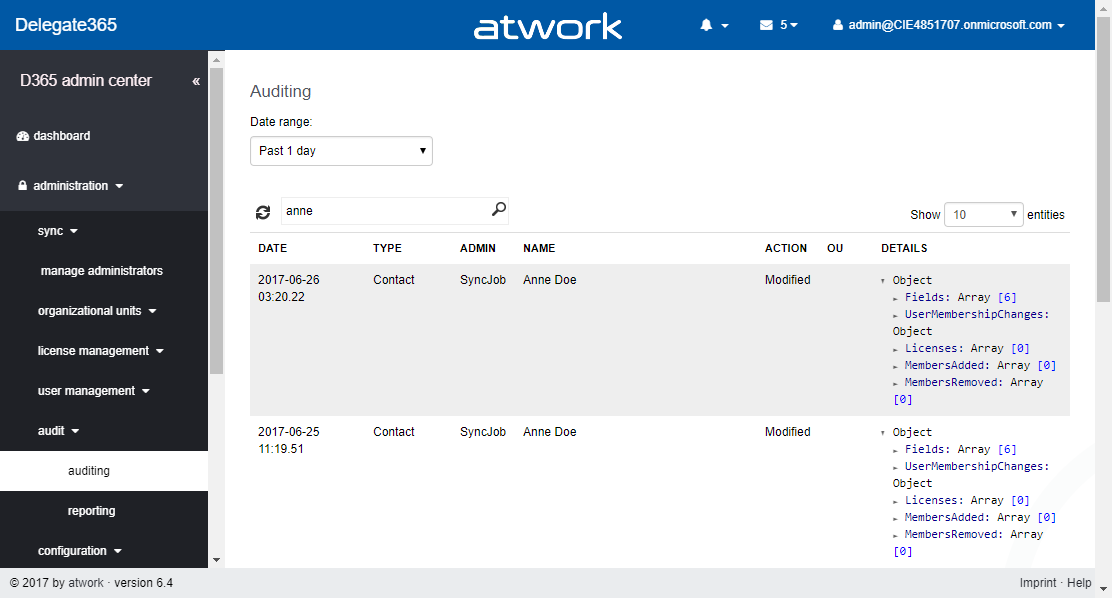
Delegate365 version 6.2 comes with some updates and improvements. See the new features described here. License counting update: Delegate365 is licensed per user that shall be managed. There comes just one peculiarity with that: shared mailboxes and resources are delivered from the Office 365 interface as users. This causes that D365 counts such users (but only) if they are assigned to an OU as well although they do not need to have an Office 365 license. So, this can lead to uncertainty, why licensing in D365 can be different from Office 365. Again, this is only the case if the user objects are assigned to an OU in D365. For more information about that topic pls. see Delegate365 license information (Q&A 4 to 6). With the new feature this behavior can be compensated and is obsolete. The following graphics shows such a scenario where a shared mailbox “support” is assigned to an OU in D365 (and counts as a D365 user license). We wanted to simplify that licensing in D365 to make it equal to Office 365 licensing in that specific case. With this D365 update, there come two new switches “Ignore shared mailbox users” and “Ignore resource users” in the administration / sync / sync options user region. By default, these two switches are set to “No”. This means, existing users for shared mailboxes and resources stay in the users list, as it was before. If set to “Yes”, this means that shared mailboxes and resources are ignored as “user” in D365. Such user objects that were existing in the users list will be removed from the users list. (No worries, nothing bad happens, they just no longer show up – and are not counted for D365 user licenses.) After the next SyncOp (of course, with “Use user sync options” switch to “Yes”), these user objects will no longer shown in the users list. The shared mailbox “support” is gone from the users list. Of course, the object is still manageable in the more / shared mailboxes list and can be managed there. The same goes for the resources. Our recommendation: Set both new switches to “Yes”. Usually there is no need to manage a shared mailbox or a resource in the same way as a user. With “Ignore shared mailbox users” and “Ignore resource users” activated, this saves D365 licenses. ...
April 7, 2017 · 4 min · Toni Pohl
All you need to know about Visual Studio Code-Tips and Tricks

All you need to know about Visual Studio Code-Tips and Tricks

Visual Studio Code (VSC) provides developers with a fast and powerful code editor.VSC is available as cross-platform development tool, supporting OS X, Linux, and Windows and is a cost free part of the Visual Studio family. Get the Visual Studio Code Tips & Tricks Vol. 1 document to get 26 pages of tips and tricks for this great code editor. Download Visual Studio Code Tips & Tricks Vol. 1 The PDF document was authored by Tobias Kahlert and Kay Giza of Microsoft Germany. Since this is volume 1, we hope for volume 2 in future as well. ...

March 31, 2017 · 1 min · Toni Pohl
Restrict Office 365 Groups and Microsoft Teams creation in organizations

Restrict Office 365 Groups and Microsoft Teams creation in organizations

In many of my Office 365 projects customer want to limit the self-service of Office 365 groups creation. Gladly, this is possible in Office 365, with the definition that just specific users are able to create Office 365 groups. Since the launch of Microsoft Teams in March 2017 customers asked me several times if this policy also affect the creation of Microsoft teams? Well, let’s take a look. In a previous blog post, we described how to setup Office 365 Groups policies, check out Management capabilities for Office 365 Groups. Since Microsoft Teams depend on Office 365 groups, we document this scenario step-by-step. ...

March 19, 2017 · 6 min · Martina Grom
Components of Delegate365

Components of Delegate365

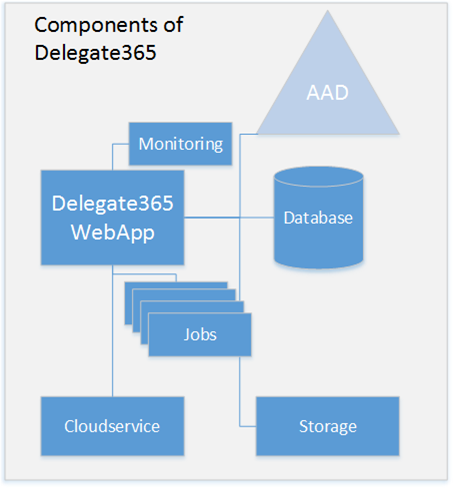
Since the beginning, Delegate365 developed to an extensive cloud solution for Microsoft Office 365. This article delivers a short overview about the components of Delegate365 in the Microsoft Cloud. The following graphics shows the involved Azure services that are used in D365. Delegate365 is using Platform-as-a-Service components that are maintenance-free. In detail, Delegate365 consists of the following Azure services. Web App – this hosts the Delegeate365 portal website. Jobs – these are tasks that run automatically in the background, currently these are the Synchronization Job, the License Aggregator Job, the Log Sink Job and the Sync Notifications. ...

February 27, 2017 · 2 min · Toni Pohl
Delegate365 changelog version 6.1-at a glance

Delegate365 changelog version 6.1-at a glance

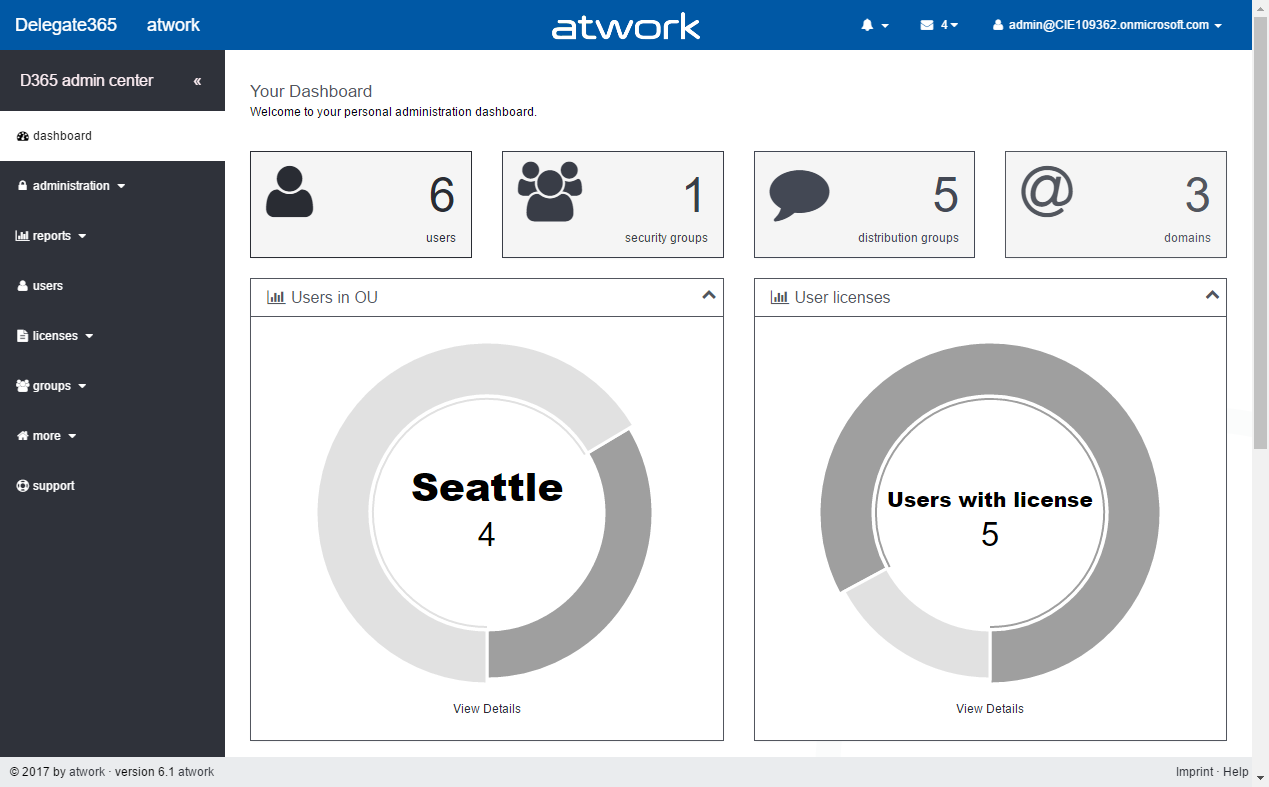
At the end of last year, Delegate365 version 6 was announced. We added a bunch of features and before updating all tenants, we wanted to improve some functionality. So it took some time to develop and test new features. Now it’s time to update all existing Delegate365 tenants to the latest version 6.1. See the most relevant news at a glance here! Important: Some customers are already using Delegate365 version 6. All D365 tenants will be upgraded to version 6.1 in the next days. All customers will also receive an email notification about the exact upgrade time. If you have any reservation against the D365 tenant upgrade time please contact us at support@atwork.at. ...

February 22, 2017 · 8 min · Toni Pohl

Working With Office 365 Groups And Connectors article series at MVP Award Blog

Recently, the Microsoft MVP Award Program Blog published my three-part series about “Working With Office 365 Groups And Connectors”. Read the articles online in the MVP blog here: Part 1 - Working with Office 365 Groups and Connectors Part 2 - Working with Office 365 Groups and Connectors Part 3 - Working with Office 365 Groups and Connectors Also, thanks to Richard Hay for posting the summary at windowsitpro.com: Learn more about Office 365 Groups and Connectors. ...

February 2, 2017 · 1 min · Toni Pohl

Get your Azure invoices per email

Since today, the Azure portal offers to send invoices directly to an email address instead of downloading your invoice every month. See the announcement at Now available: Azure invoices emailed direct to your inbox. The new menu “Send my invoice” is available in the “Billing” section. Click the “Opt In” button and configure the email address you want to use for getting the monthly invoices. ...

February 1, 2017 · 1 min · Toni Pohl