Neues in PowerApps

Neues in PowerApps

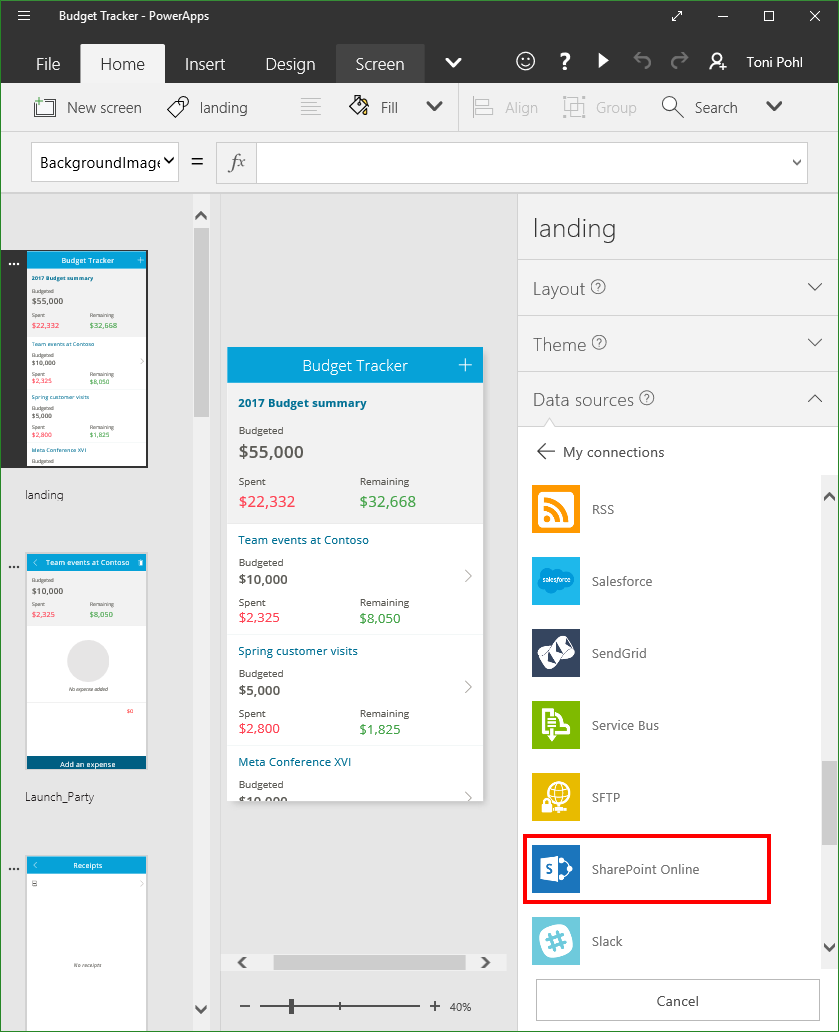
PowerApps ermöglichen Power-Usern rasch und einfach Formulare aus verschiedenen Datenquellen innerhalb des Unternehmens bereitszustellen. Hier gibt es nun eine Neuerungen, mehr dazu hier. Wie in “Turn data into apps” mit PowerApps beschrieben, können mit der PowerApp und den installierten PowerApp Clients (für Windows, iOS und Android) kleine Lösungen ohne Programmieraufwand erzeugt werden. Es gib eine ganze Reihe von möglichen Datenquellen, und natürlich kann man auch selbst eigene OData-Schnittstellen erstellen und verwenden. ...

June 26, 2016 · 2 min · Toni Pohl
How to update members in an Exchange Online address list in Office365

How to update members in an Exchange Online address list in Office365

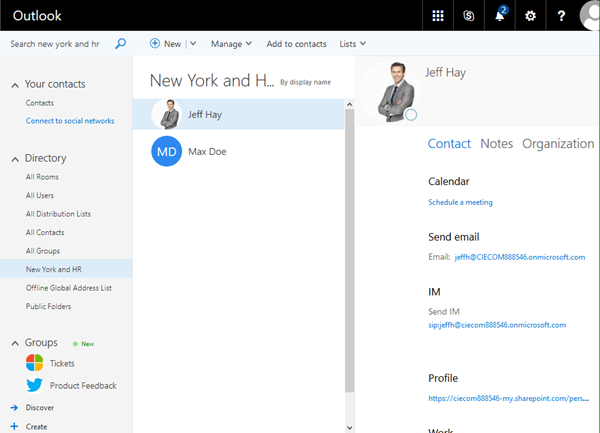
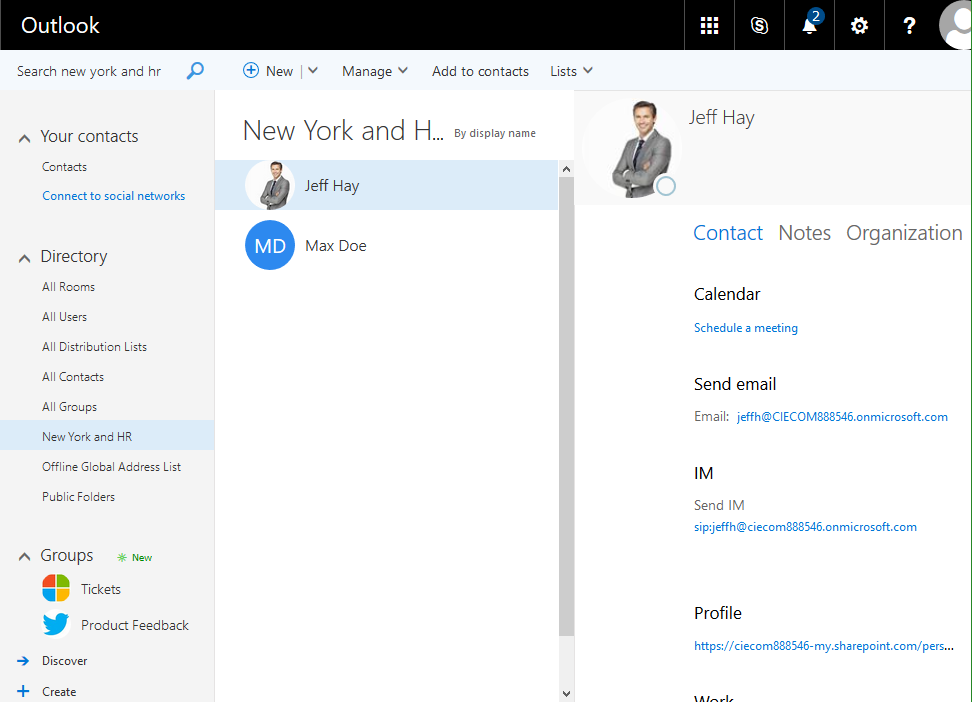
Recently, I stumbled on an issue when working with address lists in Exchange Online (Office 365). Existing Members didn’t show up in the list, although their attributes match with the filter expressions used for the address list… Well the creation of a new address list works as expected with the Exchange Online PowerShell New-AddressList cmdlet. The command can be used as here: New-AddressList –Name 'New York and HR' -RecipientFilter {( (department -eq 'New York') -or (department -eq 'Human Resources') )} So, if an object matches the filter criteria, it shall be member of that address list “New York and HR”. So far, so good. ...

June 19, 2016 · 3 min · Martina Grom
Color your life in PowerShell

Color your life in PowerShell

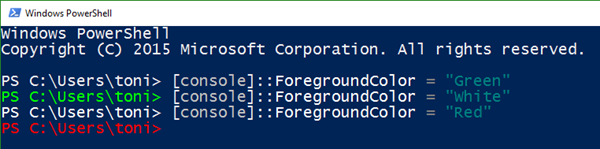
Always wanted to change to color of your PowerShell? Well, the easiest way is this: [console]::ForegroundColor = "Green" …or use it for the output like this: Write-Host "`nThis is red`n" -ForegroundColor Red See much more options here: https://www.petri.com/change-powershell-console-font-and-background-colors https://technet.microsoft.com/en-us/library/ee692799.aspx Let color come to your (Admin) life!

June 13, 2016 · 1 min · Toni Pohl
Turn data into apps mit PowerApps

Turn data into apps mit PowerApps

PowerApps sind ein neues Service, welches Formulare und Workflows auf Computern und mobilen Geräten bereitstellt. Dies beschreibt sinngemäß aber recht nüchtern die Funktionalität des neuen Services – natürlich basierend auf Azure. Sehen wir uns PowerApps einmal an… Zur Geschichte von PowerApps Zuvor möchte ich noch ein paar Worte zur Produkt-Historie anbringen. Microsoft hat das neue PowerApps Tool recht still Ende November 2015 auf der Convergence 2015 EMEA in Barcelona und in einem Blogpost in Introducing Microsoft PowerApps der breiten Öffentlichkeit vorgestellt. ...

May 23, 2016 · 7 min · Toni Pohl
Office 365  Penetranter Junk-Mail Ordner - Troubleshooting

Office 365 Penetranter Junk-Mail Ordner - Troubleshooting

Ich wurde zuletzt von einem Kunden mit einem interessanten Problem kontaktiert. Der Kunde ist vollständig in Office 365 migriert und hat aktuell keine lokalen Exchange Mailboxen mehr. Ein lokaler Exchange Server wird zwar für Hybrid und Management Zwecke betrieben, hat aber keine sonstige Funktion. Das bedeutet auch, dass der MX-Record auf Exchange Online zeigt und alle Mails direkt von Office 365 empfangen und gesendet werden. Jetzt wurde ich gefragt, ein Problem zu diagnostizieren das sich folgendermaßen äußert: Zwei Mitarbeiter bekommen ein Mail von einem gemeinsamen Absender zugestellt. Für einen User A landet das Mail in der Inbox und bleibt auch dort. User B bekommt das Mail in den Junk-Mail Ordner zugestellt. Lustiger Test – er kann den Absender auch als Safe Sender markieren oder serverseitig vom Spam Filter ausnehmen. Beides führte nicht zum Erfolg. Mails desselben Absenders landeten bei User B weiterhin im Junk-Mail Ordner. Was dem Ganzen dann die Krone aufsetzt: Schiebt der User das Mail in Outlook zurück in die Inbox wird es wenige Sekunden später wieder in den Junk-Mail Folder zurück geschoben. Ja, diesen Fall hatte ich auch noch nicht. Also mal auf die Suche machen… ...

May 22, 2016 · 5 min · Christoph Wilfing
Delegate365 changelog version 5.3-Auto licensing for existing users

Delegate365 changelog version 5.3-Auto licensing for existing users

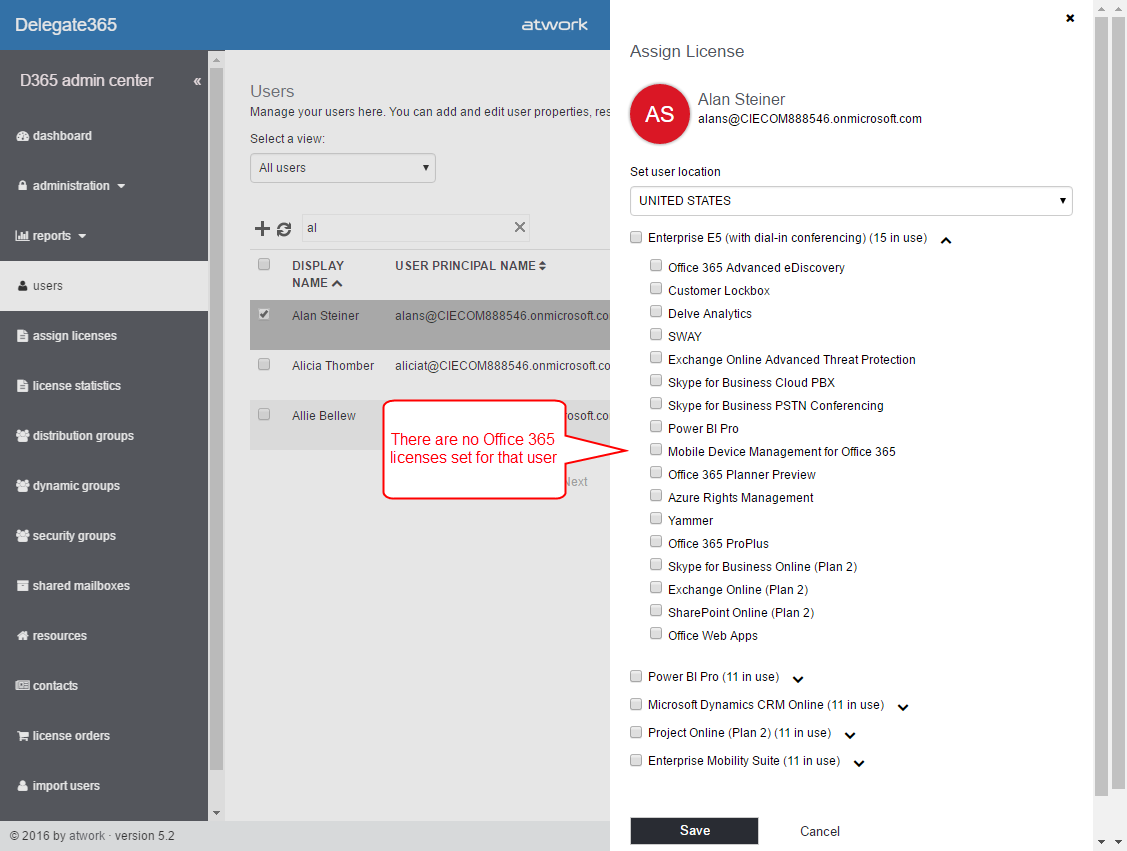
Delegate365 version 5.2 has many new features (see here). In D365 version 5.3 we have a new feature for changing Office 365 licenses for users with already assigned OU’s. This article describes how this works in detail with an example, step by step. Why did we add this feature? Well, a D365 customer had the requirement to auto assign Office 365 licenses. This could already be done in the previous versions of D365. But the peculiarity was that Office 365 licenses should be set gradually. So for example, in May users of an OU should get a license for SharePoint Online, in June for Yammer and in July for Exchange Online. This is a special use case which could only be done in D365 manually or partly, but not automatically. So we added this feature in the product. ...

May 16, 2016 · 4 min · Toni Pohl
Delegate365 changelog version 5.2-Dynamic Groups and new configuration rules

Delegate365 changelog version 5.2-Dynamic Groups and new configuration rules

Delegate365 version 5.2 is here. We skipped version 5.1 because of many new features (which would have been version 5.1) and the OpenID Connect authentication update (which we changed in version 5.2). So we combined both updates in version 5.2 to minimize the effort. If you are coming from D365 version 5.0 you have not missed anything. See the new features of version 5.2 described in here. Important: For the update of your existing D365 tenant, it is necessary to run the Delegate365 Setup again. Please see Delegate365 now uses OpenID Connect - or how to run setup to update to version 5.2 for the step-by-step details. ...

May 12, 2016 · 7 min · Toni Pohl
Delegate365 now uses OpenID Connect - or how to run setup to update to version 5.2

Delegate365 now uses OpenID Connect - or how to run setup to update to version 5.2

This method has been deprecated since 2020 and is no longer available. The content in this article is provided for historical reference only. The next version of Delegate365 will be version 5.2. This article describes the necessary steps to use the new version – and why. Maybe you have recognized that we skip version 5.1. Well, the reason is that we added some new features in version 5.1 (an article with the new features will be posted shortly) and then we switched the authentication system. So we decided to do only one upgrade process and continue with version 5.2 (with the new authentication). So after version 5.0 now there comes 5.2 (you have not missed anything). ...

April 14, 2016 · 4 min · Toni Pohl
BUILD 2016 Session Downloader

BUILD 2016 Session Downloader

Die BUILD Conference brachte wieder viele interessante Sessions (einen Überblick über die Ankündigungen gibt es hier: Day 1 und Day 2). Diese können auf der channel9-Website gesucht, gefiltert, angesehen und downgeloadet werden. Für alle jene, die allerdings alle Sessions oder bestimmte Sessions zu einem Thema herunterladen möchten, gibt es ein hilfreiches PowerShell Download-Script. Unser lieber Kollege Bill Ayers, aka @SPDoctor, hat hierzu das folgende PowerShell Script geschrieben und gepostet: Hier gehts zum Artikel und zum Script: Download the Build 2016 Content We Care About using PowerShell. ...

April 7, 2016 · 2 min · Toni Pohl
Delegate365 customers URL change step-by-step guide

Delegate365 customers URL change step-by-step guide

This method using /setup has been deprecated since 2020 and is no longer available. Use setup.delegate365.com instead. The content in this article is provided for historical reference only. As posted in Delegate365 customers URL change, it is required to create a new service account with a redirection to the new *.delegate365.com domain. After your Delegate365 portal is reachable with the new URL https://[yourcompanyname].delegate365.com, pls. follow these steps. Requirements: Your Delegate365 portal must already be accessible with the new URL https://[yourcompanyname].delegate365.com (already prepared by atwork). You need to have a Global Admin account and password of your Office 365 tenant to perform these steps. You need to have the Delegate365 configuration password. If you don’t have that password, pls. contact support@atwork.at Important: ...

March 16, 2016 · 2 min · Toni Pohl