Einführung in das neue SharePoint Framework

Einführung in das neue SharePoint Framework

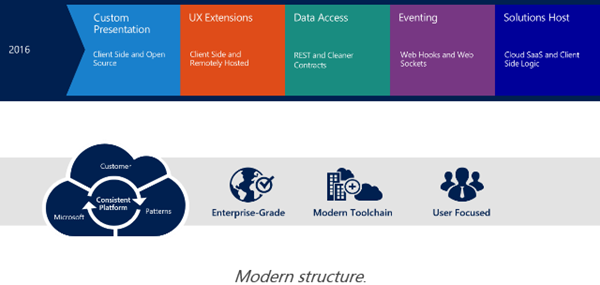
Passend zu meinem letzten Blogpost mit dem Hinweis zum Office 365 Developer Podcast möchte ich Software-Entwicklern das neue SharePoint Framework vorstellen. Doch schön der Reihe nach… Mit der Vorstellung von SharePoint 2016 Anfang Mai (siehe Future of SharePoint) hat Microsoft ein neues Entwicklungsmodell für SharePoint vorgestellt: Das SharePoint Framework. Anstelle von Server-seitigem Development (so, wie es von der ersten SharePoint Version mit ASP und ab 2003 ASP.NET – mit Ausnahme des neuen App Modells - bis heute der Fall war…) tritt nun Client-seitiges Development. Für Entwickler bedeutet das in einem Wort gesagt: Javascript! ...
July 28, 2016 · 4 min · Toni Pohl
Visual Studio Code den Run-Button für Websites beibringen

Visual Studio Code den Run-Button für Websites beibringen

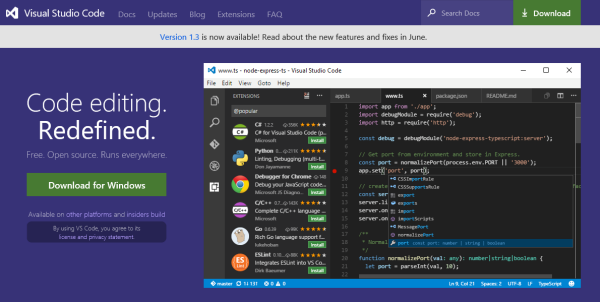
Visual Studio Code ist eine feine Sache. Das kostenlose Entwicklungssystem für Windows, OS X und Linux ist unter https://code.visualstudio.com downloadbar und stellt neben einem sehr leistungsfähigen Editor mit IntelliSense und Debugging, Git-Support und Extensions auch Runtimes für Node.js, .NET Core, Unity und Office bereit. Apropos Runtime: Wie sieht es mit Webprojekten aus? Das müssen wir Visual Studio Code erst beibringen… Visual Studio Code for all Für alle jene, die neu in Visual Studio Code (VSC) sind, informiert die Startseite The Basics of Visual Studio Code über den Editor und seine Leistungsfähigkeit. ...

July 28, 2016 · 4 min · Toni Pohl
Access or export mailbox content in Delegate365 and eDiscovery

Access or export mailbox content in Delegate365 and eDiscovery

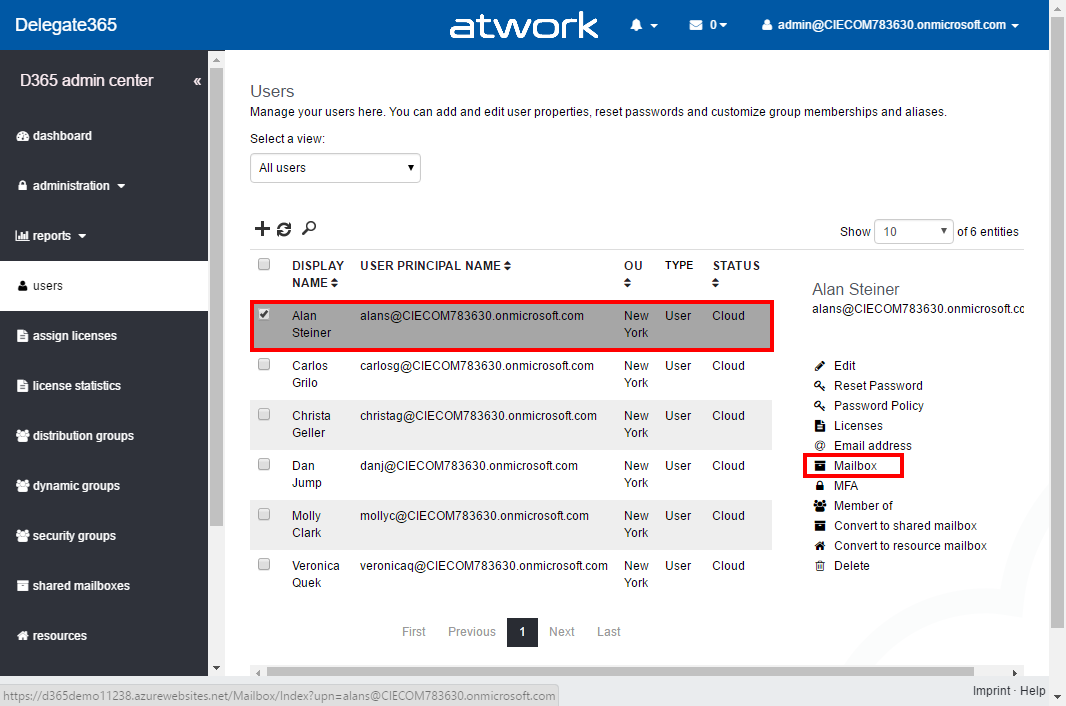
We sometimes receive questions how users can access the content of another user’s mailbox. Well, in Delegate365 you can manage the permissions, but not the content. See how to access other mailboxes, how to export and what eDiscovery is for. First, let’s see how we can assign permissions to another users mailbox in Delegate365. Assign permissions to a mailbox in Delegate365 The easiest way is, to assign mailbox permissions to another user. In Delegate365 this can be accomplished in the users list. Select the user and click “Mailbox”. (If that menu is missing in your Delegate365 portal, ask your Portal Admins to assign you the permission to use that feature.) ...

July 27, 2016 · 4 min · Toni Pohl

Skype for Business Policies im Griff haben-Teil 1

Skype for Business Online ist ein wichtiges Service von Office 365 mit dem professionelle Teamarbeit und Online Besprechungen sowie Web-und Videokonferenzen möglich sind. Im Unternehmensumfeld müssen die Berechtigungen und Features gut geplant werden, sehr oft werden dort andere Anforderungen an eine Implementierung gesetzt, als in der Standardkonfiguration vorgesehen sind. Beispielsweise kann es im Unternehmen nicht erwünscht sein, dass via Skype for Business Online Dateien und Dokumente ausgetauscht werden. Oder es soll das Recording von Videokonferenzen unterbunden werden. Oft wünschen sich Kunden auch, dass Video unterbunden wird, während Audio erlaubt ist. Sie sehen also, eine Reihe von Anforderungen, die hier umgesetzt werden sollen. Skype for Business bedient sich dazu sogenannter Conferencingpolicies, die einzelnen Benutzern zugewiesen werden können. ...

July 25, 2016 · 3 min · Martina Grom
Raise user awareness with a MailTip for external recipients in Exchange Online

Raise user awareness with a MailTip for external recipients in Exchange Online

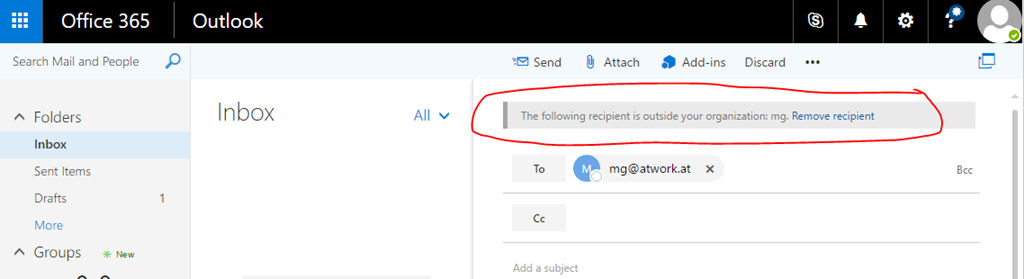
Policy tips in Exchange Online can be used for a lot of things: warnings if a user sends confidential information to someone outside the organization if a proper DLP policy is in place or other useful things. One simple and effective MailTip is available for a while now and helps to raise user awareness in writing e-mails. Nothing special happens, only due to the fact that the MailTip is here the sender probably thinks twice: are all my recipients correct? ...

July 24, 2016 · 1 min · Martina Grom
Adresslisten in Exchange Online aktualisieren

Adresslisten in Exchange Online aktualisieren

Kürzlich bin ich über ein Thema bei der Aktualisierung von Adresslisten in Office 365/Exchange Online gestolpert, und möchte hier darüber berichten. Die Kurzfassung ist, dass existierende Mitglieder in Adresslisten nicht angezeigt werden. Um das nachzuvollziehen, habe ich hier ein kleines Beispiel entwickelt, welches das Thema zeigt. Beim Erzeugen einer Adressliste in Exchange Online werden Filter angegeben, die definieren, welche User in der Liste angezeigt werden sollen. Die Adressliste bleibt somit dynamisch und zeigt alle Benutzer oder Kontakte an, welche den Filterbedingungen entsprechen. ...

June 29, 2016 · 4 min · Martina Grom
Neues in PowerApps

Neues in PowerApps

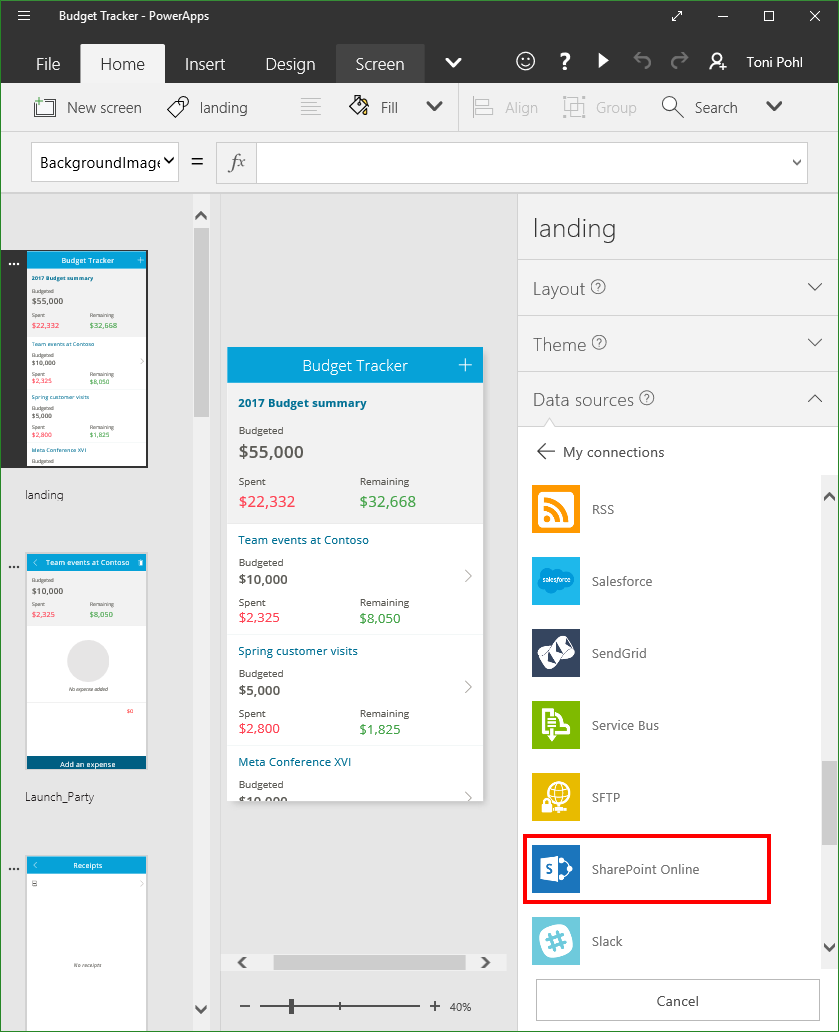
PowerApps ermöglichen Power-Usern rasch und einfach Formulare aus verschiedenen Datenquellen innerhalb des Unternehmens bereitszustellen. Hier gibt es nun eine Neuerungen, mehr dazu hier. Wie in “Turn data into apps” mit PowerApps beschrieben, können mit der PowerApp und den installierten PowerApp Clients (für Windows, iOS und Android) kleine Lösungen ohne Programmieraufwand erzeugt werden. Es gib eine ganze Reihe von möglichen Datenquellen, und natürlich kann man auch selbst eigene OData-Schnittstellen erstellen und verwenden. ...

June 26, 2016 · 2 min · Toni Pohl
How to update members in an Exchange Online address list in Office365

How to update members in an Exchange Online address list in Office365

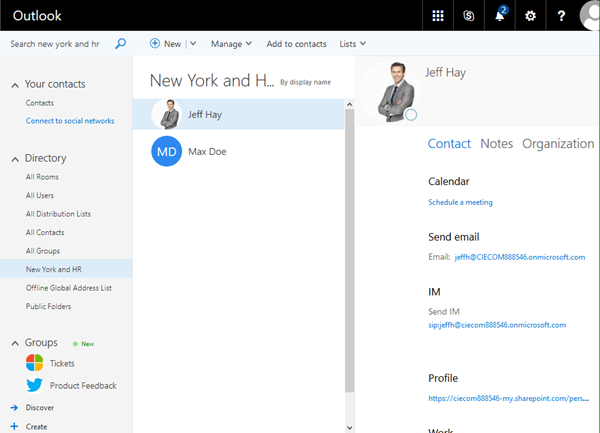
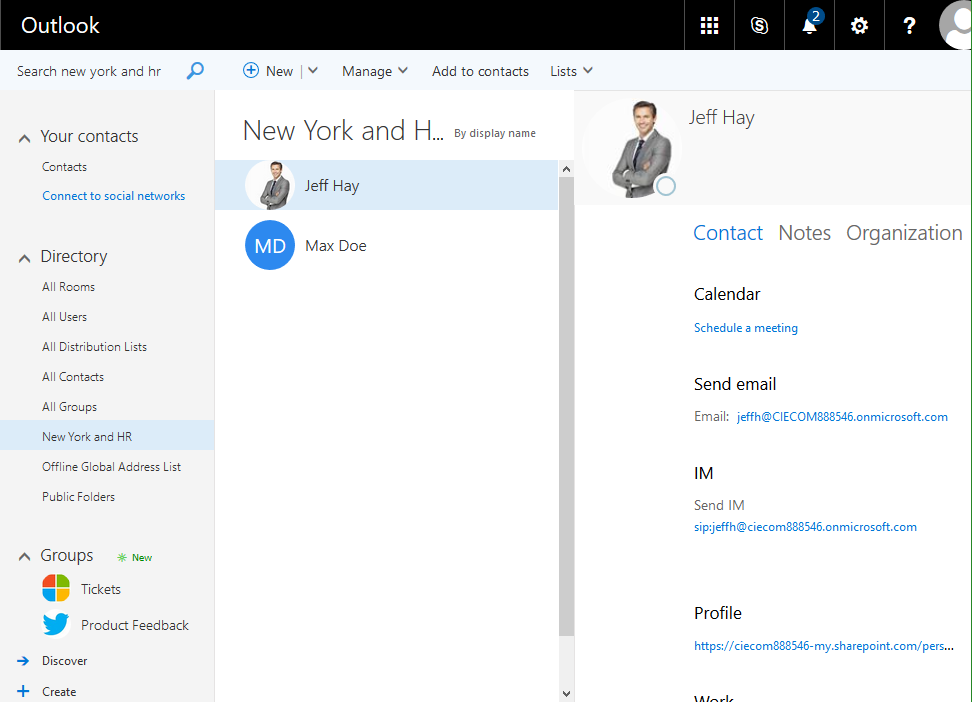
Recently, I stumbled on an issue when working with address lists in Exchange Online (Office 365). Existing Members didn’t show up in the list, although their attributes match with the filter expressions used for the address list… Well the creation of a new address list works as expected with the Exchange Online PowerShell New-AddressList cmdlet. The command can be used as here: New-AddressList –Name 'New York and HR' -RecipientFilter {( (department -eq 'New York') -or (department -eq 'Human Resources') )} So, if an object matches the filter criteria, it shall be member of that address list “New York and HR”. So far, so good. ...

June 19, 2016 · 3 min · Martina Grom
Color your life in PowerShell

Color your life in PowerShell

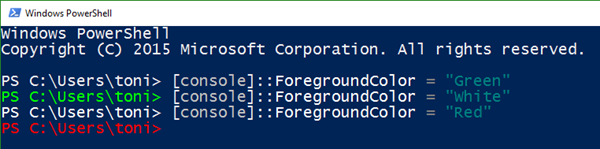
Always wanted to change to color of your PowerShell? Well, the easiest way is this: [console]::ForegroundColor = "Green" …or use it for the output like this: Write-Host "`nThis is red`n" -ForegroundColor Red See much more options here: https://www.petri.com/change-powershell-console-font-and-background-colors https://technet.microsoft.com/en-us/library/ee692799.aspx Let color come to your (Admin) life!

June 13, 2016 · 1 min · Toni Pohl
Turn data into apps mit PowerApps

Turn data into apps mit PowerApps

PowerApps sind ein neues Service, welches Formulare und Workflows auf Computern und mobilen Geräten bereitstellt. Dies beschreibt sinngemäß aber recht nüchtern die Funktionalität des neuen Services – natürlich basierend auf Azure. Sehen wir uns PowerApps einmal an… Zur Geschichte von PowerApps Zuvor möchte ich noch ein paar Worte zur Produkt-Historie anbringen. Microsoft hat das neue PowerApps Tool recht still Ende November 2015 auf der Convergence 2015 EMEA in Barcelona und in einem Blogpost in Introducing Microsoft PowerApps der breiten Öffentlichkeit vorgestellt. ...

May 23, 2016 · 7 min · Toni Pohl