Delegate365 changelog version 3.9-Its all about sync, admin settings and branding

Delegate365 changelog version 3.9-Its all about sync, admin settings and branding

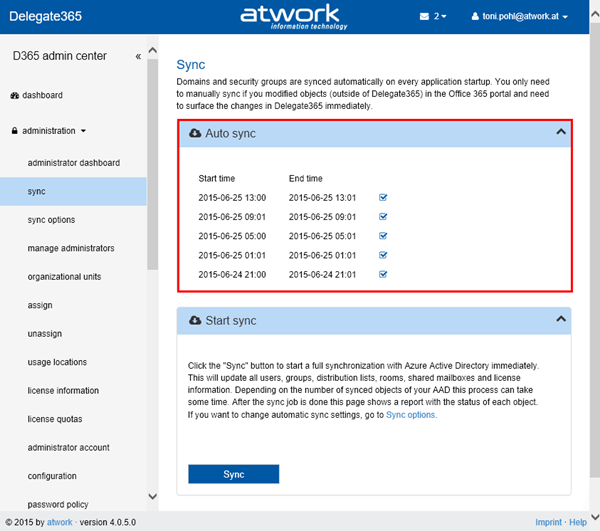
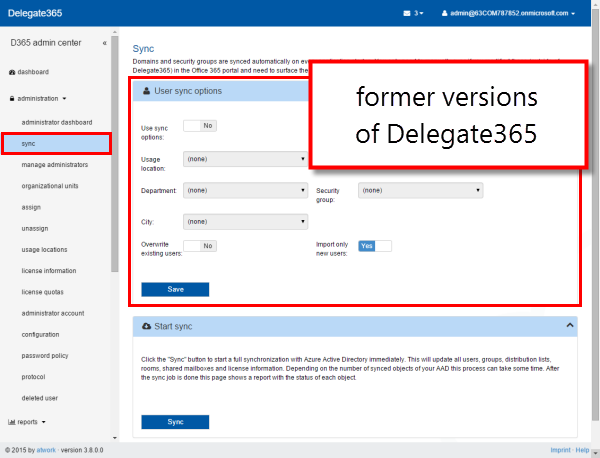
The next version of Delegate365 is here! In Delegate365 version 3.9 we have even more cool features and improvements. The sync processes now offers a bunch of innovations for automatic assignments to Delegate365 OU’s and was unified with the automatic sync function. Another switch was implemented to prohibit Admins access to the user’s mailbox settings as well as the new options for branding Delegate365 with your company logo and themes and some more features. See the details here: ...

June 11, 2015 · 6 min · Toni Pohl
Delegate365 product website improvements

Delegate365 product website improvements

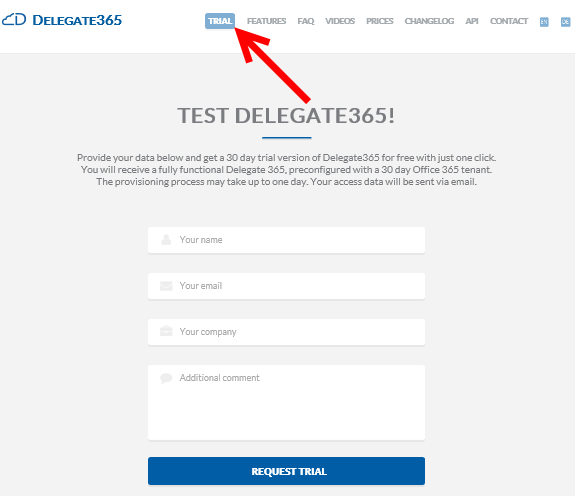
We updated the product website Delegate365.com and implemented some improvements there to support interested parties to inform about Delegate365 and to open a trial. New Trial: We added added a new “Trial” button prominently to the menu to make it very easy to find the trial and to open a new evaluation version of Delegate365. The new form is also directly reachable with the URL https://delegate365.com/trial. In the trial form you just need to fill in your name, organization and company name. There’s also a field for optional additional comments – the same as before. After submitting the data with “Request Trial” we approve the request in the workflow and provision a new D365 tenant for you. This process may take up to one business day. ...

June 8, 2015 · 2 min · Toni Pohl
Delegate365 changelog version 3.8-Password Policies and Reports

Delegate365 changelog version 3.8-Password Policies and Reports

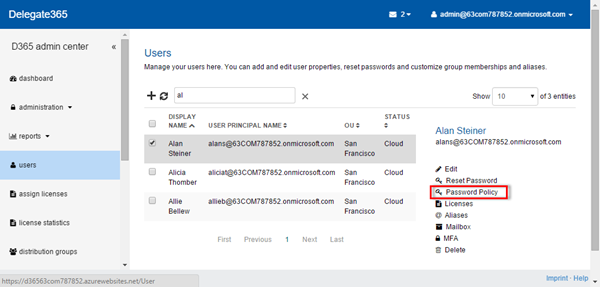
We had a busy May! Delegate’s next version 3.8 brings some more new features. See the details here: User Password Policy: Now Administrators can set a the Password Policy for each user. If at least one user is selected, on the right side panel the new function “Password Policy” is shown, as in the screenshot below. The Task Pane loads the current settings of the selected user and enables the setting “Password never expires” for the Admin. When clicking “Save” the setting will update the password policy for this particular user. ...

May 27, 2015 · 3 min · Toni Pohl
Delegate365 changelog version 3.7-New user interface, Bulk operations and much more

Delegate365 changelog version 3.7-New user interface, Bulk operations and much more

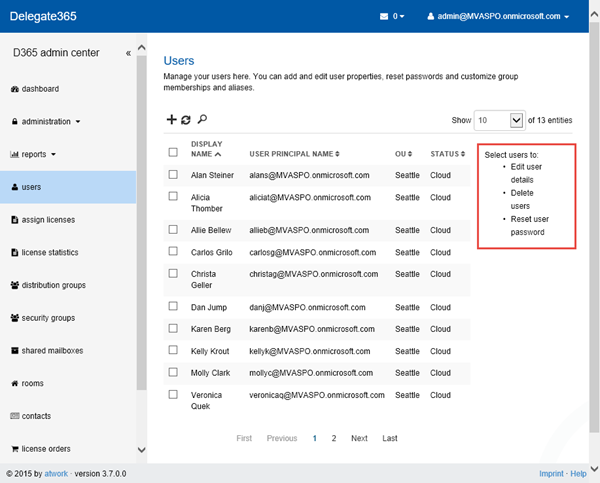
Delegate365 version 3.7 brings a bunch of new features! Again, this version is a major milestone for our Office365 Add-On product. First of all, the management of all lists has been improved. We now use a Side Panel for all options for the selected objects which eases the usage. With that there are new bulk operations available. Some features have been improved and changed as well. See the details here. ...

May 20, 2015 · 6 min · Toni Pohl
Delegate365 changelog version 3.6-United UnAssign

Delegate365 changelog version 3.6-United UnAssign

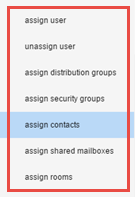
Shortly we launched Delegate365 version 3.6. There were some changes and more features added. In the administration menu the modules for assigning and unassigning have been combined, Administrators now can set their default values for creating users and the support address is now configurable. Administration: Assign: The assign module is used to set the OU for users, groups, contacts, etc. Since we had many single modules for assigning objects to an OU… …we decided to unite them into one new module “assign” which reduces the modules list in the administration menu (see also here). Now there’s the selectable region and the assign-actions below. You can open the corresponding group to select the objects and then choose the OU for the assignment. As before each object in D365 belongs to one OU (see also virtual OU’s for multiple management here - Important security change in group membership selections:). With the new module it’s easy to select (unassigned) users, distribution groups, security groups, contacts, shared mailboxes and rooms to assign them to a specific OU. Once that is done the items show up in the corresponding lists for the scope admins to manage. ...

May 19, 2015 · 3 min · Toni Pohl
Download der Sessions und Präsentationen von BUILD und Ignite

Download der Sessions und Präsentationen von BUILD und Ignite

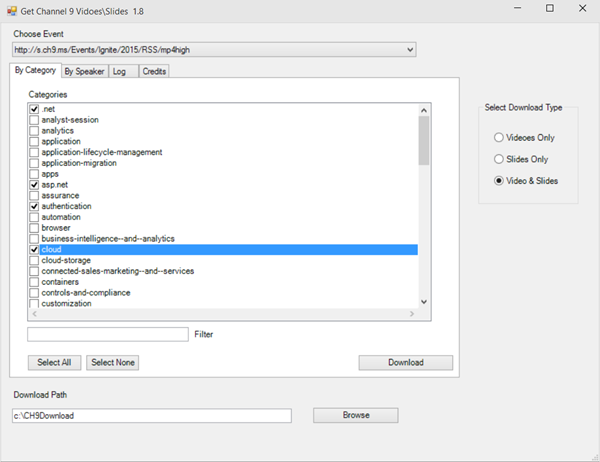
Das Session-Angebot der letzten beiden großen Microsoft Konferenzen BUILD und Ignite ist riesig. Zum Glück bietet Microsoft alle Sessions und Präsentationen online frei verfügbar an! Ganz bequem ist es, einfach bestimmte oder alle Sessions downzuloaden, dann kann man diese auch unterwegs ansehen und sich weiterbilden. Hierzu gibt es bereits mehrere PowerShell Scripts aus der Community. Ganz aktuell ist die Version Channel9 Session Downloader v1.81 adaptiert von Michel de Rooij in der TechNet Gallery. Diese Version bringt sogar ein UI mit, wo man bequem aussuchen kann, was geladen werden soll. Das Ganze sieht so aus: ...

May 17, 2015 · 2 min · Toni Pohl
Download Sessions and Slides of MSIgnite 2015

Download Sessions and Slides of MSIgnite 2015

Want to download all sessions of #MSIgnite 2015 easily? Simply use this PowerShell script fresh from the community in the current version Channel9 Session Downloader v1.81 adapted by Michel de Rooij which is available in TechNet Gallery. This version even opens an UI where you can select what to download: All events and sessions are available in different formats via a RSS-feed, like https://s.ch9.ms/Events/Ignite/2015/RSS/mp4high. The PS script utilizes these data feeds and transfers the files to the specified path on your computer. The download works with BITS. ...

May 13, 2015 · 1 min · Toni Pohl
Delegate365 REMAX testimonial

Delegate365 REMAX testimonial

RE/MAX Europe is using our Delegate365 solution for the delegated Office 365 user and license management of their franchisee partners and their coworkers. See the statement about Delegate365 by Doris Bruneder, Product Manager at RE/MAX Europe Regional Services, here. RE/MAX Europe recommends Delegate365 Many thanks to Doris for the great testimonial! We are delighted that the RE/MAX Europe team appreciates the solution. Find out more information about Delegate365 on the product website delegate365.com.

April 26, 2015 · 1 min · Toni Pohl
Delegate365 changelog version 3.5-major updates

Delegate365 changelog version 3.5-major updates

Delegate365 version 3.5 is another major release. There are many new features like support for resources/rooms, contacts, sync-updates, support for restoring soft deleted users, management of members of all OU’s, mailbox delegation, user’s MFA when creating users, new restrictions for licenses for admins and some more updates. Let’s start with the description of the last changes. Delegate365 version 3.5 comes with the new dashboard we updated in version 3.4. Users / new user: Now it’s possible to set Multi factor Authentication immediately when creating a new user. Simply set the MFA dropdown and save the new user. Info: With MFA the user creation can take some seconds. In previous versions the user needed to be created first and MFA could only be activated later with editing. ...

April 23, 2015 · 6 min · Toni Pohl
Delegate365 changelog version 3.4-MFA and more

Delegate365 changelog version 3.4-MFA and more

Delegate365 version 3.4 (which was pre-announced here) comes with some new features: New dashboard: The start page now shows charts with the admin’s OU’s and how many users within the OU’s are assigned an Office 365 license. Dashboard Performance with large tenants: The new interactive dashboard now shows more overview information. The performance is better too, since it was necessary to move time consuming tasks (like the OU license assignment list) into to the administrator dashboard. The start page of D365 now displays cached information or data that can be read very fast, thus the dashboard performance with large tenants now is much better. ...

April 9, 2015 · 2 min · Toni Pohl