DirSync und Proxy Einstellungen

DirSync und Proxy Einstellungen

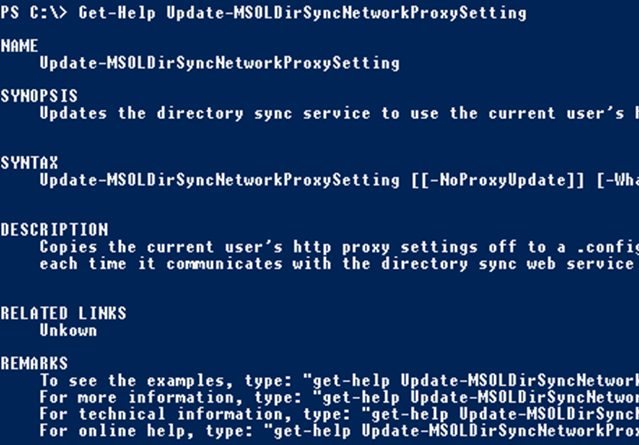
Gerade in großen Umgebungen gibt es neben einigen Firewalls sehr oft natürlich auch HTTP / HTTPS Proxy Server die zur Sicherheit den Verkehr von Clients nach extern überprüfen sollen. Gerade wenn sie Dirsync im Einsatz haben kann das häufig zu Konfigurationsproblemen führen und führt zu einigen Verwirrungen. Das Problem? Ihr Dirsync Server steht im internen LAN und muss aber für die Synchronisation mit dem Azure Active Directory mit dem Internet kommunizieren. Der Firewall Mensch sagt aber “nein - verwendet den Proxy”. ...

August 16, 2014 · 2 min · Christoph Wilfing
Where is my Office 365 tenant located?

Where is my Office 365 tenant located?

Recently I did a lot Tenant to Tenant migrations. There are various reasons for a Tenant to tenant migration: sometimes companies are bought and their Office 365 needs to be consolidated into the tenant of the acquired company. Sometimes the Tenant name just don’t fit and the customer wants a new one. The tenant name is the one in front of onmicrosoft.com, for instance which name is contoso.onmicrosoft.com or fabrikam.onmicrosoft.com. Usually you don’t see that name – with one exception: SharePoint Online, where the tenant name shows up in the navigation bar as contoso.sharepoint.com or fabrikam.sharepoint.com. ...

August 10, 2014 · 2 min · Martina Grom
Multi Factor Authentication  Explained

Multi Factor Authentication Explained

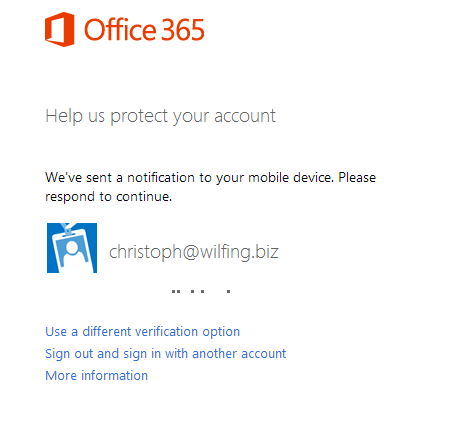
Ich bin heute über ein interessantes Detail gestolpert, wenn es um Multi Factor Authentication (MFA) geht und würde das gerne teilen. Was ist MFA überhaupt? Multi Factor Authentication (kurz MFA) bedeutet im Wesentlichen dass mehrere Faktoren notwendig sind um einen User zu identifizieren. Normalerweise kennt man das: Es gibt einen Usernamen ein Passwort und schon ist man angemeldet. So ist es aber ein leichtes das Geburtsdatum der Tochter oder den Namen des Hundes zu erraten und die Mailadresse des Users kennt man sowieso. Um dem User aber nicht mit 216 stelligen komplexen Passwörter zu belasten ist die einfachere Methode mit einem weiteren Faktor zu arbeiten. ...

July 19, 2014 · 4 min · Christoph Wilfing
Delegate365 changelog version 2.5

Delegate365 changelog version 2.5

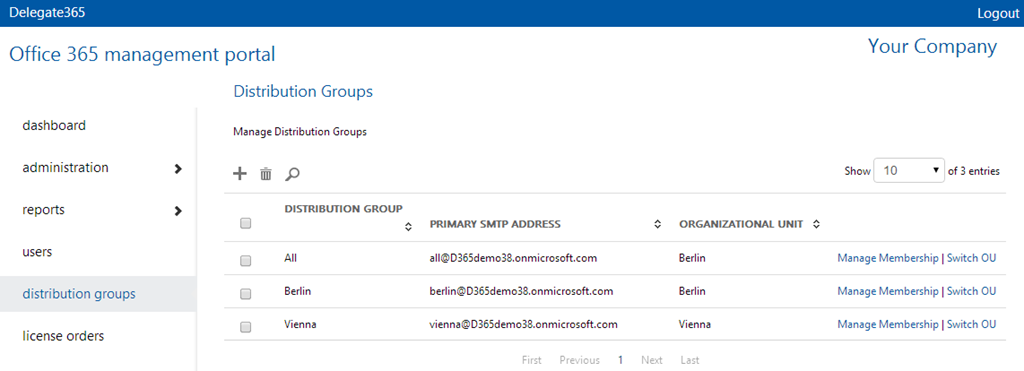
Delegate365 changelog version 2.5. There´s a new feature concerning distribution lists built in. We got the request that it would be useful to integrate existing distribution lists into other distribution lists (DL) in D365, so that all members of a DL automatically receive emails if their DL is member of one or more other DL(´s). So now in D365 v2.5 it is possible to put existing DL´s as member into another DL. This feature is handy and reduces potential synchronization steps and eases the organizational tasks for the admins. ...

July 18, 2014 · 2 min · Toni Pohl
Delegate365 version 2.4

Delegate365 version 2.4

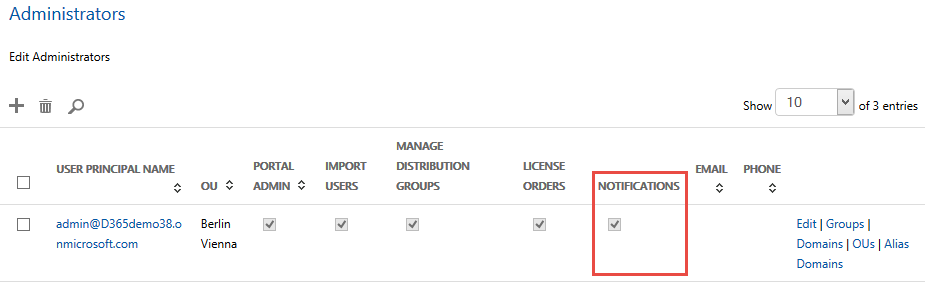
Delegate365 changelog version 2.4. We optimized some changes in the SMS notification service. New feature SMS-notification. Each customer can define if he wants to use SMS notifications in D365 or not. With SMS there are additional costs for the SMS provider. To ensure that a customer is aware of that function we can completely switch the SMS sending on or off. Admins: If yes, admins can define if they want to receive a notification via email and/or SMS: When editing the admin you can define each channel: email and/or SMS. The format of the phone number must be like this sample: ...

July 16, 2014 · 1 min · Toni Pohl
Mailbox zer-syncen  la Cloud!

Mailbox zer-syncen la Cloud!

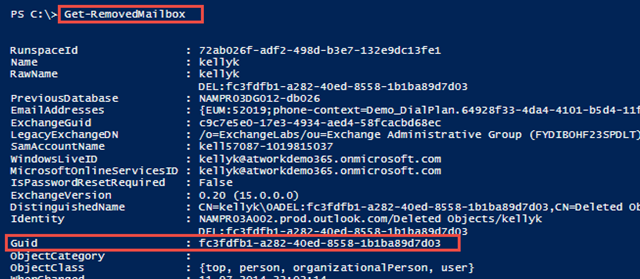
Haben sie sich schon einmal gefragt was passiert, wenn man einen User in der Cloud mit Dirsync “zer-synct”? Also ganz zu Anfang mal, was heißt “zer-synct”? Ich glaub jeder IT-Admin kennt das. Jeder Benutzer hat seine Mailbox, meist mit rund 5 Geräten (Handy, Tablet, Notebook, StandPC,…) die damit syncen und da kanns schon mal vorkommen dass man durch einen kleinen Fehlgriff oder durch den absolut unwahrscheinlich Fall eines Bugs beim Sync doppelt, dreifach oder einfach leere Mailboxen produziert. ...

July 15, 2014 · 4 min · Christoph Wilfing
Viel Lesestoff für den Sommer und danach130 freie eBooks

Viel Lesestoff für den Sommer und danach130 freie eBooks

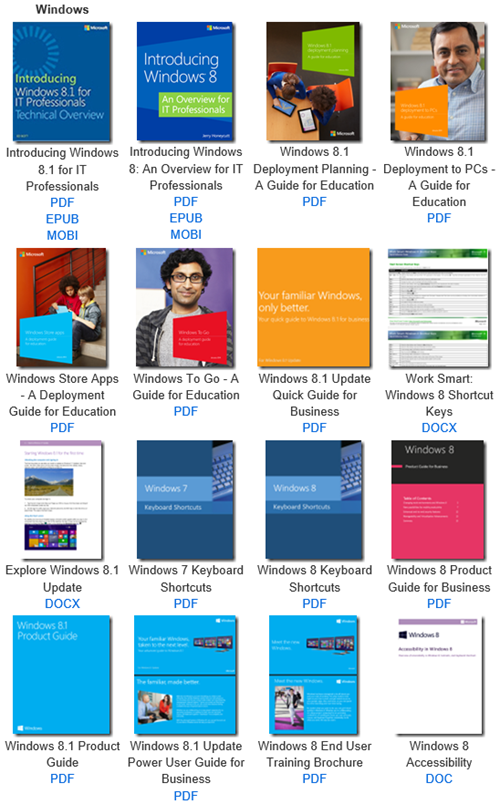
Microsoft stellt mittlerweile mehr als 130 eBooks zu technischen Themen kostenfrei zum Download zur Verfügung. Das Spektrum des Bücher-Angebots ist breit gefächert und reicht von Windows, Windows Server, Office, Dynamics, PowerShell, System Center, Lync, Azure, Programing, Windows Phone, Deployment, SharePoint, SQL Server, Data Mining, ASP.NET bis zu Virtualization und noch vieles mehr. Eric Ligman hat die Liste in seinem MSDN-Blog aktualisiert, hier ist sie: Largest collection of FREE Microsoft eBooks ever, including: Windows 8.1, Windows 8, Windows 7, Office 2013, Office 365, Office 2010, SharePoint 2013, Dynamics CRM, PowerShell, Exchange Server, Lync 2013, System Center, Azure, Cloud, SQL Server, and much more ...

July 11, 2014 · 1 min · Martina Grom
Determine which version of .NET Framework is installed

Determine which version of .NET Framework is installed

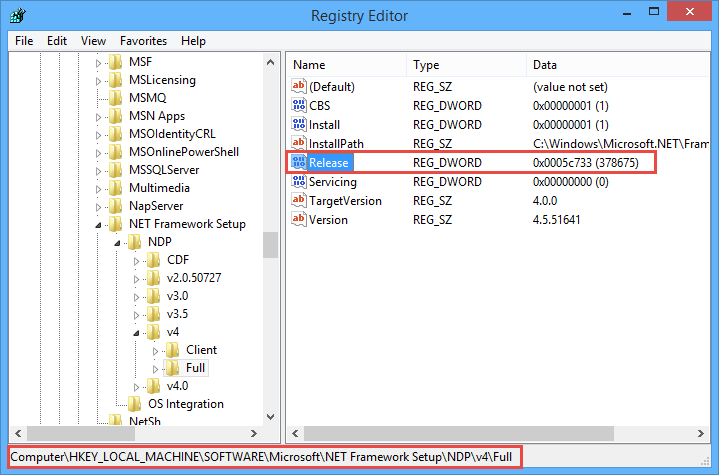
Sometimes it´s good to check if the desired version of the Microsoft .NET Framework is installed on the target machine where you want to run your code, ah, app. Fortunately, this is easy to figure out. See MSDN article How to: Determine Which .NET Framework Versions Are Installed for .NET versions and How to determine which versions and service pack levels of the Microsoft .NET Framework are installed. To check the version open a command prompt, and start ...

July 9, 2014 · 2 min · Toni Pohl

Delegate365 version 2.3

Delegate365 changelog version 2.3. This version is a major release. We made some changes in the time consuming tasks and optimized them. Performance Improvements in all user lists: If an AAD or Office 365 tenant has many thousand users loading the list of all users was time consuming. The reason is that the Microsoft GraphAPI delivers objects in slices (we take about 200 users per call to ensure there are no timeout errors) but has no filter functions we need for separating our domains and OU´s in D365. The result have been some wait time in some cases if many thousand users are existing. So we decided to improve that mechanism and add a cache layer between the AAD and our D365 client. With version 2.3 there´s an extra service added which synchronizes all new, updated and deleted user objects in our own cache. This service runs in the background and takes care of all changes in AAD. The D365 client now uses that cache and has a completely new logic with async calls and organizies the requested data page per page. So – depending on the individual page size – the client at runtime requests only the data page which is rendered. The benefit is that all user list operations like searching and paging are happening instantly in less than one second, regardless of the number of users to be shown. This performance improvement delivers a great user experience even with ten thousands of users in the user list! ...

June 4, 2014 · 2 min · Toni Pohl
Delegate365 version 2.2

Delegate365 version 2.2

Delegate365 changelog version 2.2. This was an internal version only for testing some new features… We rolled out that version on some of our demo clients and did some heavy testing of the performance with many thousand users and tested SMS notifications. We built in some new features which will be integrated in the next official release 2.3.

June 3, 2014 · 1 min · Toni Pohl