Delegate365 version 2.3

Delegate365 changelog version 2.3. This version is a major release. We made some changes in the time consuming tasks and optimized them. Performance Improvements in all user lists: If an AAD or Office 365 tenant has many thousand users loading the list of all users was time consuming. The reason is that the Microsoft GraphAPI delivers objects in slices (we take about 200 users per call to ensure there are no timeout errors) but has no filter functions we need for separating our domains and OU´s in D365. The result have been some wait time in some cases if many thousand users are existing. So we decided to improve that mechanism and add a cache layer between the AAD and our D365 client. With version 2.3 there´s an extra service added which synchronizes all new, updated and deleted user objects in our own cache. This service runs in the background and takes care of all changes in AAD. The D365 client now uses that cache and has a completely new logic with async calls and organizies the requested data page per page. So – depending on the individual page size – the client at runtime requests only the data page which is rendered. The benefit is that all user list operations like searching and paging are happening instantly in less than one second, regardless of the number of users to be shown. This performance improvement delivers a great user experience even with ten thousands of users in the user list! ...

June 4, 2014 · 2 min · Toni Pohl
Delegate365 version 2.2

Delegate365 version 2.2

Delegate365 changelog version 2.2. This was an internal version only for testing some new features… We rolled out that version on some of our demo clients and did some heavy testing of the performance with many thousand users and tested SMS notifications. We built in some new features which will be integrated in the next official release 2.3.

June 3, 2014 · 1 min · Toni Pohl
Delegate365 version 2.1

Delegate365 version 2.1

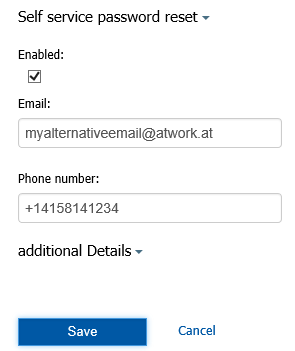
April/May 2014 Added User Self Password Reset (SPR): Now users (not only admins) can login into D365. If the admin had deposited a notification for the specific user (email or SMS), the user can perform a self password reset. When resetting the password the user can decide if he wants to receive the necessary security-code via email or SMS (depending on the settings made by the admins). Then he receives the code and gets a temporary password on the website. With that he can login and now has to change the password to his own, individual password. This function simplifies the administrative effort when users can use this reset on their own. This feature is integrated in D365. *So IT departements have no need to buy Azure premium licenses just for their users to perform self service password reset when using D365! * SMS is a preview function. If used, additional costs for the SMS provider will be added – depending on the location (country) and the amount of SMS messages which is usually about 10 Cent per SMS. ...

May 26, 2014 · 2 min · Toni Pohl
Lizenzkosten sparen mit Shared Mailboxen in Office 365

Lizenzkosten sparen mit Shared Mailboxen in Office 365

Eine tolle Alternative zu Public Foldern sind sogenannte Shared Mailboxen in Office 365. Diese haben bis zu 10 GB Speicher, kosten jedoch keine Lizenz. Durch Berechtigungen können diese automatisch in Outlook eingebunden werden, können E-Mail Nachrichten empfangen und haben auch sonst viele Funktionalitäten eines Mailaccounts. Wenn Sie nun eine bereits vergebene Mailbox in eine shared Mailbox umwandeln wollen, geht das sehr einfach über PowerShell. Zunächst verbinden Sie sich zum Service: $UserCredential = Get-Credential $Session = New-PSSession -ConfigurationName Microsoft.Exchange -ConnectionUri https://outlook.office365.com/powershell-liveid/ -Credential $UserCredential -Authentication Basic –AllowRedirection Import-PSSession $Session Get-MailboxStatistics <Alias> | FL Total* [![image](img_102.png)](img_102.png "image") Set-Mailbox –Identity [Alias] -Type "Shared" -ProhibitSendReceiveQuota 10GB -ProhibitSendQuota 9.75GB -IssueWarningQuota 9.5GB Sobald das gesetzt ist, erscheint nach kurzer Zeit im Portal die Mailbox unter den geteilten Ressourcen. Danach können Sie die Lizenz von dieser Mailbox entfernen.

May 22, 2014 · 1 min · Martina Grom
Say hello to the new Delegate365 website!

Say hello to the new Delegate365 website!

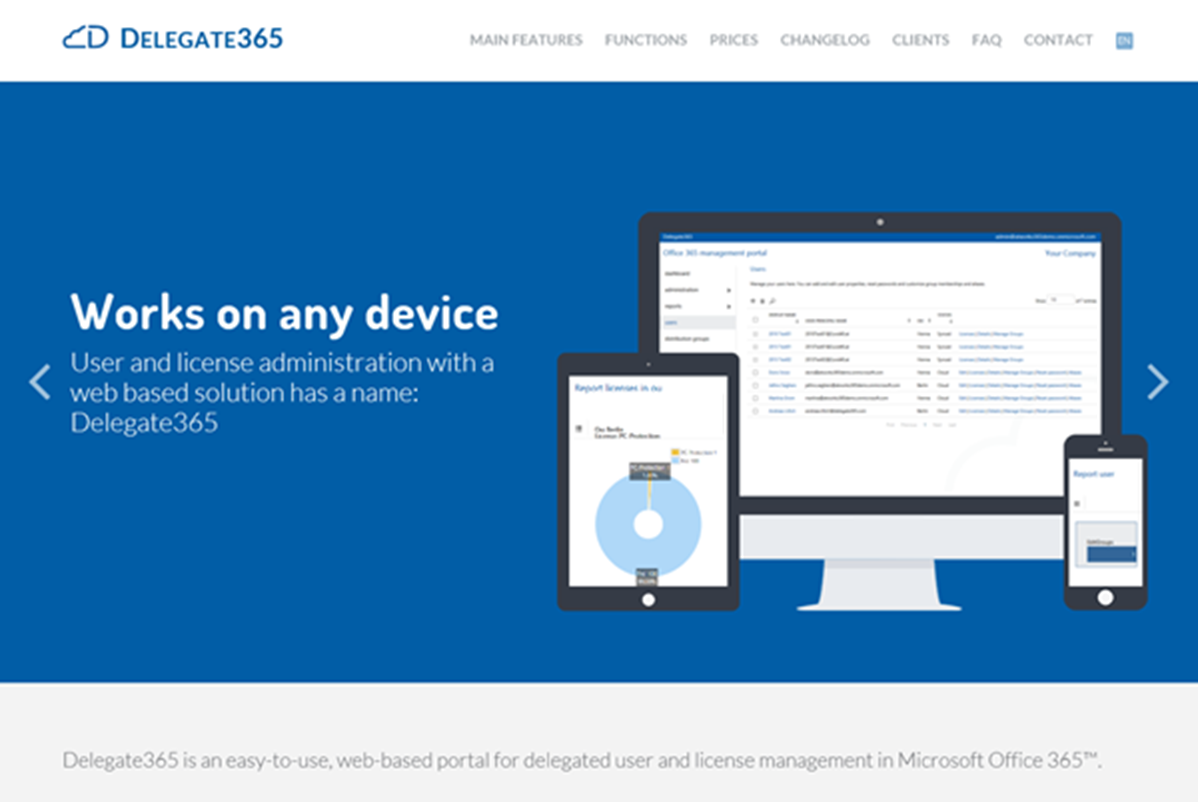
We´re happy to publish our new Delegate365.com website today! Since Delegate365 is a very attractive tool for managing users and licenses in Microsoft Office 365 it also deserves a top modern and fancy product website. So, here it is! Have a look and check it out! The redesign starts with our new logo for Delegate365, from the left it´s the cloud symbol going into a capitalized D followed by the product name. ...

May 22, 2014 · 1 min · Toni Pohl
Free Telerik tools license for Microsoft developers

Free Telerik tools license for Microsoft developers

Right now Microsoft TechEd 2014 is happening in Houston, Texas. Tools-Maker Telerik is also celebrating this event and gives away their best tools for creating Windows Universal Apps for Windows 8 and Windows Phone. Interested Developers open https://www.telerik.com/account/teched.aspx, register (or use your existing telerik account) and claim a license for the Telerik tools. The campaign runs till end of TechEd 2014 (till May 15th), so be quick! When Telerik launches the tools officially, all license holders will be upgraded automatically. ...

May 13, 2014 · 1 min · Toni Pohl
Eine Verteilerliste in Office 365 erstellen, die automatisch alle Mitglieder einer Abteilung enthält

Eine Verteilerliste in Office 365 erstellen, die automatisch alle Mitglieder einer Abteilung enthält

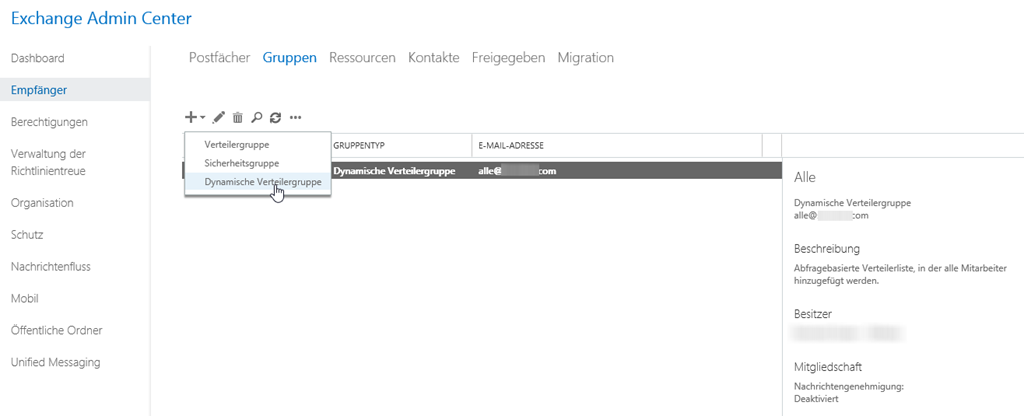
Viele Unternehmen, die von Small Business Server Umgebungen auf Office 365 umstellen, sind es gewohnt, einen Verteiler zu haben, der automatisch an alle Mitglieder des Unternehmens versendet. Aber auch große Unternehmen wollen Verteilerlisten mit bestimmten Kriterien automatisch befüllt haben. Um dies in Exchange Online abzubilden, benötigt man eine Dynamische Verteilerliste. In der Exchange Administrationskonsole kann man dann bequem eintragen, welche Kriterien die Verteilerliste haben soll und natürlich auch, welche Empfänger ausgewählt werden sollen. Hier kann man dann gleich einschränken, ob nur Mitglieder mit Exchange Postfächern, oder mit externen Mailadressen und vieles mehr selektiert werden sollen. Über Regeln können bereits in der GUI Filter gesetzt werden. ...

May 8, 2014 · 2 min · Martina Grom
Automation von Azure-Teil 5

Automation von Azure-Teil 5

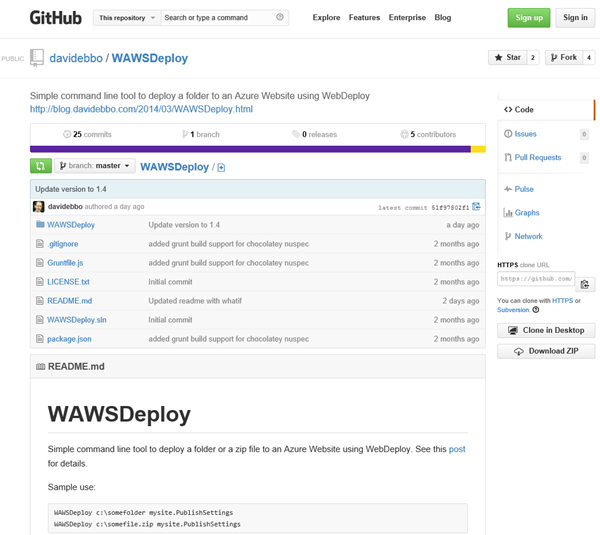
Weiter geht es mit WebDeploy und einem sehr hilfreichen Open Source Tool zum Deploying von Websites nach Microsoft Azure: WAWSDeploy von David Ebbo, der selbst Dev Lead im Team von Windows Azure Web Sites ist. David hat ein kleines Tool geschrieben um Web Deploy (aka msdeploy) stark zu vereinfachen. Simple Azure Web Sites deployment David formuliert den Grund für sein WAWSDeploy-Tool so: “However, in some cases, I just need to deploy a bunch of files from my local machine with minimal fuss, and using git is overkill.” - und er hat völlig Recht. Nur zum Deploying von Websites ist Git Overkill – wenn dann n Versionen von der Website im Azure Git-Repository herumkugeln. Danke an Christoph Wille für den Tipp zum Tool! ...

May 6, 2014 · 2 min · Toni Pohl
Automation von Azure-Teil 3

Automation von Azure-Teil 3

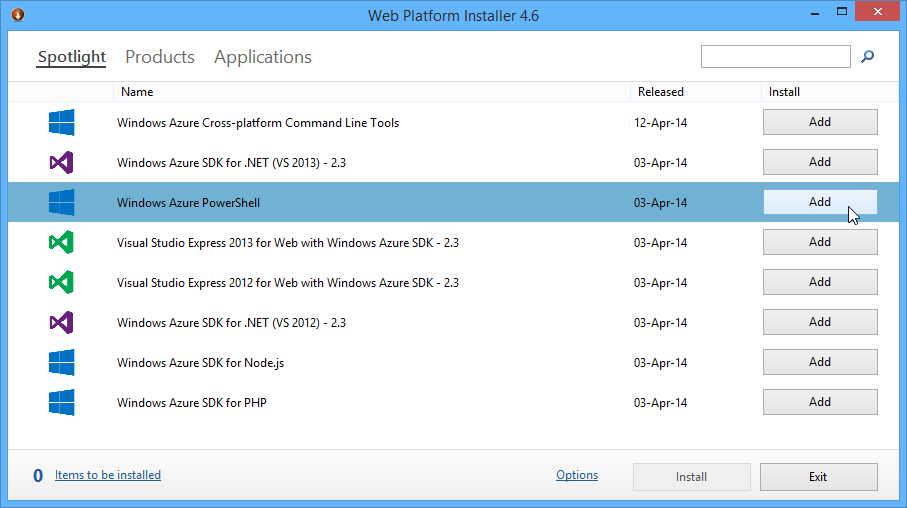
Neben der Automation mit der Azure Management Library und eigenem Code (Teil 1 und 2) kann diese auch mit Windows PowerShell erfolgen. Die PowerShell Cmdlets bauen auf der Azure Management Library (WAML) auf. Hier zeige ich wie Automatisierung mit PS funktioniert. Die Voraussetzungen für Azure PowerShell Mit dem Web Platform Installer wird zuerst die WIndows Azure PowerShell installiert. Dieser erfordert aktuell das Azure SDK 2.3, welches automatisch mit installiert wird. Kurz zur Erinnerung: Damit auch nicht signierte PS-Scripts ausgeführt werden können, ist es erforderlich die Azure PowerShell einmalig als Administrator aufzurufen und ...

April 27, 2014 · 3 min · Toni Pohl
Web-Developer jQuery Rain MultiScreen.js PlugIn

Web-Developer jQuery Rain MultiScreen.js PlugIn

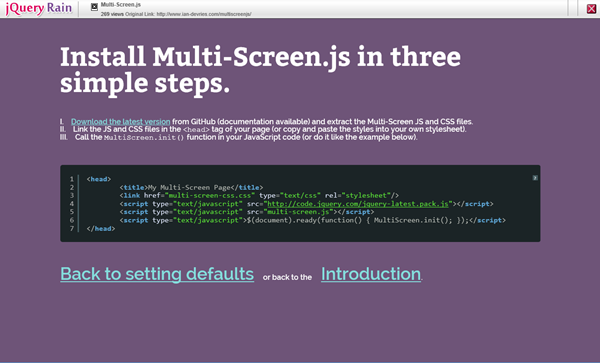
Nach Ostern gibts was Buntes für Web-Developer: jQuery Rain MultiScreen.js. Das ist ein kleines, schlankes jQuery PlugIn, das eine Single Webpage effektvoll und einfach mit Animationen in mehrere Seiten aufteilt und präsentiert. Auf GitHub kann die letzte Version von Multi-Screen.js von Autor Ian de Vries downgeloadet werden. Mit Multi-Screen.js können Animationen und Timing zwischen den einzelnen Screens eingestellt werden, das Demo zeigt einige mögliche Animationen. jQuery Rain MultiScreen.js ist einfach in der Verwendung und eignet sich u.a. gut für kleine Websites (Single Page Apps), Anleitungen und Wizards oder auch einfach nur zum animierten Umschalten zwischen Bereichen (<div>-Objekten). ...

April 24, 2014 · 2 min · Toni Pohl