Delegate365 changelog 9.2.4-Service health, guests, and teams templates

Delegate365 changelog 9.2.4-Service health, guests, and teams templates

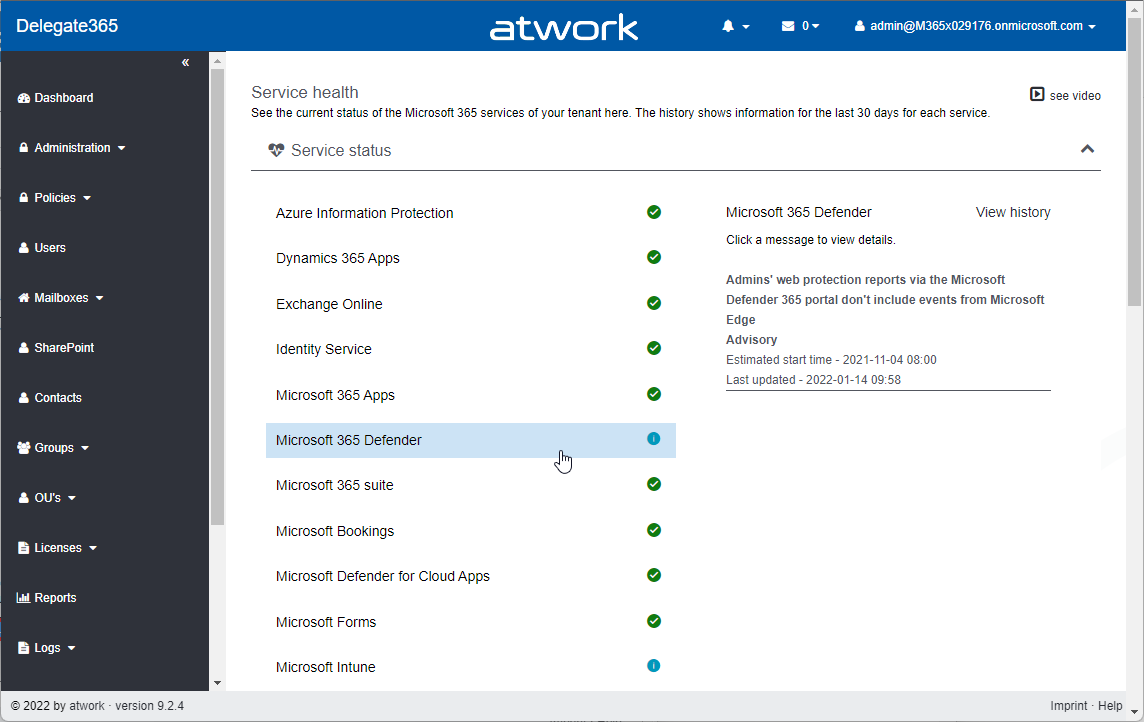
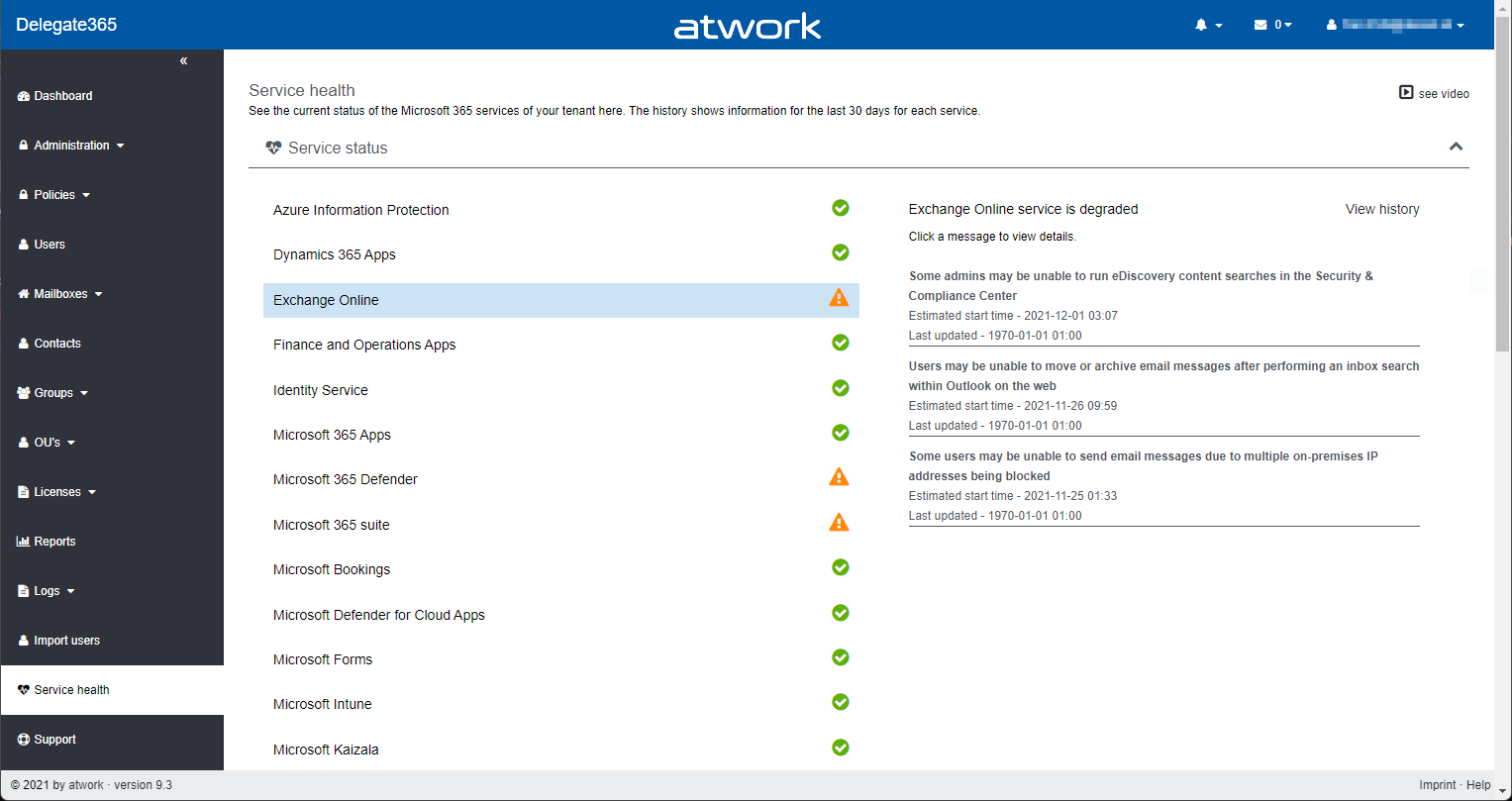
Delegate365 v9.2.4 is the latest update that brings new service health, guest user information, teams templates and other improvements. See the details here. Important: To upgrade to this version, Delegate365 setup must be run. We will inform all customers to make an appointment for the setup. This is required because the Delegate365 app needs additional permissions to read the service health (see below). Follow the steps at Delegate365-(Re)run the setup. The dashboard service health: As described at Delegate365 changelog 9.3-Service health, the old Microsoft Service Communications API has been retired by Microsoft. Therefore, the service health components in Delegate365 had to be changed. After the setup, the dashboard shows the service health properly again. The new service health shows more detailed information. Each service can be opened by clicking on it. ...

January 19, 2022 · 3 min · Toni Pohl
Delegate365 changelog 9.2.4-Teams templates

Delegate365 changelog 9.2.4-Teams templates

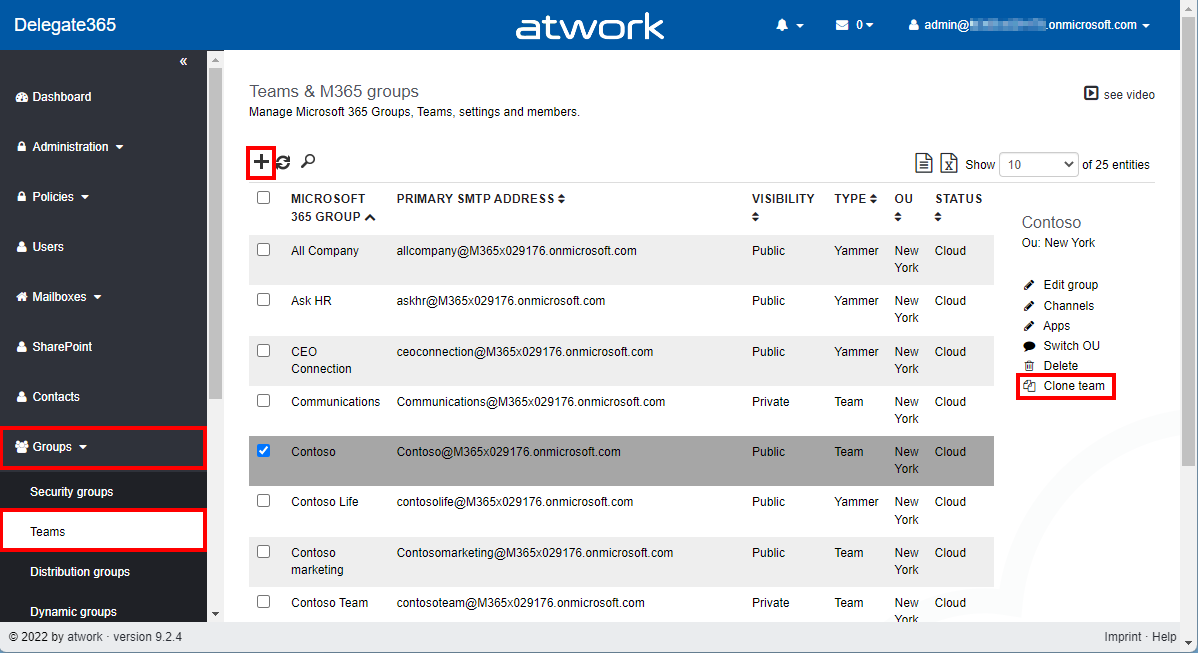
In Delegate365, a new Microsoft Team can be deployed using a teams template. Teams can also be cloned. Details can be found here. Menu Teams: A Microsoft Team is built on a Microsoft 365 Group. The Teams module can be found in the Groups / Teams menu. The following screenshot shows the new and adjusted functions. Create a new team with a teams template: As usual, click on the plus icon in the top left of the list. In the groups pane, enter the new team name and properties. By default, the Create a Team switch is set to Yes. Below that, there is a new dropdown control Template that allows to specify which teams template shall be applied to the new team. When done, click Save at the bottom of the panel. Usually the new team is ready after a few seconds to a minute. ...

January 18, 2022 · 4 min · Toni Pohl
Export email messages from Exchange Online to a CSV file with Graph PowerShell

Export email messages from Exchange Online to a CSV file with Graph PowerShell

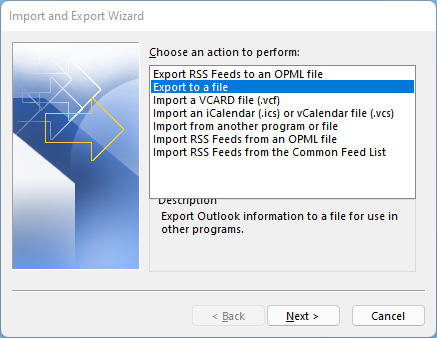
I had to export email messages from a specific folder in my Outlook mailbox to a CSV file for further processing. Nothing special, just a quick export. I noticed that Outlook allows messages to be exported, but the date of the message is missing in the export file! Really? So here is a workaround to quickly export email messages using Graph PowerShell. Why PowerShell Of course there are many ways to export emails. Unfortunately, the Outlook method is unsatisfactory. When opening the File menu in Outlook for the desktop, there is an “Open & Export” menu which has an Import/Export function. Well, the wizard allows to export messages to a CSV or to a PST file. ...

December 28, 2021 · 4 min · Toni Pohl
Delegate365 changelog 9.3-Service health

Delegate365 changelog 9.3-Service health

Microsoft announced the retirement of the Microsoft Service Communications API (Msg MC299902). Therefore, we changed the service health components in Delegate365 to use the successor API functions with immediate effect and to get more data. A new setup of Delegate365 is required. See the details here. The Service health module in Delegate365 shows, what´s happening in a specific Microsoft 365 tenant at a glance to all authorized users. Contrary to the required authorizations in M365, this is not necessary in Delegate365. All admins can view the service health and the message center posts. ...

December 8, 2021 · 2 min · Toni Pohl
Delegate365-Empty Reports

Delegate365-Empty Reports

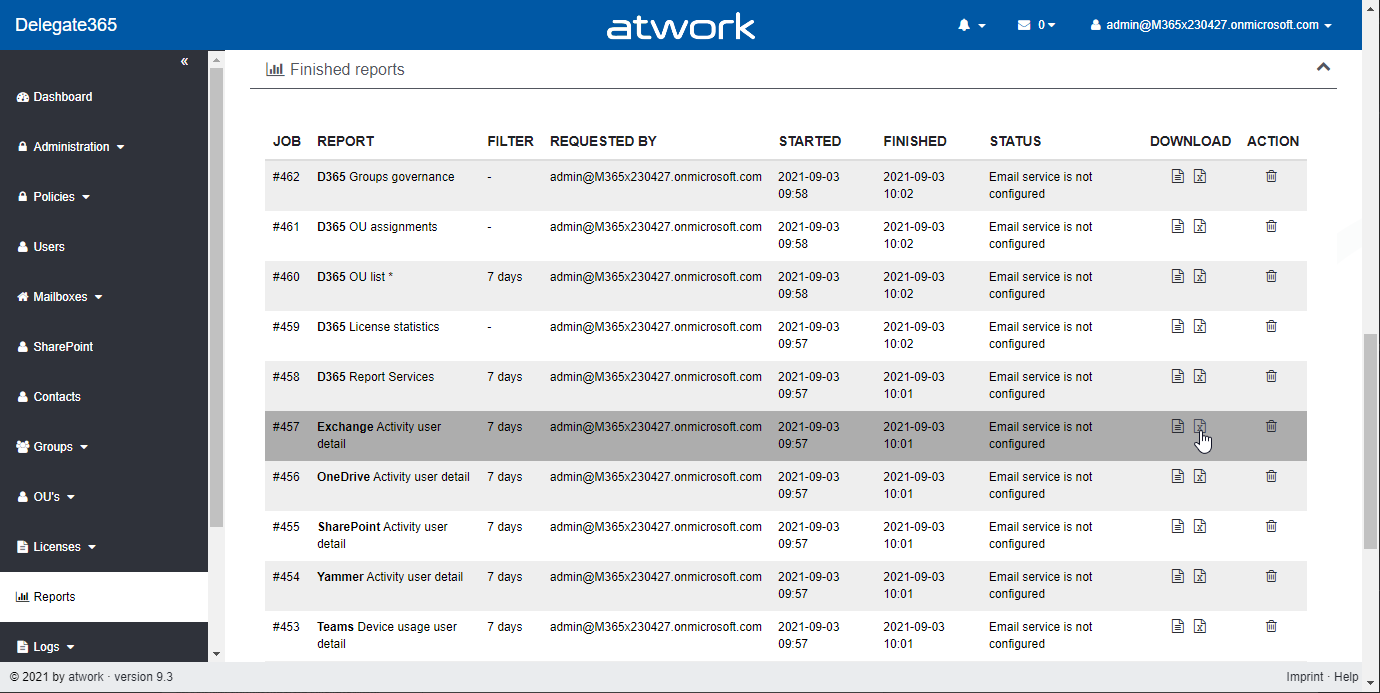
In some tenants, sometimes reports appear blank. This can happen when reports are obfuscated in the Microsoft 365 admin center. See more here. Reports can be scheduled and downloaded in the Reports menu. When the report generation is completed, they show up in the list, as here. When the report is open and “no data available” is displayed (although you see users and groups in the Delegate365 pages)… ...

September 8, 2021 · 2 min · Toni Pohl
Suchoptionen in der Microsoft 365 Welt

Suchoptionen in der Microsoft 365 Welt

“Wo ist die aktuelle Marktanalyse?”, “Wo hast du die Präsentation rund um Microsoft 365 abgelegt?” – wer kennt diese Fragen nicht? Eine der größten Zeitfallen ist die Suche nach Inhalten, Kontakten und Unterhaltungen. Wenn jedoch alle wichtigen Informationen – wie in Microsoft 365 – sofort und anwendungsübergreifend abrufbar sind, kann jede und jeder Einzelne effizienter arbeiten. Daher bietet Microsoft verschiedene Suchoptionen an, die wir in diesem Artikel erörtern. ...

August 17, 2021 · 5 min · Mercedes Orasch
Organisiere deine tägliche Arbeit auf deine Weise mit der Outlook Kalender Board Ansicht für Outlook Web

Organisiere deine tägliche Arbeit auf deine Weise mit der Outlook Kalender Board Ansicht für Outlook Web

Damit ihr eure Aufgaben und Ereignisse noch besser verwalten könnt, gibt es eine neue Ansicht für Outlook – die Board Ansicht. Die Board Ansicht ist wie eine unendlich große Leinwand, auf der du Inhalte, wie Kalender, Aufgaben, Ziele, Links, Notizen und Dateien zusammenführen und strukturieren kannst. In diesem Artikel zeigen wir dir, jede einzelne Option, die du zu deinem Board hinzufügen und was du damit machen kannst. Dein Weg zur Outlook Kalender Board Ansicht Da der Outlook Kalender ein Teil von Outlook Web ist, kannst du du über outlook.office.com darauf zugreifen. Tipp: versehe die URL outlook.office.com/calendar/view/board mit einem Lesezeichen, um sofort auf das Board zugreifen zu können. ...

July 30, 2021 · 5 min · Mercedes Orasch
Delegate365 changelog 9.2.3-Add users to groups

Delegate365 changelog 9.2.3-Add users to groups

Delegate365 v9.2.3 brings a fix for the Message Trace function and offers a mechanism to add multiple users to one or more groups directly from the user list. See it here. Bulk add users to groups: In the users list, select more than one user. The menu on the right then shows the new option “Add users to group”. In this sample, 3 users are selected: Debra, Pradeep and Lee. The panel “Add users to group” opens and allows to select multiple groups of all types: Security groups, Distribution Groups, and Microsoft 365 Groups. The admin can search for the groups and add them to the Groups picker. By clicking on the Save button, a confirmation popup appears. When clicking Ok, the selected users will be added as members to these groups. A quick toast message shows the result in the bottom right corner. If the user already was a member of a group, this is ignored. ...

July 26, 2021 · 2 min · Toni Pohl
Message Trace in Delegate365

Message Trace in Delegate365

When you run a message trace operation to get status information about specific emails, the result can vary, depending on time zone settings. See a sample here. Show messages in the mail client In this sample, we work with an email sent from azure-noreply@microsoft.com. In Outlook we see the timestamp at Mon 7/5/2021 7:08 PM (2021-07-05 19:08). Message Trace in Delegate365 In Delegate365, admins can run a message trace to get information about the delivery status. When we run the message trace with the filter Startdate 2021-07-05 to Enddate 2021-07-05 - just this one day - and that user as recipient… ...

July 9, 2021 · 4 min · Toni Pohl
PowerPoint Live in Microsoft Teams mit Laserpointer und Textmarker nutzen

PowerPoint Live in Microsoft Teams mit Laserpointer und Textmarker nutzen

Microsoft Teams hat wieder eine neue Funktion veröffentlicht, die wir gleich getestet haben: Laserpointer und Textmarker-Funktion in PowerPoint Live für Microsoft Teams. Um es kurz zu machen, bedeutet es, dass man mit dem Laserpointer auf PowerPoint Folien zeigen kann, sowie diese mit Tinte und Textmarker (in verschiedenen Farben & Stärken) beschriften kann, um wichtige Inhalte hervorzuheben. Daneben kann man auch den Radierer verwenden, um den Textmarker oder Stift wieder zu entfernen. ...

July 2, 2021 · 3 min · Mercedes Orasch