When to use what Azure monitoring service

When to use what Azure monitoring service

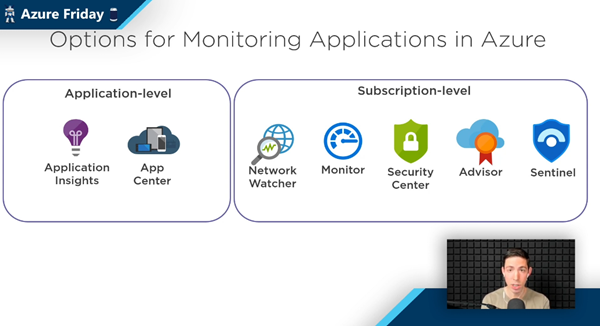
The well-known Scott Hanselman has been producing the recurring Azure Friday series for a long time. Last Friday, Scott interviewed Azure Barry (Barry Luijbregts) about “What to use for monitoring your applications in Azure”. Barry did a great overview about the main monitoring services. See the recording and a kind of summary transcript here. Azure provides a bunch of services for monitoring purposes. So, when you you use what service? To answer that, see the video at What to use for monitoring your applications in Azure | Azure Friday. ...

March 7, 2021 · 4 min · Martina Grom
Join us at the Global Microsoft 365 Developer Bootcamp - Austria

Join us at the Global Microsoft 365 Developer Bootcamp - Austria

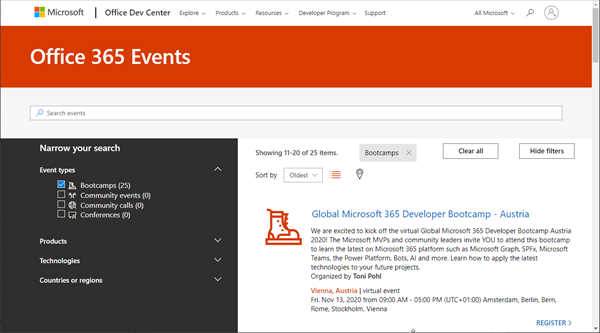
Global Microsoft 365 Developer Bootcamp is back! This year the event will take place virtually from more than 100 cities worldwide. Join us at our Microsoft 365 Developer Bootcamp - Austria on November, 13th, 2020! The Global Microsoft 365 Developer Bootcamp is here for the 4th year straight. Check out Microsoft 365 Events Bootcamps and join us at our bootcamp in Austria using Microsoft Teams. Register now! We are excited to kick off the virtual Global Microsoft 365 Developer Bootcamp Austria 2020! The Microsoft MVPs and community leaders invite YOU to attend this bootcamp to learn the latest on Microsoft 365 platform such as Microsoft Graph, SPFx, Microsoft Teams, the Power Platform, Bots, AI and more. Learn how to apply the latest technologies to your future projects. ...

August 18, 2020 · 1 min · Toni Pohl
Join us at the Global Microsoft 365 Developer Bootcamp in Vienna!

Join us at the Global Microsoft 365 Developer Bootcamp in Vienna!

We are excited to kick off the Global Microsoft 365 Developer Bootcamp in Vienna, Austria, on November 27, 2019! The Microsoft MVPs and community leaders invite YOU to attend this cost free developer bootcamp to learn the latest on Microsoft 365 platform such as Microsoft Graph, SharePoint Framework, Microsoft Teams, Bots, Actionable Messages and more. Learn how to apply the latest technologies to your future projects! The Global Microsoft 365 Developer Bootcamp takes place at the Microsoft Office in Vienna: ...

October 5, 2019 · 1 min · Toni Pohl
Insider Dev Tour 2019 Vienna

Insider Dev Tour 2019 Vienna

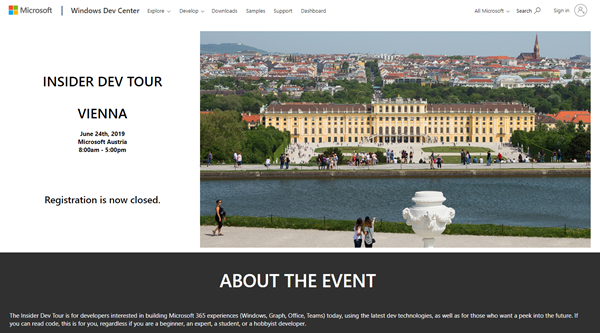
Yesterday, the Insider Dev Tour 2019 took place in our home town Vienna, organized from the community for the community. About 60 attendees joined us at this beautiful summer day in the Microsoft Office in Vienna. See some snapshots from the #InsiderDevTour event in our Sway here. Many thanks to the team and to Gerwald Oberleitner, Martina Grom, Thomy Gölles, Christoph Wille, Stefan Bauer, Martin A. Ullrich, Shehata Haroun, Andi Pollak, Christian Nagel and Christian Waha, Bernadette Welly and Georg Binder! Our special thanks to Gerwald Oberleitner from Microsoft for delivering the keynote and to our colleague Martin A. Ullrich for the organization support and for jumping in into the 2nd session! ...

June 25, 2019 · 1 min · Toni Pohl
Convert a Markdown document to PDF easily

Convert a Markdown document to PDF easily

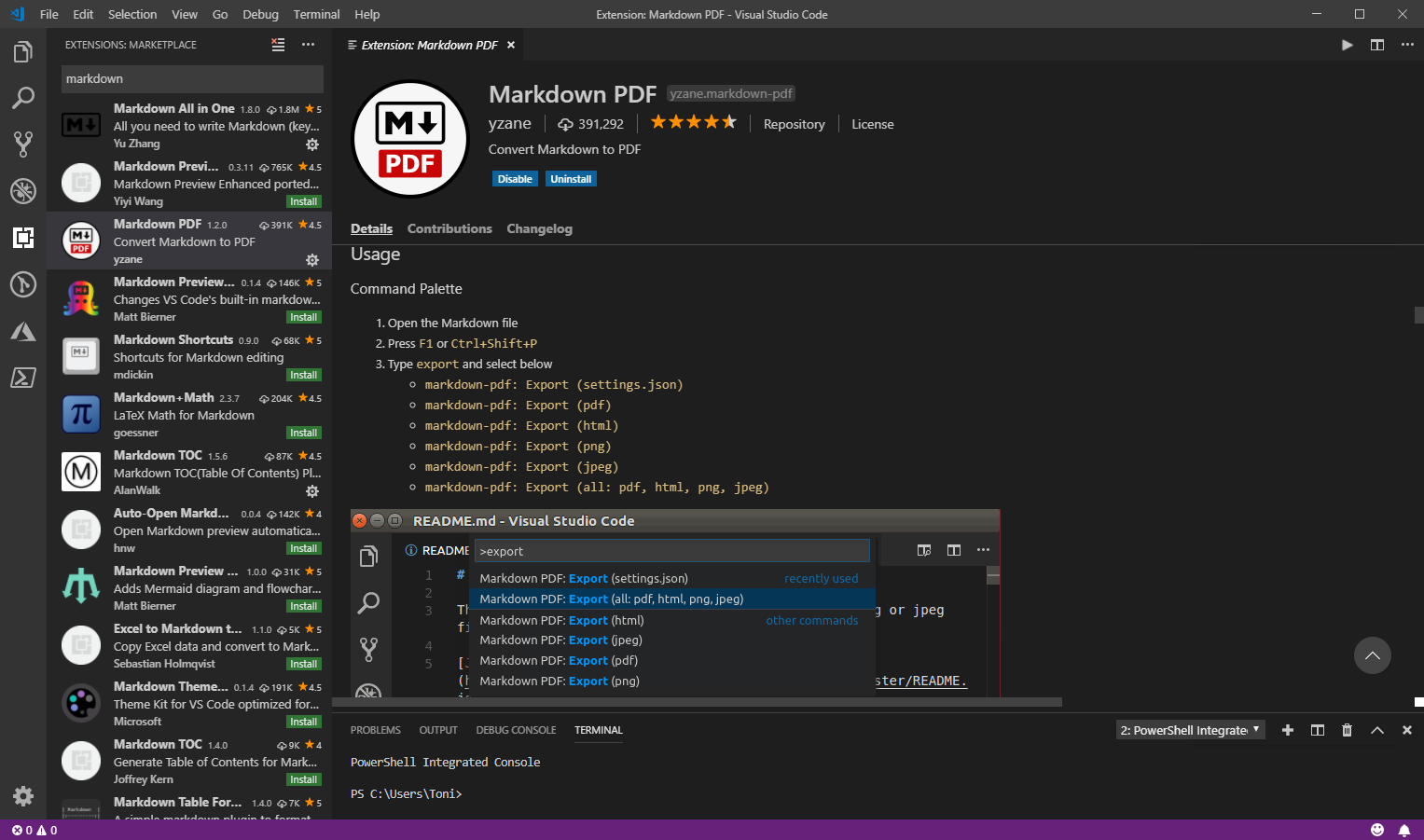
I am a big fan of the lightweight and super useful Visual Studio Code editor. Recently, I discovered another cool extension for creating PDF, HTML, PNG, and JPEG files from a Markdown document. Simply install the Markdown PDF extension by yzane.markdown-pdf. This cool extension exports a .md file to a PDF file as shown here. You can even with configure AutoSave by adding the "markdown-pdf.convertOnSave": true option to* settings.json* and restart Visual Studio Code. Then, when saving, the file gets converted automatically. That’s useful especially for documentation. Also, there are much more extensions to discover… ...

January 3, 2019 · 1 min · Toni Pohl
Working with the Azure Logic Apps Tools for Visual Studio

Working with the Azure Logic Apps Tools for Visual Studio

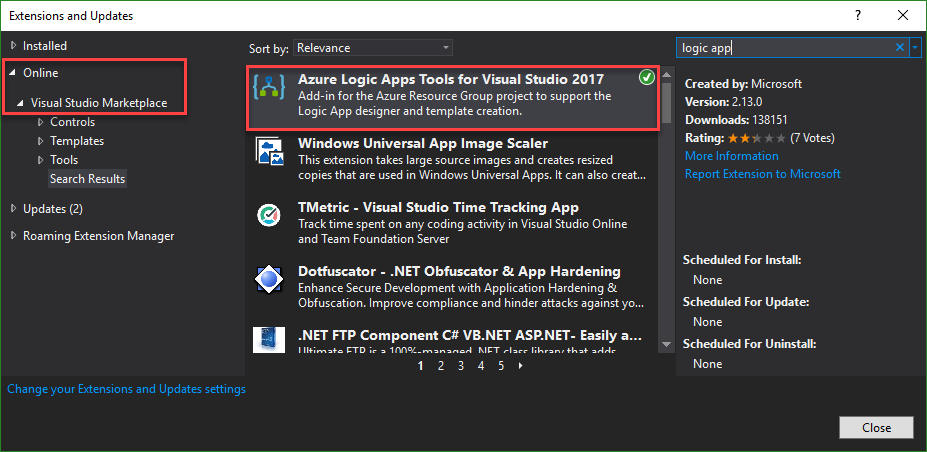
I like Azure LogicApps, they are really useful and easy to “develop” (see the latest features here). To use Visual Studio as designer environment, you can integrate the Azure Logic Apps Tools for Visual Studio easily. See how to work with that extension here. The fastest way is to install the Azure Logic Apps Tools in the menu Tools / Extensions and Updates… Search for “logic app” and install this extension. ...

August 19, 2018 · 2 min · Toni Pohl
This was Insider Dev Tour Vienna

This was Insider Dev Tour Vienna

Yesterday, on June 20th, the Insider Dev Tour (see insiderdevtour.com) took place in our home town Vienna. It’s a roadshow for software developers in the Microsoft universe delivering the latest news about Windows, Azure, Office, Graph, AI technology and more. I enjoyed being part of the event along with my fellow MVP colleagues and the Windows Development community. The content was more or less pre-defined and included demos and code-focused overviews of the new developer technologies coming out of Redmond. The topics included building native Win32/XAML apps and Progressive Web Apps, how to connect with new ecosystems using the Microsoft Graph and Windows Timeline (my session), how to add AI (Artificial Intelligence) into your projects, and how to bring your experiences into the next dimension through Mixed Reality and more. ...

June 21, 2018 · 3 min · Toni Pohl
Use Visual Studio Code and the REST Client extension for testing HTTP Requests

Use Visual Studio Code and the REST Client extension for testing HTTP Requests

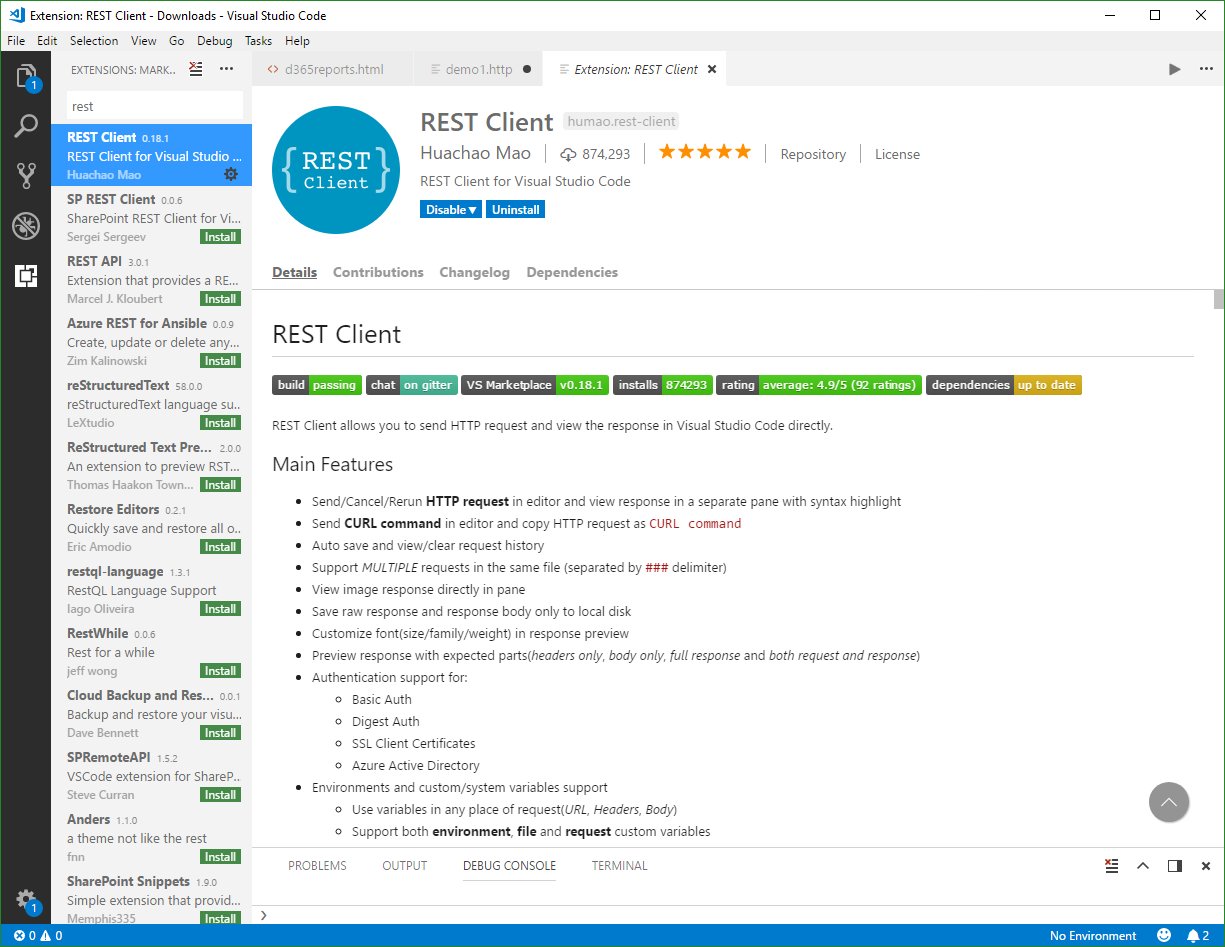
Are you using tools as Telerik Fiddler or Postman for testing HTTP Requests? Well, if you are already working with Visual Studio Code, try out the cool REST Client extension! My colleague Christoph showed me this cool extension for executing HTTP requests directly from VS Code quickly. Simply install the REST Client extension: Press F1, type ext install then search for rest-client as shown in the following screenshot. (Check out the useful Run Code from Visual Studio Code extension as well…) ...

April 15, 2018 · 2 min · Toni Pohl
Use Visual Studio Code and the Code Runner extension

Use Visual Studio Code and the Code Runner extension

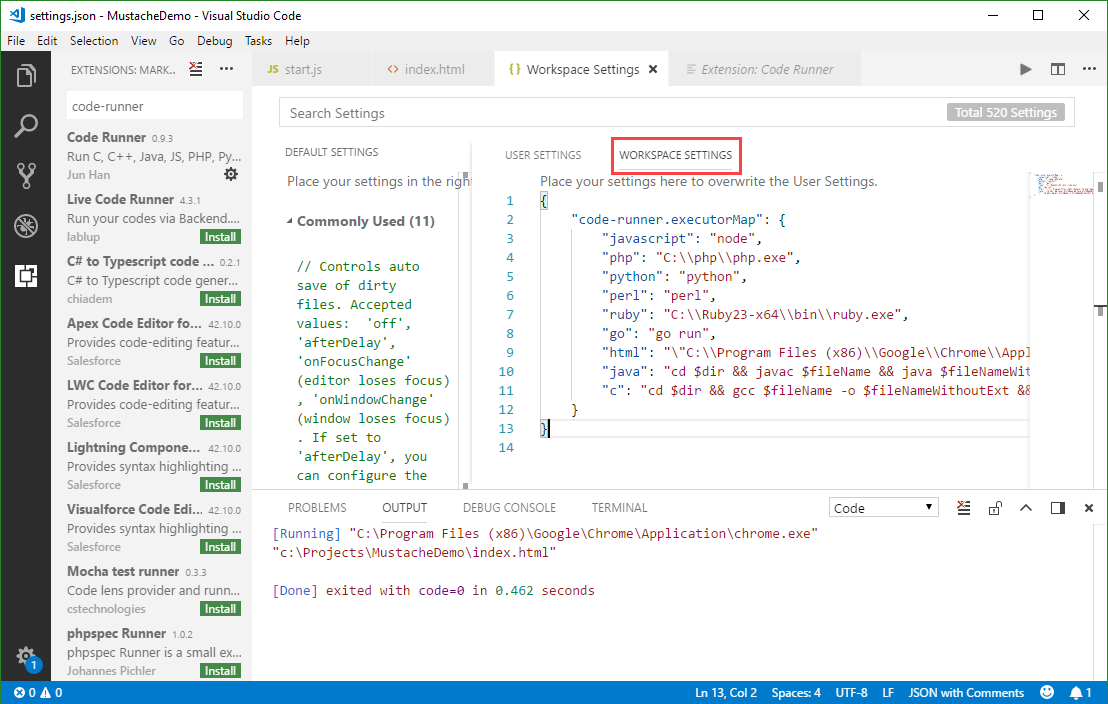
Visual Studio Code (currently, Version 1.22 is available) is a very cool developer tool providing a modern and fast code editor with a bunch of extensions. With extensions as Code-Runner, it’s easy to run a code file or active text directly from the VS Code text editor. Check out this quick description how to configure and use Code Runner. If you are new to VS Code, at a glance: To install the latest version of VS Code, get the download for Windows, Linux or macOS. To run a command, launch the Command Palette with F1 or Ctrl + Shift + P, run Quick Open by pressing Ctrl + P, etc. See all keyboard shortcuts at Windows, macOS and Linux. ...

April 8, 2018 · 3 min · Toni Pohl
Download the free Azure Serverless Computing Cookbook

Download the free Azure Serverless Computing Cookbook

Serverless Computing is popular. With Microsoft Azure, IT people can concentrate on their tasks and apps without taking care of managing any server infrastructure. One of the key Platform-as-a-Service (PaaS) components from Microsoft is the new, extensive Azure Functions service. Learn how to use Azure Functions with the cost-free Azure Serverless Computing Cookbook! The “Azure Serverless Computing Cookbook” book was written by Praveen Kumar Sreeram and reviewed by our colleague Florian Klaffenbach, published by Packt Publishing Ltd. last fall. You can download the free ebook in the Azure Resource Center at Azure Serverless Computing Cookbook. ...

February 3, 2018 · 1 min · Martina Grom