Visual Studio Extension for SharePoint Framework

Visual Studio Extension for SharePoint Framework

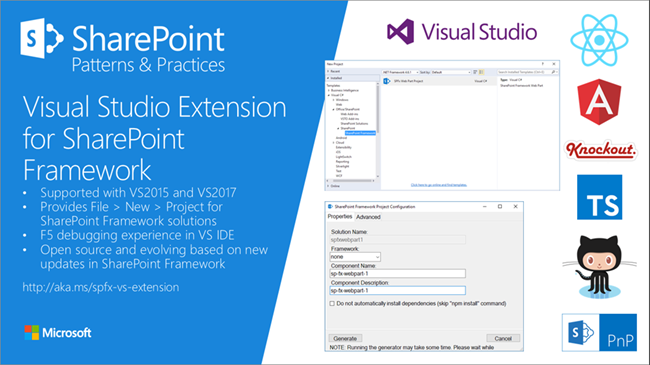
Developers who are not familiar with the new tooling for creating SPFx apps now get support by the new Visual Studio Extension for SharePoint Framework, available in the Visual Studio marketplace. Check it out at https://marketplace.visualstudio.com/items?itemName=SharePointPnP.SPFxProjectTemplate The description describes the functionality as “The Visual Studio Extension for SharePoint Framework wraps the command-line UI of the Microsoft Yeoman Generator (yo @microsoft/sharepoint) into a familiar Windows Forms experience, executes the generator project scaffolding behind the scenes and creates a Visual Studio project that includes all the necessary files for a complete web part project. Also included is a web part item template for adding new web parts to an existing Framework project. Developers can launch the Workbench local sandbox environment to test their web parts by pressing F5 or by binding to the Gulp Serve event in the Task Runner Explorer.” ...
November 4, 2017 · 1 min · Toni Pohl
Azure Functions for Visual Studio Code

Azure Functions for Visual Studio Code

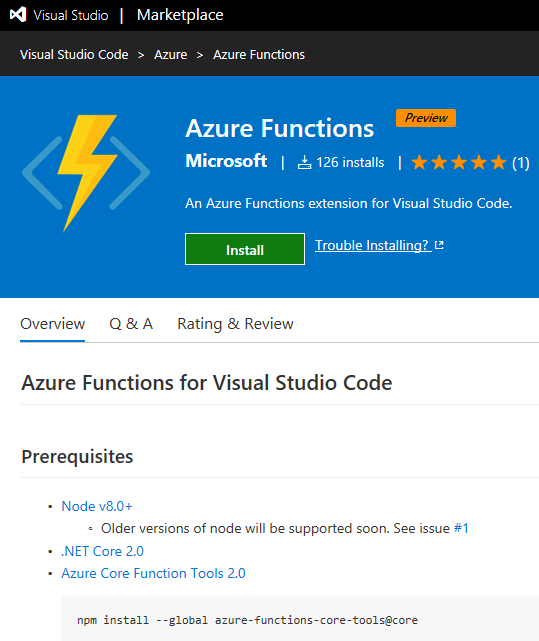
Working with Visual Studio Code? Then check out the Azure Functions extension for Visual Studio Code at the Visual Studio Marketplace! Find the extension and description at Azure Functions for Visual Studio Code. The Azure Functions for Visual Studio Code extension allows to create new projects and functions from a template, to debug function apps locally, to view and to deploy Azure functions, to start, stop and restart functions and has Intellisense support for the json-project files. ...

October 22, 2017 · 1 min · Toni Pohl
Impressions of BUILD 2017

Impressions of BUILD 2017

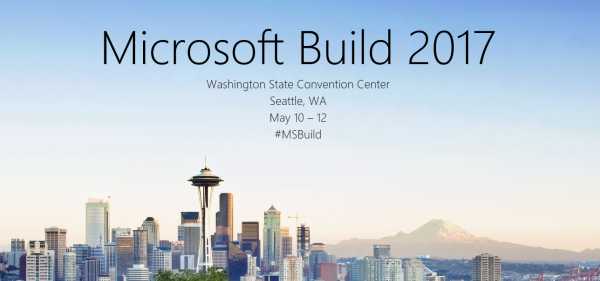
We did it again.. attending this year’s Microsoft BUILD conference in Seattle. See some of our impressions here! This year, Microsoft BUILD conference took place from May 10th to 12th near Microsoft’s home in Seattle. In total, this was the 7th BUILD conference. After the Professional Developer’s Conference (PDC) in the past and a break, the first BUILD started in September 2011 in Los Angeles, Anaheim, where Windows 8 was announced. The second BUILD end of October 2012 was interesting since it happened directly in Redmond at the Microsoft Campus with a big tent for the keynote (near the Conference Building 31) and Steve Ballmer himself presenting Windows 8 and Windows Phone 8. From then on (2013 to 2016), BUILD had it’s location in San Francisco at the Moscone Center. I still remember what an expensive location Silicone Valley and SanFran was. In 2013, Windows 8.1 was announced. In 2014, Universal Apps and the Lumia phone got most attention (can you remember, there was a time when Microsoft wanted to participate in the mobile device market with hardware and software…). In 2015, “Cloud First” – Azure (which was renamed from Windows Azure to Microsoft Azure in 2014 already) - took the stage, followed by Windows 10 that came in that summer. In 2016, it was time for the Cortana, Bots, Cognitive Services, Xamarin, and the Windows Windows 10 Anniversary Update. The Mixed Reality project “HoloLens” was announced in January 2016 at the virtual “Windows 10: The Next Chapter” event completely unexpected (although the Kinect project lead into that). ...

May 19, 2017 · 4 min · Toni Pohl
All you need to know about Visual Studio Code-Tips and Tricks

All you need to know about Visual Studio Code-Tips and Tricks

Visual Studio Code (VSC) provides developers with a fast and powerful code editor.VSC is available as cross-platform development tool, supporting OS X, Linux, and Windows and is a cost free part of the Visual Studio family. Get the Visual Studio Code Tips & Tricks Vol. 1 document to get 26 pages of tips and tricks for this great code editor. Download Visual Studio Code Tips & Tricks Vol. 1 The PDF document was authored by Tobias Kahlert and Kay Giza of Microsoft Germany. Since this is volume 1, we hope for volume 2 in future as well. ...

March 31, 2017 · 1 min · Toni Pohl
Download Visual Studio 2017 today

Download Visual Studio 2017 today

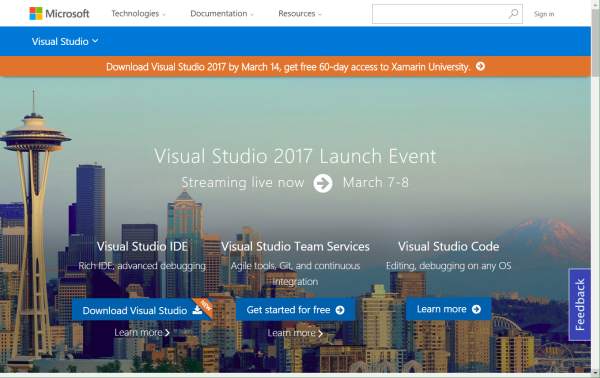
Today, Microsoft launched Visual Studio 2017 in a two day worldwide online event. Now you can download the latest version of Visual Studio at www.visualstudio.com! There have been local community events (see here). I joined the usergroup event at the Microsoft office in Vienna today. See some snapshots here. Have a look at www.visualstudio.com to see what’s new in Visual Studio 2017 and Visual Studio Online! I stumbled about this article at Petri.com – check this out before installing Visual Studio 2017: Visual Studio 2017 Is Not Supported on All Versions of Windows 10 and at Visual Studio 2017 Product Family System Requirements ...

March 7, 2017 · 1 min · Toni Pohl
Celebrate the Visual Studio 2017 launch with the community

Celebrate the Visual Studio 2017 launch with the community

Join the Microsoft Visual Studio Team and the worldwide communities celebrating the brand new Visual Studio 2017 release on March 7th and 8th! The announcements and the new features will be published in a live event during these two days. See the details at launch.visualstudio.com. “Visual Studio 2017 is coming on March 7. We’re excited to announce that Visual Studio 2017 will be available for download on Tuesday, March 7, 2017! Join us at 8:00 AM PST on March 7 for a two-day online event celebrating the launch of our latest version as well as 20 years of Visual Studio.” ...

February 16, 2017 · 1 min · Toni Pohl

Working With Office 365 Groups And Connectors article series at MVP Award Blog

Recently, the Microsoft MVP Award Program Blog published my three-part series about “Working With Office 365 Groups And Connectors”. Read the articles online in the MVP blog here: Part 1 - Working with Office 365 Groups and Connectors Part 2 - Working with Office 365 Groups and Connectors Part 3 - Working with Office 365 Groups and Connectors Also, thanks to Richard Hay for posting the summary at windowsitpro.com: Learn more about Office 365 Groups and Connectors. ...

February 2, 2017 · 1 min · Toni Pohl
Use PowerPoint for Mockups

Use PowerPoint for Mockups

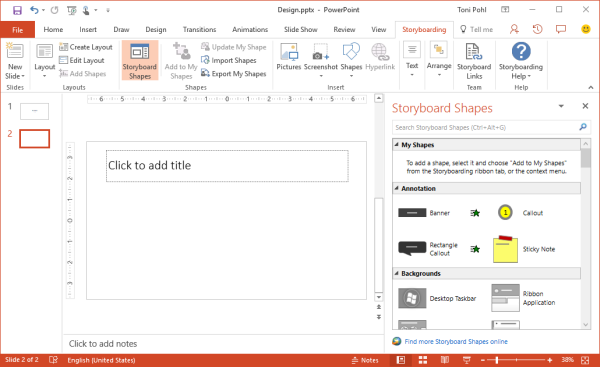
Before developing, it’s useful to create a mockup for an application. PowerPoint can help! As prerequisites, you need to have PowerPoint and Visual Studio 2013 or later installed. If this is the case, you find additional shapes in the Storyboarding / Storyboard Shapes menu. This opens a task pane with elements sorted by category (Common, Windows Apps, Desktop, Phone, etc) you need to draw an app. See more information at Storyboard your ideas using PowerPoint. ...

January 27, 2017 · 1 min · Toni Pohl
How to develop an Office App in real world-part 2

How to develop an Office App in real world-part 2

After part 1, we now look into the app side of our Excel solution. I want to point out some basics here to make it easy for developers to create their first Office App (with Excel). Here we go. Working with the API To easily access the Excel or Word functions with JavasScript, Microsoft provides an object with an anonymous function and a context (*ctx *here) as parameter. So, accessing Excel works basically as here: ...

December 30, 2016 · 4 min · Toni Pohl
How to develop an Office App in real world

How to develop an Office App in real world

Sometimes, it’s the small things that cost (unnecessarily) time. Recently, I wanted to create a quick Office App for an existing Excel file to loop through rows and do some transformation for the values. I was stumbling over some topics when developing in real world. So here’s my short How To for working with Visual Studio and Office Apps with helpful tips. Set the start document If you are not used to develop Office Apps often, this maybe isn’t easy to find: How to set an existing document as start file. ...

December 29, 2016 · 4 min · Toni Pohl