Office 365 Development und Office 365 API Sandbox

Office 365 Development und Office 365 API Sandbox

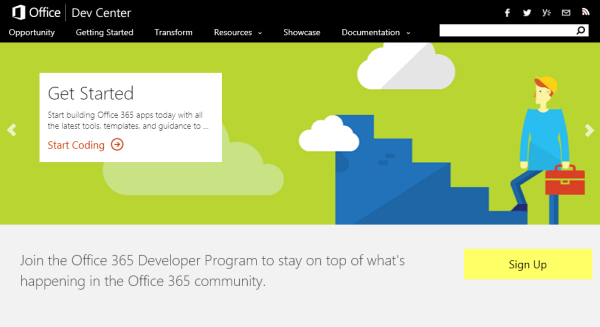
Der beste Einstiegspunkt für die Entwicklung mit Office 365 ist dev.office.com. Developer können hier gleich unter https://dev.office.com/devprogram am “Office 365 Dev Program” teilnehmen und einen kostenfreien Office 365 Abonnement für ein ganzes Jahr eröffnen! Die Website fasst auch die wichtigsten Ressourcen zusammen: Das Office 365 Network ist das Yammer-Network mit tausenden Teilnehmern (MSDN-Foren gibt es aber nach wie vor), das Office Dev Center Blog informiert über Neuigkeiten und in Uservoice.com kann Feedback zu einzelnen Funktionen und Wünsche abgegeben werden. ...
October 13, 2015 · 2 min · Toni Pohl
Viele Infos von Azure bis Universal Windows Platform, Visual Studio 2015 und Windows 10

Viele Infos von Azure bis Universal Windows Platform, Visual Studio 2015 und Windows 10

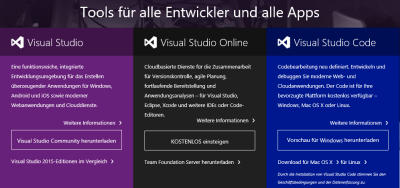
Windows 10 ist mittlerweile ein gutes Monat alt. Es gibt auch bereits viele Ressourcen zu Windows 10 und natürlich auch für Developer, angefangen von Azure bis Visual Studio. Einige davon habe ich hier gesammelt, sozusagen ein erster Überblick in loser Form (to be continued)… Wir starten mit dem Visual Studio Developer Tools Download. Hier ist der Download aller Visual Studio Versionen, inklusive VS2015, möglich. Das Windows Apps Team hat einen Überblick über UWP Apps und .NET geschrieben: .NET Native – What it means for Universal Windows Platform (UWP) developers ...

September 3, 2015 · 2 min · Toni Pohl
Free Refactoring Essentials for Visual Studio 2015

Free Refactoring Essentials for Visual Studio 2015

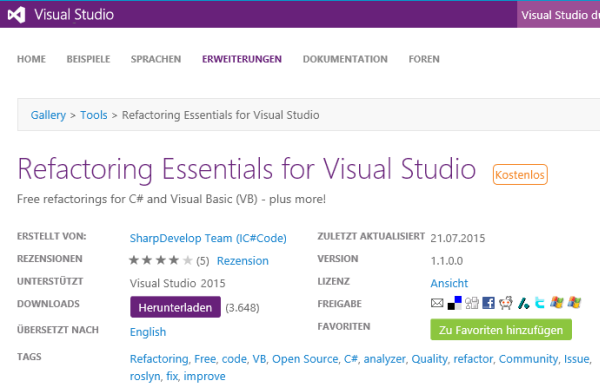
Wer mit Visual Studio arbeitet liebt sie – und braucht sie: Tools um produktiv zu arbeiten. Aus der Community gibt es eine sehr coole kostenfreie Extension für Visual Studio 2015, die “Refactoring Essentials for Visual Studio”! Die Refactoring Essentials bieten – wie der Name verrät – Refactoring und Code Analyzer direkt in Visual Studio an. “The premier free Visual Studio 2015 extension for C# and VB.NET refactorings, including code best practice analyzers to improve your projects.” ...

July 27, 2015 · 2 min · Toni Pohl
Visual Studio 2015 RTM is available

Visual Studio 2015 RTM is available

As S. Somasegar, corporate vice president of the Developer Division at Microsoft, wrote in his MSDN blog, the final version of Visual Studio 2015 is available: Save the Date: Visual Studio 2015 RTM on July 20th The new Visual Studio version is targeting developers on new platforms: from cross-platform mobile development targeting iOS, Android to the classic Windows apps. Check out the Visual Studio 2015 Final Release Event site with over 60 on-demand content sessions! ...

July 21, 2015 · 1 min · Toni Pohl
Visual Studio Online Szenarien

Visual Studio Online Szenarien

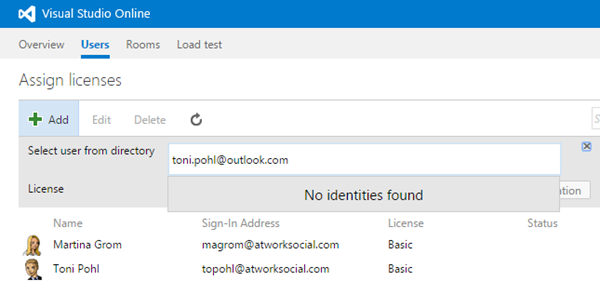
In Teil 1 habe ich beschrieben, wie man Organisationskonten mit Visual Studio Online nutzen kann. Hierzu möchte ich noch einige weitere Infos anfügen, die für die Verwendung von VS Online im Unternehmen hilfreich sind. Konten mischen? Zunächst einmal wird oft die Frage gestellt, ob man in bestehende VS Online Services Benutzer mit Microsoft Konto UND Organisations-ID hinzufügen kann. Die kurze Antwort darauf lautet: Nein. Damit es simpel bleibt, nehme ich das Ergebnis hier gleich vorweg. Ob Organisations-IDs verwendet werden können hängt davon ab ob Visual Studio Online mit einer Org-ID erstellt wurde (denn nur dann können Org-ID’s verwendet werden). Zur Übersicht habe ich die folgende Tabelle mit dem aktuellen Status angelegt. ...

June 17, 2015 · 6 min · Toni Pohl
Visual Studio Online mit Unternehmenskonten nutzen

Visual Studio Online mit Unternehmenskonten nutzen

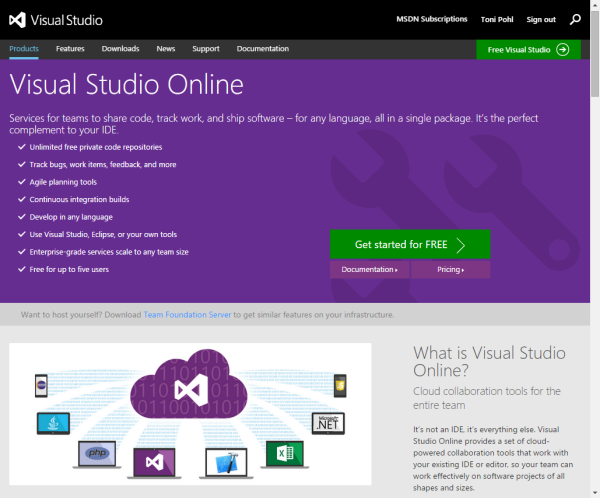
Die Nutzung von Visual Studio Online erfolgt zumeist mit einem Microsoft Konto. In Unternehmen, möchte man allerdings im Regelfall keine individuellen Microsoft Accounts sondern die Organisations-Konten aus der eigenen Firma verwenden, sprich aus dem Azure Active Directory. Funktioniert das? Ja, klar! Hier seht ihr wie es funktioniert und wie die grundsätzliche Verwaltung von VS Online funktioniert. Für alle jene (Unternehmens-IT’s), die Visual Studio Online noch nicht kennen und nutzen, möchte ich hier etwas ausholen und neben der Einrichtung und Verwendung von VS Online mit Organisationskonten auch die grundsätzliche Verwaltung von VS Online beschreiben. ...

June 15, 2015 · 4 min · Toni Pohl

How to remote control Office 365 with Windows Azure

Office 365 can be automated by your own apps. There are many ways to accomplish that, so we are delivering the ways how to authenticate and how to use Microsoft’s Office 365 Cloud Services. We will upload our presentation and our code demos here shortly…!

June 10, 2015 · 1 min · Toni Pohl
MSIgnite 2015 on Twitter

MSIgnite 2015 on Twitter

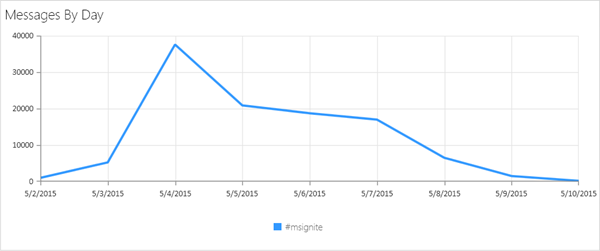
It has been a noisy week in Social Media with #MSIgnite. Such a large conference as Microsoft Ignite (see here) produces a lot of traffic in Social Media. We made some Twitter reports to deliver some impressions about MSIgnite. The following statistics was created by searching for hashtag #MSIgnite. Overview Since 2nd of May till now (10th May) there have been almost 109.000 tweets sent by almost 17.000 Twitter users. With 53% about half of the messages have been retweeted. ...

May 10, 2015 · 3 min · Toni Pohl

BUILD 2015 Wrap up

Time flies! As soon as BUILD conference 2015 started it’s over now. Martina and I arrived a week ago in California and spent some days in Silicon valley (working there…) and north of San Francisco before attending the conference. BUILD, the 5th This was our 4th BUILD. In total there were five BUILD conferences (after Microsoft paused and renamed the PDC and started with Windows 8): The first one was in 2011 in Los Angeles, Anaheim, followed 2012 at the Microsoft Campus in Redmond, we skipped 2013 in San Fran, Moscone Center, and have been at the last BUILD 2014 and now in 2015, also in the same location. So we have some experience with this Developer Conference. ...

May 4, 2015 · 6 min · Toni Pohl
Using Azure ServiceBus for Debugging SharePoint 2013 Apps with Remote Event Receiver-Part 1

Using Azure ServiceBus for Debugging SharePoint 2013 Apps with Remote Event Receiver-Part 1

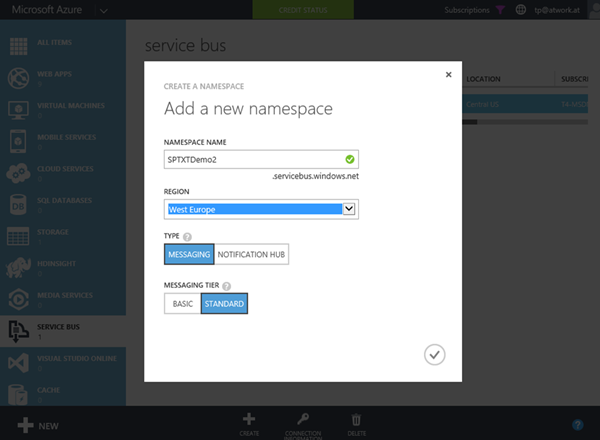
The new app model has a lot of benefits, especially for Web Developers who are writing solutions for Microsoft SharePoint Server 2013 or SharePoint Online. A very common request of Line-of-Business (LOB) apps is that actions in SharePoint lists shall trigger special operations, for example to start a workflow or to exchange data with other, external systems. This can be accomplished with “Remote Event Receivers” in SharePoint. With SharePoint 2013 the new concept uses Azure ServiceBus to transport events and data between the SharePoint Server system and a remote App (which while developing usually is running on “localhost”). ...

April 20, 2015 · 4 min · Toni Pohl