Impressions of Microsoft Ignite 2017

Impressions of Microsoft Ignite 2017

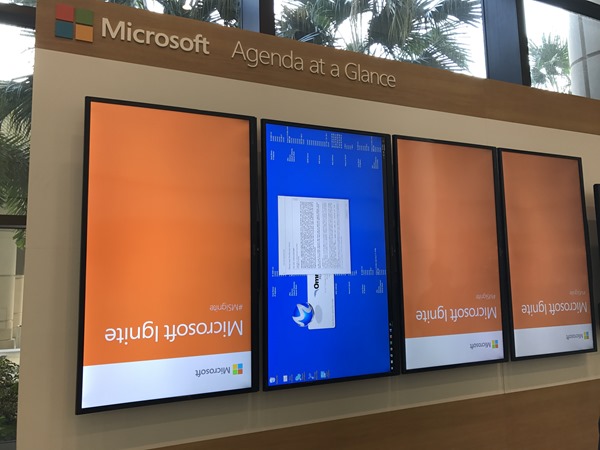
It was a busy week! Ignite is the largest and leading event for IT-Professionals and Decision-Makers in the Microsoft universe. This year, the conference took place in Orlando, Florida, from 25th to 29th September. With approximately 30,000 attendees and about 700 breakout, a lot of theater-sessions a large expo and a lot of networking this event was … big #dataoverflow. See my personal impressions here. Welcome to Florida After the first Ignite conference in Chicago in May 2015 and in Atlanta in September 2016, the event location this year was Orlando. From our company, atwork, five persons attended (see our colleagues Dominik, Andreas and Jens from Germany with the blue atwork T-Shirts below) and Martina Grom was a speaker. Florida did welcome us with hot and humid weather with a lot of sunshine and a bit of scattered rain showers – back in summer time. So, we used the weekend before Ignite for visiting a Disney Park and the Star Wars universe with our MVP pal Loryan. For us, the conference started on Sunday with a pre-day and a lot of technical information. ...
October 7, 2017 · 6 min · Toni Pohl
How user profile synchronization works in Office 365 services

How user profile synchronization works in Office 365 services

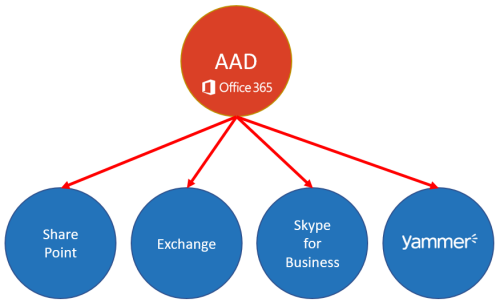
Office 365 users often ask about user profiles in various Office 365 services and where to change what. Since the Office 365 products do have a history, there are different places where user profile data is stored and how specific properties are synchronized. So, we at atwork thought that it makes sense to inform about the current user profile status in Office 365 with this article. AAD Basics The basis of all Office 365 services is the central Azure Active Directory (AAD) that stores all users, groups, licenses and relations of an Office 365 tenant (*.onmicrosoft.com). Entities can be managed in the Office-Portal, with scripts (PowerShell, etc.) or custom code (accessing the Microsoft API’s), or in a hybrid scenario with AAD Connect or ADFS. Once a user is created in AAD, there are a bunch of user properties available, as the User Principal Name (UPN, which is the login name), the person’s name and address data, Office 365 licenses, and more. All Office 365 products require such a user identity for sign-in. Once logged in, users benefit from Single-Sign-On (SSO) experience with one single identity. ...

July 7, 2017 · 6 min · Martina Grom
Join us at Microsoft Cloud Summit 2017 in Paris

Join us at Microsoft Cloud Summit 2017 in Paris

We are delighted to be part of Microsoft Cloud Summit 2017 in Paris from January 23th to 25th 2017 at the New Cap Event Center! Microsoft Cloud Summit 2017 Paris is a conference organized by AGILE.NET - aOS - AZUG FR - CMD – GUSS and offers: 1 day pre-conference workshops (Jan. 23th) 2 days of conference (Jan 24th-25th) space for about 900 attendees (the conference is sold out) 7 tracks and 72 sessions, see the agenda ...

January 22, 2017 · 1 min · Toni Pohl
Yammer and the picture quality

Yammer and the picture quality

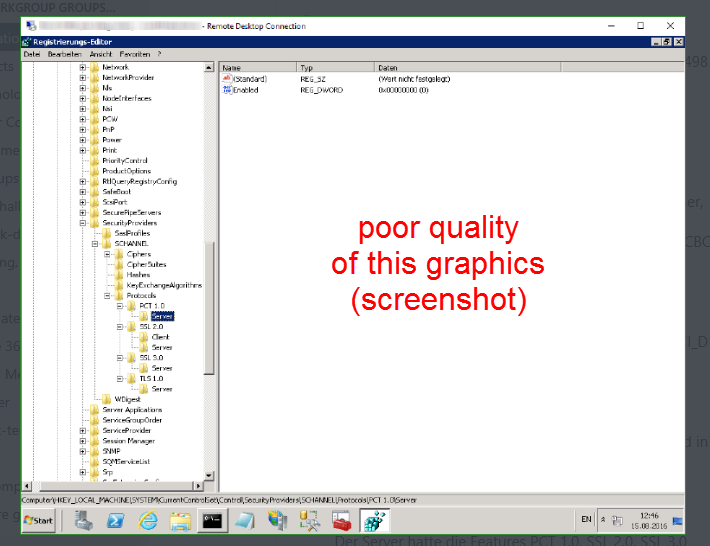
When using Yammer, it’s obvious, that uploaded pictures are shown with a reduced quality. Yammer does automatically scale and reduce pictures to make them more web compatible. But Yammer still has the source picture stored! To illustrate this behavior with a sample, see (and enlarge) this picture. It’s a screenshot taken from a Windows machine and the Registry Editor. The items do have poor quality and are not good readable and pixilated. ...

August 22, 2016 · 2 min · Toni Pohl
Office 365 Groups und Connectors benutzen-Teil 2

Office 365 Groups und Connectors benutzen-Teil 2

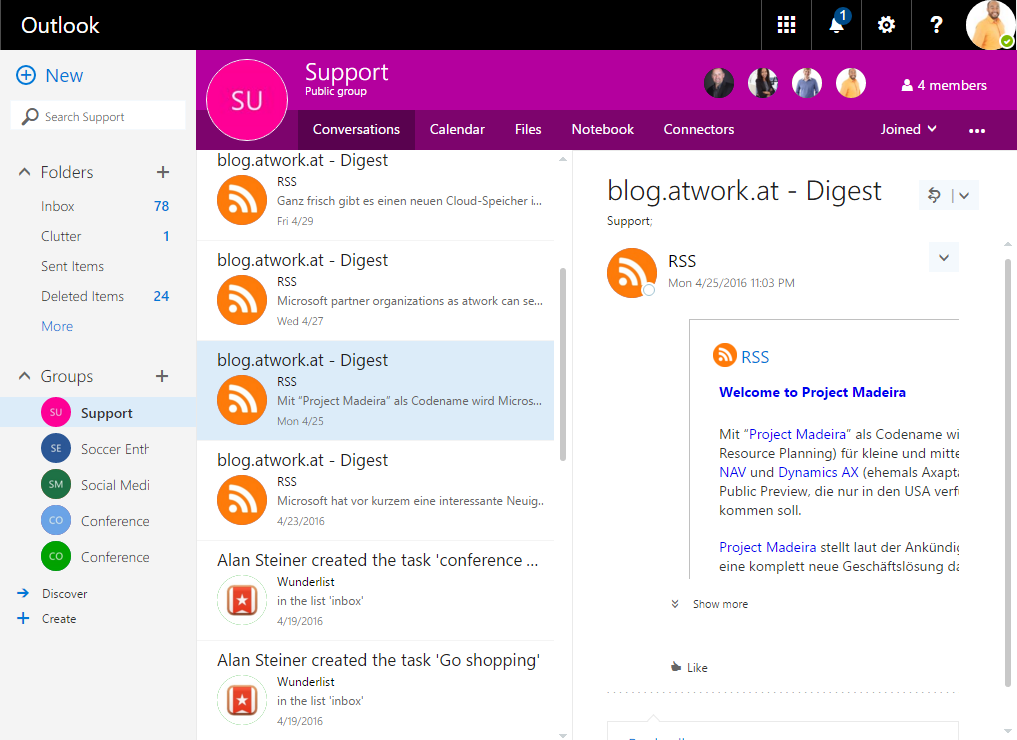
Office 365 Groups können auch von Außen benutzt werden. Einerseits ist dies über E-Mail, geteilte Inhalte und Conversations möglich, zusätzlich bieten Groups auch “Connectors” als Schnittstelle zu Dritthersteller-Applikationen. Dies können öffentliche Dienste wie Bing, Twitter, Trello, GitHub, Zendesk und viele mehr, aber auch eigene Systeme und Events sein. Hier sehen wir uns die Verwendung der Office 365 Connectors im Detail an. Die Office 365 Groups-Basisfunktionalität hat Martina bereits am Beispiel einer “Support”-Group in Office 365 Groups und Connectors benutzen-Teil 1 beschrieben. Nun geht es darum, Office 365 Groups aus fremden (oder eigenen) Applikationen oder für eigene Notifikationen und Daten zu nutzen. ...

May 4, 2016 · 5 min · Toni Pohl
Welcome Microsoft Flow

Welcome Microsoft Flow

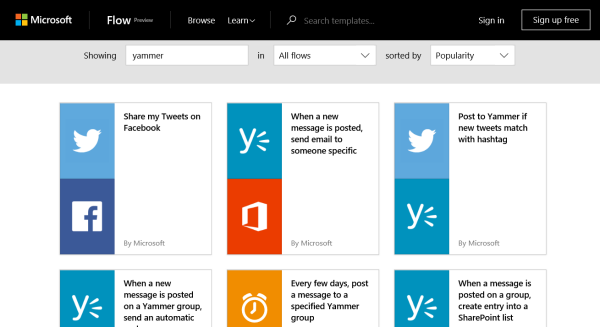
Microsoft has named its own IFTTT tool called Flow… “Microsoft Flow is a service for automating workflow across the growing number of apps and SaaS services that business users rely on.”. Find the announcement in Welcome to Microsoft Flow and try it here, for example with Yammer: https://flow.microsoft.com/en-us/search/?q=yammer Check it out on https://flow.microsoft.com!

April 30, 2016 · 1 min · Toni Pohl
Office365Konf 2016 Twitter Statistics

Office365Konf 2016 Twitter Statistics

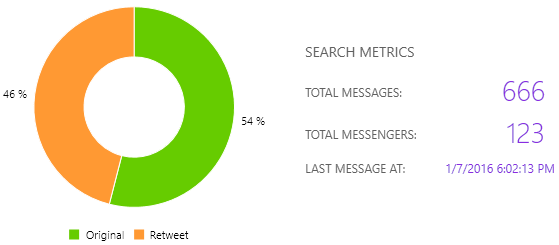
First of all we would like to thank all attendees, speakers, sponsors and all helping hands for making the second Office 365 Conference such a huge success (again)! Members of the MVP community organized the Office 365 conference from January 8th to 9th 2016 in Cologne. Beside the great personal feedback on site it’s always interesting to get some event feedback in Social Media, so we made a short Twitter Statistics of the hashtag #Office365Konf. So, here we go! ...

January 10, 2016 · 3 min · Toni Pohl
This was UnityConnect 2015

This was UnityConnect 2015

This week unityConnect, the SharePoint and Office 365 conference, took place in Amsterdam. The speaker lineup was amazing and the content team did a great job. We asked Twitter about some numbers of this event. See it here! There have been around 400 attendees and a lot of well known experts at the three day event at “The Meervaat” near Amsterdam downtown. unityConnect is considered to be one of the premier SharePoint and Office 365 technical training events in Europe and offered more than 50 sessions with great speakers from Microsoft and from the industry. ...

October 15, 2015 · 3 min · Toni Pohl
Collab365 Event on Twitter statistics

Collab365 Event on Twitter statistics

This week, from 7th to 8th October, the collab365.event happened as Online Event. Martina and I were honored to be part of that great virtual event! We hope you liked our sessions No more SPO Public Websites. What´s next?, How to (remote) control Office 365 with Microsoft Azure and Who needs Yammer – we have SharePoint! Thanks a lot for your particpiation and your feedback! Today, Sunday at 12:00pm, I made a statistics about the Twitter hashtag #collab365. See the results here! ...

October 11, 2015 · 2 min · Toni Pohl

Our Microsoft Virtual Academy courses are online

In May Martina, I and our MVP colleague Sigi Jagott have been to Redmond and recorded some courses about Office 365 for Microsoft Virtual Academy. The recordings took two days for Martina and two days for Sigi. I had the pleasure to join Martina for the first day and two recordings. It’s quite an experience to come into the Microsoft Studio in Redmond Town Center and get a briefing about how it works, what to do (and what not to do). The recording was done and cutted by Danny who did a great job introducing us into the world of doing the webcasts. Many thanks for your patience and your support! ...

July 3, 2015 · 3 min · Toni Pohl